Pyodios shipped to the App Store on April 29th. It runs Python locally on your iPhone or iPad: a REPL, code editor, plot viewer, package manager, and Notebook environment, with NumPy, pandas, matplotlib, and scikit-learn one tap away from a fresh install. The runtime is Pyodide, a WebAssembly (WASM) distribution of CPython and the scientific Python stack.
If you saw webRios in January, the shape will feel familiar. Pyodios is the Python sibling on the same iOS shell, with two features that webRios doesn’t have yet: a Jupyter Notebook mode with inline output, and an opt-in Remote Backend that connects to a Jupyter kernel when an on-device sandbox isn’t enough.
Python Wherever You Are
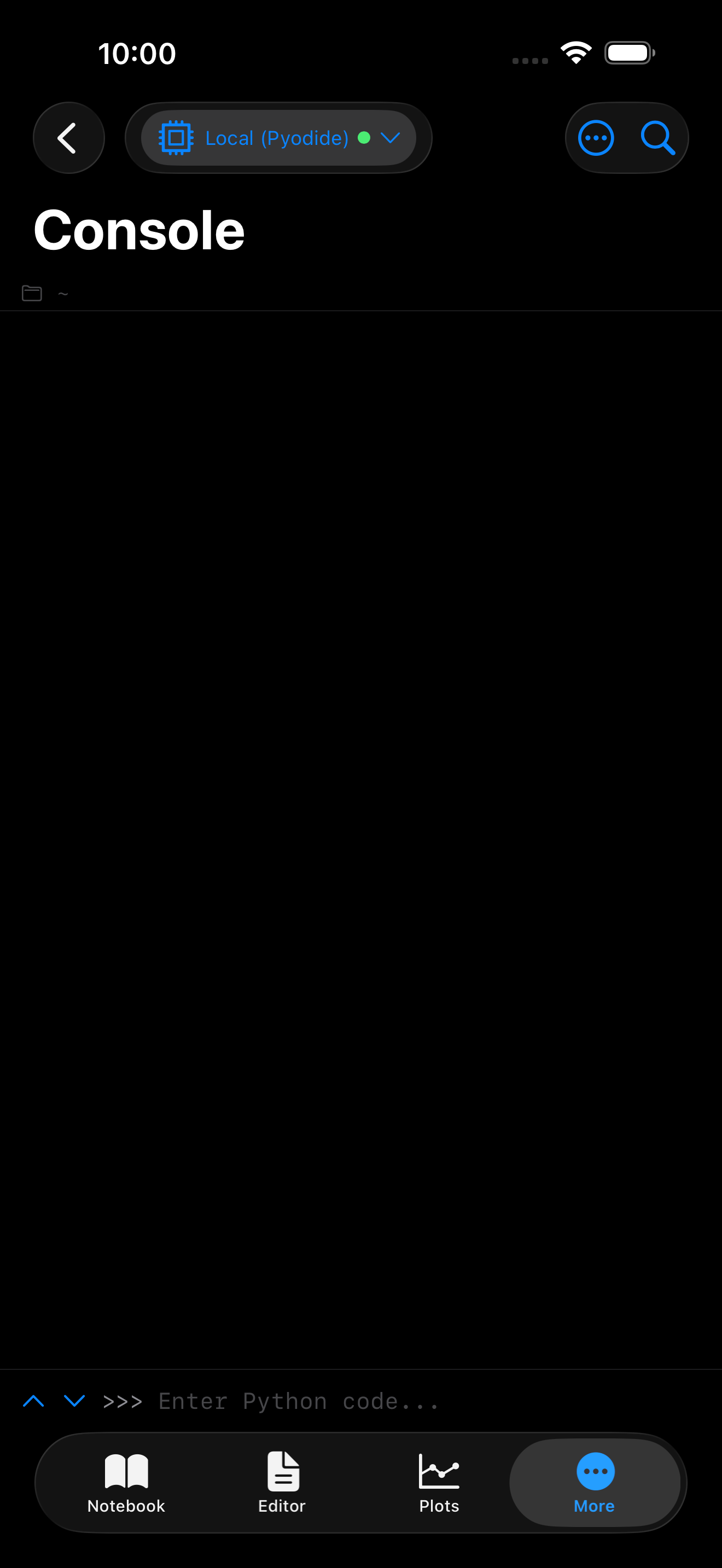
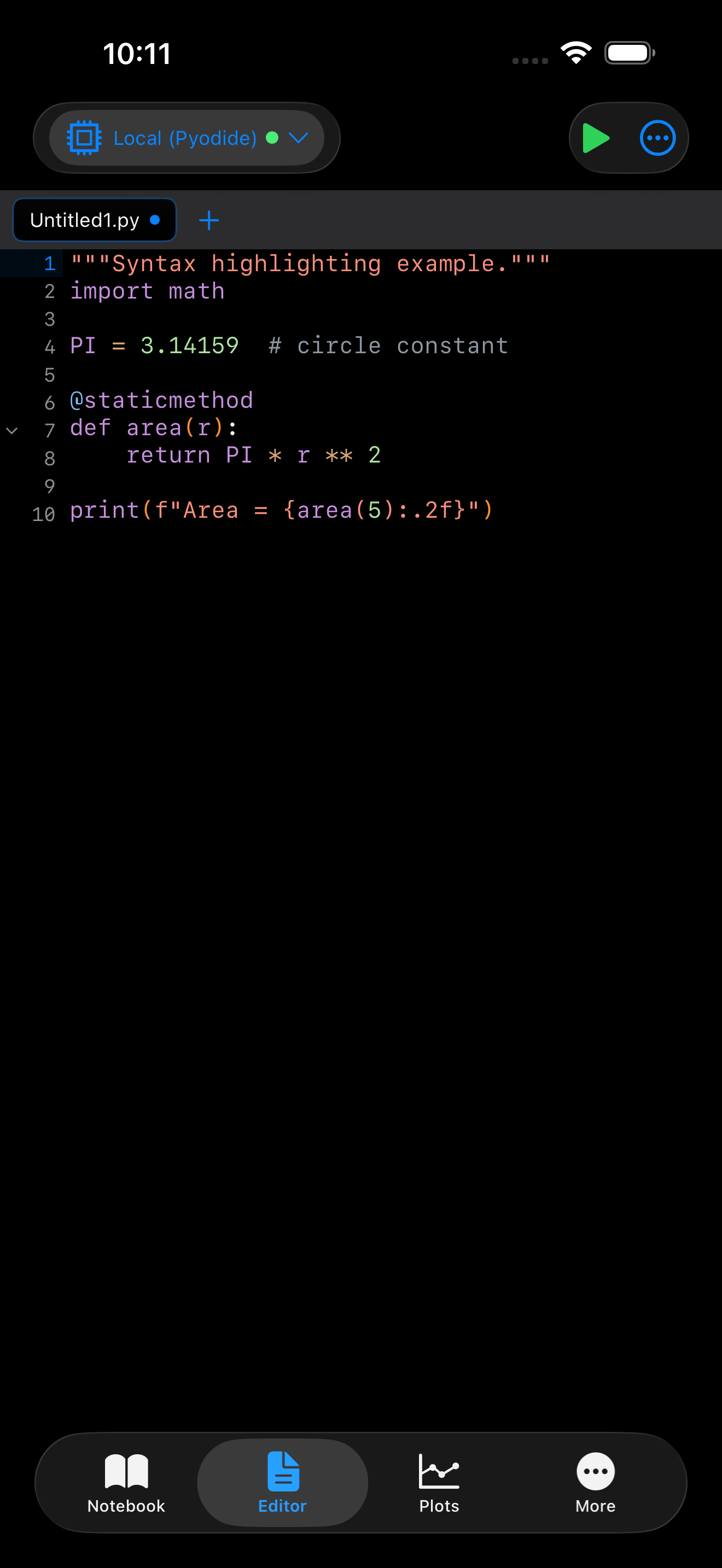
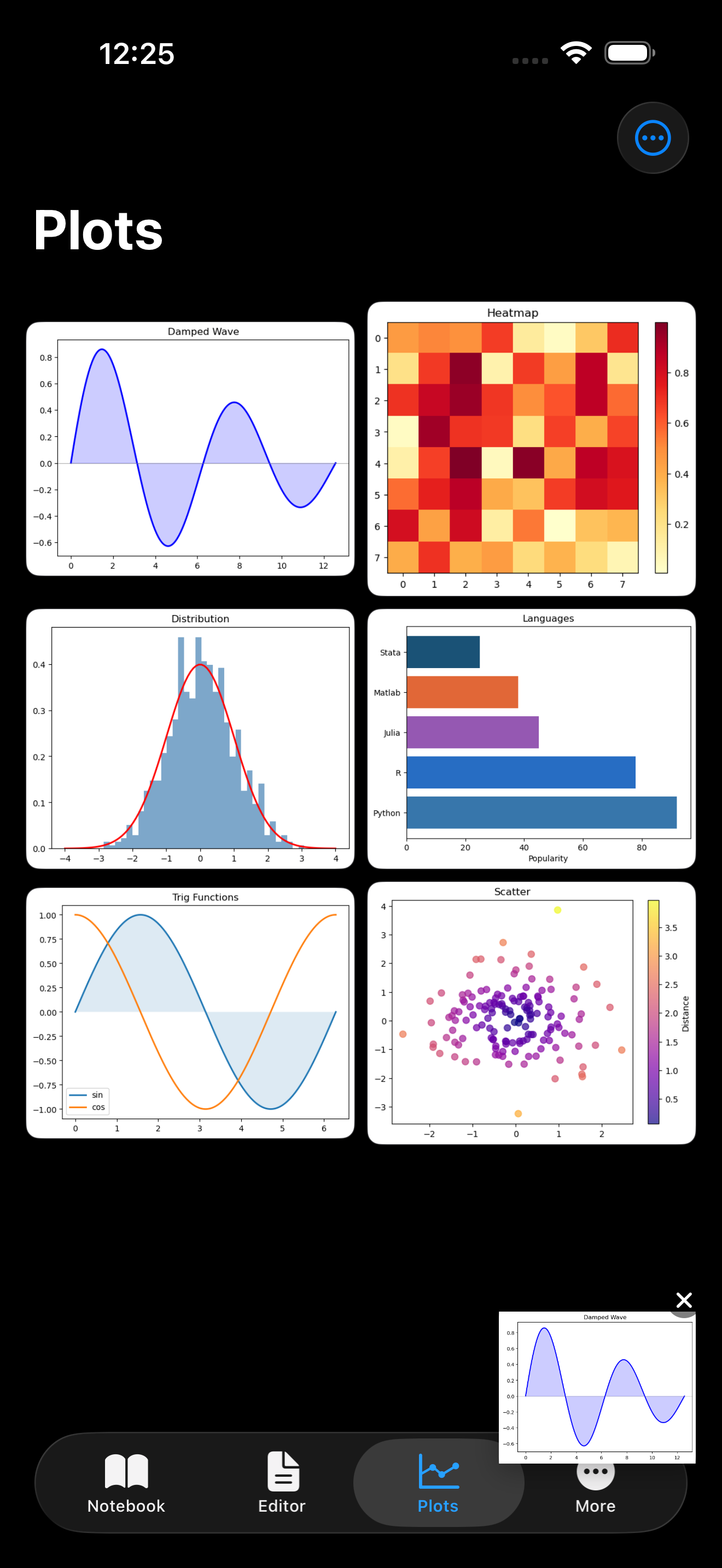
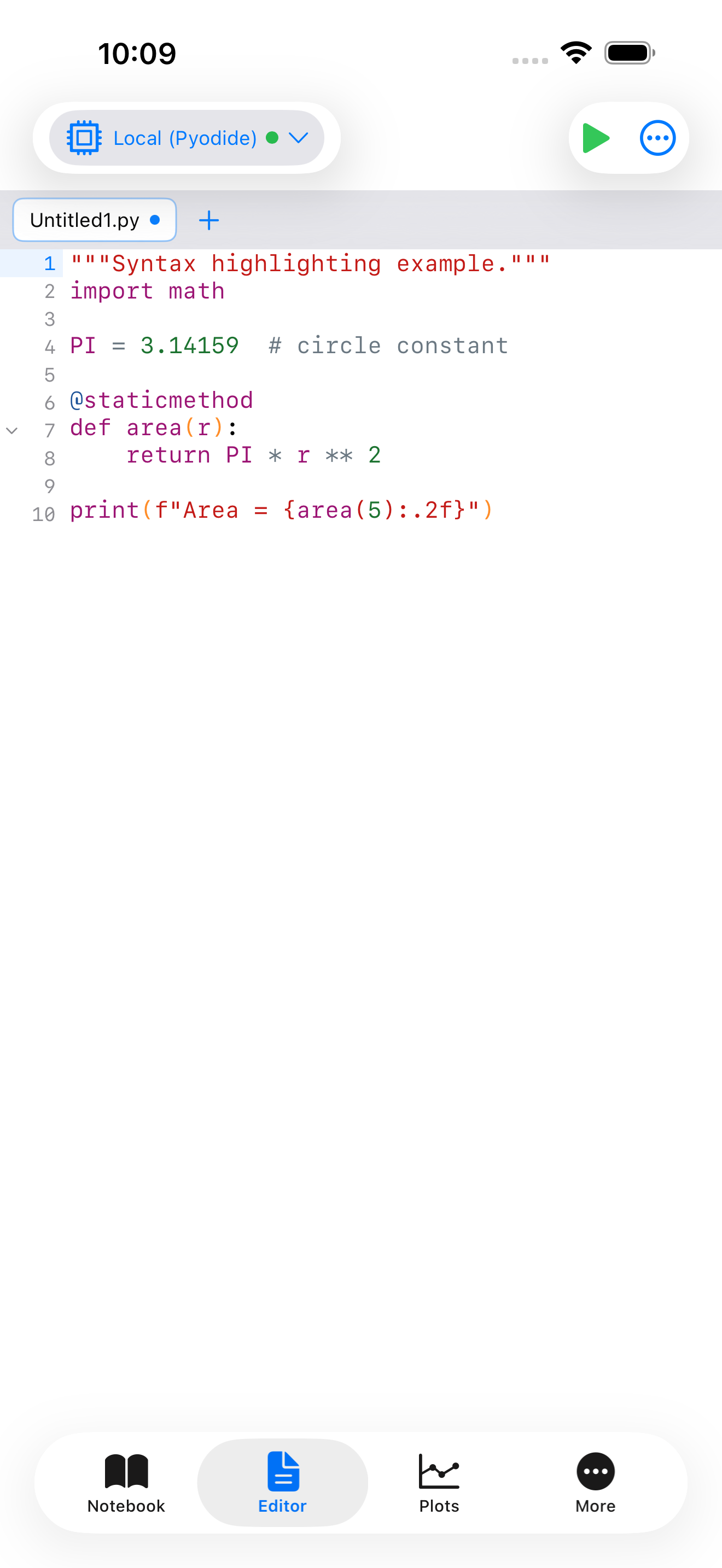
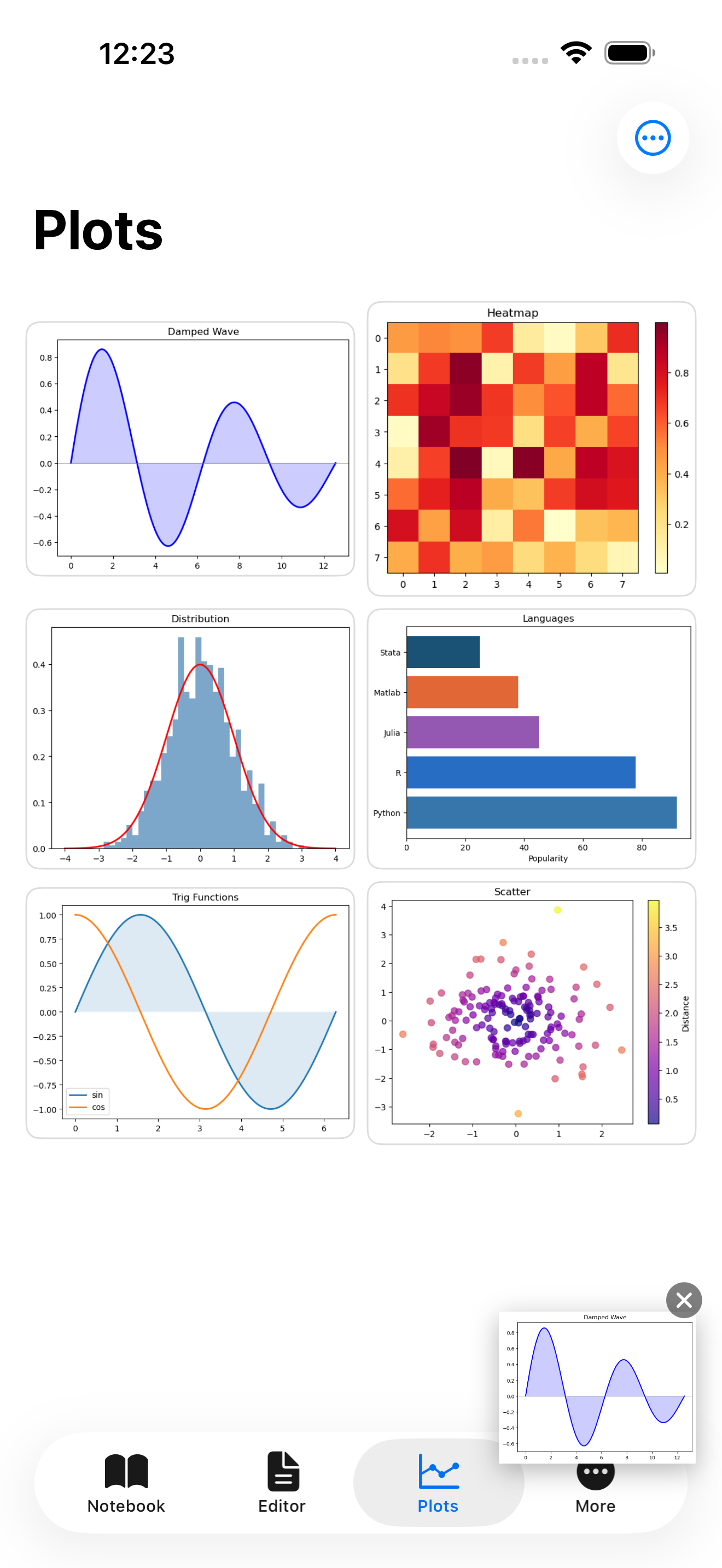
It’s real Python. f-strings work. pandas DataFrames behave the way you expect. matplotlib renders into the plot gallery. seaborn works the same as on a laptop. Tracebacks come back fully formed, and errors don’t kill the session.
Install packages from the Pyodide package set with a tap. The headline names (NumPy, pandas, matplotlib, SciPy, scikit-learn, SymPy, statsmodels) are pre-built to WebAssembly and served from the Pyodide CDN, and pure-Python packages from PyPI can be added at runtime with micropip. A one-tap “scientific Python” bundle gets you to a working session in under a minute. The package manager guide covers add/remove, the difference between the pre-built WebAssembly set and micropip, and how to pin a working bundle.
On iPad, the same document opens at full width:
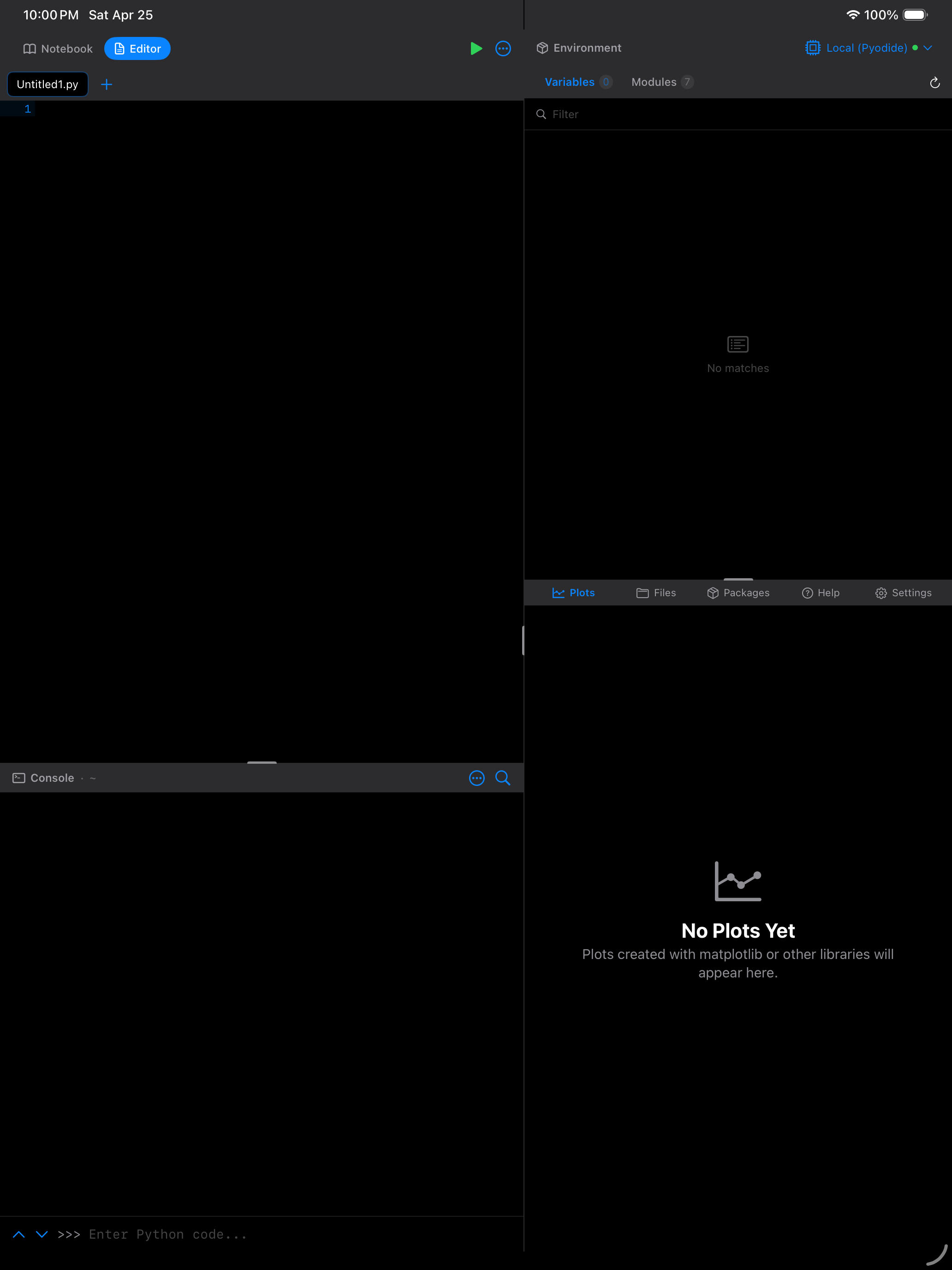
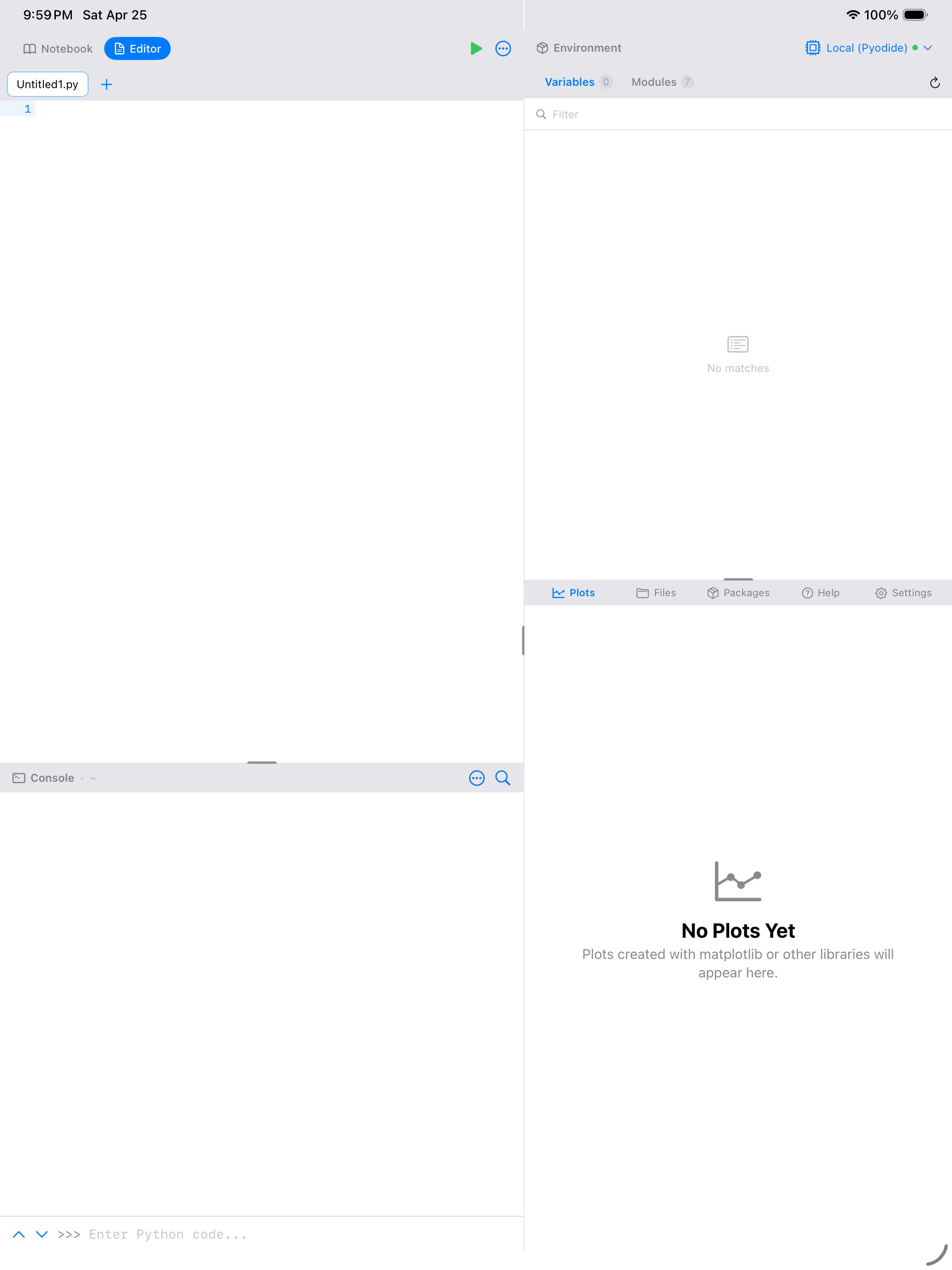
You write code in the editor, tap Run, and Pyodide executes it locally. Results fan out: text into the console, figures into the gallery, new bindings into the variable inspector.
Notebook Mode
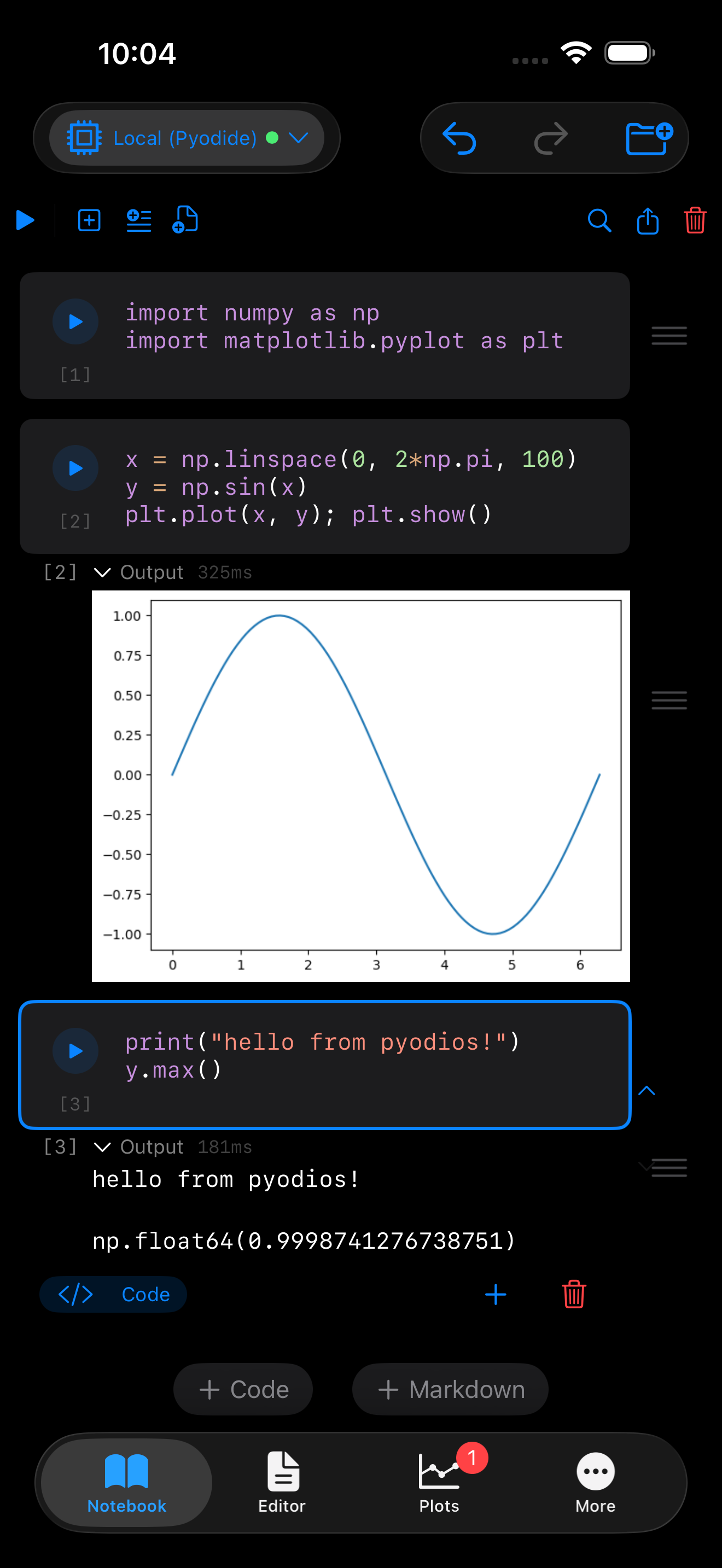
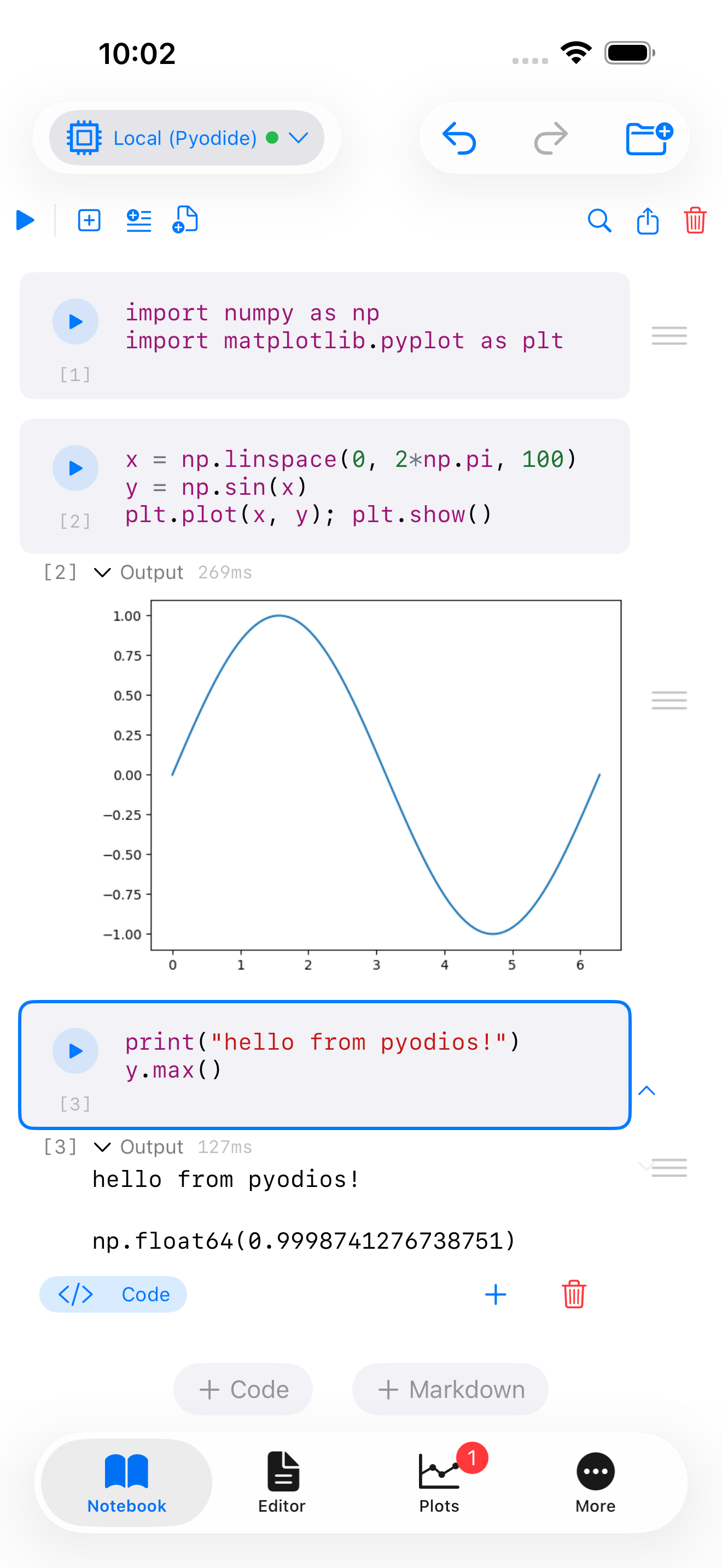
The first feature that’s new in Pyodios (and not yet in webRios) is Notebook mode: a sequence of cells in a single scrollable document, where each cell is either prose (Markdown) or code (Python), and each code cell’s output renders inline directly below it. Tap the run icon on a cell to execute it. Text, tables, figures, and tracebacks all appear below the cell that produced them. The notebook stays one readable document, not a hidden tray of outputs.
The on-disk format is the standard Jupyter notebook format (.ipynb). A notebook authored on a phone in Pyodios opens unchanged in JupyterLab, VS Code, Colab, GitHub’s built-in renderer, or any other Jupyter-aware tool on a desktop, and vice versa.
See the Notebook reference for cell keyboard shortcuts, kernel configuration, and export options. The reasoning behind picking Jupyter over Quarto lives in the shared-bones appendix.
Limits to Know
Every constraint here comes from one place: Pyodios runs Python inside iOS’s WebAssembly sandbox. The sandbox is what makes the app possible at all (the appendix has the full story), and the same boundary shapes what fits and what doesn’t.
The biggest is memory. Pyodios gets about 300 MB of WebAssembly heap on iOS, which is comfortable for interactive analysis and most notebooks, and useless against a 5 GB Parquet file. When a session starts running tight, clear figures and drop large DataFrames first; restart from Settings as the nuclear option. For anything genuinely large, the Remote Backend (below) is the escape hatch.
Startup is the other obvious cost. The first launch takes 5 to 15 seconds while Pyodide loads the interpreter and the base library set into the sandbox. Warm starts are faster thanks to caching, but never quite instant. You will notice the gap if you’re used to a desktop REPL.
Not every Python package is available. The same WebAssembly sandbox that enables Pyodios rules out anything that needs to load native system libraries at runtime. micropip pulls pure-Python packages from PyPI on demand, but database drivers, some GIS stacks, and packages that depend on low-level networking may not work.
One real annoyance: you can’t interrupt a running cell. An infinite loop means force-quitting the app and starting again, which is exactly as annoying as it sounds. This is the same limitation webR carries in browser-style WebAssembly execution; cooperative interrupts are on the roadmap for both.
Sessions don’t persist across launches. Your .py files, notebooks, and installed packages stay where you left them; the variables and console history do not. Put your imports at the top of the script and treat each launch as a fresh session.
Remote Backend (Beta)
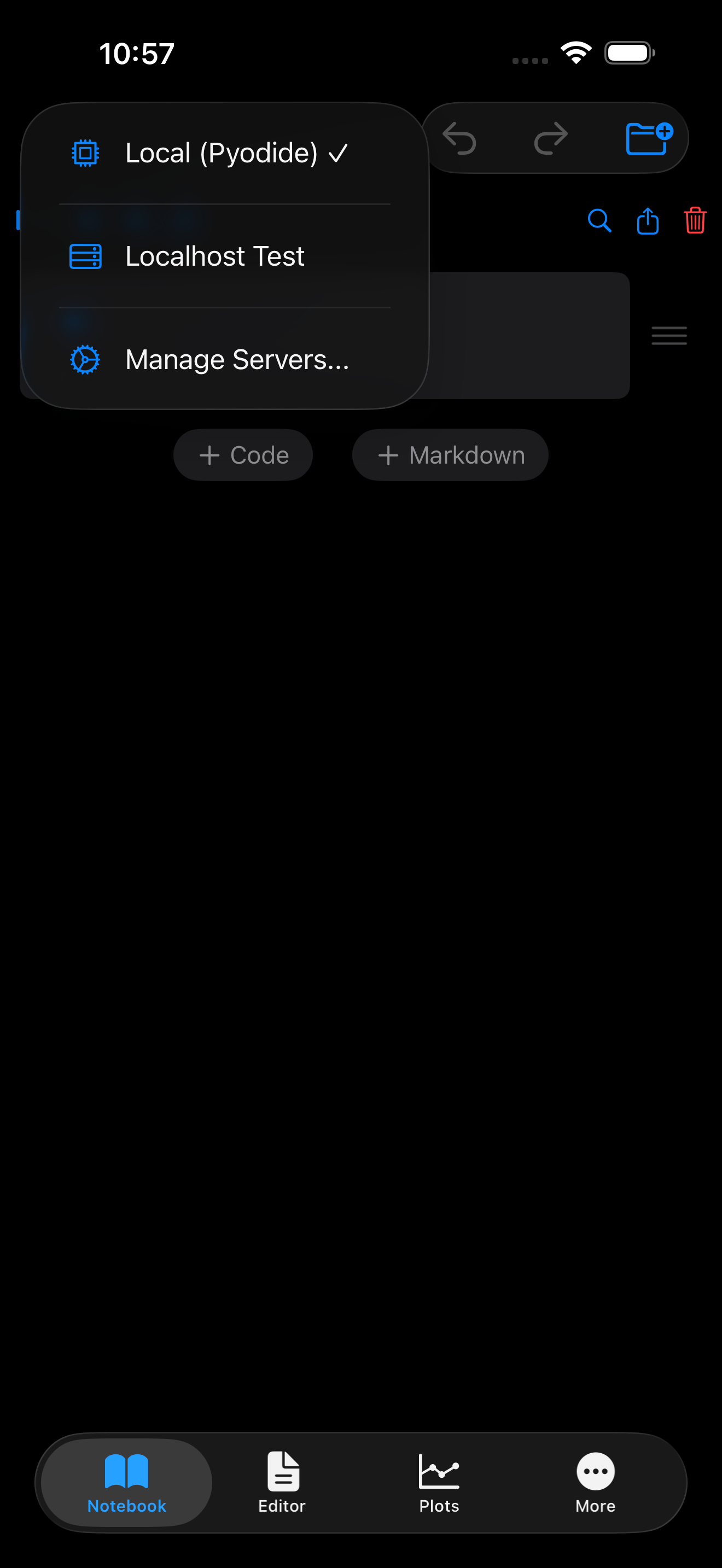
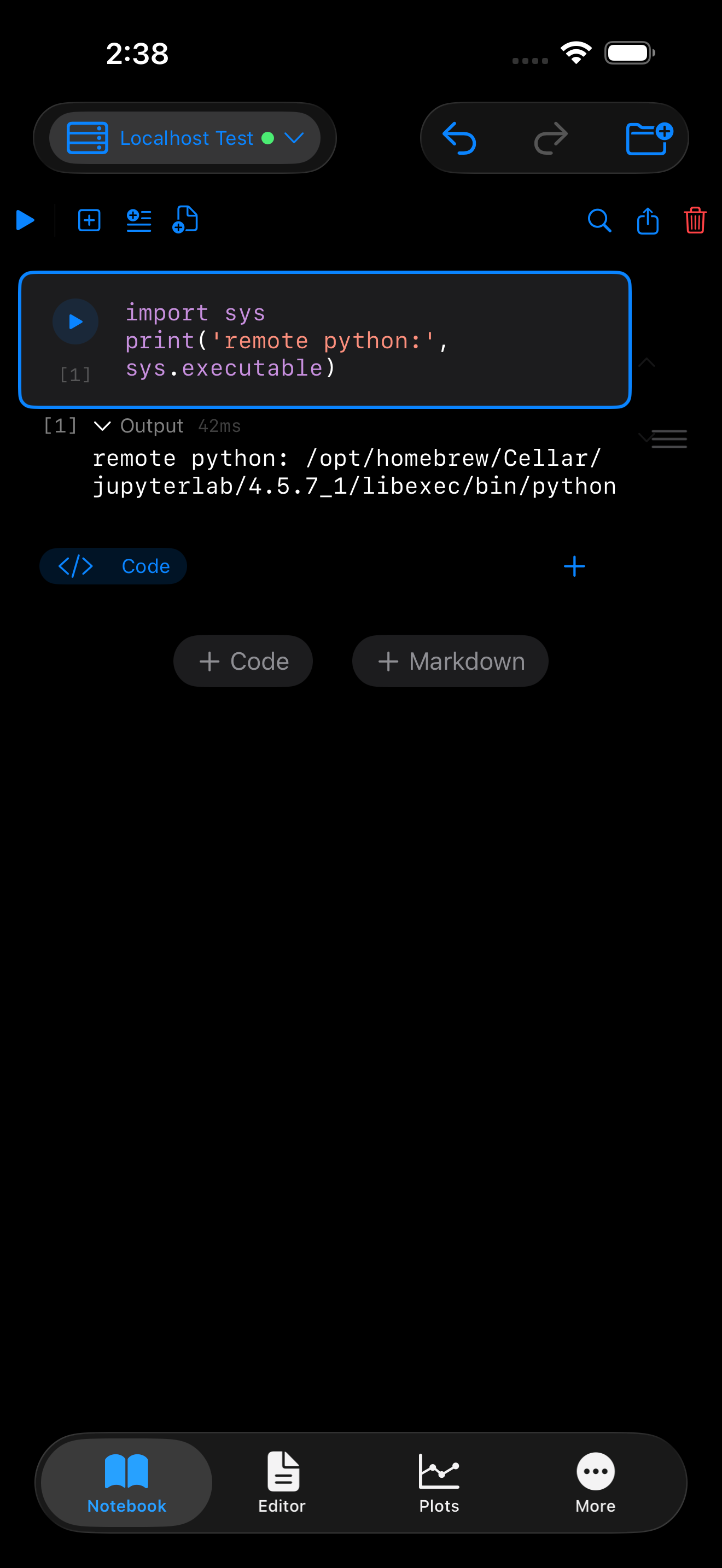
print(sys.executable) returns the remote homebrew Python path, proving the code ran off-device.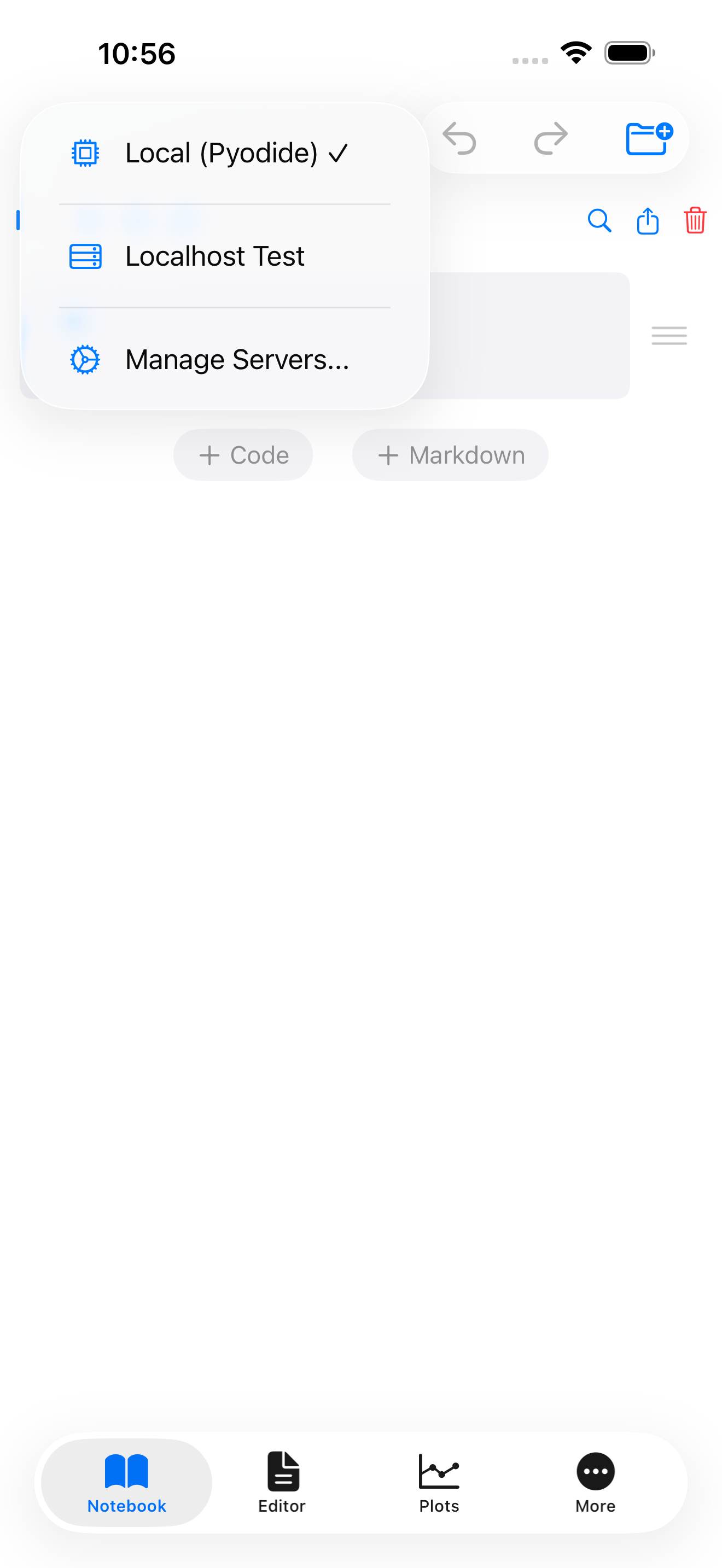
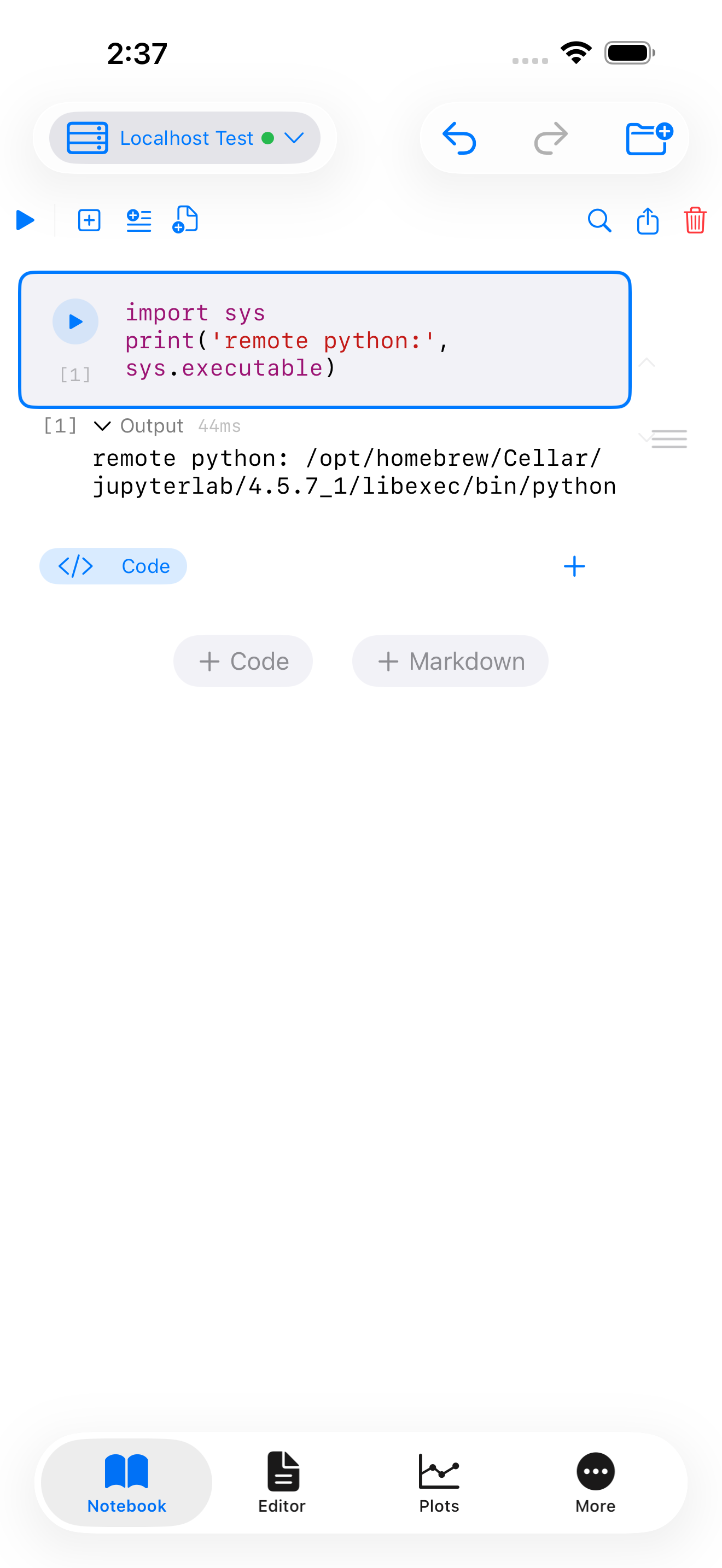
print(sys.executable) returns the remote homebrew Python path, proving the code ran off-device.The second new feature, in early beta, is the Remote Backend. The workloads that don’t fit in the sandbox (see Limits, above) all share the same escape hatch: point Pyodios at a Jupyter kernel running somewhere else, and the same console, editor, and Notebook UI drive that kernel instead of the local Pyodide runtime. Plots, tables, and variable state come back over the wire and render in the same panels. The “somewhere else” can be a desktop on your home network, a workstation under your desk, a JupyterHub deployment, or a cloud VM.
This feature is beta, so a few caveats:
- Opt-in, off by default. Local Pyodide is the default runtime. Nothing leaves the device until you explicitly add a remote kernel in Settings.
- Bring your own kernel. Pyodios doesn’t host kernels for you. You point it at a running Jupyter server, with a token, and it connects.
- Auth covers most cases except OAuth. Token, password, and no-auth (for trusted networks) all work for direct Jupyter connections. JupyterHub deployments connect via Hub URL plus a personal API token. SSH tunneling is built in for servers behind a firewall, with password or private-key auth (
.pem/.key, including Ed25519). OAuth and external identity providers aren’t supported yet. - The remote runtime is not sandboxed by Pyodios. Code that runs remotely runs with whatever permissions the kernel has. Pick your kernel accordingly.
See the Remote Backend setup guide for adding kernels, configuring tokens, and troubleshooting common connection issues.
Compared to Other Options
There are a few other ways to run Python on an iPhone:
- Pythonista 3 runs Python locally and has been the gold standard for on-device iOS scripting for years. It doesn’t let you install arbitrary pip packages, and its bundled package set is smaller than Pyodide’s in the scientific area.
- Carnets and Carnets Plus run Jupyter locally on iOS with a custom Python build. They’re excellent, and Pyodios borrows ideas from them. Their package set and Pyodide’s are different curated subsets, so some packages are easier to install on one than the other.
- a-Shell gives you a terminal with Python on iOS. Powerful, terminal-first; no built-in editor, plot viewer, or notebook UI.
- Juno is a polished Jupyter client that connects to a hosted backend. It overlaps with the Remote Backend mode in Pyodios, without the local-Pyodide fallback.
Pyodios sits in the middle ground: real scientific Python running locally on-device, with an opt-in escape hatch to a remote Jupyter kernel when the phone isn’t enough.
Thanks
Shipping Pyodios to the App Store required a paid Apple Developer Program membership ($99 per year), and the forthcoming Pyodroid build will require Google’s one-time $25 Play Console fee. Both were covered by GitHub Sponsors. If you’ve sponsored this work, that’s the line item you funded. Thank you.
Try It
Pyodios is free to download (no in-app purchases, no subscriptions, no ads) and requires iOS 17 or later.
- App Store: https://apps.apple.com/us/app/pyodios/id6762922366
- Documentation: https://pyodios.caffeinatedmath.com/
- FAQ: https://pyodios.caffeinatedmath.com/faq.html
- Support: support@caffeinatedmath.com
The Android sibling, Pyodroid, is in active development on the same shell and will share the Notebook layer, the Remote Backend plumbing, and the package set. The announcement will follow when it ships, mirroring the webRoid post that followed webRios.
Appendix: How It Works
Two technical questions worth answering: why Pyodide instead of a native CPython build, and how much of Pyodios is new versus reused from webRios.
Why not native CPython on iOS?
Python 3.13, released in October 2024, added iOS as an officially supported Tier-3 platform, following PEP 730. CPython itself now cross-compiles cleanly for iOS ARM64, the interpreter boots, and a pure-Python REPL is real. That part works.
The part that doesn’t is the rest of Python as people use it.
iOS prohibits loading dynamic libraries at runtime, and loading dynamic libraries at runtime is the only mechanism CPython has for importing a C extension module. Every numerical, machine-learning, or plotting package in the standard scientific Python toolkit is a thin Python facade around compiled C, C++, or Fortran. NumPy is C. pandas sits on NumPy. matplotlib, SciPy, scikit-learn, PyTorch, all the same shape. Strip out runtime extension loading and you have an interpreter that can do arithmetic and not much else.
Pyodide takes a different route: compile the extensions themselves to WebAssembly, ahead of time, and ship them inside the WebAssembly sandbox alongside the interpreter. There is no native dynamic loader inside WebAssembly to be denied. Imports resolve through Pyodide’s own loader. From the user’s perspective, import numpy as np works on a phone.
Built on shared bones with webRios
Both apps run on the four-layer architecture below (Figure 1): a native SwiftUI shell, a JavaScript bridge, a WebAssembly runtime, and the language interpreter inside it.
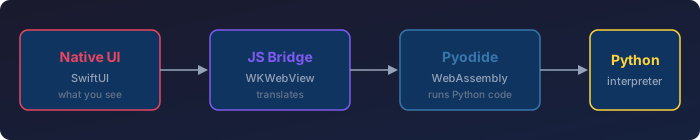
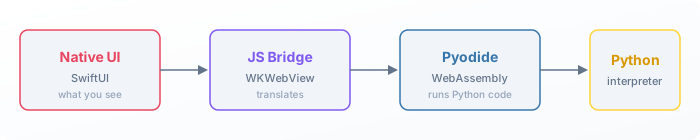
webRios uses webR, a WebAssembly build of R, in slot three; an R interpreter sits in slot four. Pyodios swaps Pyodide into slot three and a CPython interpreter into slot four. Slots one and two, the iOS shell and the JavaScript bridge, are the same code in both apps. That’s roughly the bottom two-thirds of the stack, shared.
The iOS shell, the bridge, and everything user-facing above it (editor, console, plot gallery, package manager, file browser, iPad multi-pane layout) are language-agnostic. They sit on top of an abstraction shaped like “a WebAssembly interactive runtime that takes a string in and emits text, images, and variable bindings out.” Both R and Python fit that shape.
What had to be Python-specific was small and obvious in retrospect: a Python syntax theme for the editor, a touch keyboard row tuned for Python (=, :, ( ), [ ], ., def rather than R’s <-, |>, ( ), [ ], $, %>%), matplotlib figure capture, and a Pyodide package client. That’s the delta. The work that took most of webRios’s development, namely making an interactive WebAssembly environment feel right on a phone, did not have to be redone.
The shared-shell constraint shapes more than architecture. Notebook mode runs Jupyter .ipynb rather than Quarto .qmd for the same reason the shell looks the way it does: Quarto renders through Pandoc, and Pandoc doesn’t run cleanly inside a WebAssembly shell. Jupyter’s .ipynb is JSON plus a kernel adapter, which fits the on-device WebAssembly constraint and lets both apps drive the same notebook UI over the same file format. The Jupyter wire protocol isn’t Python-specific either, so the same Remote Backend plumbing will eventually let webRios connect to an IRkernel over the same channel.