webRoid is now available on the Play Store. See R in Your Pocket on Android for the announcement.
Today we’re releasing webRios, an app that lets you write and run R code on your iPhone or iPad. It’s available now on the App Store.
The idea is straightforward: a full R console, code editor, plot viewer, and package manager, all running locally on your device. No server to connect to, no cloud account to sign up for. You can write R on the train, explore a dataset on the couch, or prototype a visualization waiting for coffee. Everything happens on-device.
This is possible because of webR, a WebAssembly port of R maintained by George Stagg and others at Posit. webR compiles the R interpreter to WebAssembly so it can run in any environment that supports Wasm, including the embedded browser engine on iOS.
R Wherever You Are
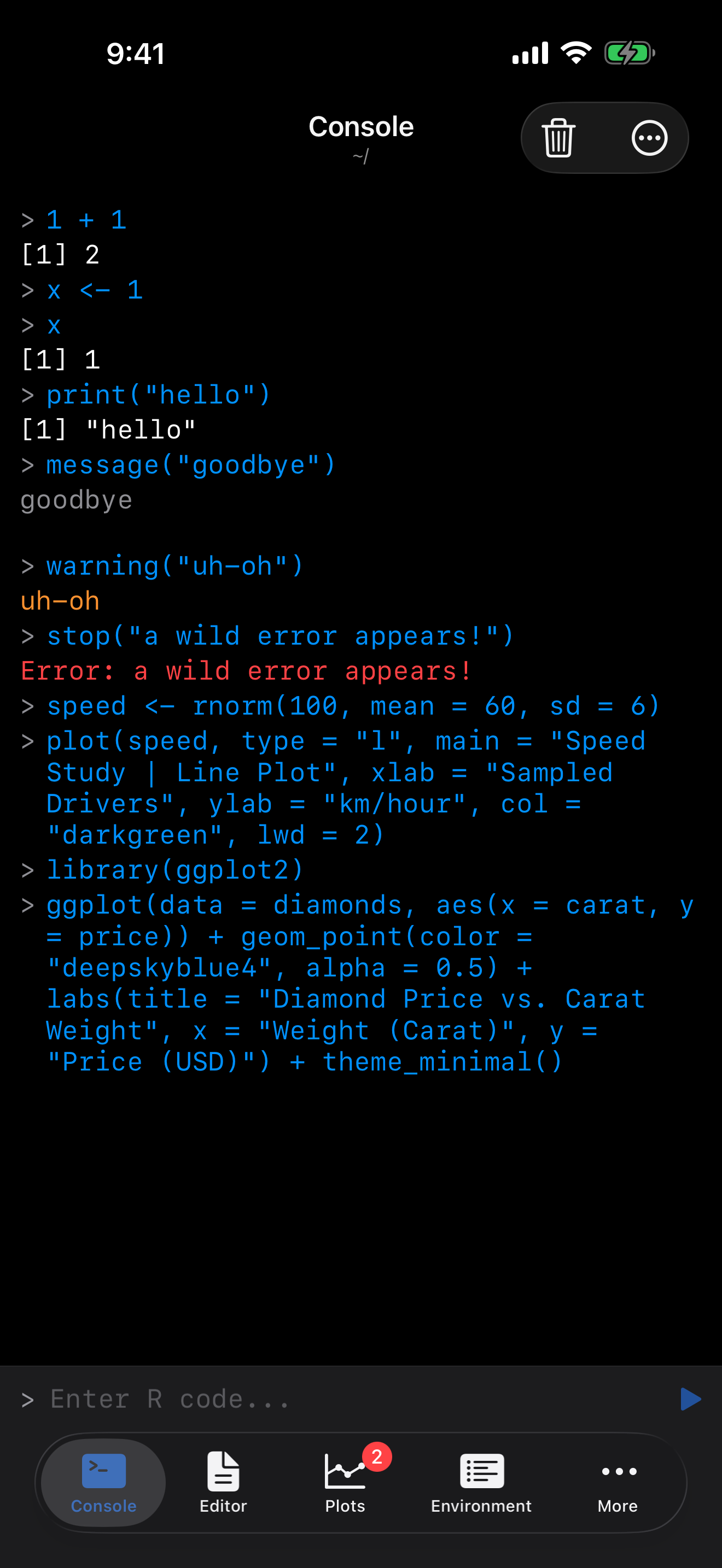
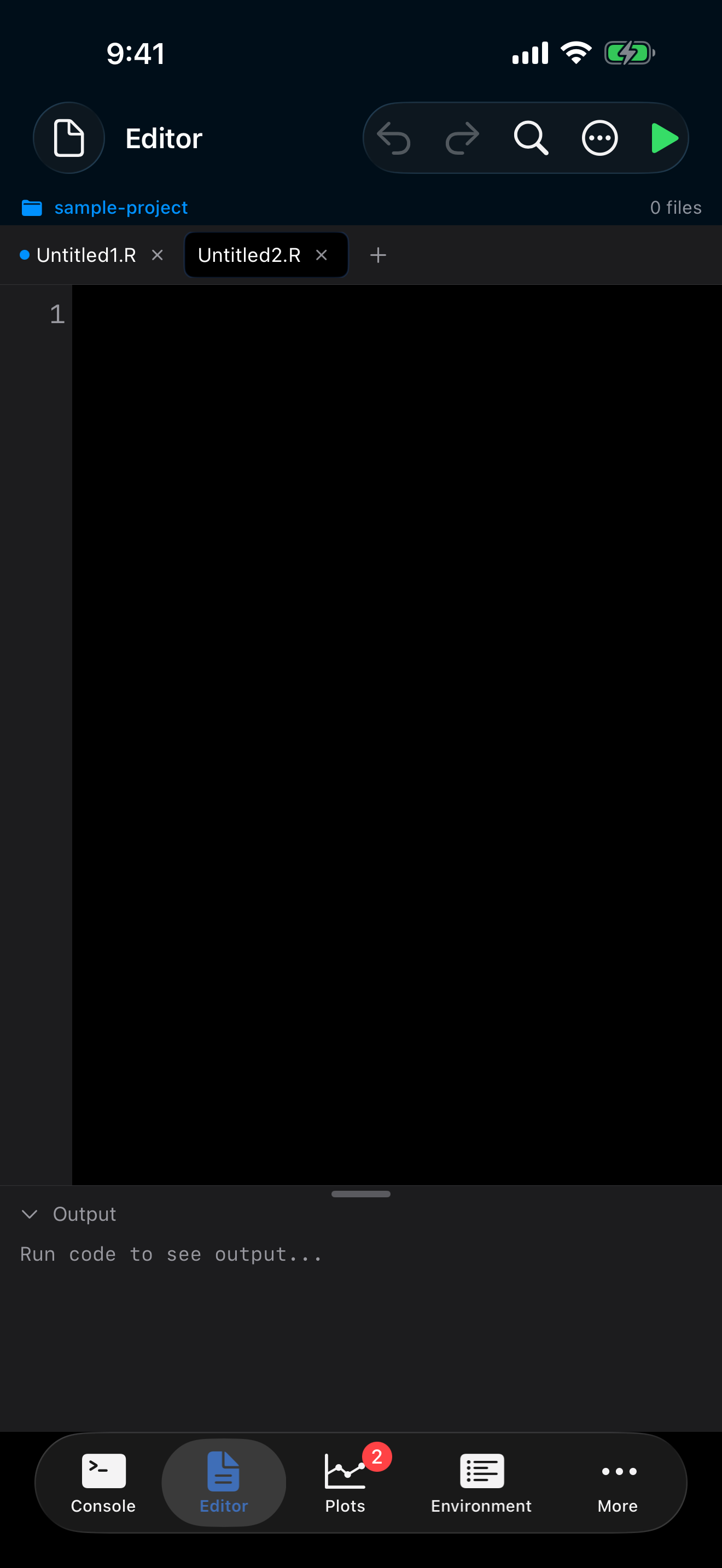
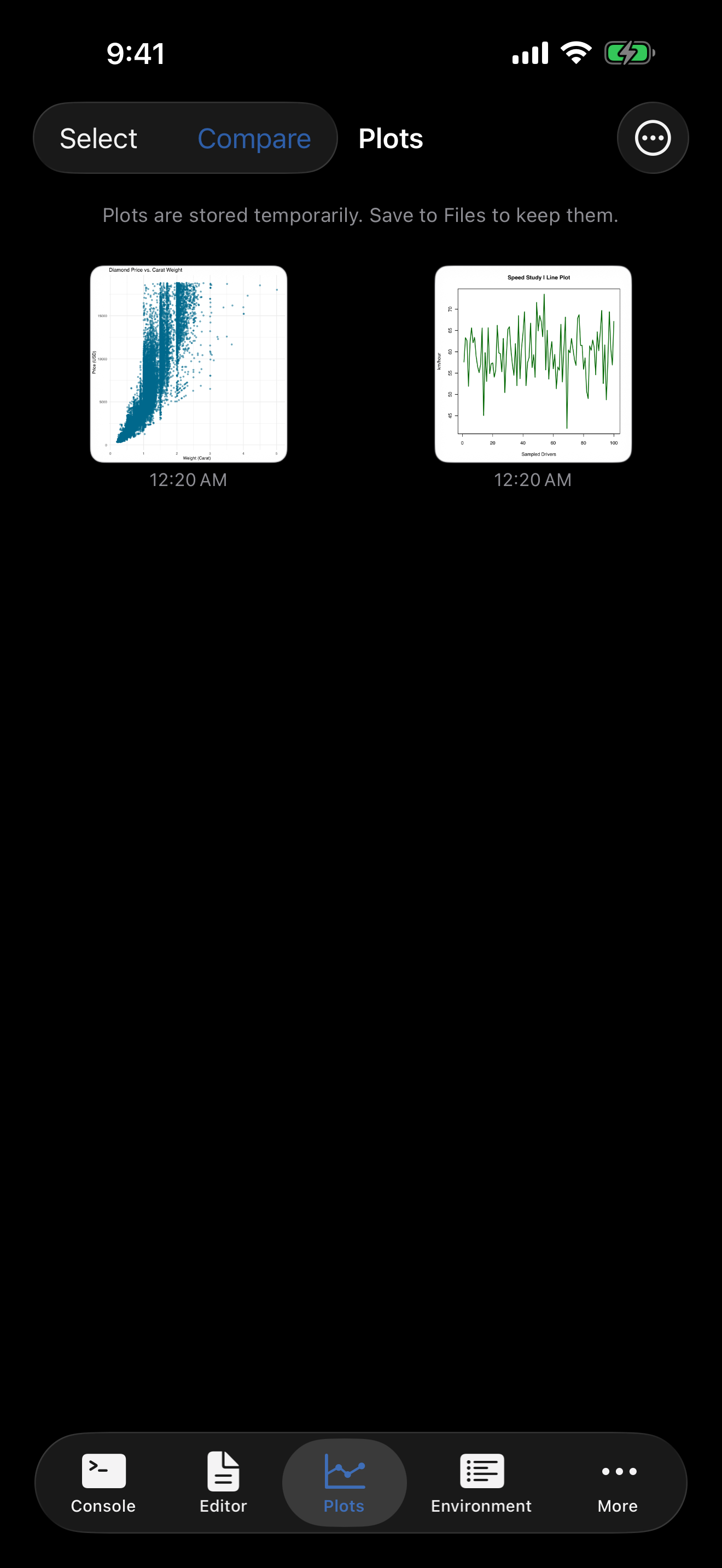
You get a real R console, not a toy. Pipe operators work. ggplot2 renders actual plots. dplyr::mutate() does what you’d expect. The editor has syntax highlighting, a custom keyboard row with <-, |>, and %>%, and you can run your entire script or just a selection.
Install packages from the webR repository with a tap. The tidyverse, data.table, jsonlite, and hundreds of others are available as pre-compiled WebAssembly builds. The app even ships with one-tap bundles so you can go from fresh install to a working tidyverse session in under a minute.
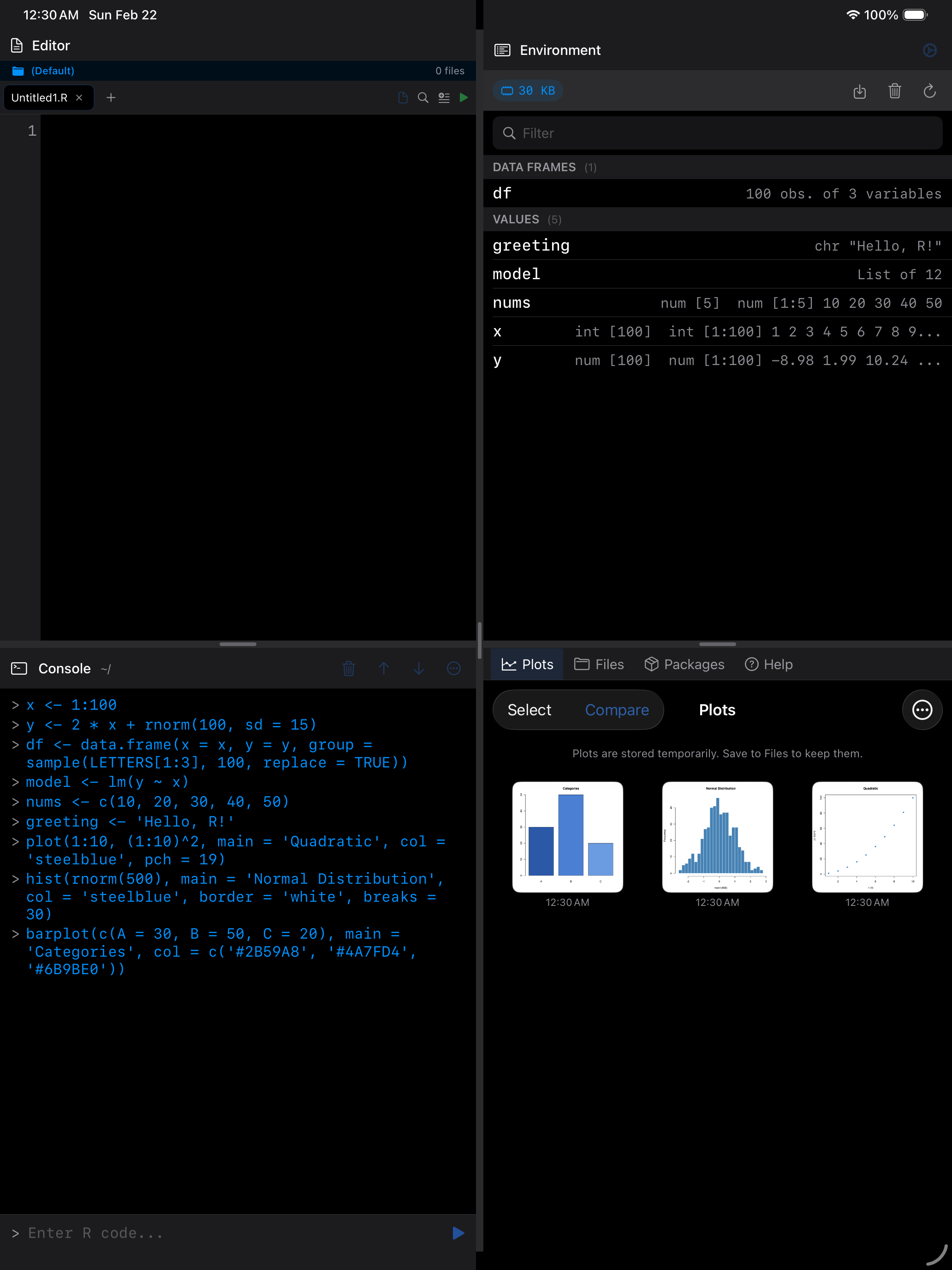
On iPad, it really starts to feel like a proper workspace:
Why webR?
The obvious question: why not just compile R natively for iOS?
We tried. We got surprisingly far: R 4.5.2 cross-compiles for iOS ARM64, base R runs, and you can render plots through Core Graphics. The wall was dlopen(). iOS prohibits loading dynamic libraries at runtime, which is exactly how R loads packages with compiled code. No tidyverse, no data.table, no Rcpp. The full write-up covers what worked, what didn’t, and why dynamic symbol loading is the real blocker.
webR sidesteps the whole problem. The R interpreter and a large library of CRAN packages are already compiled to WebAssembly and hosted at repo.r-wasm.org, maintained by George Stagg and others at Posit. WebAssembly runs inside a sandboxed virtual machine, which plays nicely with iOS’s security model. No jailbreak, no private APIs, no patching R source. Package installation just works.
In webRios, user code passes through four layers before R sees it (Figure 1):
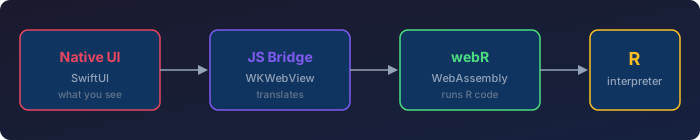
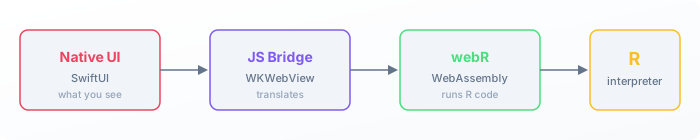
- Native UI handles everything the user sees and touches.
- JS Bridge translates between Swift and the R runtime.
- webR is R compiled to WebAssembly, loaded inside an embedded browser view.
- R interpreter executes your code in a sandboxed environment.
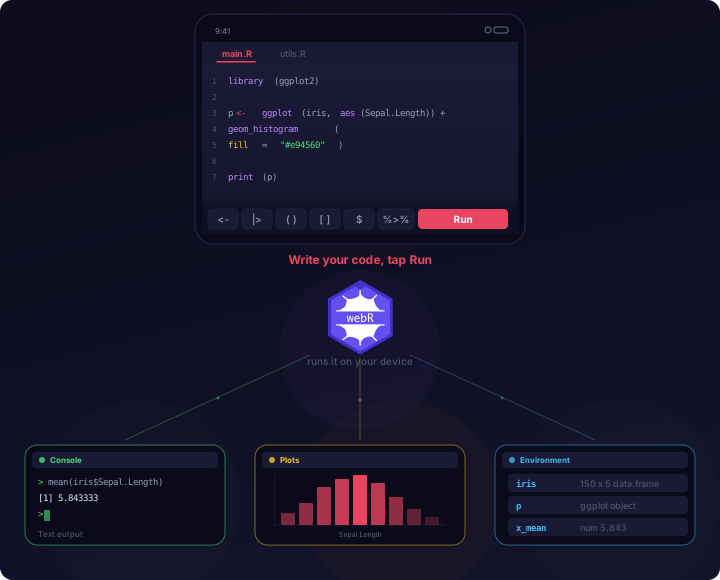
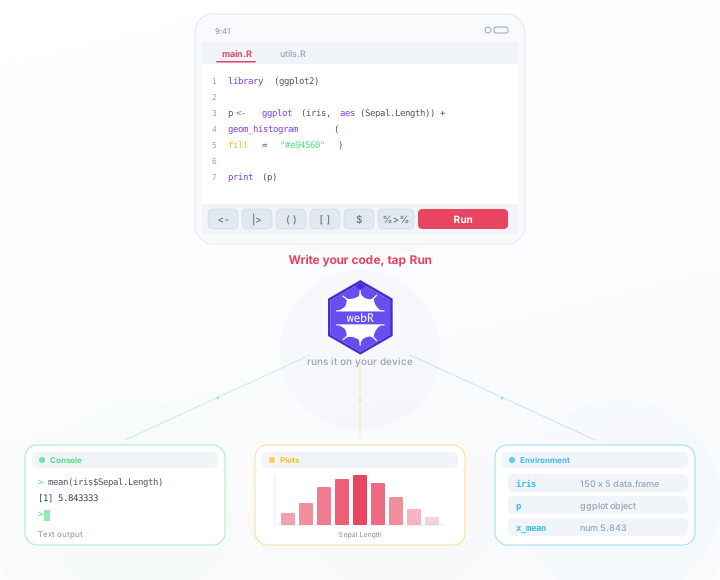
The user never sees a browser. The native interface is the only thing on screen. Figure 3 shows what this looks like in practice: you write code in the editor, tap Run, and webR executes it locally. Results fan out to the console, plot gallery, and environment inspector all at once.
What to Expect
This is R on a phone. It’s genuinely useful, but it’s not a laptop replacement. A few things worth knowing upfront:
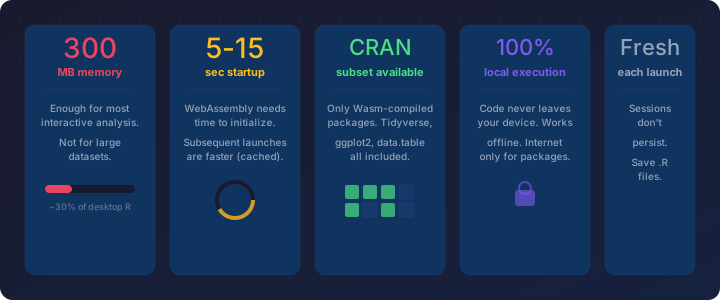
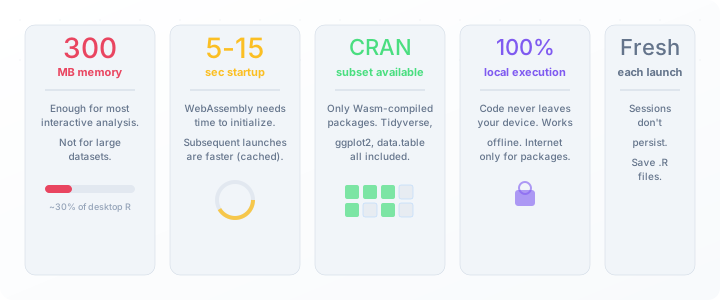
- ~300 MB of memory. Plenty for interactive work, but you won’t be loading a 2 GB CSV. If things get tight, clear plots or run GC from Settings.
- 5-15 seconds to start. WebAssembly needs time to initialize. Subsequent launches are faster thanks to caching.
- Most popular packages, not all. The webR repository has the tidyverse, ggplot2, data.table, and hundreds more. Packages that need system libraries (database drivers, some spatial tools) may be missing.
- No interrupting running code. If you accidentally kick off an infinite loop, you’ll need to restart the app.
- Fresh sessions each launch. Your
.Rfiles and installed packages persist, but variables and console history don’t. Putlibrary()calls at the top of your scripts and you’re set. - Your code stays on your device. Nothing is sent to a server. You can work entirely offline.
For quick exploration, learning R, or prototyping an idea away from your desk, these are reasonable trade-offs.
Compared to Other Options
There are a few other ways to run R on an iPhone:
- R Programming Compiler sends your code to a remote server and returns results, with a 20-second timeout. It requires an internet connection and your code leaves your device.
- R Analyst runs R locally using an older embedded engine (R 4.2.1, last updated in early 2023) and doesn’t support installing additional packages.
- iSH can run Alpine Linux on iOS, and R can be installed through Alpine’s package manager. This gives you native R, but compiling packages on-device is extremely slow (hours for a single package).
webRios sits in a middle ground: local execution (your code never leaves your device), a recent R version tracking webR releases, and the ability to install packages from a large pre-compiled repository.
Android: webRoid
The Android companion, webRoid, is now available on the Play Store. It shares the same webR engine, so R code and packages work across both platforms. The announcement post has the full story.
Try It
webRios is free to download and requires iOS 17 or later.
- App Store: https://apps.apple.com/us/app/webrios/id6758071087
- Documentation: https://webrios.caffeinatedmath.com/
- FAQ: https://webrios.caffeinatedmath.com/faq.html
- Support: support@caffeinatedmath.com