The R mailing lists have been the backbone of the R community since 1997. Long before Stack Overflow, GitHub Discussions, or Posit Community, questions about R were asked and answered on lists like R-help, R-devel, and dozens of special interest groups covering everything from geospatial analysis to mixed-effects models. Nearly three decades of language design debates, statistical methodology discussions, and package development advice live in those archives.
The problem is that those archives are hard to use. The original pipermail pages hosted by ETH Zurich are plain HTML with no full-text search, limited navigation, and no way to analyze the data programmatically. Valuable community knowledge is effectively locked away.
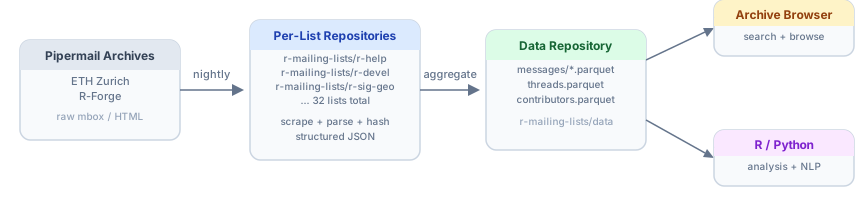
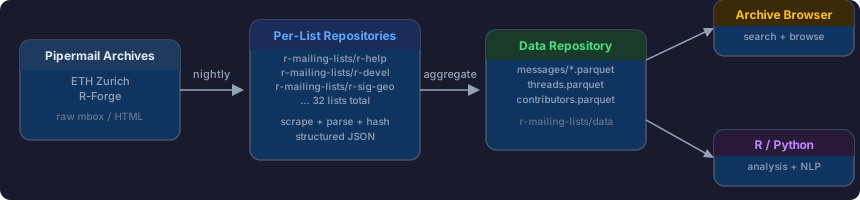
The R Mailing List Archives project aims to fix that. It provides two things: a searchable web interface for browsing the archives and a structured dataset in Apache Parquet format for analysis in R, Python, or any language with Parquet support. Figure 1 shows how the pieces fit together.
Browsing the Archives
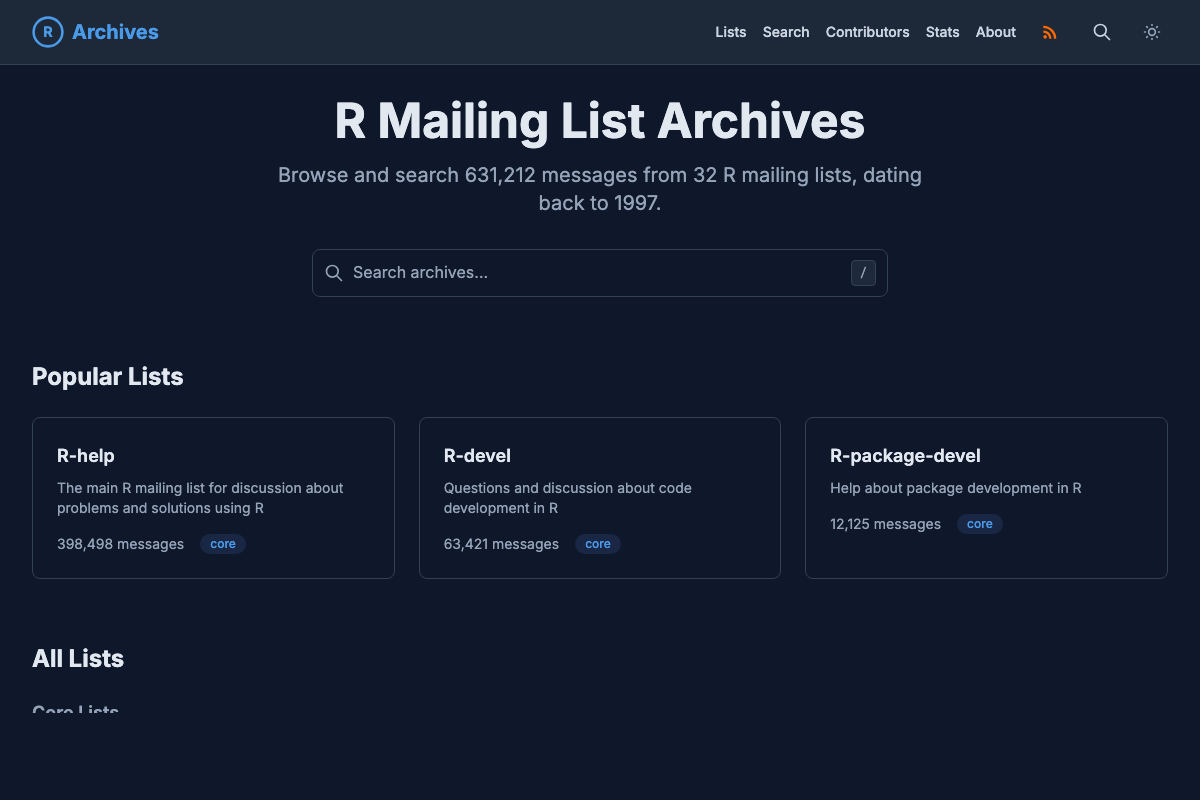
The archive browser offers a modern interface over the full history of 32 R mailing lists. You can search by keyword, use exact phrase matching with quotes, filter by author with from:Name syntax, or narrow results to a specific date range or mailing list.
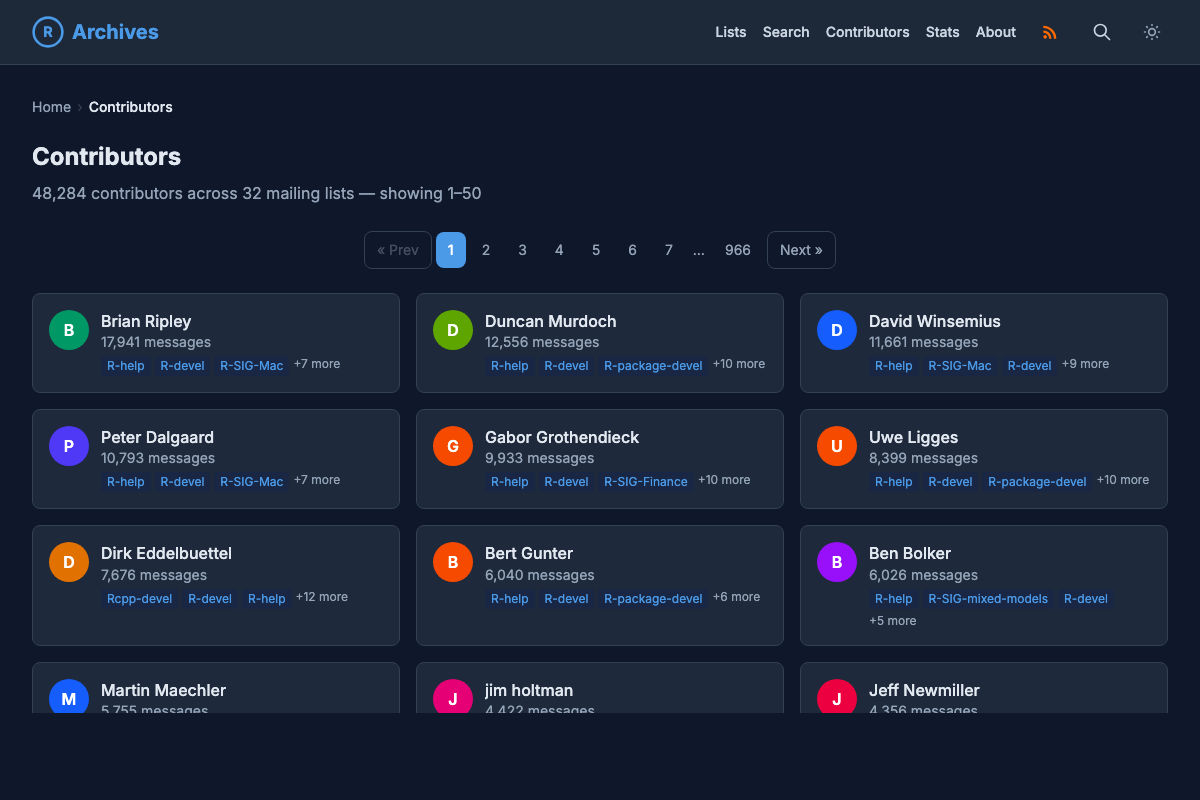
It also includes a contributors page showing the 48,000+ people who have posted across these lists over the years, a who’s who of the R community, from core R developers to everyday users asking their first question.
The Data Repository
For anyone who wants to go deeper, the r-mailing-lists/data repository provides the full archive as Apache Parquet files, rebuilt nightly via GitHub Actions. The dataset includes three main tables:
- Messages: the full text of every message with metadata (author, date, subject, thread ID, reply depth)
- Threads: thread-level summaries with message counts and date ranges
- Contributors: aggregated posting statistics across all lists
Email addresses are never included. Author identity uses display names and SHA-256 hashes, so you can group messages by author without exposing anyone’s contact information.
Helper scripts for both R and Python make it straightforward to load and explore the data. See the repository README for full documentation, a data dictionary, and example analyses, including a reply network visualization showing who responds to whom on R-devel.
Parsing mbox with Rust
At the heart of the pipeline is rmail-parser, a Rust command-line tool that converts raw Mailman pipermail mbox archives into structured JSON. Mbox is a decades-old format where messages are concatenated in a single file, separated by From lines (Figure 3). Parsing it reliably, especially across 29 years of data with varying encodings and header formats, turned out to be a good fit for Rust.
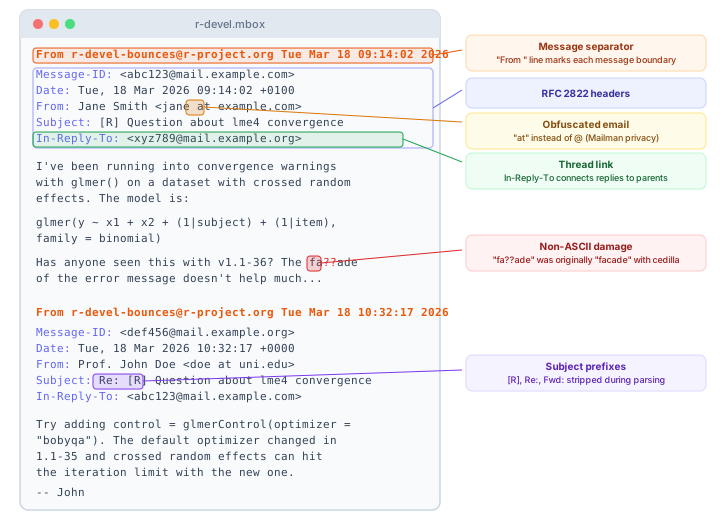
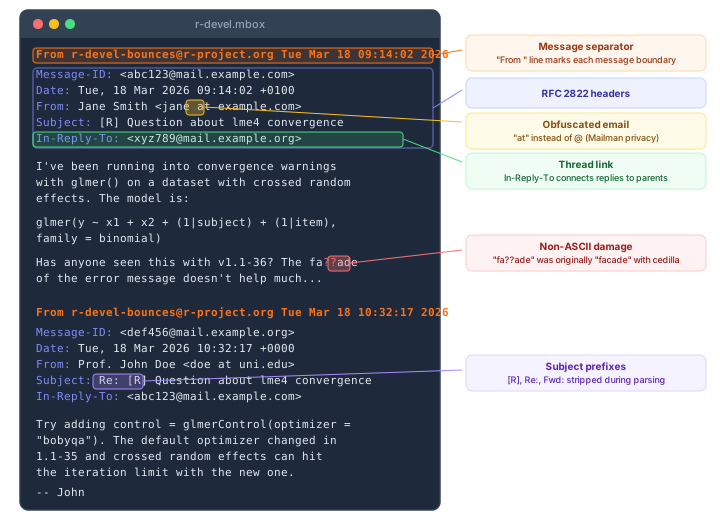
The parser handles several quirks specific to pipermail archives:
- Email deobfuscation. Mailman’s archiver obfuscates email addresses in message bodies (e.g.
user at example.com). The parser reverses this so addresses can be hashed consistently. - Date format wrangling. Messages span nearly three decades, so the parser handles RFC 2822 dates, asctime format, two-digit years, named timezones, and various other historical formats.
- Encoding fallbacks. When UTF-8 decoding fails on older messages, the parser falls back to Windows-1252, which covers most of the Latin-1 content in the archives.
- Thread reconstruction. Using
In-Reply-ToandReferencesheaders, the parser rebuilds parent-child relationships between messages, with cycle detection and depth tracking.
After parsing, email addresses are replaced with SHA-256 hashes and subject lines are cleaned (stripping [R], Re:, Fwd: prefixes). The output is per-month JSON files plus index and contributor statistics that feed into the downstream Parquet build.
Rust’s parallel processing (via Rayon) helps keep the nightly runs fast, and the single static binary makes it easy to pull into GitHub Actions workflows without managing a runtime.
Because the whole pipeline runs nightly on free CI infrastructure, it also doubles as a compact, real-world example of end-to-end data engineering: scraping, parsing, deduplication, aggregation, and publishing. If you teach a data science or data engineering course, this could be a useful project for students to inspect and fork.
Why One Repository Per List?
The project is organized as a GitHub organization with a separate repository for each mailing list rather than a single monorepo containing all the data (see Figure 5). There are a few reasons for this:
- Independent update cycles. Each list is scraped and processed on its own schedule. A failure in one list’s pipeline doesn’t block the others.
- Git-friendly sizes. Some lists are large (R-help alone has nearly 400,000 messages). Keeping lists in separate repositories avoids a single repository ballooning to an unmanageable size.
- Selective cloning. Researchers interested in a single topic (say, R-SIG-Finance or R-SIG-Geo) can clone just that list’s repository without downloading the entire archive.
- Clear provenance. Each repository tracks the history of a single list, making it easy to see when data was last updated and what changed.
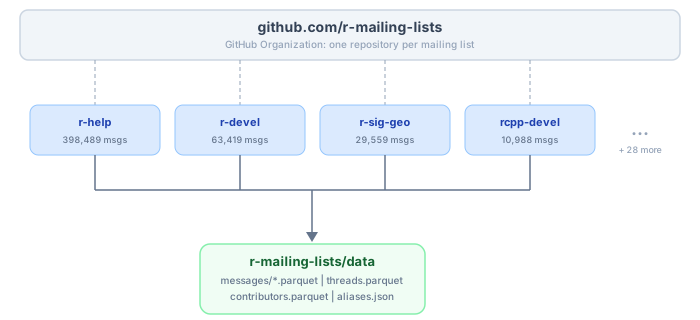
r-mailing-lists GitHub organization. The central data repository aggregates them into combined Parquet files. Message counts as of March 2026.
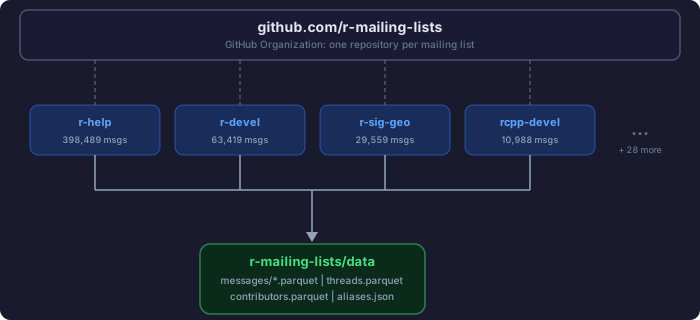
r-mailing-lists GitHub organization. The central data repository aggregates them into combined Parquet files. Message counts as of March 2026.
The data repository then serves as the aggregation layer, pulling processed data from all the individual list repositories and publishing the combined Parquet files.
Author Alias Resolution
One challenge with mailing list data is that people post under different names over the years. Someone might show up as “Prof. Jane Smith” on one list, “Dr. Jane Smith” on another, “J. Smith” in a quick reply, or from a different email address after changing institutions. Without correction, each of those appears as a separate contributor (see Figure 7).
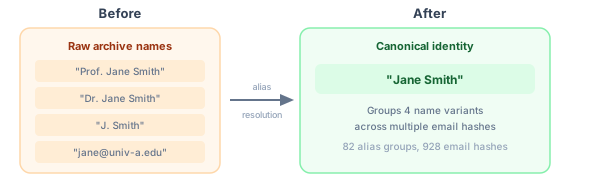
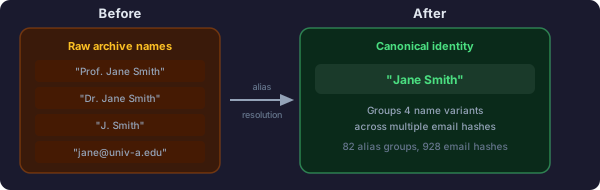
We’ve done a preliminary pass to set up aliases that merge these variants into canonical identities. The current alias file covers 82 groups spanning 928 email hashes, focusing on prolific contributors where fragmented identities are most visible. This is ongoing work and contributions are welcome.
Known Limitations
The project works from the pipermail archives hosted by ETH Zurich, not from the raw mailing list data itself. Pipermail’s archiving process substituted non-ASCII characters with ?? before we ever saw the data, so messages that originally contained accented characters, CJK text, or other non-ASCII content may show up with garbled text. This is a well-known issue with Mailman’s default US-ASCII charset (see also this bug report on related encoding mishandling in the archiver). It is a limitation of the source archives rather than our processing, but it’s worth noting, especially for any analysis involving non-English content.
What’s Next
In upcoming posts, we’ll dig into the GitHub Actions workflows that power this project, including how we use GitHub as a storage backend for continuously updated datasets and some of the trade-offs that come with that approach.
Acknowledgments
Thanks to Etienne Bacher for providing feedback and catching a few hiccups in the early stages of the project.