When I introduced shinyelectron last year and cut the v0.1.0 release, it had a single, narrow job. You handed it an R Shiny app, it compiled that app to WebAssembly with webR, and it wrapped the result in an Electron shell that your users could download and run without ever installing R. That was the whole package. It worked, and the offline WebAssembly path is still the default, but it was one language and one strategy.
The single most common piece of feedback was some version of “this is great, but my app is Python” or “my app needs a package that will not compile to WebAssembly.” So I spent the year widening the funnel. The core entry point has not moved. It is still export(appdir, destdir), and a minimal call still needs no other arguments. What changed is everything that call can now do.
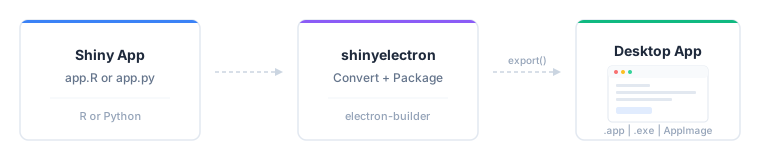
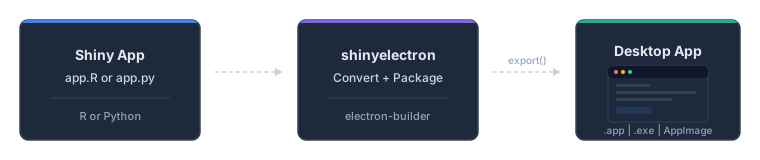
From a Shiny app to a packaged desktop application in one pass.
Python apps, no ceremony
The first wall to come down was the language boundary. shinyelectron now builds Python Shiny apps alongside R apps, and it figures out which one you have on its own. The app_type argument autodetects "r-shiny" or "py-shiny" from the contents of appdir, so the same one-line call works either way:
library(shinyelectron)

# Autodetects r-shiny or py-shiny, defaults to the shinylive strategy
export("path/to/app", "path/to/dist")
There is no separate Python function and no flag to remember. If the directory looks like a Python Shiny app, you get a Python desktop app; if it looks like an R app, you get an R one. By default a Python app runs through the shinylive strategy, which reaches for Pyodide rather than webR. That is only the default, though: a Python app is not tied to WebAssembly, and the five runtime strategies in the next section apply to it exactly as they do to R.
Five ways to run an app
The deeper change is that how an app runs is now a choice you make with runtime_strategy, and all five strategies work with both languages. WebAssembly is a wonderful default and a poor universal answer, so the package stopped pretending it was the only option.
- shinylive is the default. The app compiles to WebAssembly and runs offline inside the bundled browser, with no server process and no R or Python on the user’s machine. Reach for it when your dependencies are pure and you want the smallest possible install story.
- bundled embeds a portable copy of R or Python inside the app. Pick it when you need a real interpreter, native packages included, but you still want a self-contained download that assumes nothing about the user’s system.
- system uses an interpreter already installed on the user’s machine. This is the lightest build and the right call for internal tools where you control the environment.
- auto-download fetches the runtime on first launch and then caches it. It keeps the installer small while still shipping a full interpreter, at the cost of one online first run.
- container runs the app in Docker or Podman. Use it when the app carries heavy or awkward system dependencies that are easiest to pin in an image.
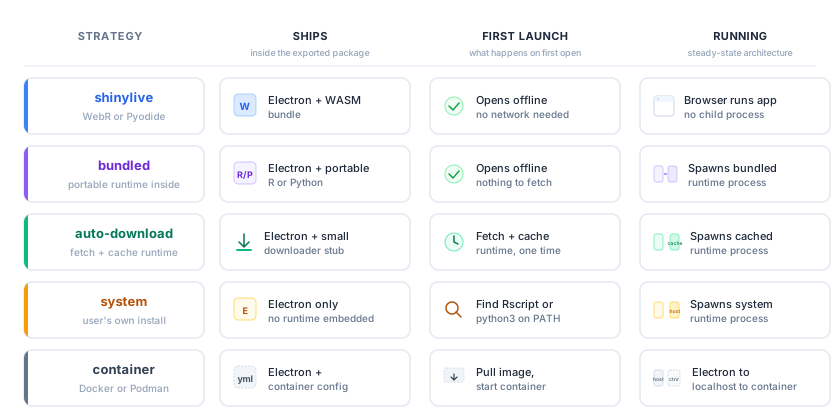
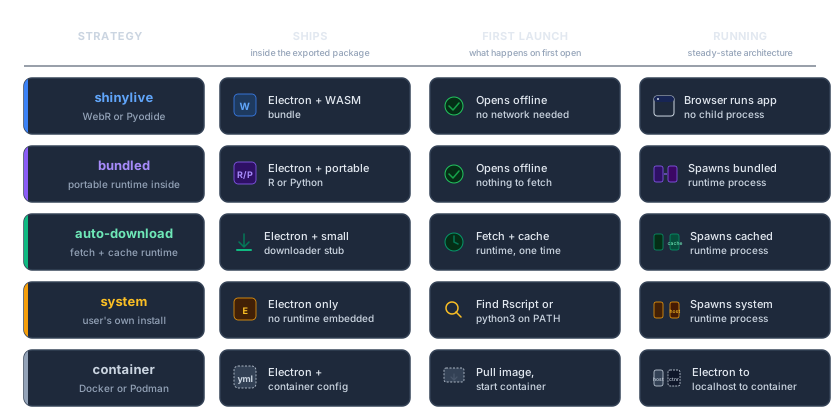
The five runtime strategies at a glance: what ships, what the user needs, and the trade-offs.
Switching strategies is a single argument:
# Ship a portable interpreter instead of compiling to WebAssembly
export("path/to/app", "path/to/dist", runtime_strategy = "bundled")

# Reuse an R or Python interpreter already on the user's machine
export("path/to/app", "path/to/dist", runtime_strategy = "system")
One platform caveat comes with the two strategies that ship a real R engine. bundled and auto-download both rely on a portable R build, and a portable R exists for macOS and Windows but not for Linux. So an R app on either strategy covers macOS and Windows, and a Linux build of that same app needs shinylive, system, or container instead. Python is unaffected, since its standalone builds cover every platform.
One naming note for anyone upgrading: shinylive used to be an app type. It is a runtime strategy now, so app_type takes only "r-shiny", "py-shiny", or NULL. The old "r-shinylive" and "py-shinylive" values still work with a deprecation warning while you migrate.
Several apps, one shell
Sometimes one window is not enough. A multi-app suite bundles several apps into a single Electron shell with a launcher. You describe the suite as an apps array in _shinyelectron.yml:
apps:
  - name: "Explorer"
    path: "apps/explorer"
    runtime_strategy: "shinylive"
  - name: "Modeler"
    path: "apps/modeler"
    runtime_strategy: "bundled"
The same export() call notices the apps array and builds the whole suite into one installer, so there is no separate function to learn. A lightweight dashboard can stay on the offline WebAssembly path while the heavy modeling tool next to it ships a bundled interpreter, and your users see one application with a menu of tools rather than a folder of separate downloads.
There is one rule worth knowing. Apps on the shinylive or container strategies are self-contained, so each one can choose freely. The three native strategies (bundled, system, and auto-download) share a single embedded runtime per language, so all of a given language’s native apps in a suite must agree on one of them. Pairing shinylive with a native app is fine, as above; asking one R app for bundled and another for system in the same suite is not.
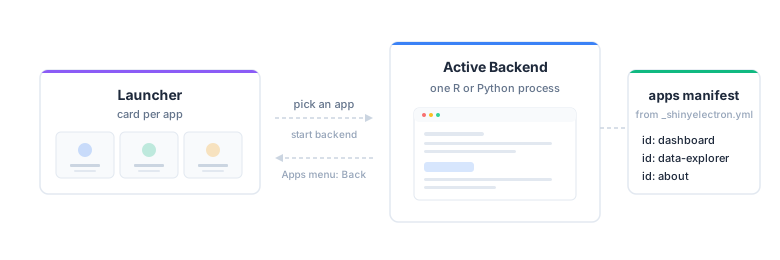
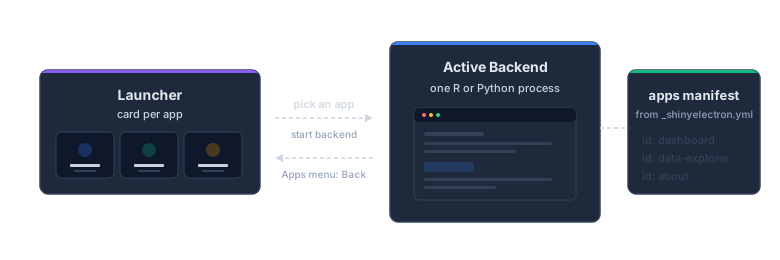
A multi-app suite: one launcher, one window, a menu of tools.
Signing, notarization, and installers you can hand out
A desktop app nobody can open is not much of a desktop app. Both export() and build_electron_app() now take a sign argument that turns on macOS Developer ID signing with Apple notarization and Windows Authenticode, driven by the usual CSC_* and APPLE_* environment variables:
export("path/to/app", "path/to/dist", sign = TRUE)The certificate comes from an Apple Developer Program membership on macOS (a commercial certificate on Windows), and the Code Signing article walks through the whole setup.
To prove the whole pipeline end to end, I published prebuilt demo installers for every strategy and platform. They are catalogued in the new Download Prebuilt Demos article, and the macOS builds are Developer ID signed and notarized, so they launch without a Gatekeeper warning. You can download one and see the output before you build anything yourself.
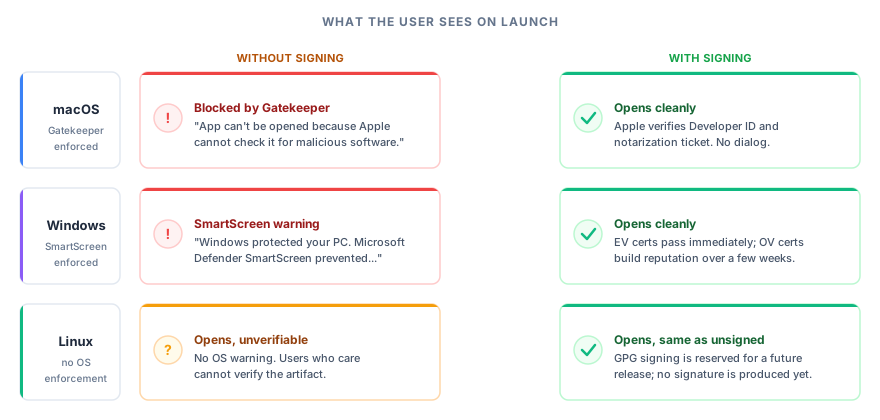
What a user sees at launch, with and without signing, on each platform.
Everything else that grew up
A lot of smaller pieces landed alongside the headline features:
- Auto-updates carried over from v0.1.0 and gained real controls:
enable_auto_updates(),disable_auto_updates(), andcheck_auto_update_status()manage the electron-updater configuration. - Portable runtime caching is now first class.
install_r_portable(),install_python_standalone(), andinstall_nodejs()download and cache runtimes (verified against upstream SHA-256 checksums before extraction), andcache_dir(),cache_info(), andcache_remove()inspect and prune what they leave behind. - Dependencies are detected automatically for native, bundled, and container builds, read from
library()andrequire()calls for R and fromrequirements.txtorpyproject.tomlfor Python. You can pin what a build uses withdependencies.r.version,dependencies.python.version, anddependencies.electron.version. - Config and diagnostics tooling rounds it out.
wizard()generates a configuration interactively,app_check()validates an app before you build,show_config()prints the merged configuration, andavailable_examples()andexample_app()browse the bundled demos.
Where to go next
That is the year in one post. If you want the full changelog, breaking changes included, read the v0.2.0 release notes. If you would rather never run export() by hand, the next post covers the shiny-to-electron GitHub Action, which builds and signs your installers in CI on every platform. And if you are new here, the original introduction is still the gentlest place to start.
References
- Shiny for R, Posit’s Shiny web framework.
- WebAssembly, the portable WebAssembly binary format.
- webR, R compiled to WebAssembly.
- Electron, the framework for desktop apps built with web technology.
- R, the R language.
- Python, the Python language.
- Shiny for Python, the Python edition of Shiny.
- Pyodide, CPython and the scientific stack compiled to WebAssembly.
- Docker, the container runtime.
- Podman, a daemonless container engine.
- electron-updater, electron-builder’s auto-update system.
- Download Prebuilt Demos, the gallery of prebuilt demo installers.
- Code Signing, the signing and notarization guide.
- Apple Developer Program, Apple’s program for Developer ID signing and notarization.