Beautiful Soup (the bs4 package) turns messy HTML or XML into a tree of Python objects you can search and navigate. Parsing a document gives you three kinds of nodes: the whole BeautifulSoup document, each Tag (an element like <a> or <li>), and NavigableString text. Almost everything you do falls into three verbs: searching the tree (find, find_all, select), navigating it (.parent, .children, siblings), or extracting strings and attributes from the Tag objects you land on. The conventional import is from bs4 import BeautifulSoup, and a Tag behaves like both a dict (for attributes, tag["href"]) and a node you can descend into (tag.span). Every command below assumes a parsed document named soup, built from the sample HTML in the Appendix.


Parse a Document
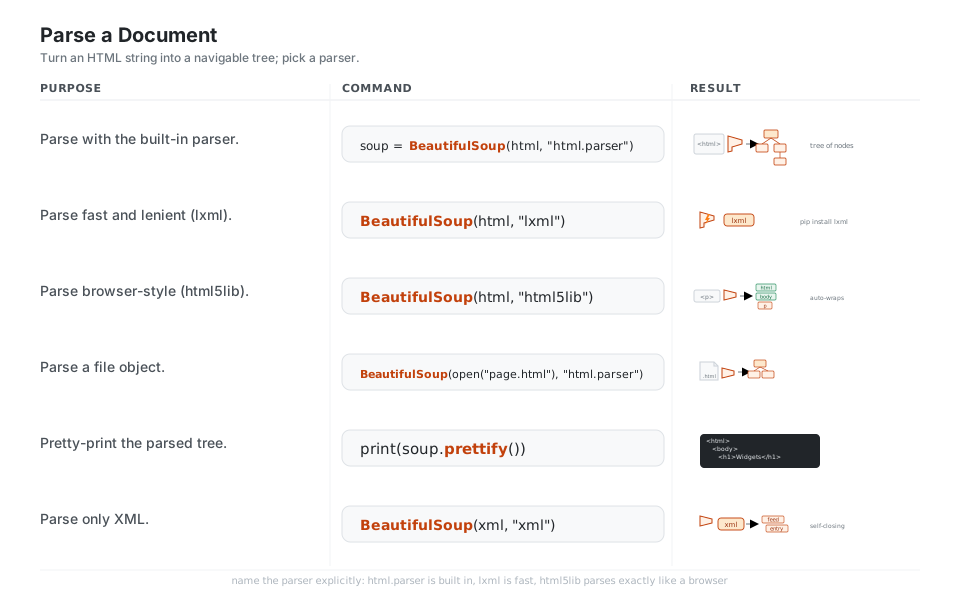
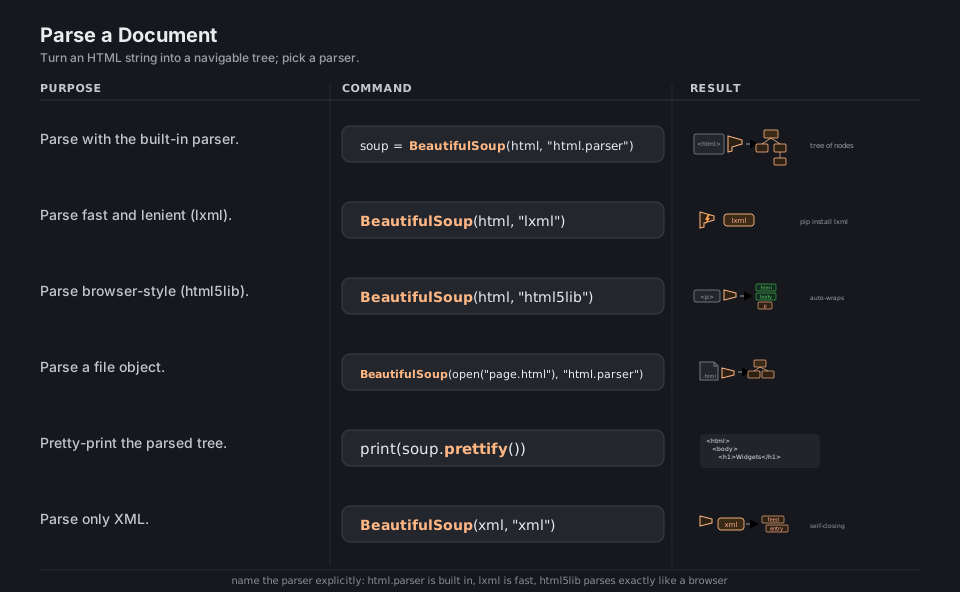
BeautifulSoup(markup, parser) reads a string of HTML or XML and builds a tree of Python objects you can search and navigate. The second argument picks the engine: html.parser is built in and needs no install, lxml is faster and more forgiving, and html5lib parses exactly like a browser (auto-adding <html>, <head>, <body>). Always name the parser explicitly so a missing optional dependency does not silently change your results.
from bs4 import BeautifulSoup

soup = BeautifulSoup(html, "html.parser")        # built-in parser, no install needed
BeautifulSoup(html, "lxml")                       # fast and lenient; needs pip install lxml
BeautifulSoup(html, "html5lib")                   # browser-style; wraps fragments in html/head/body
BeautifulSoup(open("page.html"), "html.parser")  # parse a file object
print(soup.prettify())                            # pretty-print the nested tree
BeautifulSoup(xml, "xml")                         # XML mode; needs lxml
See Making the soup and Installing a parser.
Read Tags and Attributes
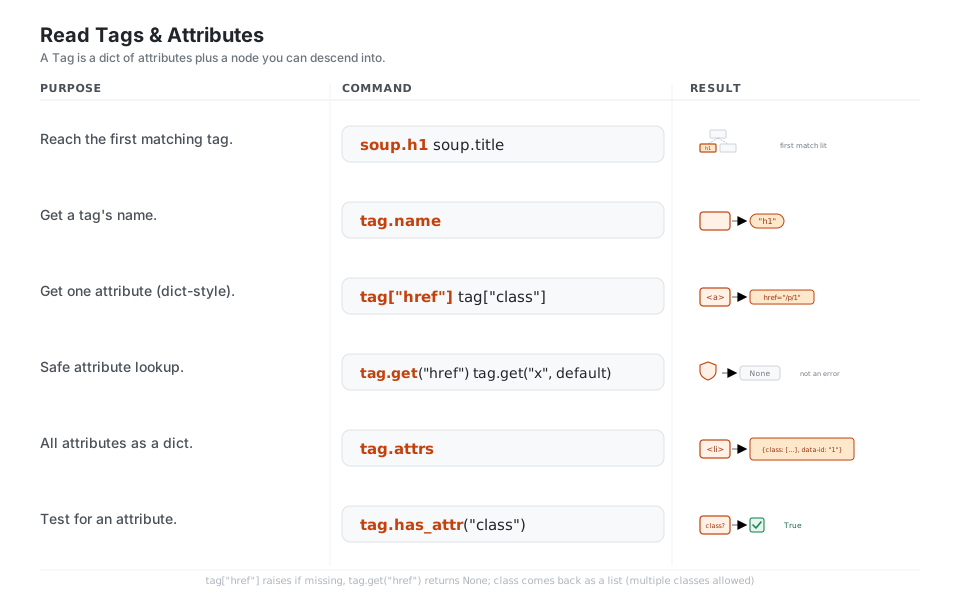
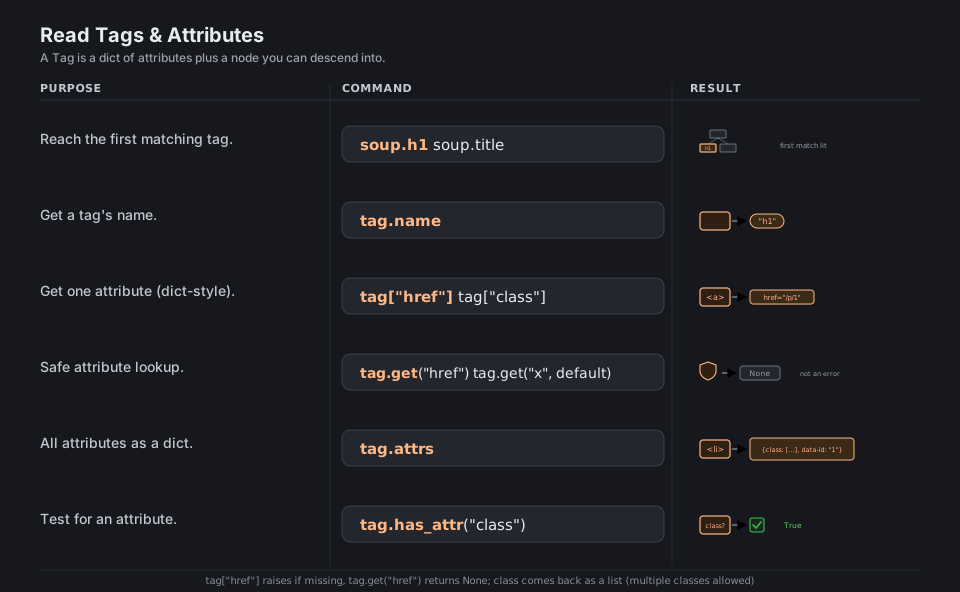
Each element is a Tag that doubles as a dictionary. Descend to the first match with dotted access like soup.h1, read its .name, and pull attributes with tag["href"] (raises if missing) or tag.get("href") (returns None if missing). Use tag.attrs to see the whole attribute dict at once. Note that class comes back as a list, because an element can carry several classes.
soup.h1   soup.title              # reach the first matching tag by dotted access
tag.name                          # the tag's name, e.g. "h1"
tag["href"]   tag["class"]        # one attribute, dict-style (class -> a list)
tag.get("href")   tag.get("x", default)   # safe lookup, missing key -> None
tag.attrs                         # all attributes as a dict
tag.has_attr("class")             # test whether an attribute is present
See Kinds of objects.
Search with find / find_all
find returns the first matching Tag or None; find_all returns a list of every match. You filter by tag name, by CSS class via the class_= keyword (the trailing underscore avoids the Python keyword), by any attribute through attrs={...}, and by regex or a custom function for the value. The limit= keyword caps how many matches you collect.
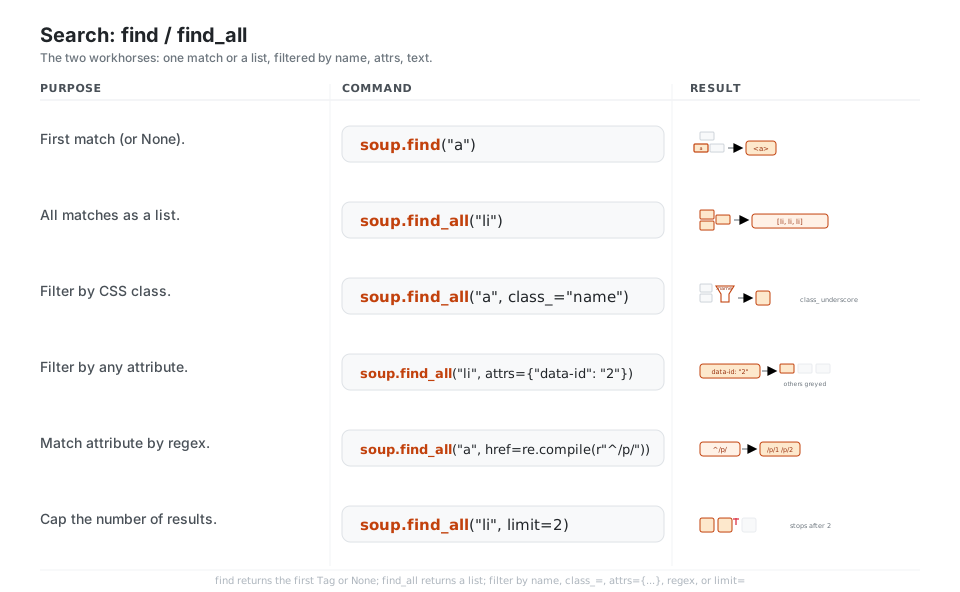
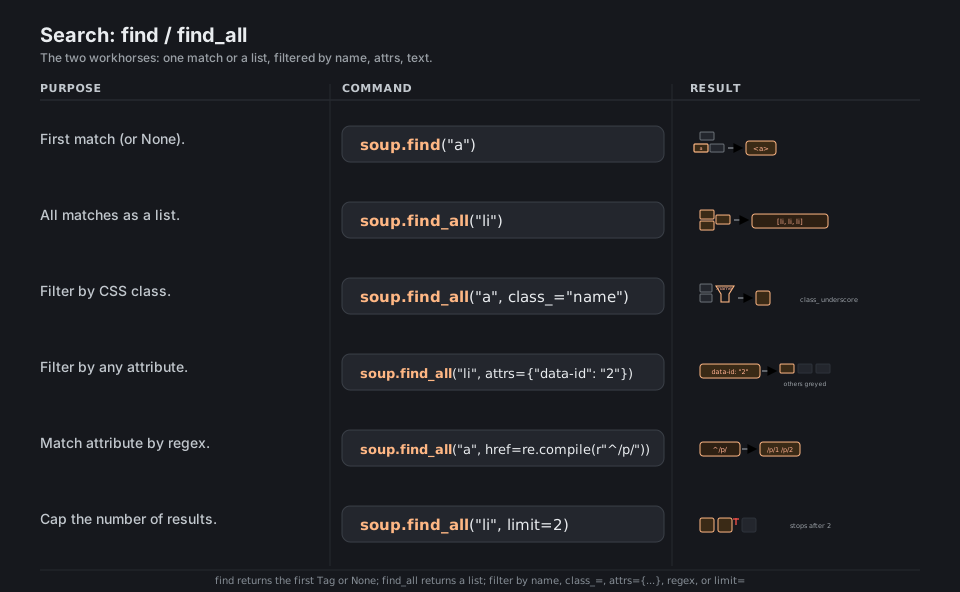
soup.find("a")                                  # first match (or None)
soup.find_all("li")                             # all matches as a list
soup.find_all("a", class_="name")               # filter by CSS class (note class_)
soup.find_all("li", attrs={"data-id": "2"})     # filter by any attribute
soup.find_all("a", href=re.compile(r"^/p/"))    # match an attribute by regex
soup.find_all("li", limit=2)                    # cap the number of results
See Searching the tree.
Search with CSS Selectors
select and select_one accept the same selectors you would type in a browser console, powered by the Soup Sieve library (they are convenient shortcuts for the soup.css.select(...) property). They shine for nested conditions: descendant chains (ul.products .price), direct children (ul > li), attribute selectors (a[href]), grouping (h1, h2), and positional pseudo-classes (li:nth-of-type(2)).
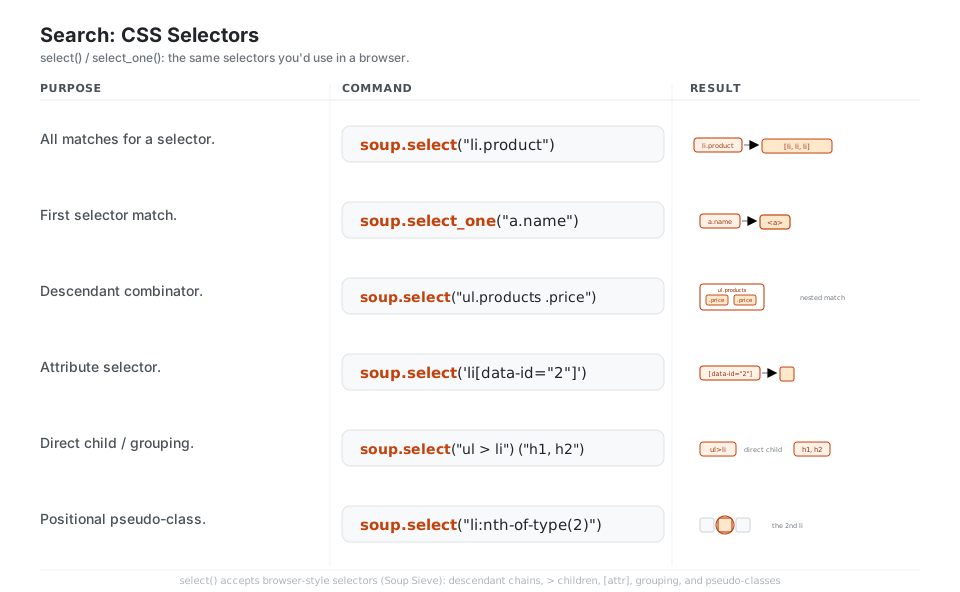
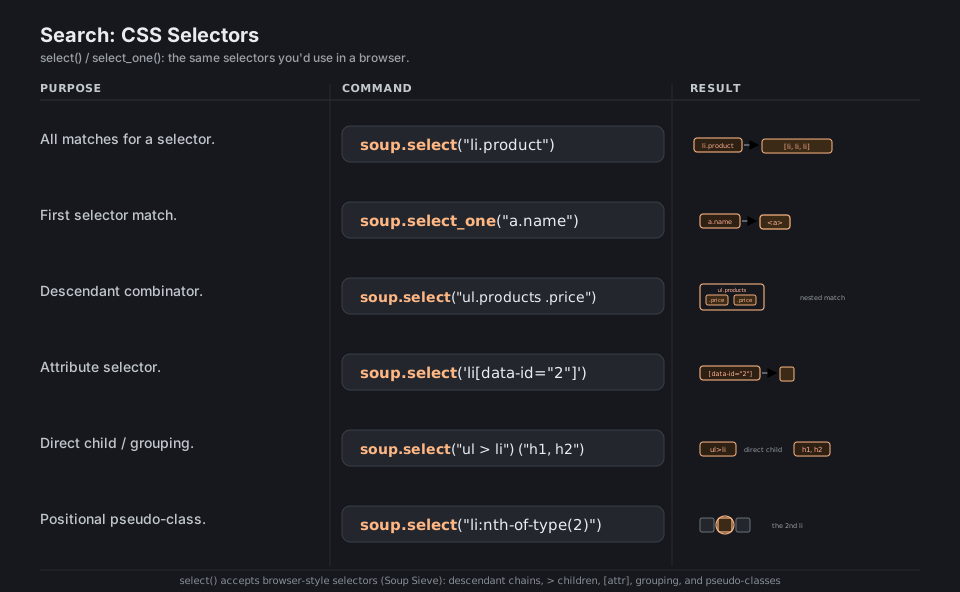
soup.select("li.product")                # all matches for a selector -> list
soup.select_one("a.name")                # first selector match
soup.select("ul.products .price")        # descendant combinator
soup.select('li[data-id="2"]')           # attribute selector
soup.select("ul > li")   soup.select("h1, h2")   # direct child; grouping
soup.select("li:nth-of-type(2)")         # positional pseudo-class
See CSS selectors and the Soup Sieve selector reference.
Walk the Tree
Once you have a tag, move around it: .children and .contents give the immediate nodes, .descendants reaches everything below, .parent and .parents climb upward, and the sibling helpers step sideways. Prefer find_next_sibling and find_parent over raw .next_sibling and .parent when whitespace text nodes would otherwise get in your way.
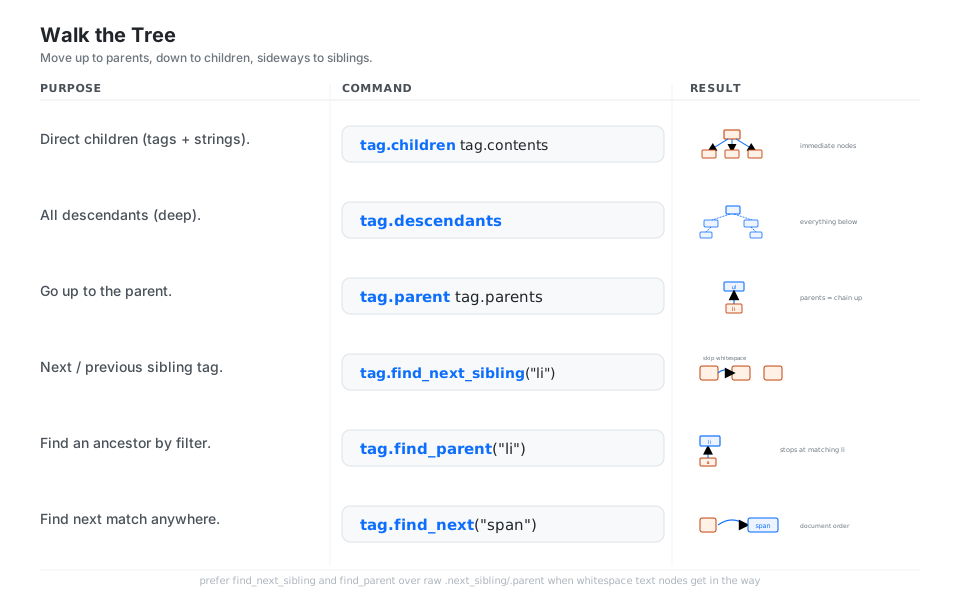
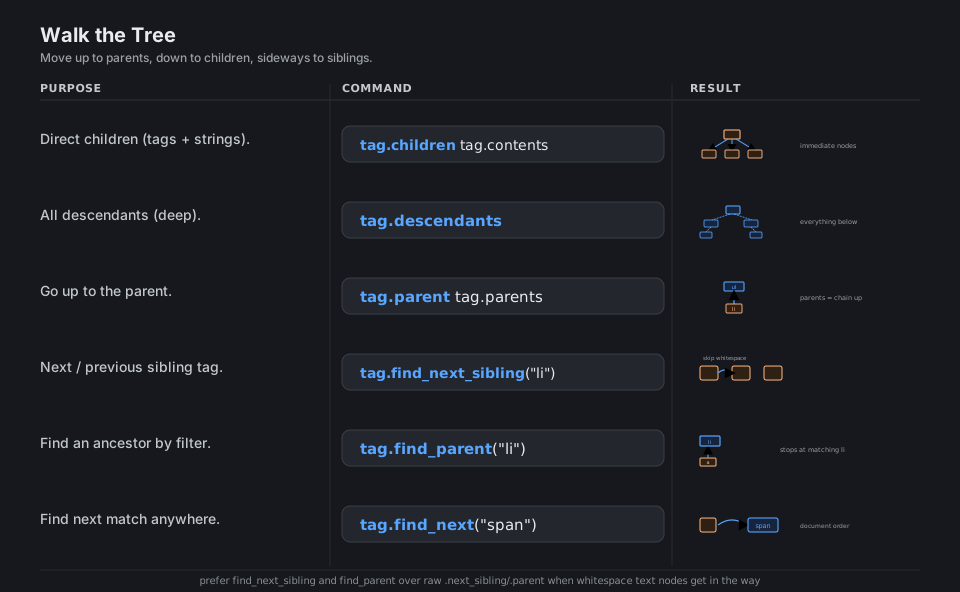
list(tag.children)   tag.contents      # direct children (tags + strings)
tag.descendants                        # all descendants, deep
tag.parent   tag.parents               # up to the parent; chain upward
tag.find_next_sibling("li")            # next sibling tag, skipping whitespace
tag.find_parent("li")                  # nearest ancestor matching a filter
tag.find_next("span")                  # next match anywhere in document order
See Navigating the tree.
Pull the Data Out
Extraction is the payoff. get_text() flattens a subtree into one string (add separator= and strip=True to clean it up), .string grabs a single tag’s text, stripped_strings yields the cleaned pieces, and a list comprehension over a search result collects an attribute or text from many nodes at once.
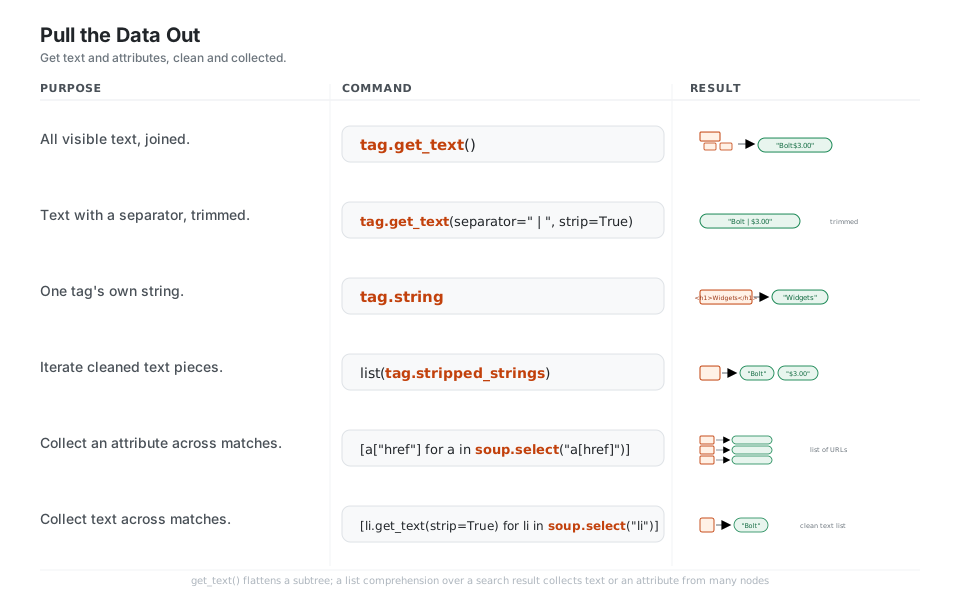
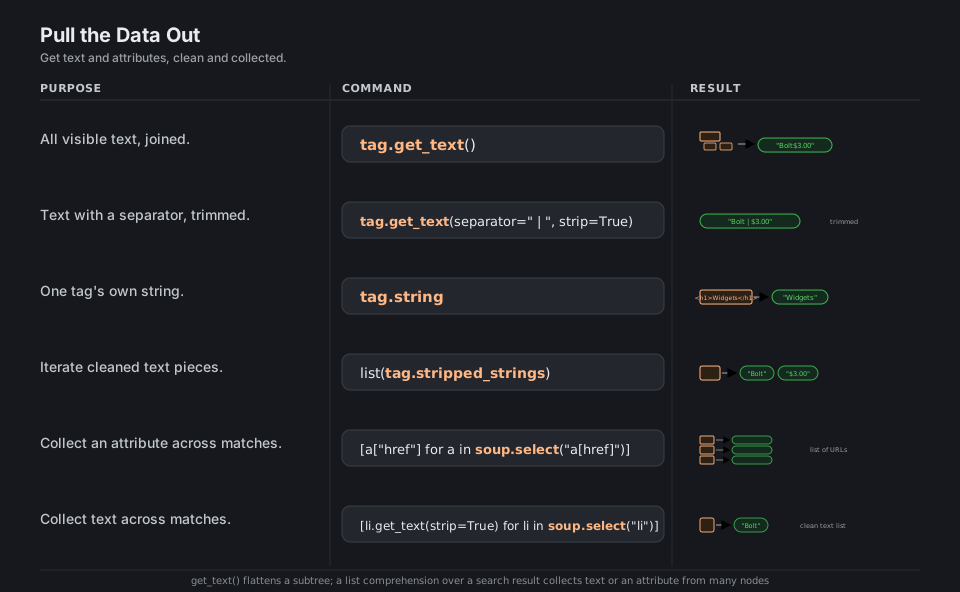
tag.get_text()                                   # all visible text, joined -> "Bolt$3.00"
tag.get_text(separator=" | ", strip=True)        # text with a separator, trimmed
tag.string                                       # one tag's own string (None if mixed)
list(tag.stripped_strings)                        # cleaned text pieces -> ["Bolt", "$3.00"]
[a["href"] for a in soup.select("a[href]")]       # collect an attribute across matches
[li.get_text(strip=True) for li in soup.select("li")]   # collect text across matches
See get_text.
Edit the Tree
Beautiful Soup edits the tree in place. Assign to tag.string or tag["attr"] to change content and attributes, build fresh nodes with soup.new_tag(...) and place them using append, insert_before, or insert_after, swap a node with replace_with, and remove one with decompose() (destroy it) or extract() (detach and return it for reuse).
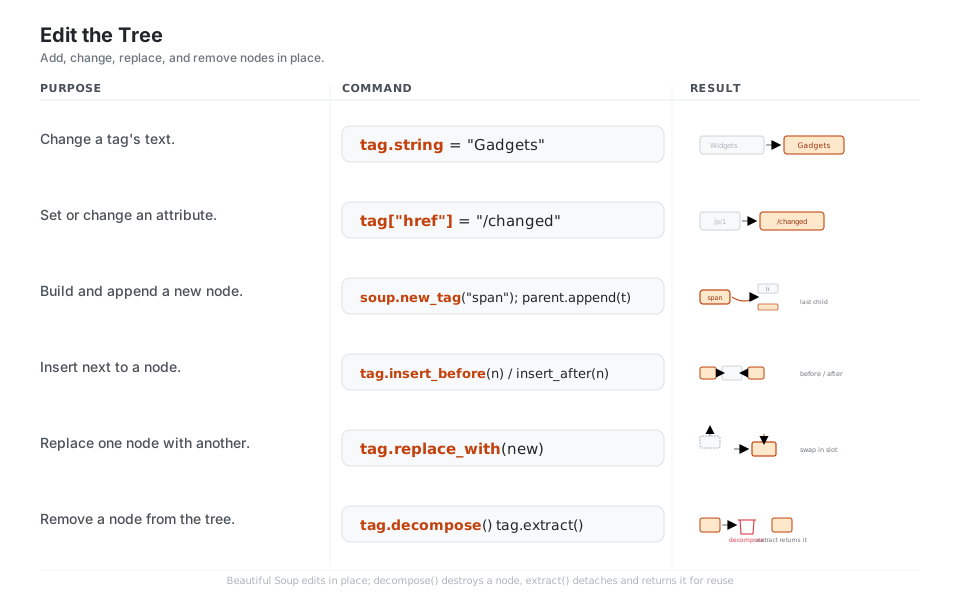
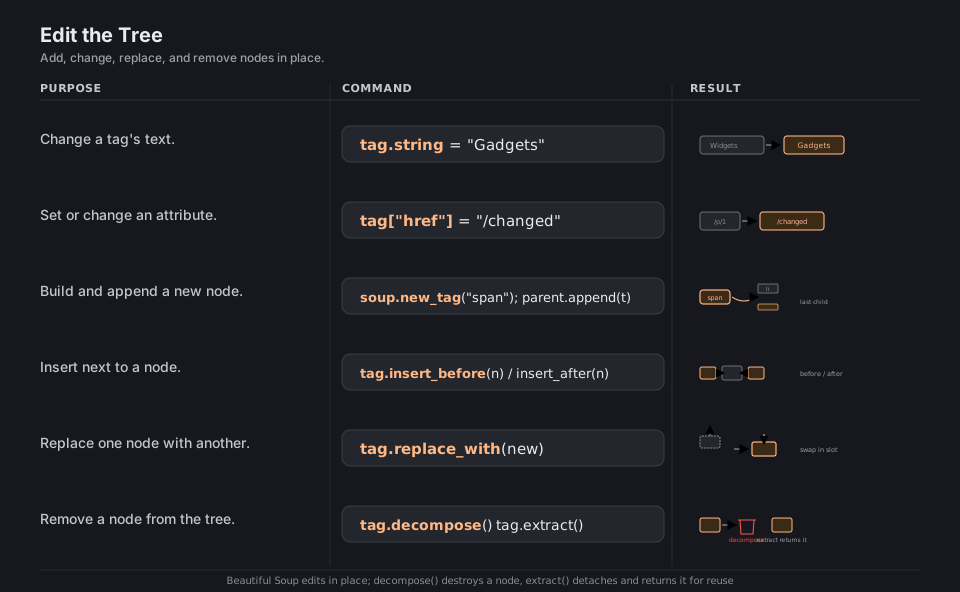
tag.string = "Gadgets"                           # change a tag's text
tag["href"] = "/changed"   tag["class"] = "x"     # set or change an attribute
t = soup.new_tag("span"); parent.append(t)        # build and append a new node
tag.insert_before(node)   tag.insert_after(node)  # insert next to a node
tag.replace_with(new)                            # replace one node with another
tag.decompose()   tag.extract()                  # remove (destroy) / remove (return it)
See Modifying the tree.
Serialize Back to a String
When you are done, turn the tree back into text. str(soup) (or str(tag)) renders HTML, prettify() renders it indented, and decode_contents() gives just the inner markup. encode() produces bytes with an explicit encoding, and get_text() on the whole document strips every tag down to plain text.
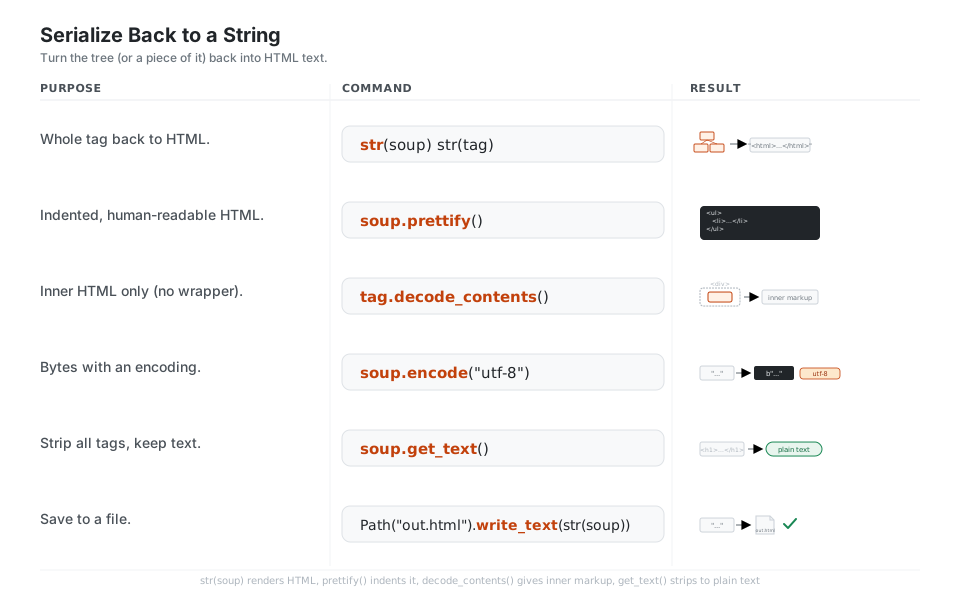
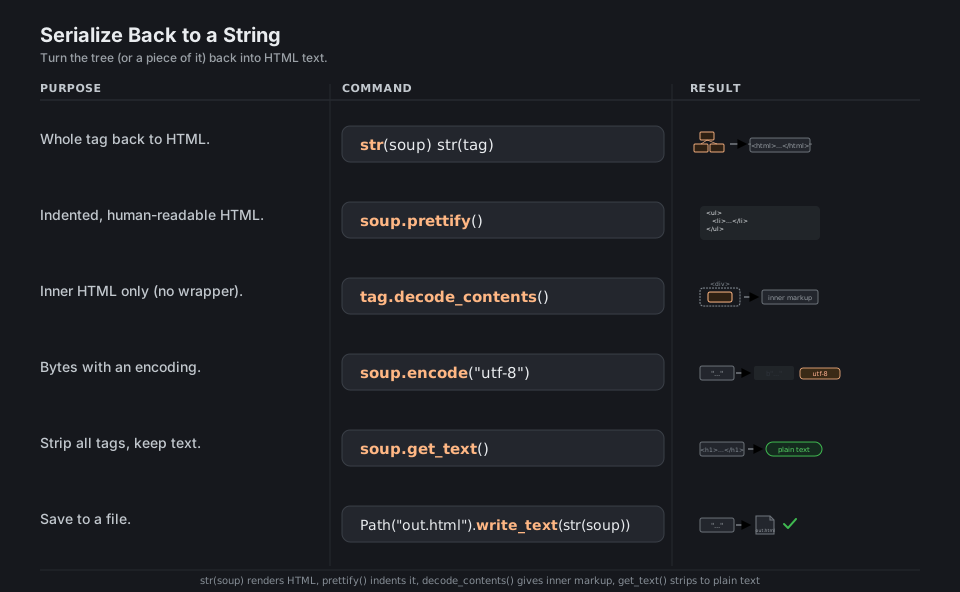
str(soup)   str(tag)                     # whole tag back to HTML
soup.prettify()                          # indented, human-readable HTML
tag.decode_contents()                    # inner HTML only (no wrapper)
soup.encode("utf-8")                     # bytes with an encoding -> b"..."
soup.get_text()                          # strip all tags, keep text
Path("out.html").write_text(str(soup))   # save to a file
See Output.
Quick Reference
| Parser | Call | Notes |
|---|---|---|
| Built-in | BeautifulSoup(html, "html.parser") |
No install, decent, pure Python |
| lxml (HTML) | BeautifulSoup(html, "lxml") |
Fastest, lenient; needs pip install lxml |
| lxml (XML) | BeautifulSoup(xml, "xml") |
XML mode; needs lxml |
| html5lib | BeautifulSoup(html, "html5lib") |
Browser-grade, slowest; needs pip install html5lib |
| Goal | Call |
|---|---|
| By tag name | soup.find_all("a") |
| By several names | soup.find_all(["h1", "h2"]) |
| By CSS class | soup.find_all("a", class_="name") |
| By id | soup.find(id="main") |
| By any attribute | soup.find_all("li", attrs={"data-id": "2"}) |
| By attribute regex | soup.find_all("a", href=re.compile(r"^/p/")) |
| By visible text | soup.find_all(string="Bolt") |
| By custom function | soup.find_all(lambda t: t.has_attr("data-id")) |
| Every tag | soup.find_all(True) |
| Pattern | Matches |
|---|---|
li.product |
<li> with class product |
#main |
element with id="main" |
ul.products .price |
any .price inside ul.products |
ul > li |
direct <li> children of <ul> |
a[href] · a[href^="/"] |
links with an href / starting with / |
h1, h2 |
either tag (grouping) |
li:nth-of-type(2) |
the second <li> among its siblings |
| Goal | Call |
|---|---|
| All text joined | tag.get_text() |
| Text, cleaned | tag.get_text(separator=" ", strip=True) |
| Single tag’s text | tag.string |
| Cleaned text pieces | list(tag.stripped_strings) |
| One attribute (raises if missing) | tag["href"] |
| One attribute (safe) | tag.get("href") |
| All attributes | tag.attrs |
| Goal | Call |
|---|---|
| Make a new tag | soup.new_tag("span", attrs={"class": "x"}) |
| Add as last child | parent.append(node) |
| Insert beside | tag.insert_before(node) · tag.insert_after(node) |
| Replace a node | tag.replace_with(new) |
| Remove (destroy) | tag.decompose() |
| Remove (return it) | tag.extract() |
| Empty a node | tag.clear() |
| Back to HTML | str(soup) · soup.prettify() |
| Inner HTML only | tag.decode_contents() |
Appendix: Sample Code
page.html (sample input file)
<!doctype html>
<html>
<head><title>Widgets Store</title></head>
<body>
  <div id="main" class="container">
    <h1 class="title">Widgets</h1>
    <ul class="products">
      <li class="product" data-id="1"><a href="/p/1" class="name">Bolt</a><span class="price">$3.00</span></li>
      <li class="product on-sale" data-id="2"><a href="/p/2" class="name">Nut</a><span class="price">$1.50</span></li>
      <li class="product" data-id="3"><a href="https://ex.com/p/3" class="name">Washer</a><span class="price">$0.50</span></li>
    </ul>
    <p>Contact <a href="mailto:a@b.com">us</a>.</p>
  </div>
</body>
</html>
Building the soup used across panels
from bs4 import BeautifulSoup
from pathlib import Path

html = Path("page.html").read_text()
soup = BeautifulSoup(html, "html.parser")   # name the parser for reproducibility
A daily scraping pipeline (the search to extract mental model)
import re
from bs4 import BeautifulSoup

soup = BeautifulSoup(html, "html.parser")

# 1. find the list, 2. iterate items, 3. pull text + attributes per item
products = []
for li in soup.select("ul.products > li.product"):     # CSS search
    products.append(
        {
            "id": li["data-id"],                        # attribute
            "name": li.select_one("a.name").get_text(strip=True),  # nested text
            "url": li.select_one("a.name")["href"],     # nested attribute
            "price": li.select_one(".price").get_text(strip=True),
        }
    )

# products == [
#   {"id": "1", "name": "Bolt",   "url": "/p/1", "price": "$3.00"},
#   {"id": "2", "name": "Nut",    "url": "/p/2", "price": "$1.50"},
#   {"id": "3", "name": "Washer", "url": "https://ex.com/p/3", "price": "$0.50"},
# ]

# collect all internal links with a regex attribute filter
internal = [a["href"] for a in soup.find_all("a", href=re.compile(r"^/p/"))]
Editing then serializing
soup = BeautifulSoup(html, "html.parser")

soup.h1.string = "Gadgets"                       # change text
badge = soup.new_tag("span", attrs={"class": "badge"})
badge.string = "NEW"
soup.find("li").append(badge)                    # add a child node
soup.find("p").decompose()                       # remove a node

out = soup.prettify()                            # back to indented HTML
Behavior notes
class_notclass.classis a Python keyword, so the search keyword isclass_=. A tag’sclassattribute comes back as a list (tag["class"]returns["product", "on-sale"]) because HTML allows multiple classes.string=, nottext=. The keyword to match by visible text isstring=. The oldtext=argument still works but emits aDeprecationWarningin bs4 4.x.find_all, notfindAll. CamelCase method names (findAll,findAllNext) are deprecated aliases kept for bs4 3 compatibility; use the snake_case forms.- Whitespace is text.
.contents,.children, and.next_siblingincludeNavigableStringwhitespace between tags. Usefind_next_siblingandfind_all(which skip strings) when you only want elements. - Parsers can disagree.
html.parser,lxml, andhtml5libhandle broken markup differently;html5libwraps fragments in<html><head><body>. Always pass the parser name explicitly so a missing optional dependency does not silently change results. selectneeds Soup Sieve. CSS selectors are handled by the bundledsoupsievepackage; very exotic pseudo-classes may be unsupported, but everything in the selectors panel works.
References
Beautiful Soup documentation
- Documentation home and the Quick Start
- Making the soup, Installing a parser, Kinds of objects
- Searching the tree, CSS selectors, Navigating the tree
- get_text, Modifying the tree, Output
Selectors and project