conda is a cross-language package and environment manager: it installs prebuilt binaries (Python, R, C/C++ libraries, CUDA, command-line tools) from channels into isolated environments, each a self-contained prefix directory with its own interpreter and packages. mamba is a faster, drop-in reimplementation of the same commands that shares conda’s environments, channels, and config, so everything below works with either binary. Modern conda already uses the fast libmamba solver under the hood. This cheatsheet groups the daily workflow into eight areas, each paired with a small diagram. For pure-Python installs, see the pip and uv cheatsheets.
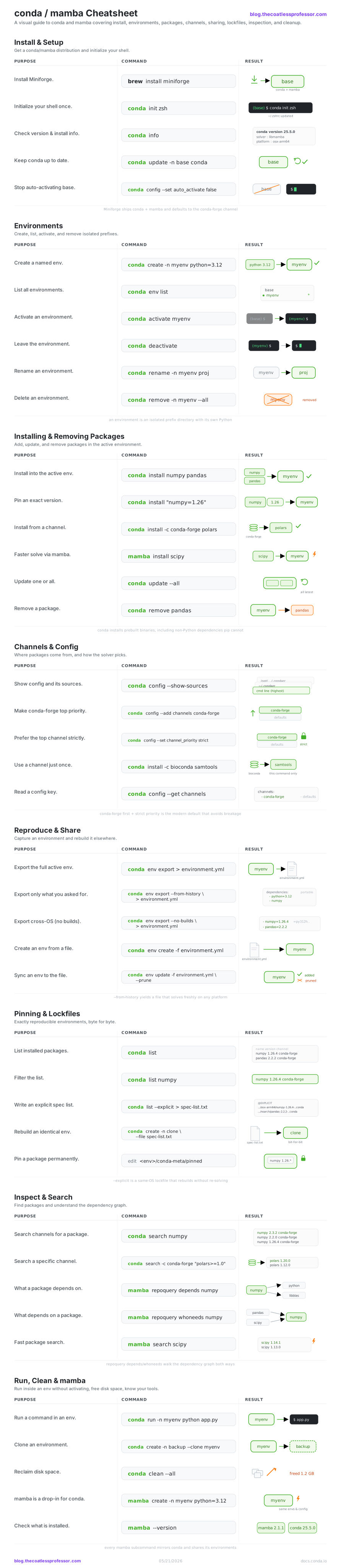
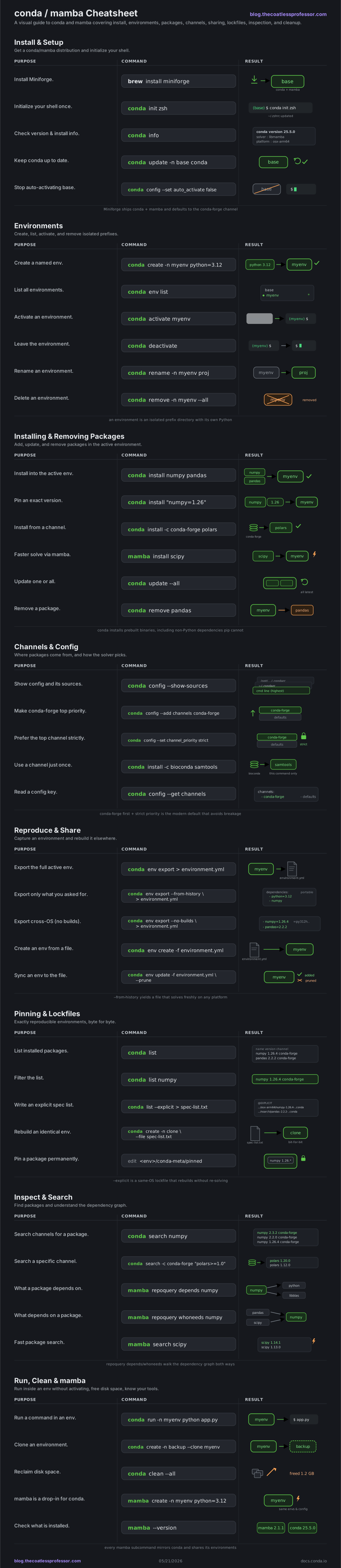
Install & Setup
A conda distribution drops a base environment on your machine. Miniforge is the lean choice: it ships both conda and mamba and defaults to the conda-forge channel. conda init wires conda into your shell so conda activate works, and you only do it once.
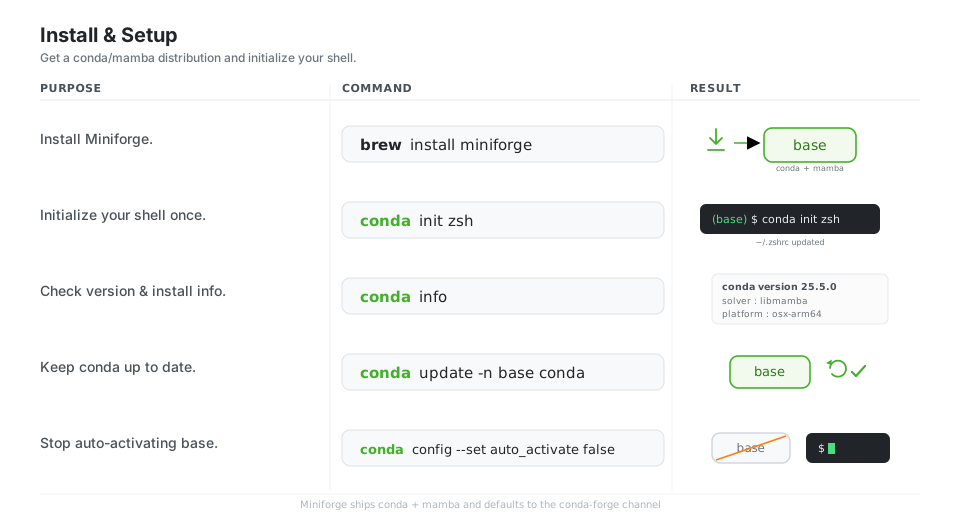
brew install miniforge            # conda + mamba (or run the Miniforge installer)
conda init zsh                    # wire conda into your shell, then restart it (once)
conda info                        # version, base prefix, solver, channels, platform
conda update -n base conda        # keep conda itself current
conda config --set auto_activate false   # stop activating (base) in every shell
See Installing conda and Miniforge.
Environments
An environment is an isolated prefix directory with its own Python and packages. You create one per project, activate it to put it on your PATH, and delete it when you are done, leaving the rest of your system untouched.
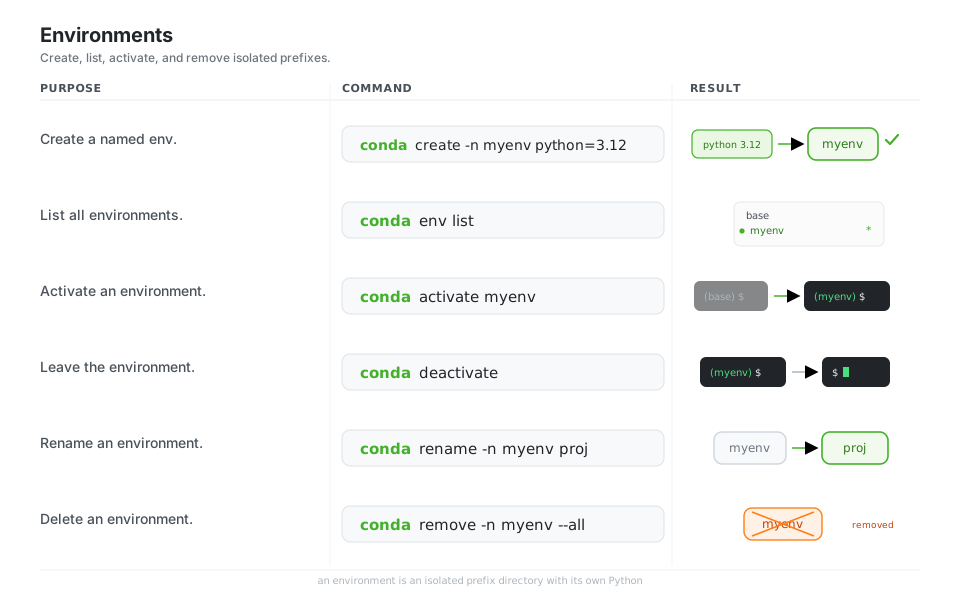
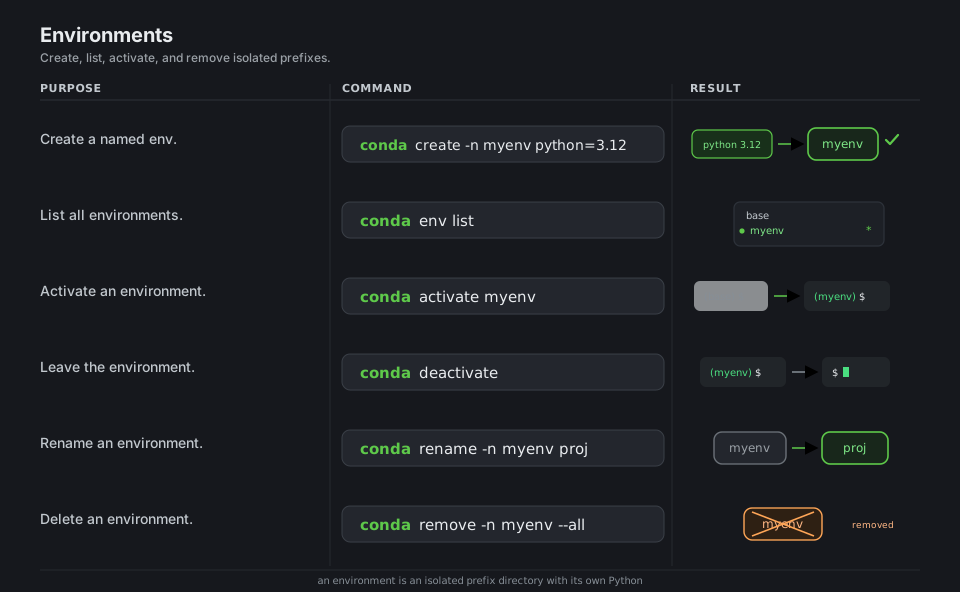
conda create -n myenv python=3.12   # new env with Python 3.12
conda env list                       # list environments (active one marked *)
conda activate myenv                 # activate it -> prompt shows (myenv)
conda deactivate                     # leave the env
conda rename -n myenv proj           # rename it
conda remove -n myenv --all # delete the whole environmentInstalling & Removing Packages
conda install resolves and adds prebuilt binaries into the active environment from your configured channels. conda handles non-Python dependencies (compilers, CUDA, system libraries) that pip cannot, which is conda’s main reason to exist.
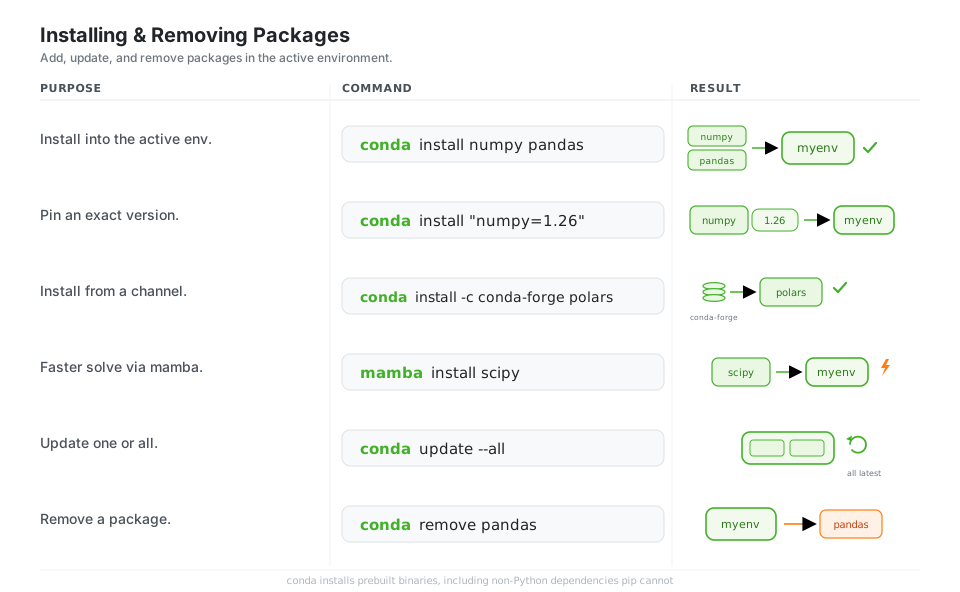
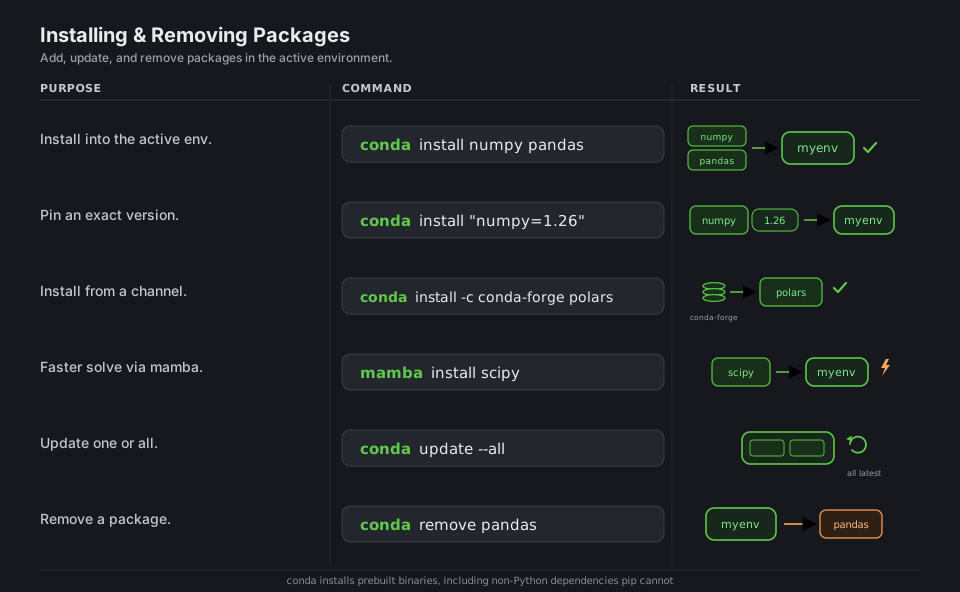
conda install numpy pandas             # install into the active environment
conda install "numpy=1.26"             # pin a version (quote to protect from the shell)
conda install -c conda-forge polars    # install from the conda-forge channel
mamba install scipy                    # same thing, mamba's faster solver
conda update --all                      # update everything in the env
conda remove pandas                     # uninstall a package
See Managing packages.
Channels & Config
Channels are the repositories packages come from, ordered by priority in ~/.condarc. Putting conda-forge first with channel_priority strict is the modern default and prevents most “it solved yesterday, not today” breakage.
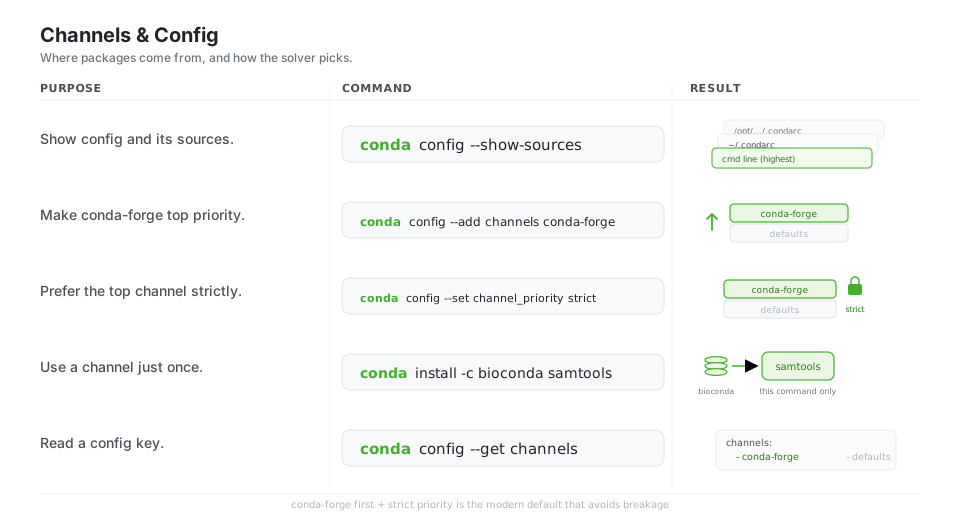
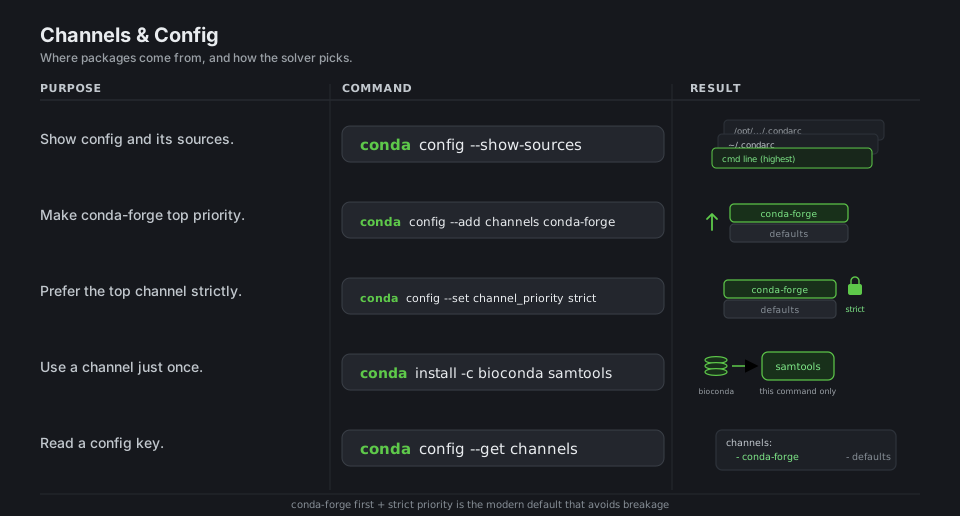
conda config --show-sources                  # list every .condarc and the keys it sets
conda config --add channels conda-forge      # put conda-forge first in priority
conda config --set channel_priority strict   # prefer higher-priority channels strictly
conda install -c bioconda samtools           # use a channel for just this command
conda config --get channels                  # read back the configured channel list
See Managing channels and the .condarc file.
Reproduce & Share
environment.yml is the human-friendly, shareable description of an environment. A full export is exact but OS-specific, while --from-history produces a portable file that solves freshly on any platform.
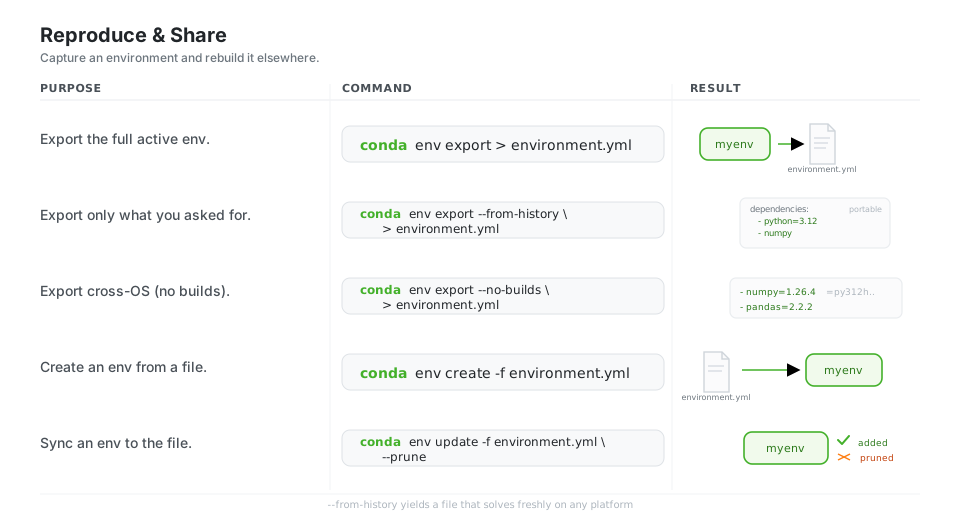
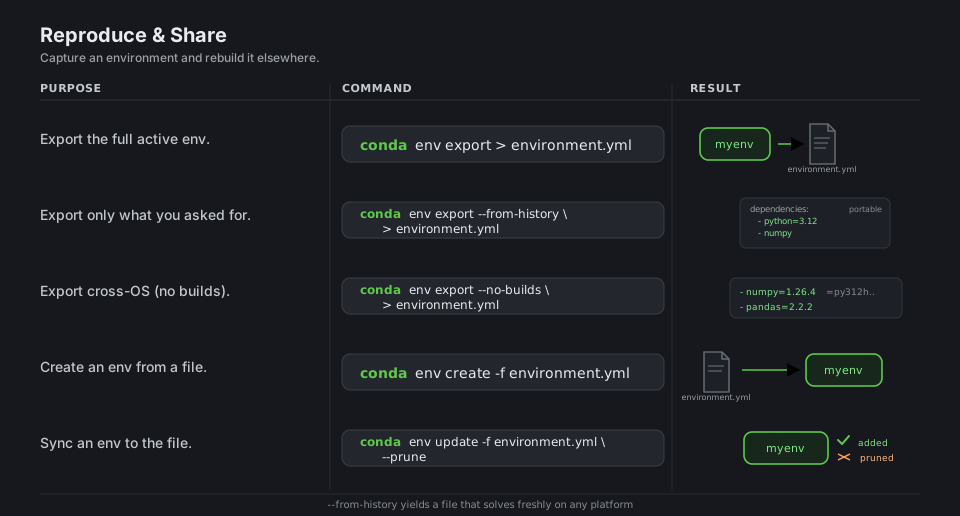
conda env export > environment.yml                  # full snapshot (exact, OS-specific)
conda env export --from-history > environment.yml   # only what you requested (portable)
conda env export --no-builds > environment.yml      # drop build strings for cross-platform
conda env create -f environment.yml                  # build an environment from the file
conda env update -f environment.yml --prune          # sync an env to the file (remove extras)
See Sharing environments.
Pinning & Lockfiles
When you need byte-for-byte reproducibility, conda list --explicit writes a same-platform lockfile of exact package URLs that rebuilds without re-solving, and per-environment pinned files keep specific packages from drifting.
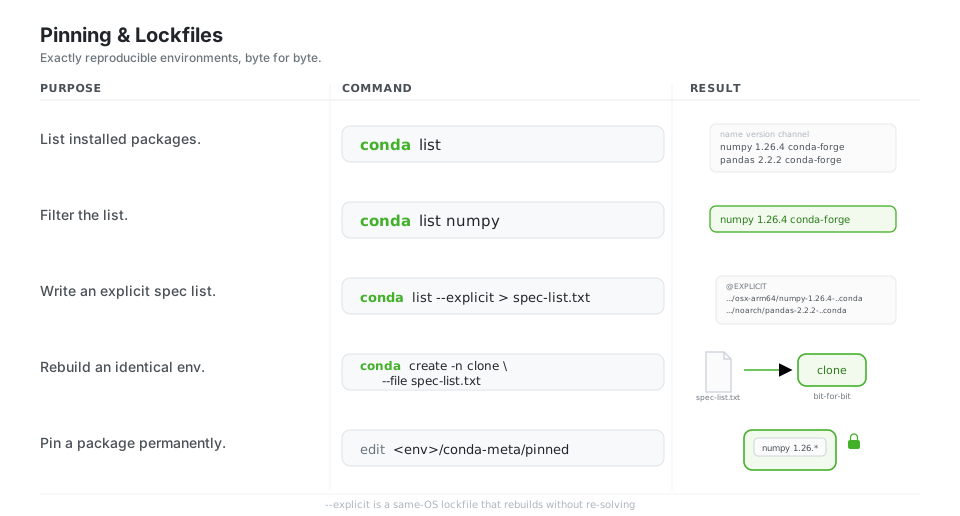
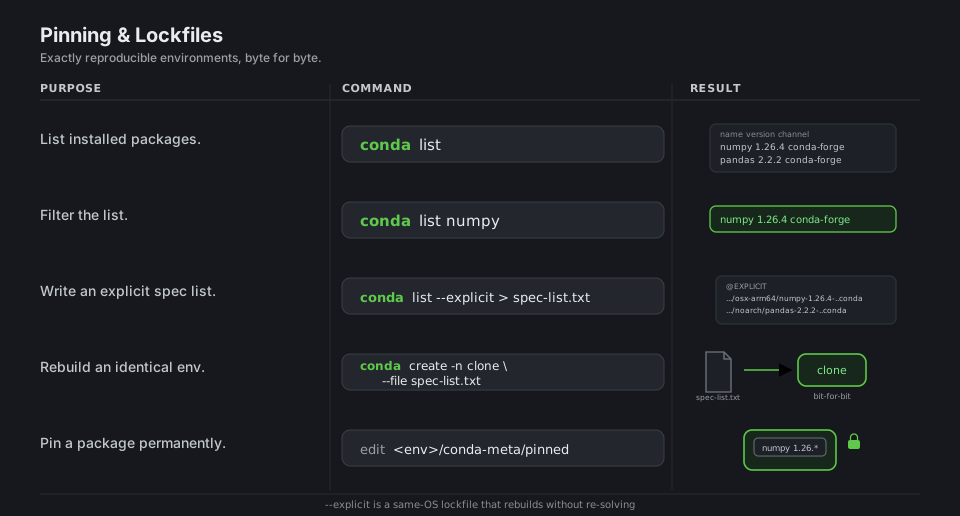
conda list                                  # name, version, build, channel for each package
conda list numpy                            # filter to matching packages
conda list --explicit > spec-list.txt       # exact URLs (same-OS lockfile)
conda create -n clone --file spec-list.txt  # recreate an identical environment

# Keep a package from changing: add "numpy 1.26.*" to <prefix>/conda-meta/pinned
See Pinning packages. For multi-OS locks, see conda-lock.
Inspect & Search
conda search finds available versions across channels, and mamba’s repoquery depends / whoneeds walk the dependency graph forward and backward, which is the fastest way to understand or debug a solver conflict.
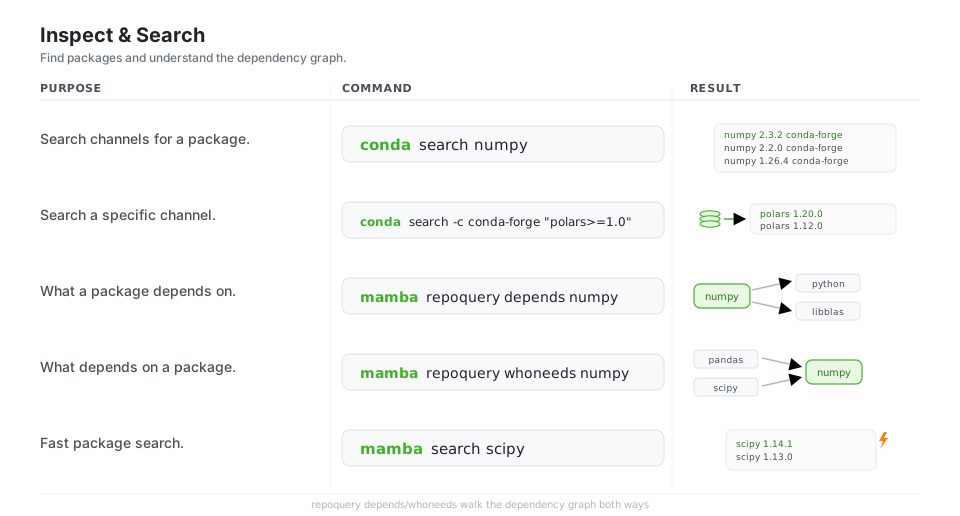
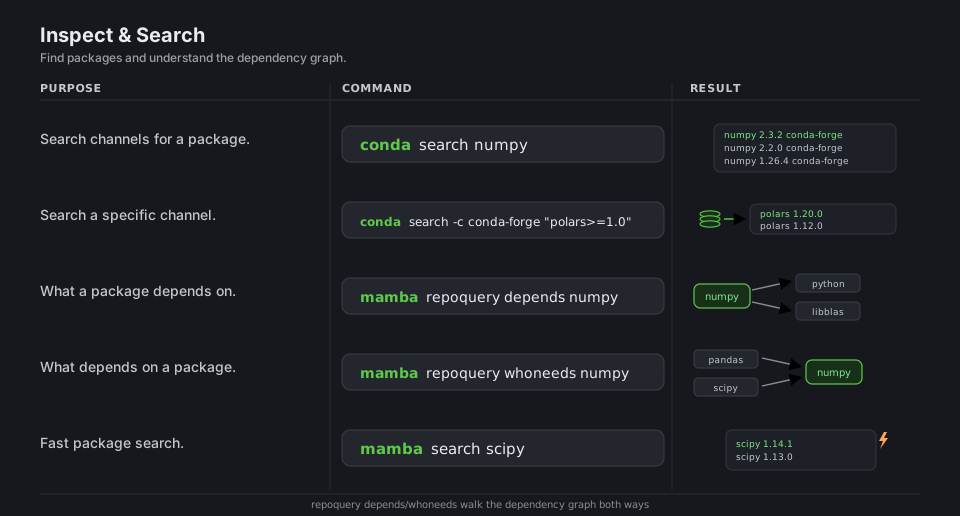
conda search numpy                          # all versions/builds across channels
conda search -c conda-forge "polars>=1.0"   # search a channel with a constraint
mamba repoquery depends numpy               # forward dependencies of a package
mamba repoquery whoneeds numpy              # reverse dependencies (who pulls it in)
mamba search scipy                          # mamba's fast search
See conda search and mamba repoquery.
Run, Clean & mamba
conda run -n env executes one command inside an environment without activating it (handy for scripts and CI), conda clean --all reclaims the disk the package cache eats, and mamba is a faster drop-in that shares everything conda has.
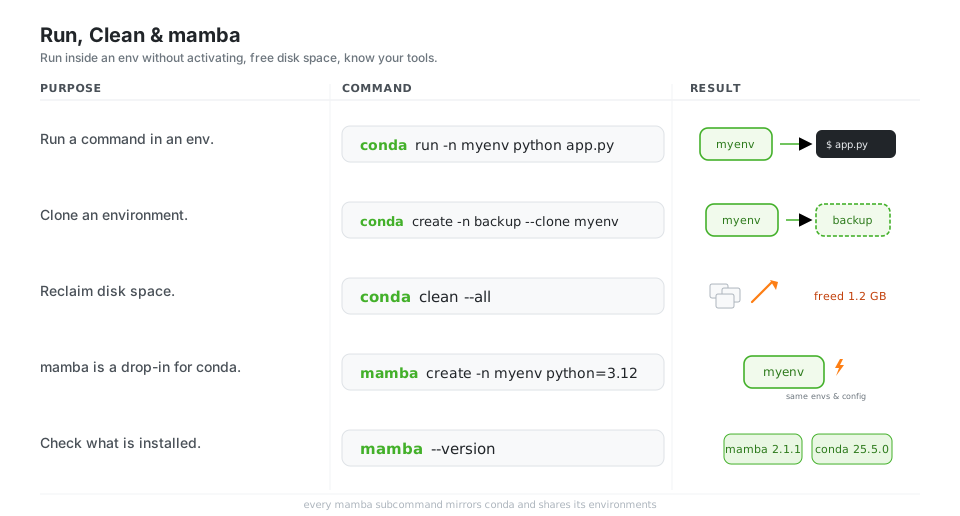
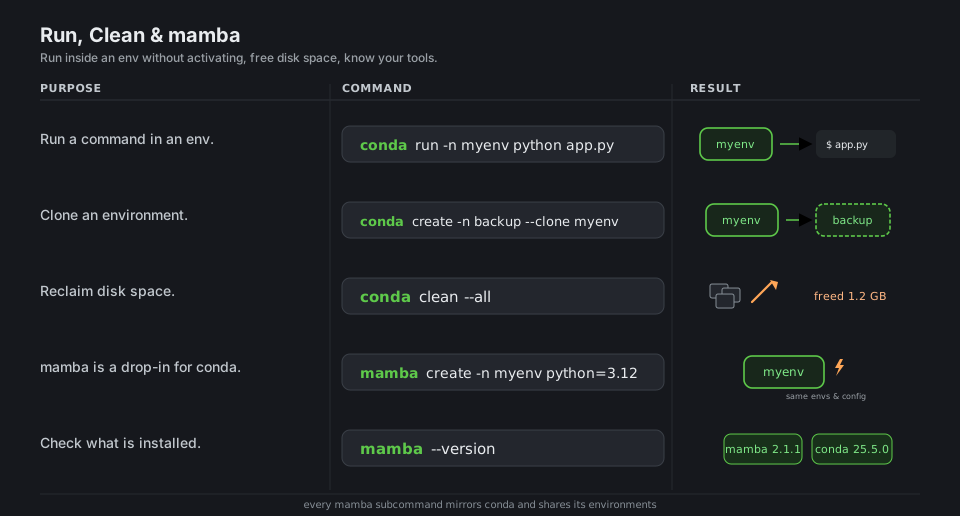
conda run -n myenv python app.py            # run a command in an env without activating
conda create -n backup --clone myenv        # copy an environment
conda clean --all                            # remove caches, tarballs, and unused packages
mamba create -n myenv python=3.12           # mamba mirrors conda and shares its environments
mamba --version                              # 2.1.1 ; conda --version -> 25.5.0
See conda run, conda clean, and the mamba user guide.
Quick Reference
| Command | What it does | Area |
|---|---|---|
conda create -n env python=3.12 |
Create a named environment | Environments |
conda activate env / conda deactivate |
Enter / leave an environment | Environments |
conda env list |
List all environments | Environments |
conda install -c conda-forge pkg |
Install from a channel | Packages |
conda update --all |
Update everything in the env | Packages |
conda remove pkg |
Uninstall a package | Packages |
conda config --add channels conda-forge |
Make conda-forge top priority | Channels |
conda env export --from-history |
Portable environment file | Share |
conda env create -f environment.yml |
Build env from a file | Share |
conda list --explicit |
Same-OS lockfile of exact URLs | Lockfiles |
mamba repoquery whoneeds pkg |
Reverse dependency lookup | Inspect |
conda run -n env cmd |
Run a command in an env | Run |
conda clean --all |
Reclaim cache disk space | Maintenance |
| File | Role |
|---|---|
environment.yml |
Human-friendly, shareable environment definition |
spec-list.txt |
conda list --explicit output: exact URLs, a same-OS lockfile |
~/.condarc |
User config: channels, channel priority, solver, defaults |
<prefix>/conda-meta/pinned |
Per-environment version pins the solver must respect |
<prefix>/ |
The environment itself: its Python, packages, and binaries |
| conda | mamba | |
|---|---|---|
| Role | Reference package & environment manager | Faster drop-in, same CLI |
| Solver | libmamba by default |
Built on the same libmamba core |
| Shares envs/config | yes | yes (same ~/.condarc, same environments) |
| Standout | full reference surface | terse repoquery depends / whoneeds |
Appendix: Sample Files
Short examples of the files the cheatsheet refers to.
environment.yml (portable, from --from-history)
The shareable description of an environment. Listing only top-level packages keeps it solvable across operating systems:
name: myenv
channels:
  - conda-forge
dependencies:
  - python=3.12
  - numpy
  - pandas
  - polars>=1.0
  # pip-only packages go in a nested pip list:
  - pip
  - pip:
      - some-pure-python-package
spec-list.txt (explicit, same-OS lockfile)
conda list --explicit writes exact package URLs that rebuild an identical environment without re-running the solver. It is platform-specific (note the osx-arm64 subdir):
# This file may be used to create an environment using:
# $ conda create --name <env> --file <this file>
# platform: osx-arm64
@EXPLICIT
https://conda.anaconda.org/conda-forge/osx-arm64/python-3.12.10-h...conda#<md5>
https://conda.anaconda.org/conda-forge/osx-arm64/numpy-1.26.4-py312h...conda#<md5>
https://conda.anaconda.org/conda-forge/noarch/pandas-2.2.2-pyh...conda#<md5>
~/.condarc (the modern conda-forge-first setup)
The configuration most projects want: conda-forge first, strict priority, and base off by default:
channels:
  - conda-forge
channel_priority: strict
auto_activate: false   # was auto_activate_base; renamed in conda 25.x
References
conda documentation
- conda documentation home and the command reference
- Installing conda and Miniforge
- Managing environments and packages
- Managing channels and the .condarc file
- Sharing environments and pinning packages
- conda search, conda run, and conda clean
mamba and conda-forge
- mamba documentation, the user guide, and repoquery
- Miniforge (the recommended conda + conda-forge installer) and conda-forge
Related tooling
- conda-lock for multi-platform lockfiles
- pixi, a newer conda-ecosystem project manager