Optuna is a define-by-run hyperparameter optimization framework: you write an ordinary Python function, the objective, that receives a trial, asks it for each hyperparameter with a trial.suggest_* call, trains and evaluates a model, and returns one number to minimize or maximize. A Study runs that objective many times (study.optimize(objective, n_trials=...)), each run is a Trial, and a sampler (TPE by default) proposes smarter values each round while a pruner kills hopeless trials early. When the loop finishes you read study.best_params and study.best_value, then use the built-in plots to see history, importances, and interactions. The recurring picture in this sheet is one loop: a suggest -> evaluate -> report cycle, where the trial hands out a parameter set, the model returns a score, and the score feeds back to the sampler so the next suggestion is better. The conventional import is import optuna, and everything here is Optuna v4 (deprecated v1-era spellings are flagged per section).


The Objective and Search Space
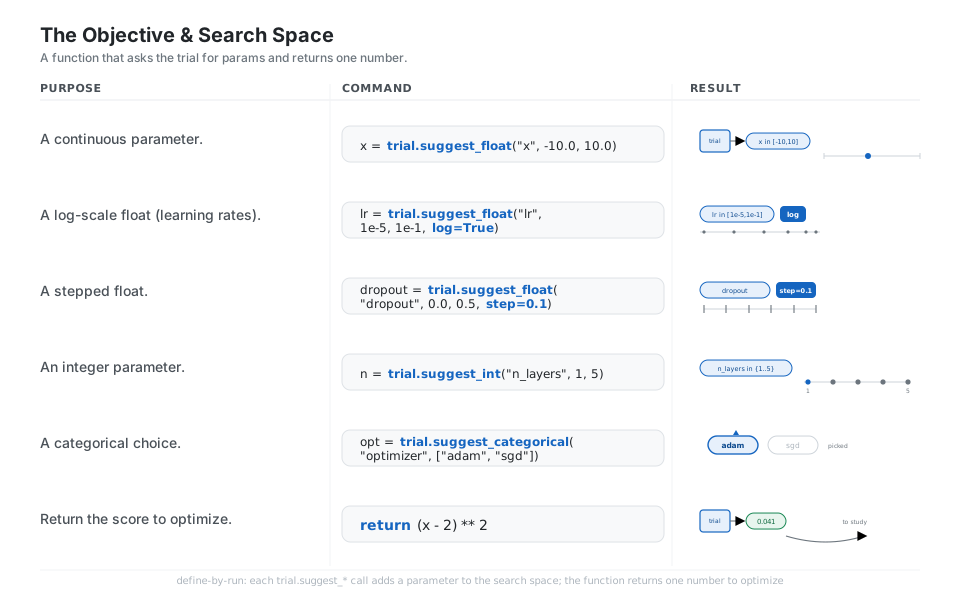
Optuna is define-by-run: you write a normal Python function that receives a trial, asks it for each hyperparameter with a trial.suggest_* call, and returns one number to optimize. Use suggest_float (with log=True for learning rates, step= for discrete grids), suggest_int, and suggest_categorical. The search space is defined by the code path itself, so it can branch and nest freely.
def objective(trial):
    x = trial.suggest_float("x", -10.0, 10.0)              # continuous param
    lr = trial.suggest_float("lr", 1e-5, 1e-1, log=True)   # log scale for rates
    dropout = trial.suggest_float("dropout", 0.0, 0.5, step=0.1)  # stepped grid
    n = trial.suggest_int("n_layers", 1, 5)                # integer param
    opt = trial.suggest_categorical("optimizer", ["adam", "sgd"])  # pick from a list
    return (x - 2) ** 2                                    # the value to optimize
See Trial. The old suggest_uniform / suggest_loguniform are deprecated; use suggest_float(..., log=True, step=).
Create and Run a Study
A Study is the optimization session: optuna.create_study(direction=...) sets whether lower or higher is better, and study.optimize(objective, n_trials=...) runs the objective that many times, remembering every trial. Cap the budget with n_trials or timeout=, hook into the loop with callbacks=, and pass show_progress_bar=True in a notebook to watch it work.
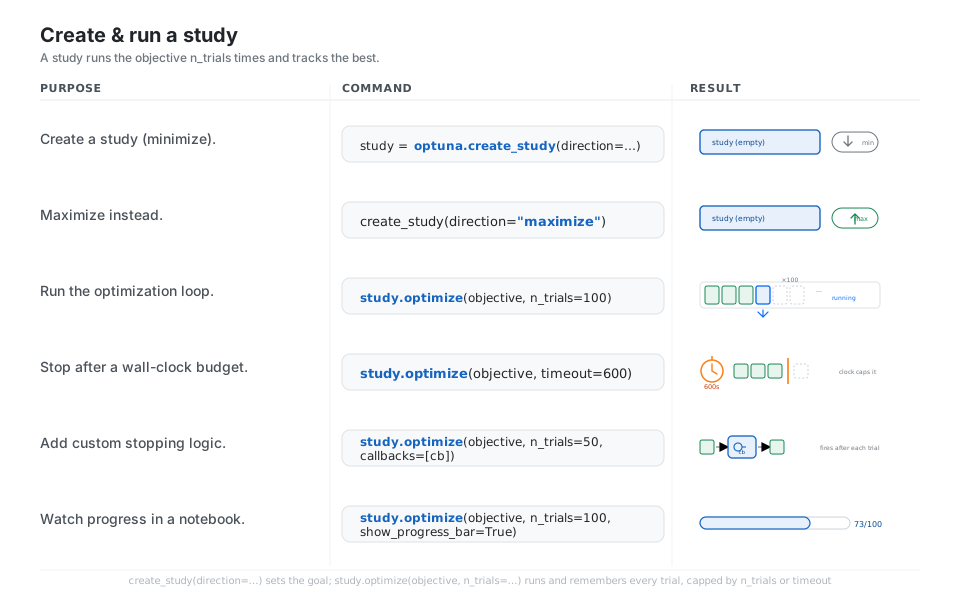
study = optuna.create_study(direction="minimize")     # new session, lower is better
study = optuna.create_study(direction="maximize")     # higher is better instead

study.optimize(objective, n_trials=100)               # run the loop 100 times
study.optimize(objective, timeout=600)                # run until a 600s budget
study.optimize(objective, n_trials=50, callbacks=[cb])    # fires after each trial
study.optimize(objective, n_trials=100, show_progress_bar=True)  # notebook bar
See Study.optimize. Pass n_trials and timeout together to stop at whichever comes first.
Samplers and Pruners
The sampler decides which hyperparameters to try next: the default TPESampler models good versus bad regions and proposes smarter values over time, while RandomSampler and GridSampler give you baselines and exhaustive sweeps. The pruner kills unpromising trials early: call trial.report(value, step) during training and check trial.should_prune() to let MedianPruner (the default) or HyperbandPruner raise optuna.TrialPruned() before you waste compute.
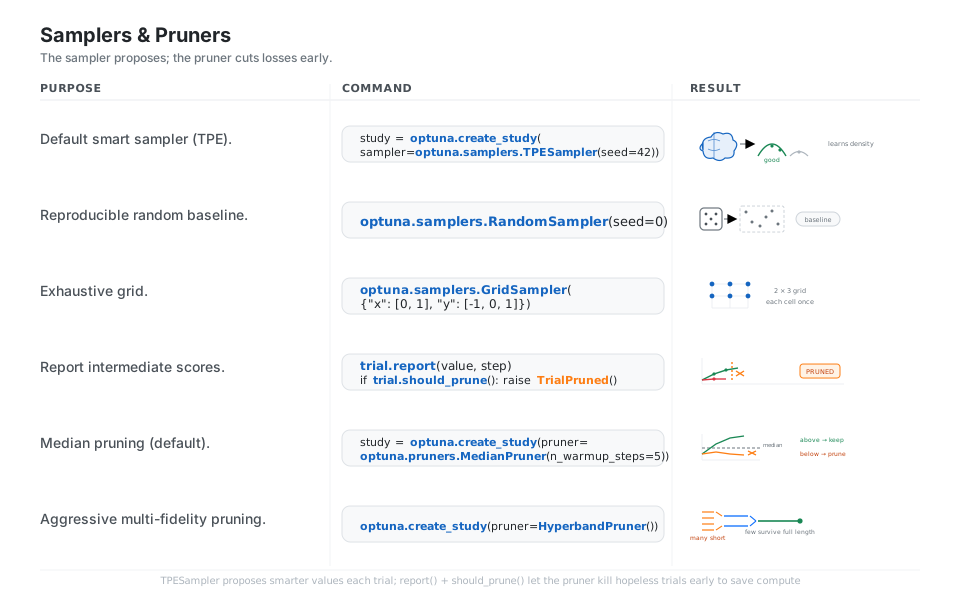
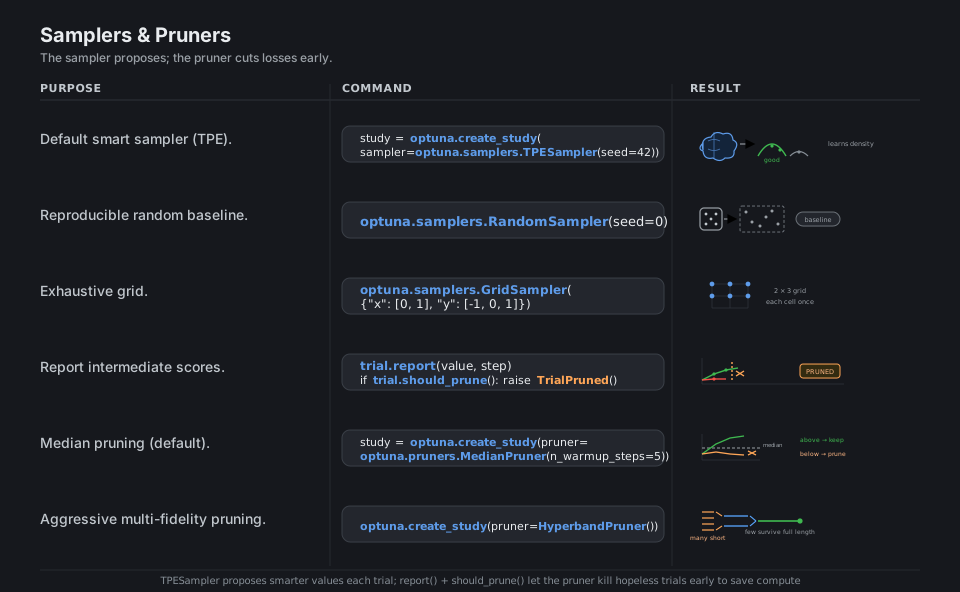
from optuna.samplers import TPESampler, RandomSampler, GridSampler
from optuna.pruners import MedianPruner, HyperbandPruner

optuna.create_study(sampler=TPESampler(seed=42))      # smart sampler (default)
optuna.create_study(sampler=RandomSampler(seed=0))    # reproducible baseline
optuna.create_study(sampler=GridSampler({"x": [0, 1], "y": [-1, 0, 1]}))  # grid

trial.report(value, step)                             # report intermediate score
if trial.should_prune():                              # let the pruner decide
    raise optuna.TrialPruned()
optuna.create_study(pruner=MedianPruner(n_warmup_steps=5))   # median (default)
optuna.create_study(pruner=HyperbandPruner())         # multi-fidelity pruning
See Samplers and Pruners. The default sampler is TPESampler and the default pruner is MedianPruner.
Read the Results
When the loop finishes, study.best_params gives the winning hyperparameter dict, study.best_value the score it reached, and study.best_trial the whole record. For analysis, study.trials_dataframe() flattens every trial into a pandas DataFrame, and len(study.trials) plus each trial’s .state tell you how many completed, pruned, or failed.
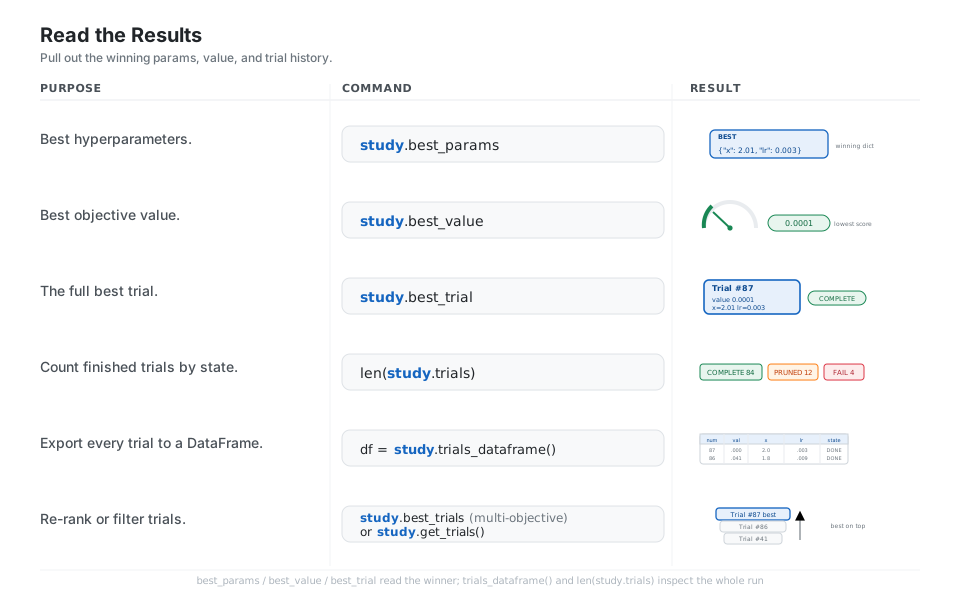
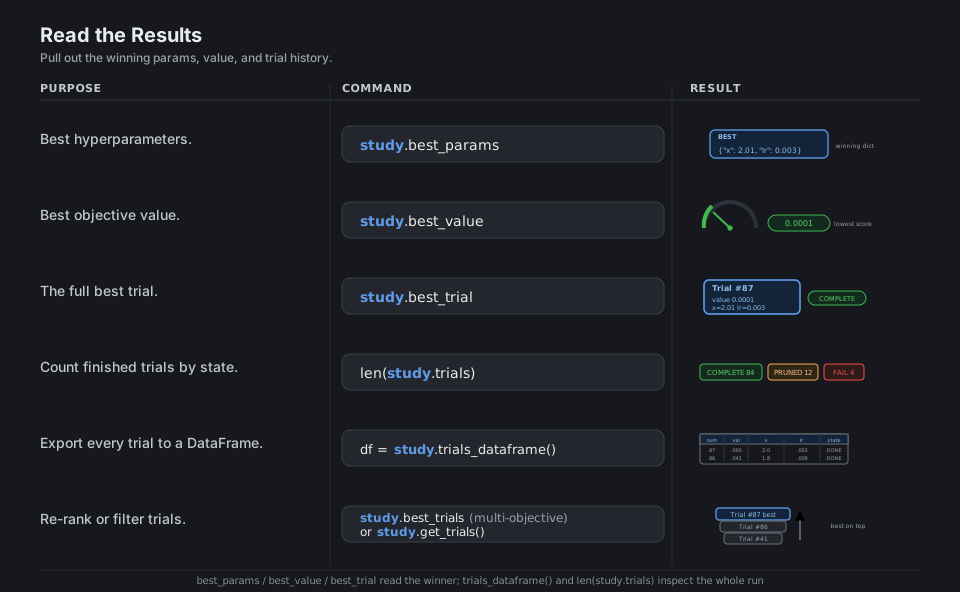
study.best_params           # {"x": 2.01, "lr": 0.003}  (the winning config)
study.best_value            # 0.0001                    (the score it reached)
study.best_trial            # FrozenTrial #87, state COMPLETE

len(study.trials)           # how many trials ran in total
df = study.trials_dataframe()   # every trial as a pandas DataFrame
study.get_trials()          # all trials; study.best_trials for multi-objective
See Study.best_params. Each trial’s .state is COMPLETE, PRUNED, FAIL, or RUNNING.
Visualize the Search
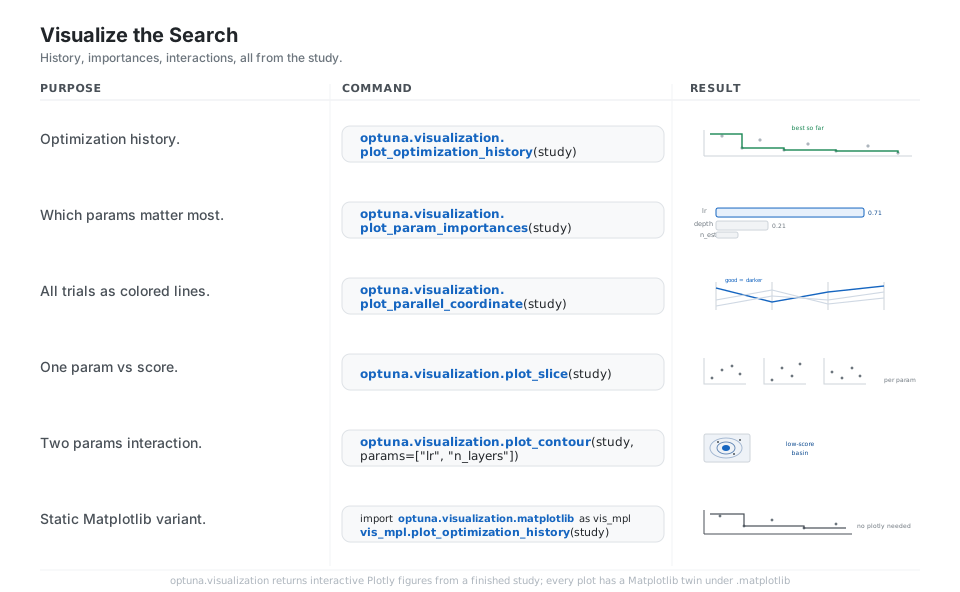
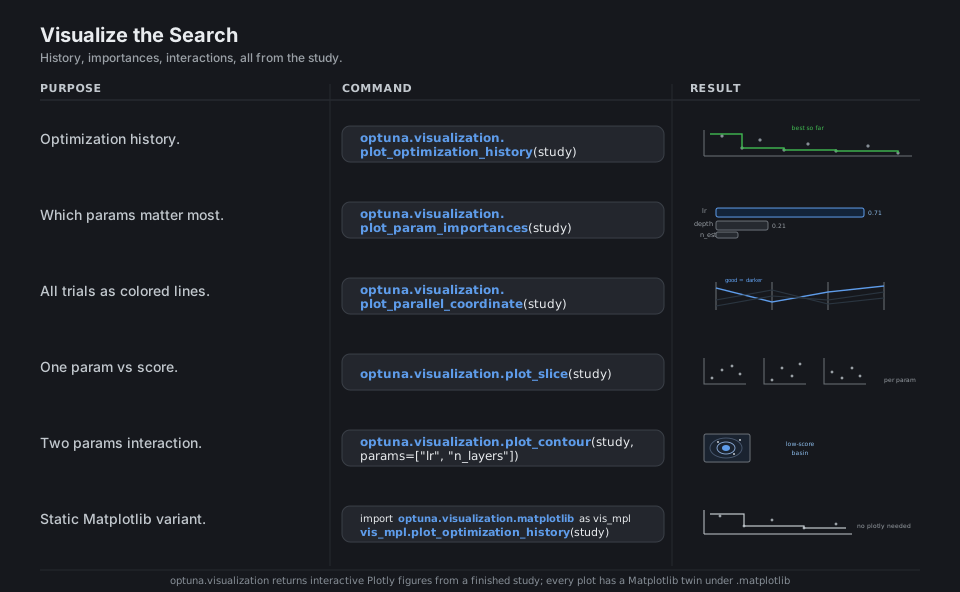
Optuna ships interactive Plotly figures straight from the study: plot_optimization_history shows the best-so-far curve, plot_param_importances ranks which knobs mattered, and plot_parallel_coordinate, plot_slice, and plot_contour reveal how parameters relate to the score and to each other. Every figure has a Matplotlib twin under optuna.visualization.matplotlib when you do not want a Plotly dependency.
import optuna.visualization as vis

vis.plot_optimization_history(study)          # best-so-far curve
vis.plot_param_importances(study)             # which knobs mattered most
vis.plot_parallel_coordinate(study)           # all trials as colored lines
vis.plot_slice(study)                         # each param vs score
vis.plot_contour(study, params=["lr", "n_layers"])  # 2-D interaction

import optuna.visualization.matplotlib as vis_mpl   # static, no Plotly needed
vis_mpl.plot_optimization_history(study)
See Visualization. Every Plotly figure has a Matplotlib twin under optuna.visualization.matplotlib.
Multi-objective
Pass directions=[...] (plural) and return a tuple to optimize several goals at once, such as minimizing latency while maximizing accuracy. There is no single best trial, so Optuna gives you study.best_trials, the Pareto-optimal set, which plot_pareto_front draws as a frontier and NSGAIISampler (the default for multi-objective) evolves outward.
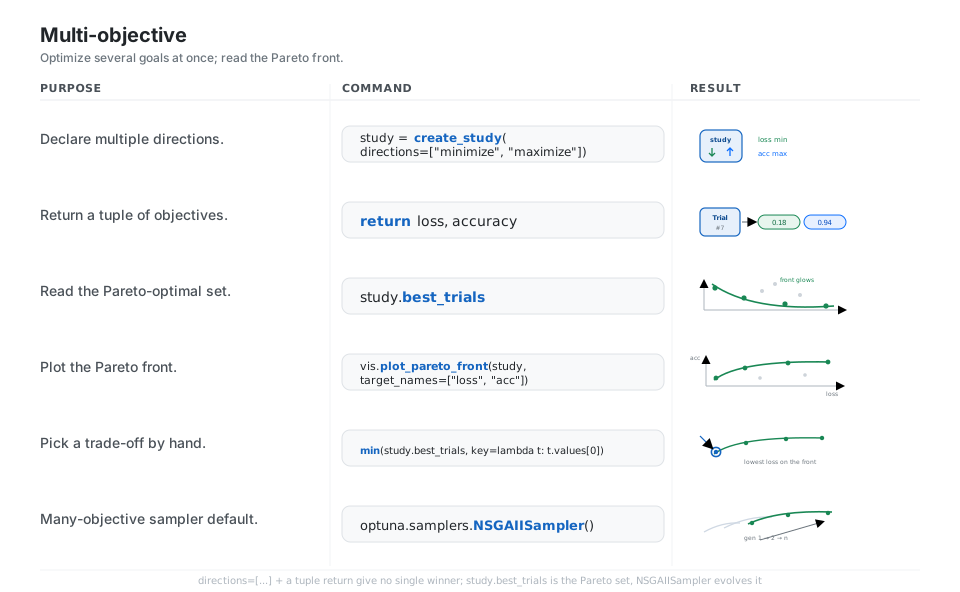
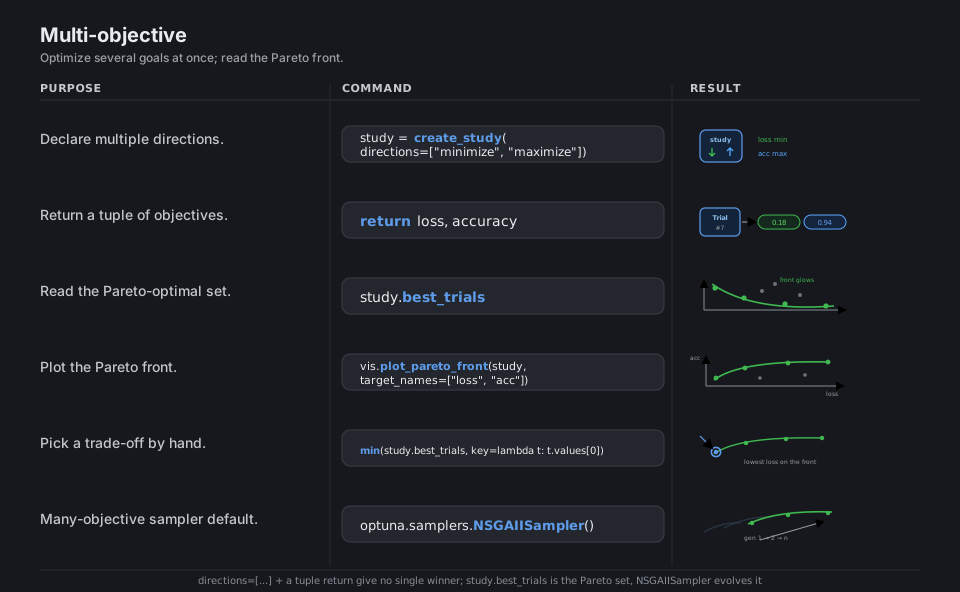
study = optuna.create_study(directions=["minimize", "maximize"])  # loss, accuracy

def objective(trial):
    ...
    return loss, accuracy                     # return a tuple of objectives

study.best_trials                             # the Pareto-optimal set (plural)
optuna.visualization.plot_pareto_front(study, target_names=["loss", "acc"])
min(study.best_trials, key=lambda t: t.values[0])   # pick a trade-off by hand
optuna.samplers.NSGAIISampler()               # genetic default for many objectives
See Multi-objective optimization. Use directions= and best_trials (plural); the single-objective spellings do not apply.
Storage, Resume, and Parallelism
Point storage= at a database URL (an sqlite:///study.db file is the easiest) and every trial is persisted, so you can stop and resume with load_if_exists=True or reopen later via optuna.load_study. Because trials live in shared storage, you can scale out: n_jobs= parallelizes within one process, and multiple processes or machines pointed at the same database cooperate on one study, while enqueue_trial and add_trial let you inject known-good or historical configurations.
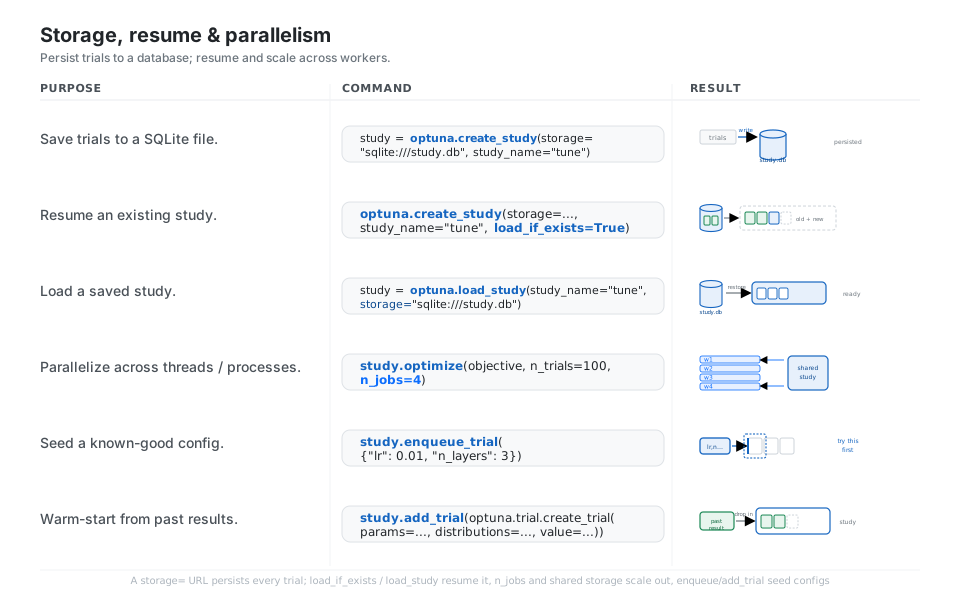
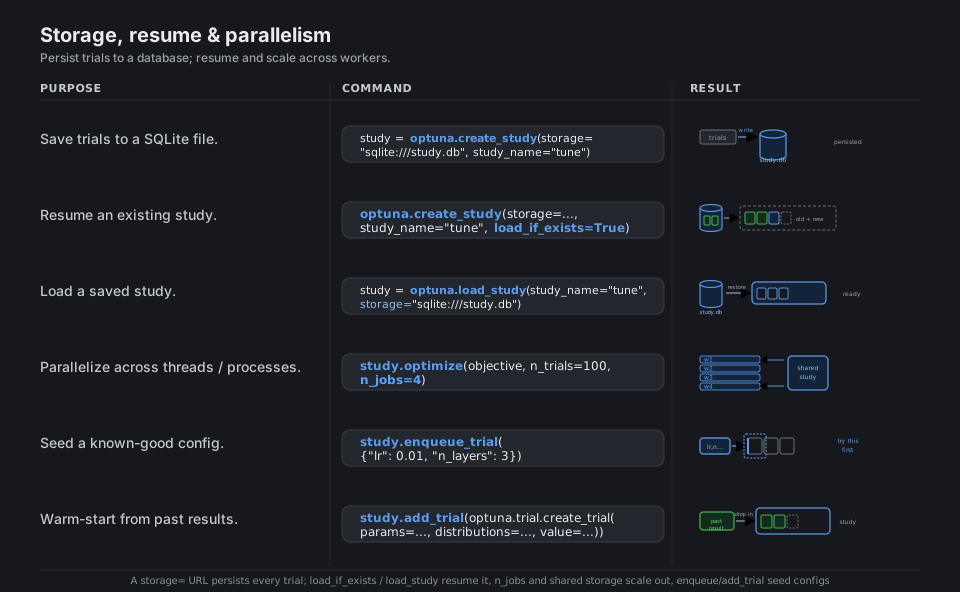
study = optuna.create_study(storage="sqlite:///study.db", study_name="tune")  # save
optuna.create_study(storage="sqlite:///study.db", study_name="tune",
                    load_if_exists=True)                      # resume, do not error
study = optuna.load_study(study_name="tune", storage="sqlite:///study.db")  # load

study.optimize(objective, n_trials=100, n_jobs=4)             # parallel in-process
study.enqueue_trial({"lr": 0.01, "n_layers": 3})             # try this config first
study.add_trial(optuna.trial.create_trial(                   # warm-start from past
    params=params, distributions=distributions, value=value))
See Distributed optimization and Storages. Several processes on the same storage URL cooperate on one study.
Integrate (sklearn, xgboost, pytorch)
The objective is just Python, so wrapping a real model is natural: build an estimator from the suggested params and return a cross_val_score mean, or use OptunaSearchCV as a sklearn drop-in. Framework callbacks live in the separate optuna-integration package (pip install "optuna-integration[xgboost]"); for example XGBoostPruningCallback and LightGBMPruningCallback prune boosting rounds, and in a hand-written PyTorch loop you call trial.report and trial.should_prune() each epoch yourself.
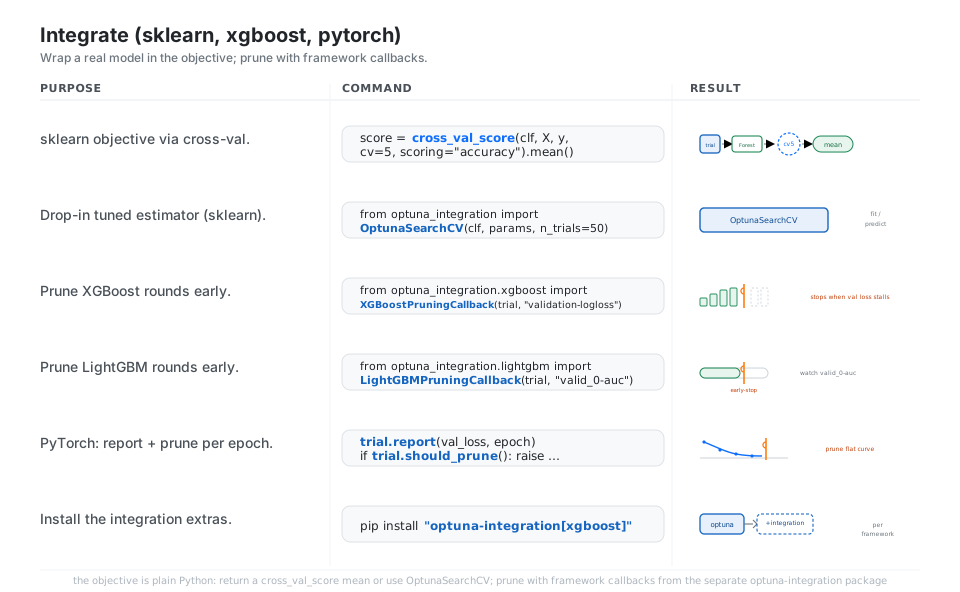
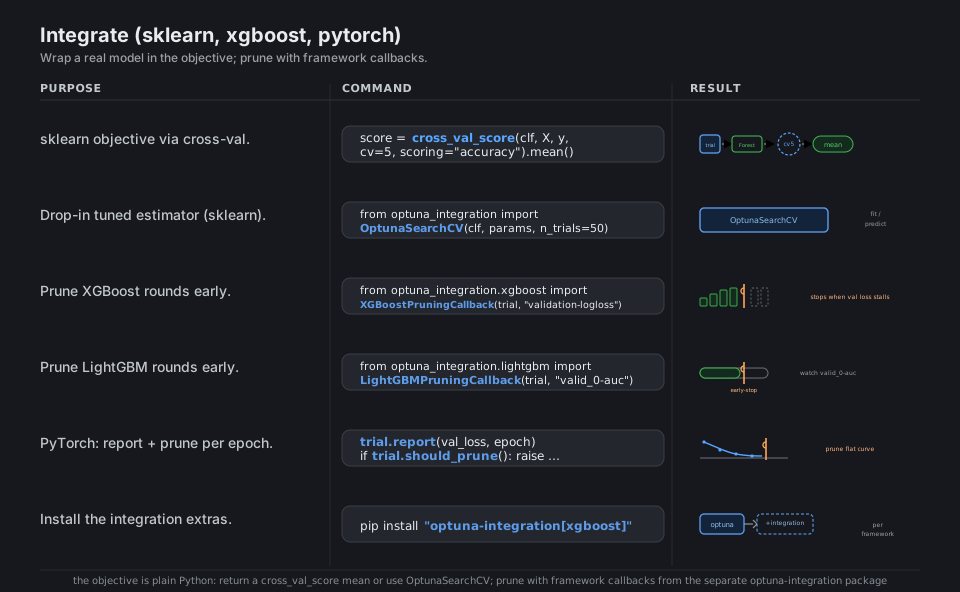
from sklearn.model_selection import cross_val_score
score = cross_val_score(clf, X, y, cv=5, scoring="accuracy").mean()  # sklearn CV

from optuna_integration import OptunaSearchCV          # sklearn drop-in estimator
OptunaSearchCV(clf, param_distributions, n_trials=50)

from optuna_integration.xgboost import XGBoostPruningCallback
XGBoostPruningCallback(trial, "validation-logloss")    # prune XGBoost rounds
from optuna_integration.lightgbm import LightGBMPruningCallback
LightGBMPruningCallback(trial, "valid_0-auc")          # prune LightGBM rounds

trial.report(val_loss, epoch)                          # PyTorch: report per epoch
if trial.should_prune():
    raise optuna.TrialPruned()
# pip install "optuna-integration[xgboost]"            # extras per framework
See optuna-integration. Import from optuna_integration; optuna.integration still works but is deprecated.
Quick Reference
| Command | What it does | Area |
|---|---|---|
trial.suggest_float("x", lo, hi, log=True) |
Float param, log scale option | Search space |
trial.suggest_int("n", lo, hi, step=1) |
Integer param | Search space |
trial.suggest_categorical("k", [...]) |
Pick from a list | Search space |
optuna.create_study(direction="minimize") |
New optimization session | Study |
study.optimize(objective, n_trials=100) |
Run the loop n times | Study |
study.optimize(objective, timeout=600) |
Run until a time budget | Study |
TPESampler(seed=42) |
Smart Bayesian-style sampler (default) | Sampler |
MedianPruner() |
Stop trials below the median (default) | Pruner |
trial.report(v, step) / trial.should_prune() |
Feed and check intermediate scores | Pruner |
study.best_params / study.best_value |
The winning config and its score | Results |
study.trials_dataframe() |
All trials as a DataFrame | Results |
optuna.visualization.plot_optimization_history(study) |
Best-so-far curve | Visualize |
optuna.visualization.plot_param_importances(study) |
Rank parameter importance | Visualize |
create_study(directions=["minimize","maximize"]) |
Multi-objective | Multi-objective |
study.best_trials |
Pareto-optimal set | Multi-objective |
storage="sqlite:///study.db" + load_if_exists=True |
Persist and resume | Storage |
study.optimize(..., n_jobs=4) |
Parallel within a process | Parallelism |
study.enqueue_trial({...}) |
Try a known-good config first | Storage |
| Method | Use it for | Key options |
|---|---|---|
suggest_float(name, low, high) |
Continuous values | log=True, step= |
suggest_int(name, low, high) |
Whole numbers | log=True, step= |
suggest_categorical(name, choices) |
Unordered choices | choices is a list |
| State | Meaning | Color cue |
|---|---|---|
COMPLETE |
Returned a value | green |
PRUNED |
Stopped early by the pruner | amber |
FAIL |
Raised an exception | red |
RUNNING |
Currently evaluating | blue |
| (best) | Lowest or highest value so far | Optuna blue glow |
| Component | Pick | When |
|---|---|---|
TPESampler |
default, smart | Most problems, the go-to |
RandomSampler |
baseline | Sanity check, embarrassingly parallel |
GridSampler |
exhaustive | Small discrete spaces |
CmaEsSampler |
evolution strategy | Continuous, many trials |
NSGAIISampler |
genetic | Multi-objective (default there) |
GPSampler |
Gaussian process | Expensive objectives, few trials |
MedianPruner |
default | General early stopping |
HyperbandPruner |
multi-fidelity | Many trials, cheap to prune |
SuccessiveHalvingPruner |
bracket-based | Aggressive resource saving |
NopPruner |
no pruning | Disable pruning |
Appendix: Sample Code
The define-by-run mental model
import optuna

# 1. An objective: ask the trial for params, return one number to minimize.
def objective(trial):
    x = trial.suggest_float("x", -10, 10)
    return (x - 2) ** 2

# 2. A study runs it many times.
study = optuna.create_study(direction="minimize")
study.optimize(objective, n_trials=100)

study.best_params   # e.g. {'x': 2.0009...}
study.best_value    # e.g. 8.6e-07  (near 0)
study.best_trial    # FrozenTrial #87, state COMPLETE
A real sklearn objective (cross-validated)
This is the pattern to copy for tuning any sklearn estimator: build the model from suggested params, return the cross-validated mean score, and maximize it.
import optuna
from sklearn.datasets import load_iris
from sklearn.ensemble import RandomForestClassifier
from sklearn.model_selection import cross_val_score

X, y = load_iris(return_X_y=True)

def objective(trial):
    params = {
        "n_estimators": trial.suggest_int("n_estimators", 50, 300),
        "max_depth": trial.suggest_int("max_depth", 2, 20),
        "max_features": trial.suggest_float("max_features", 0.1, 1.0),
    }
    clf = RandomForestClassifier(**params, random_state=0)
    return cross_val_score(clf, X, y, cv=5, scoring="accuracy").mean()

study = optuna.create_study(direction="maximize")
study.optimize(objective, n_trials=50, show_progress_bar=True)
print(study.best_params, round(study.best_value, 4))
Pruning a training loop (report + should_prune)
The pruning contract: report an intermediate score each step, then ask if this trial should stop. Works for any loop (PyTorch epochs, boosting rounds, partial-fit batches).
import optuna

def objective(trial):
    lr = trial.suggest_float("lr", 1e-4, 1e-1, log=True)
    val_loss = 10.0
    for epoch in range(30):
        val_loss *= (1.0 - lr)            # stand-in for a real training step
        trial.report(val_loss, epoch)     # tell Optuna how it is going
        if trial.should_prune():          # the pruner may stop us here
            raise optuna.TrialPruned()
    return val_loss

study = optuna.create_study(
    direction="minimize",
    pruner=optuna.pruners.MedianPruner(n_warmup_steps=5),
)
study.optimize(objective, n_trials=50)

# How the budget was spent:
from optuna.trial import TrialState
states = [t.state for t in study.trials]
print("complete:", states.count(TrialState.COMPLETE),
      "pruned:", states.count(TrialState.PRUNED))
Persist, resume, and parallelize via storage
import optuna

# Trials are written to a SQLite file, so the study survives restarts.
study = optuna.create_study(
    study_name="rf-tuning",
    storage="sqlite:///study.db",
    direction="maximize",
    load_if_exists=True,   # resume instead of erroring if it already exists
)

# Seed a hand-picked config to try first.
study.enqueue_trial({"n_estimators": 200, "max_depth": 8})

# n_jobs parallelizes within this process; run this script on several
# machines pointed at the SAME storage URL to scale out across hosts.
study.optimize(objective, n_trials=100, n_jobs=4)

# Reopen the saved study later from anywhere:
loaded = optuna.load_study(study_name="rf-tuning", storage="sqlite:///study.db")
print(loaded.best_params)
Multi-objective and the Pareto front
import optuna

def objective(trial):
    x = trial.suggest_float("x", 0, 5)
    y = trial.suggest_float("y", 0, 3)
    size = x ** 2 + y          # minimize "model size"
    accuracy = -((x - 2) ** 2) # maximize "accuracy"
    return size, accuracy

study = optuna.create_study(directions=["minimize", "maximize"])
study.optimize(objective, n_trials=80)

# No single winner: best_trials is the Pareto-optimal set.
for t in study.best_trials:
    print(t.number, [round(v, 3) for v in t.values])

# optuna.visualization.plot_pareto_front(study,
#     target_names=["size", "accuracy"]).show()
Visualize a finished study
import optuna.visualization as vis          # interactive Plotly
# import optuna.visualization.matplotlib as vis_mpl  # static Matplotlib twin

vis.plot_optimization_history(study)          # best-so-far curve
vis.plot_param_importances(study)             # which knobs mattered
vis.plot_parallel_coordinate(study)           # all trials as colored lines
vis.plot_slice(study)                         # each param vs score
vis.plot_contour(study, params=["lr", "max_depth"])  # 2-D interaction
Behavior notes
- The default sampler is
TPESampler; the default pruner isMedianPruner. You only passsampler=orpruner=to change them. - Use
suggest_floatwithlog=Trueandstep=. The oldsuggest_uniform,suggest_loguniform, andsuggest_discrete_uniformstill exist but are deprecated since v3.0.0 and emit aDeprecationWarning; do not use them. - Integration callbacks moved to the separate
optuna-integrationpackage. Import fromoptuna_integration(for examplefrom optuna_integration.xgboost import XGBoostPruningCallback); importing fromoptuna.integrationstill works but is deprecated and will be removed in v6.0.0. - Multi-objective uses
directions=(plural) andstudy.best_trials(plural); the single-objectivedirection=,best_params,best_value, andbest_trialdo not apply when there are multiple objectives. - Storage is what makes resume and scale-out work. Point
storage=at a database URL and several processes or machines on that same URL cooperate on one study.
References
Optuna documentation (stable)
- Documentation home and the tutorial overview
- Trial, Study.optimize, Study.best_params
- Samplers, Pruners, the pruning tutorial
- Visualization, Multi-objective optimization
- Distributed optimization and Storages
Project and related