pandas is the standard library for tabular data in Python. A DataFrame is a dict of aligned, named columns (Series) sharing one row index, and almost every call returns a new frame rather than mutating in place, so you read pandas as a pipeline. The conventional import is import pandas as pd, and every command below assumes a DataFrame named df. This cheatsheet groups the daily workflow into eight areas, each paired with a small diagram. To install pandas, see the pip, uv, or conda sheets; for a faster columnar alternative, see Polars.


Build a Frame
A DataFrame is just a set of named, equal-length columns (Series) sharing one row index, so you can build it from a dict of columns, a list of row records, or by reading a file. read_csv and read_parquet are the workhorses: CSV is universal and human-readable, Parquet is typed and far faster for anything large.
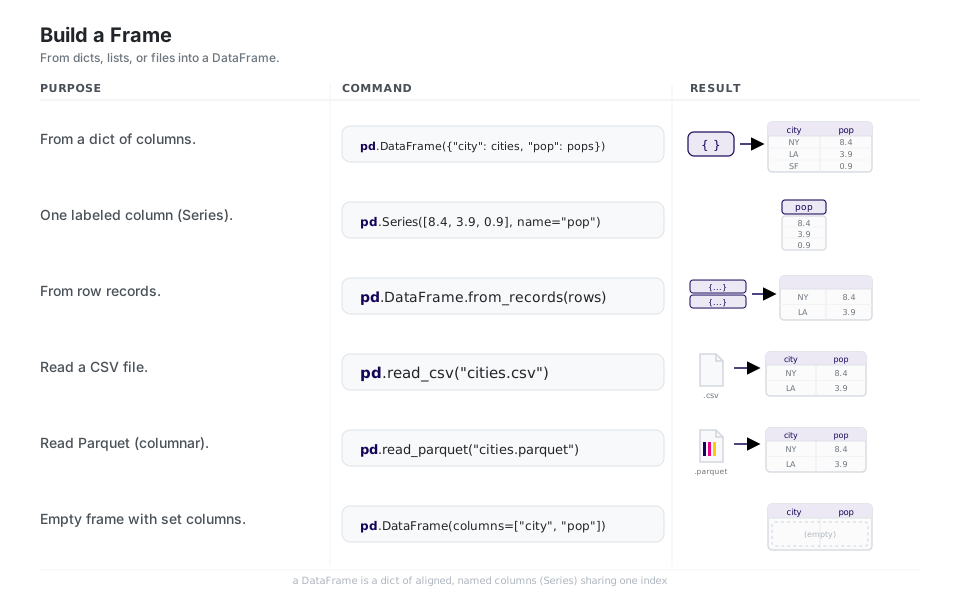
pd.DataFrame({"city": cities, "pop": pops})   # from a dict of columns
pd.Series([8.4, 3.9, 0.9], name="pop")        # one labeled column
pd.DataFrame.from_records(rows)               # from row records
pd.read_csv("cities.csv")                     # read a CSV
pd.read_parquet("cities.parquet")             # read Parquet (typed, fast)
pd.DataFrame(columns=["city", "pop"])         # empty frame with set columns
See intro to data structures and read_csv.
Look at It
Before you transform anything, look: head/tail peek at the edges, shape gives (rows, cols), and info plus dtypes tell you the schema and where nulls hide. describe summarizes the numbers and value_counts shows how a categorical column is distributed.
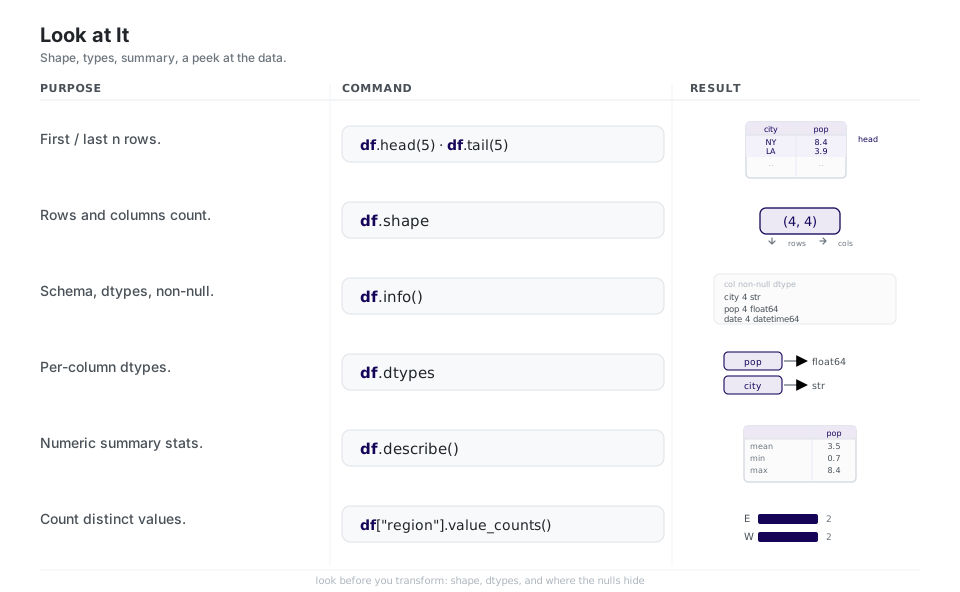
df.head(5)              # first n rows  (df.tail(5) for last n)
df.shape                # (rows, cols)
df.info()               # schema, dtypes, non-null counts
df.dtypes               # per-column dtypes
df.describe()           # numeric summary stats
df["region"].value_counts() # count distinct valuesPick Rows and Columns
Selection has two doors. Use .loc for labels (column names, index values, boolean masks) and .iloc for integer positions. A boolean mask like df[df["pop"] > 5] is the everyday filter, and query is the same idea written as a readable string.
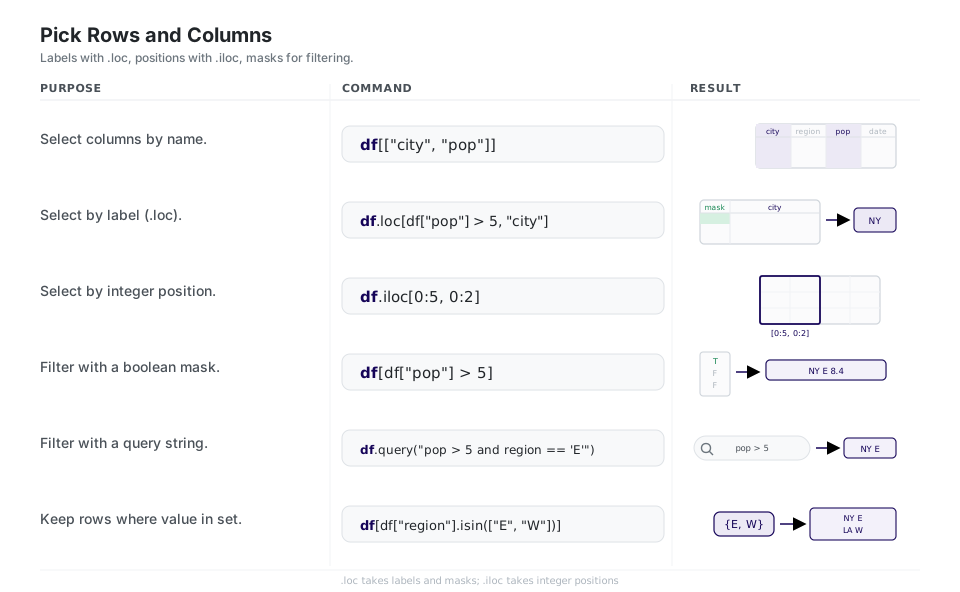
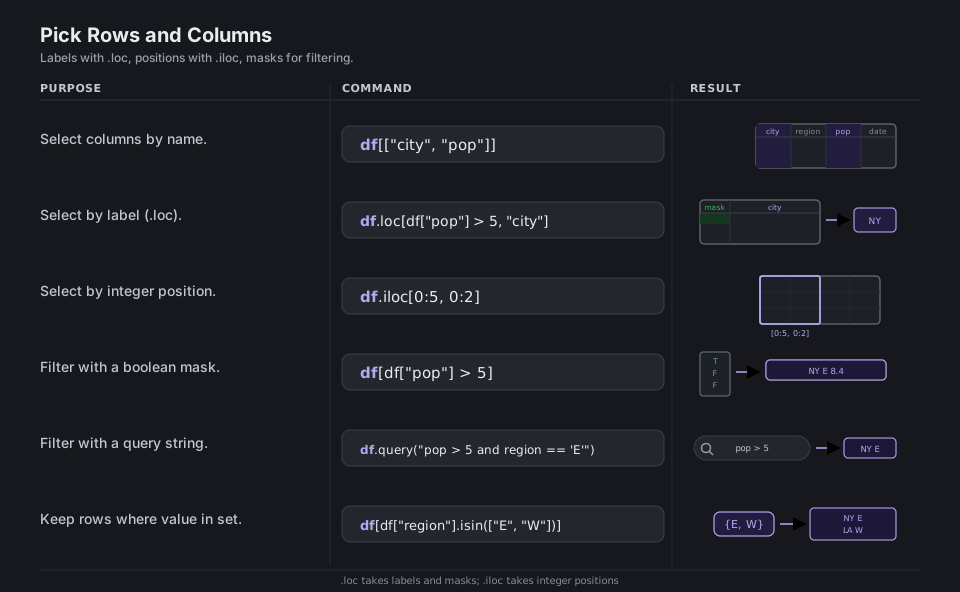
df[["city", "pop"]]                       # select columns by name
df.loc[df["pop"] > 5, "city"]             # by label (rows, cols)
df.iloc[0:5, 0:2]                         # by integer position
df[df["pop"] > 5]                         # filter with a boolean mask
df.query("pop > 5 and region == 'E'")     # filter with a query string
df[df["region"].isin(["E", "W"])] # keep rows where value in a setMake New Columns
pandas favors returning a new frame over mutating in place, so assign adds columns as part of a chain, rename and astype adjust labels and types, and the .str and .dt accessors plus apply/map transform values without writing explicit loops.
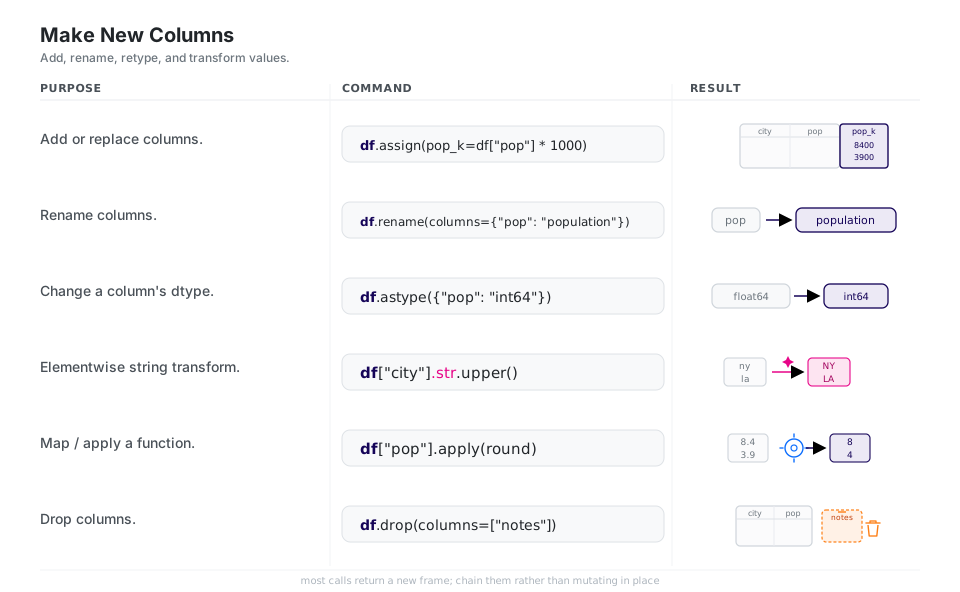
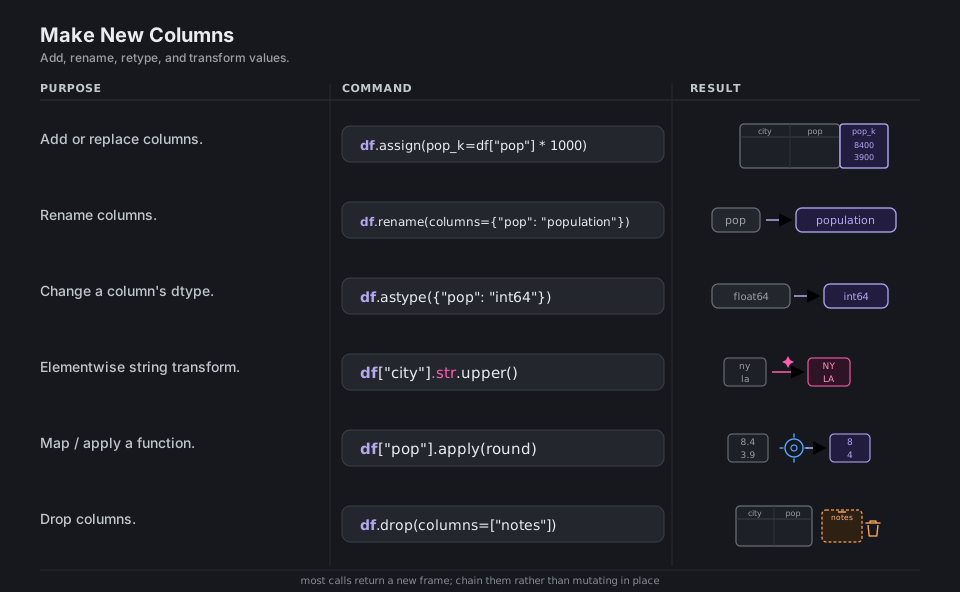
df.assign(pop_k=df["pop"] * 1000)         # add or replace columns
df.rename(columns={"pop": "population"})   # rename columns
df.astype({"pop": "int64"})               # change a column's dtype
df["city"].str.upper()                    # elementwise string transform
df["pop"].apply(round)                    # map / apply a function
df.drop(columns=["notes"])                # drop columns
See assign and the accessors in the API reference.
Fix Missing & Messy Data
Missing values are NaN/NA; isna().sum() finds them, then dropna or fillna/ffill resolve them depending on whether the row is worth keeping. drop_duplicates removes repeated rows and sort_values orders by a key, both returning fresh frames.
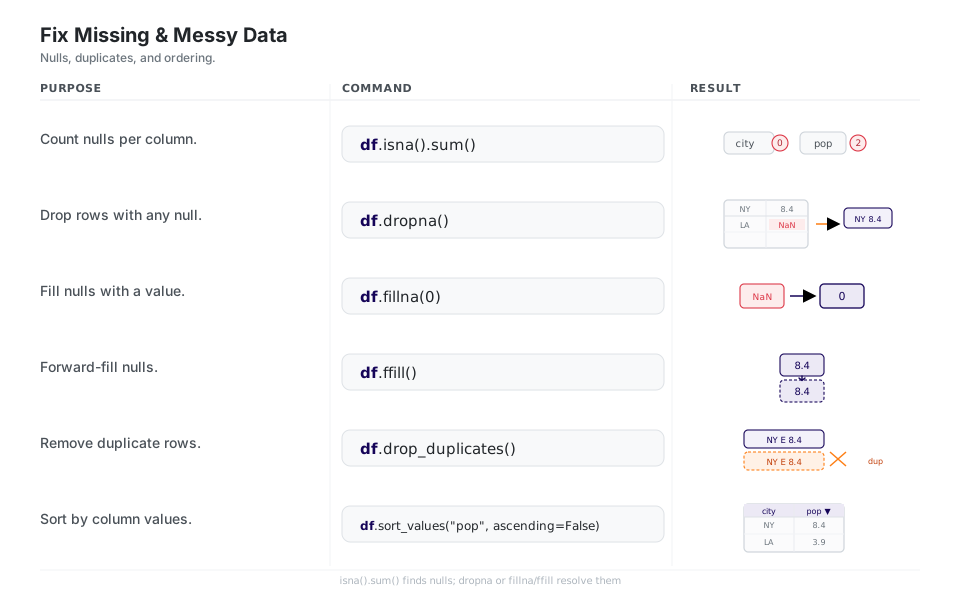
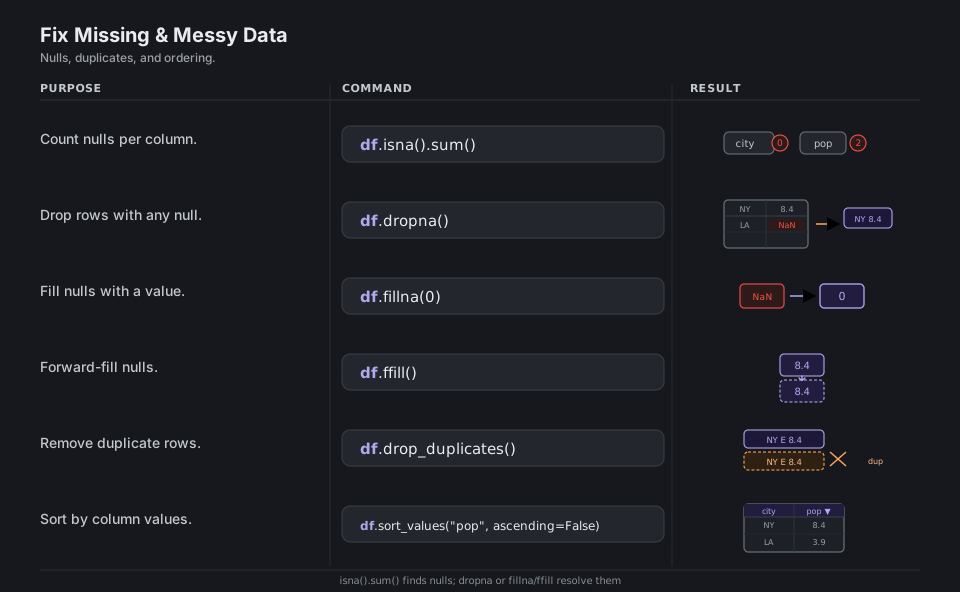
df.isna().sum()                           # count nulls per column
df.dropna()                               # drop rows with any null
df.fillna(0)                              # fill nulls with a value
df.ffill()                                # forward-fill nulls
df.drop_duplicates()                      # remove duplicate rows
df.sort_values("pop", ascending=False) # sort by column valuesGroup and Summarize
groupby follows a split-apply-combine model: split rows into groups by a key, apply an aggregation per group, and combine the results back into one table. Use agg with named outputs for tidy summaries, transform when you need the group stat broadcast back to every original row, and pivot_table/crosstab for spreadsheet-style summaries. The group key lands in the result’s index, so chain .reset_index() when you want it back as a plain column.
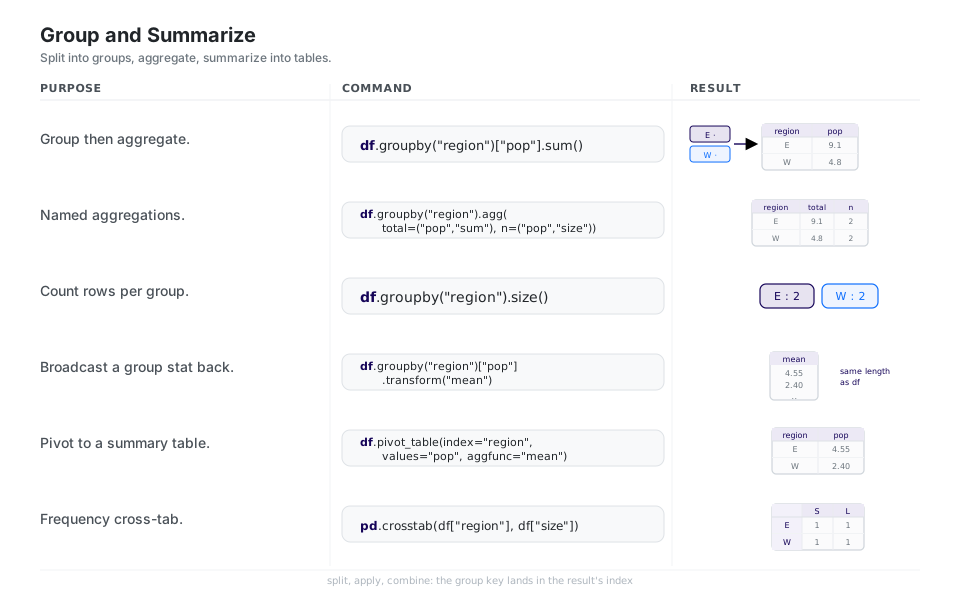
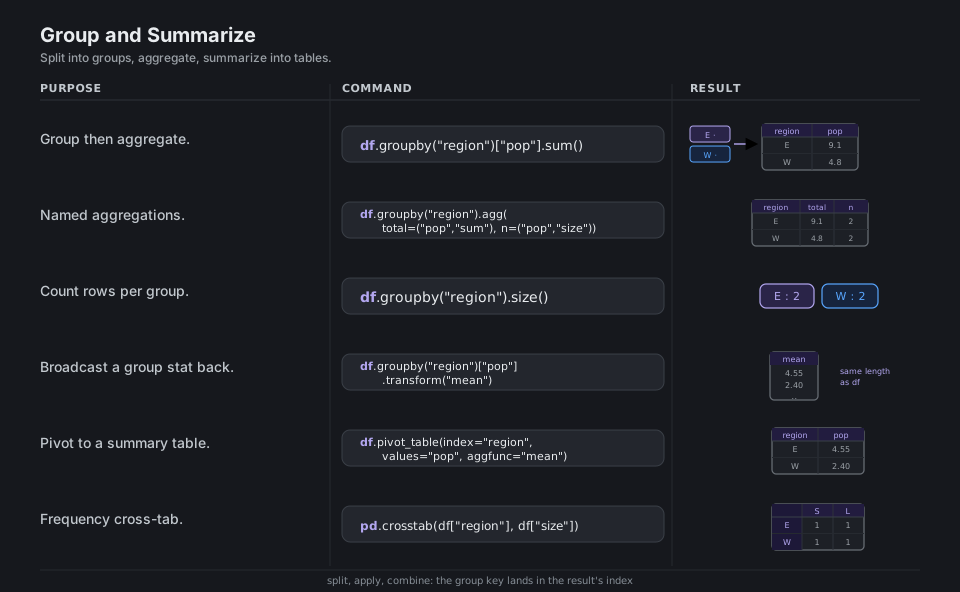
df.groupby("region")["pop"].sum()         # group then aggregate one column
df.groupby("region").agg(total=("pop", "sum"), n=("pop", "size"))   # named aggregations
df.groupby("region").size()               # count rows per group
df.groupby("region")["pop"].transform("mean")   # broadcast a group stat back
df.pivot_table(index="region", values="pop", aggfunc="mean")   # pivot summary
pd.crosstab(df["region"], df["size"]) # frequency cross-tabReshape and Combine
merge joins frames on a shared key (think SQL joins via how=), while concat simply stacks frames by rows or columns. melt (wide to long) and pivot (long to wide) are inverses that switch between a tidy “one observation per row” layout and a human-friendly matrix.
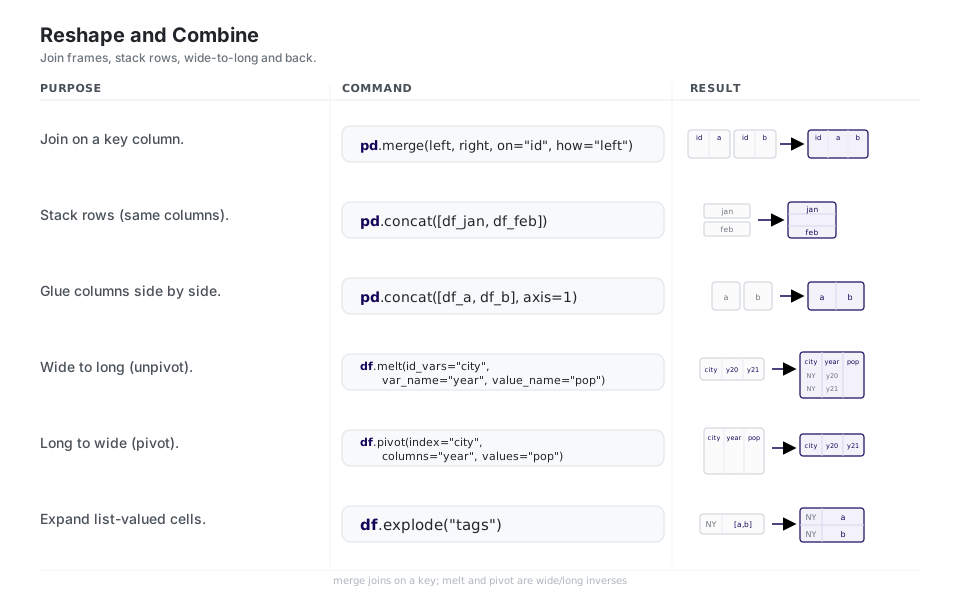
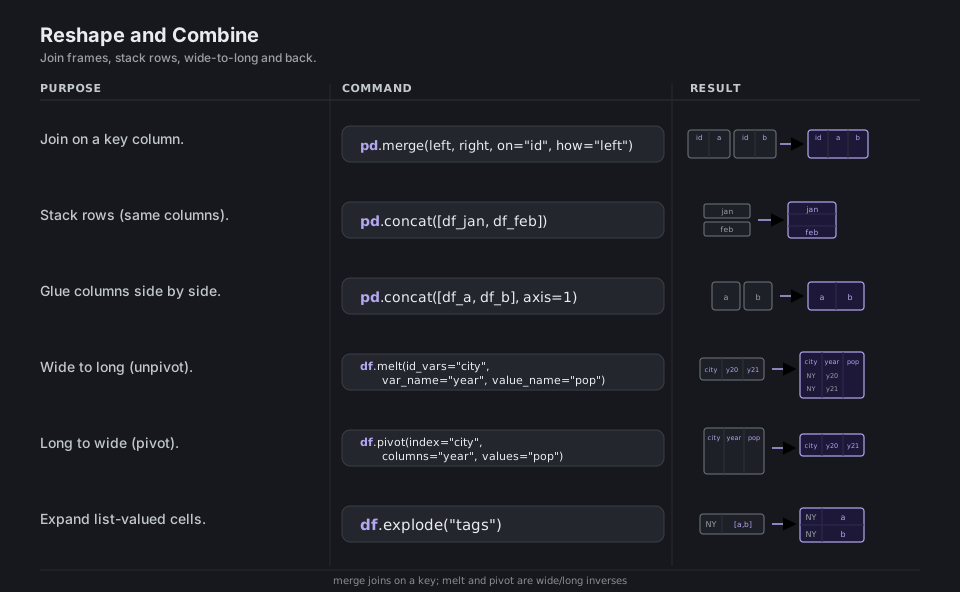
pd.merge(left, right, on="id", how="left")    # join on a key column
pd.concat([df_jan, df_feb])                   # stack rows (same columns)
pd.concat([df_a, df_b], axis=1)               # glue columns side by side
df.melt(id_vars="city", var_name="year", value_name="pop")   # wide to long
df.pivot(index="city", columns="year", values="pop")         # long to wide
df.explode("tags")                            # expand list-valued cells
See reshaping and merge, join, concatenate.
Read, Write & Dates
Round-trip with to_csv/read_csv for portability and to_parquet/read_parquet when types and speed matter. Once a column is real datetimes via to_datetime, the .dt accessor exposes calendar parts and resample lets you re-bin a time series to a coarser frequency such as month-end ("ME").
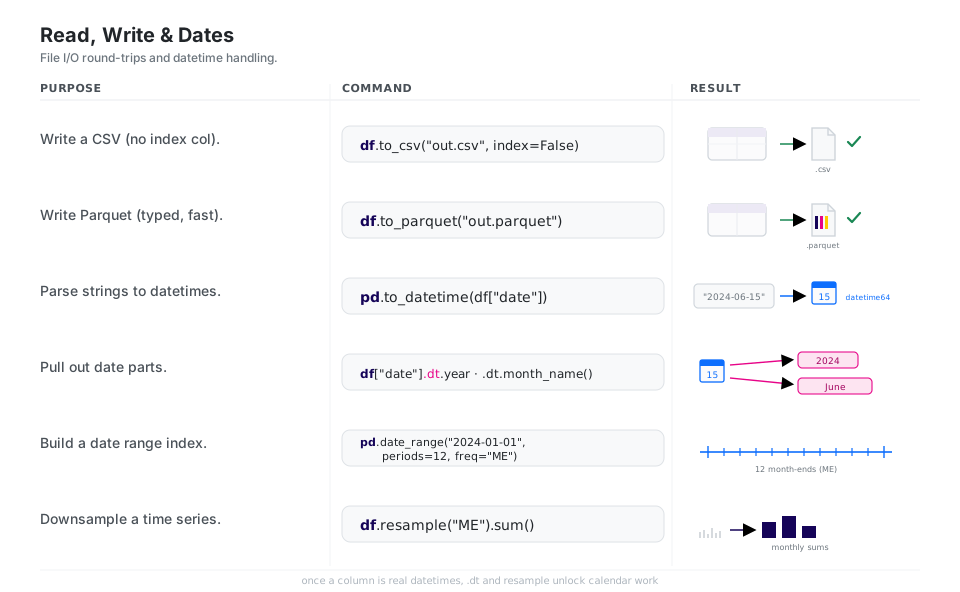
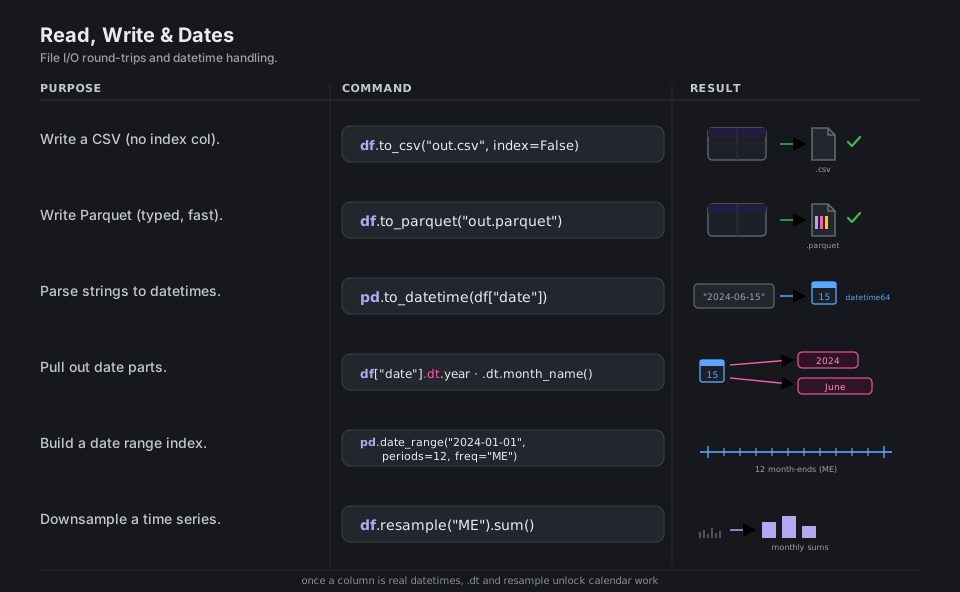
df.to_csv("out.csv", index=False)         # write a CSV (no index col)
df.to_parquet("out.parquet")              # write Parquet (typed, fast)
pd.to_datetime(df["date"])                # parse strings to datetimes
df["date"].dt.year                        # pull date parts (.dt.month_name(), ...)
pd.date_range("2024-01-01", periods=12, freq="ME")   # a date range index
df.resample("ME").sum()                   # downsample a time series
See IO tools and time series.
Quick Reference
| Goal | Call |
|---|---|
| Column by name | df["pop"] or df[["city", "pop"]] |
| Row/col by label | df.loc[mask, "city"] |
| Row/col by position | df.iloc[0:5, 0:2] |
| Single cell, fast | df.at[0, "city"] / df.iat[0, 0] |
| Filter rows | df[df["pop"] > 5] / df.query("pop > 5") |
| dtype | Holds |
|---|---|
int64 / float64 |
Whole numbers / decimals |
str |
Text (the default string dtype in pandas 3.0) |
bool |
True / False |
datetime64[us] |
Timestamps (microsecond resolution in 3.0) |
category |
Repeated labels stored compactly |
| Alias | Meaning |
|---|---|
D |
Calendar day |
h |
Hour (lowercase in 3.0) |
ME |
Month end (replaces deprecated M) |
MS |
Month start |
YE |
Year end (replaces deprecated Y/A) |
Appendix: Sample Files
The toy data behind the diagrams, plus a pipeline that shows the chaining mental model.
cities.csv
city,region,pop,date
NY,E,8.4,2024-01-01
LA,W,3.9,2024-02-01
SF,W,0.9,2024-03-01
BO,E,0.7,2024-04-01
A daily-workflow pipeline
Because each call returns a new frame, a whole analysis reads as one chain:
import pandas as pd

summary = (
    pd.read_csv("cities.csv")
    .assign(date=lambda d: pd.to_datetime(d["date"]))   # text -> datetime
    .query("pop > 0.5")                                 # filter rows
    .groupby("region")                                  # split
    .agg(total_pop=("pop", "sum"), n=("city", "size"))  # apply + combine
    .sort_values("total_pop", ascending=False)          # order
)

summary.to_parquet("region_summary.parquet")            # typed, fast output
Wide vs long
# wide: one row per city, a column per year
wide = pd.DataFrame({"city": ["NY"], "y2020": [8.3], "y2021": [8.4]})

# long: tidy, one observation per row
long = wide.melt(id_vars="city", var_name="year", value_name="pop")

# round-trip back to wide
back = long.pivot(index="city", columns="year", values="pop")
On pandas 3.0, Copy-on-Write is always on: chained assignment like df[mask]["col"] = x silently does nothing, so assign with df.loc[mask, "col"] = x instead. Text columns default to the str dtype, and to_parquet/read_parquet need a separately-installed engine such as pyarrow.
References
pandas documentation
- pandas documentation home and 10 minutes to pandas
- Intro to data structures and essential basic functionality
- Indexing and selecting data
DataFrame.assignand the API reference- Working with missing data
- Group by: split-apply-combine
- Reshaping and merge, join, concatenate
- IO tools and time series / date functionality
- Comparison with SQL, R, and spreadsheets
Related tools