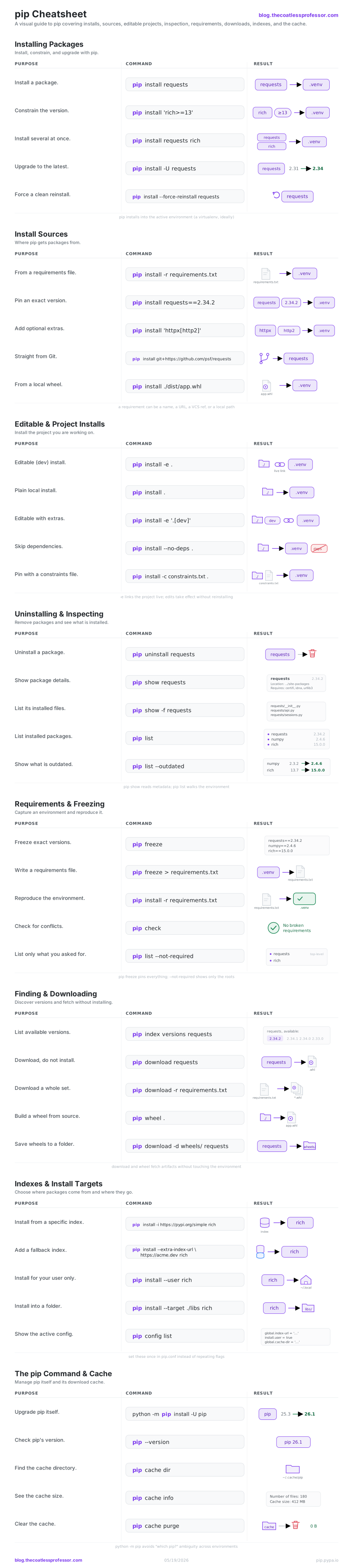
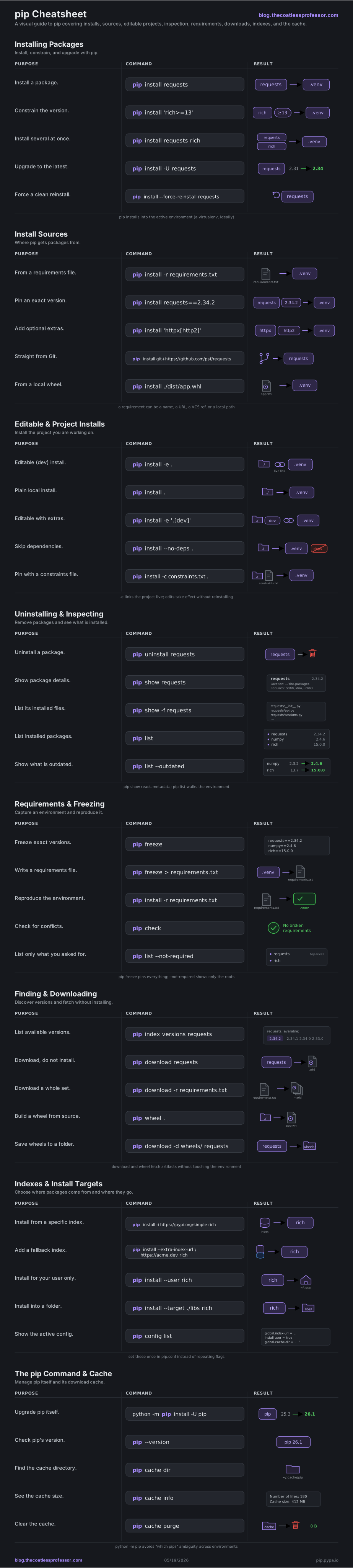
pip is the package installer that ships with Python. It fetches packages from the Python Package Index (or any index you point it at) and installs them into the active environment. This cheatsheet groups the commands you reach for daily into eight areas, and pairs each command with a small diagram of what it does. For a faster, all-in-one alternative that wraps these same jobs, see the uv cheatsheet. For the full reference, see the pip documentation.
Installing Packages
pip install is the workhorse. It resolves a package and its dependencies, downloads wheels, and installs them into whatever Python environment is active. Always run it inside a virtual environment so projects stay isolated from each other and from the system Python.
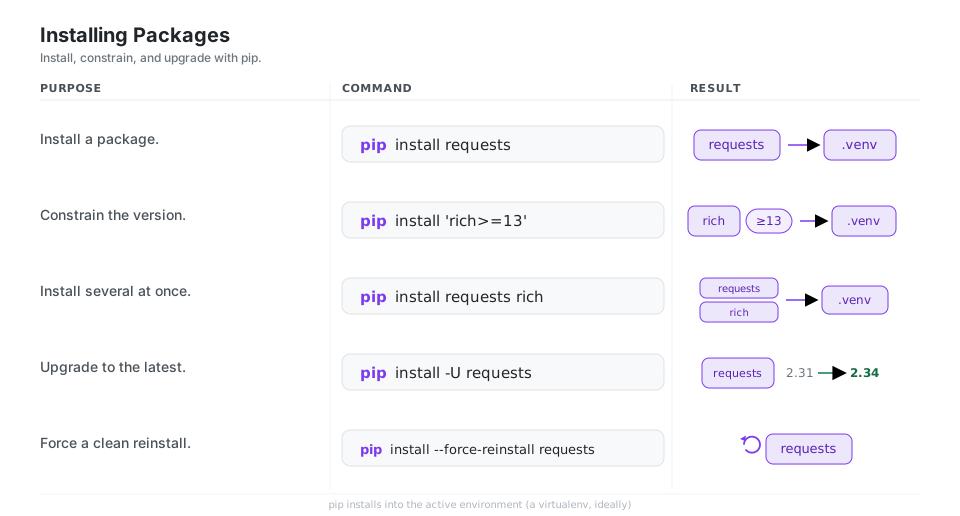
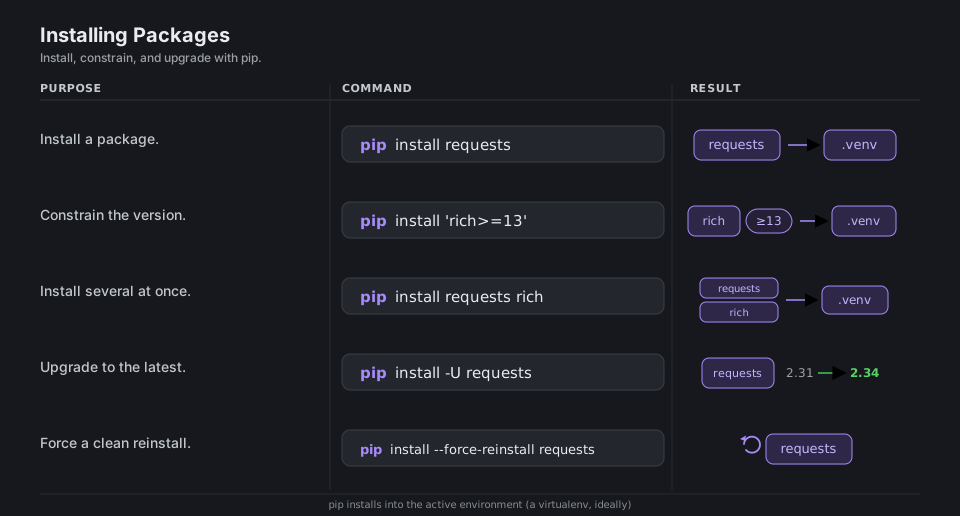
pip install requests                 # install a package
pip install 'rich>=13'               # with a version constraint
pip install requests rich            # several at once
pip install -U requests              # upgrade to the latest
pip install --force-reinstall requests   # reinstall cleanly
See pip install for the full option list.
Install Sources
A “requirement” is not just a name. pip can install from a requirements file, an exact pin, a package plus its optional extras, a version-control URL, or a local wheel or source path. The same pip install command accepts all of these.
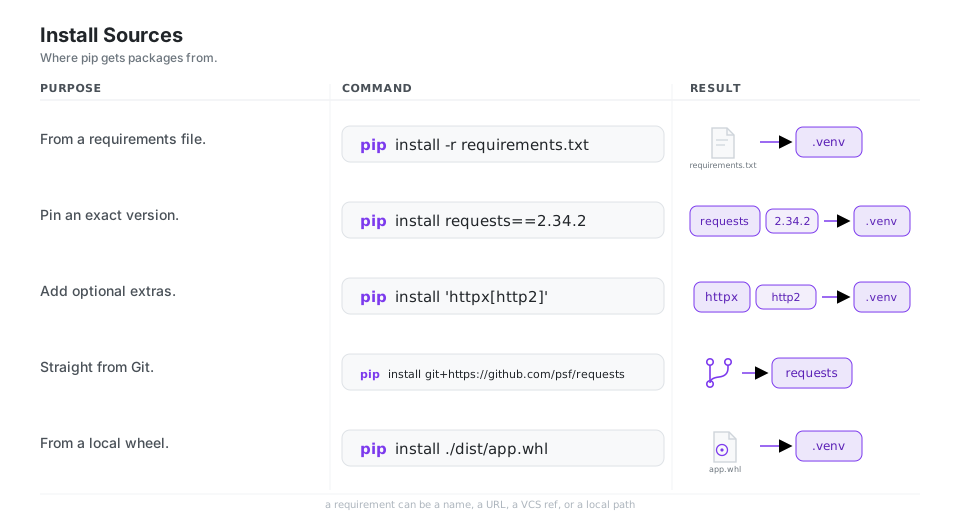
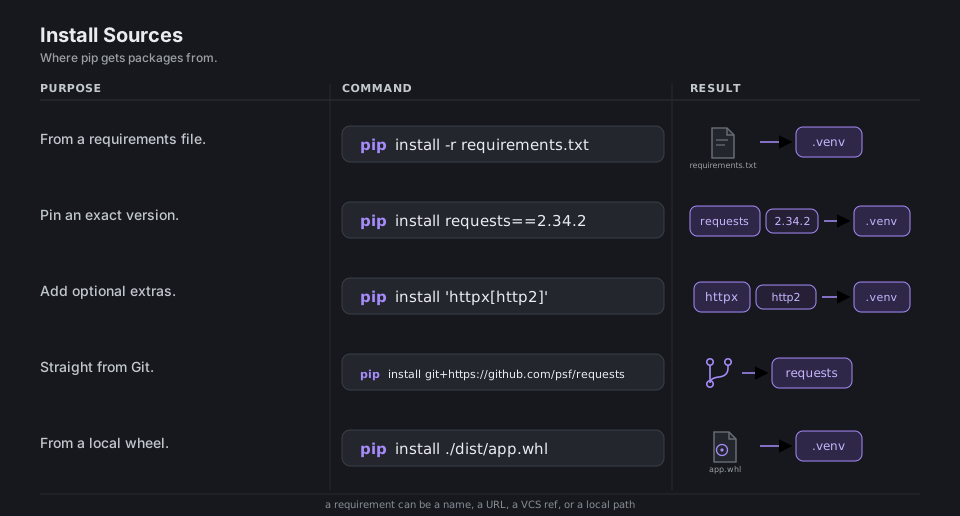
pip install -r requirements.txt              # from a requirements file
pip install requests==2.34.2                 # pin an exact version
pip install 'httpx[http2]'                   # add optional extras
pip install git+https://github.com/psf/requests   # straight from Git
pip install ./dist/app.whl                   # from a local wheel
More in the requirements file format and VCS support guides.
Editable & Project Installs
When you are developing a package, install it from its source tree. A plain pip install . copies a built version into the environment. The editable form, pip install -e ., instead links the project live, so edits to the source take effect immediately without reinstalling.
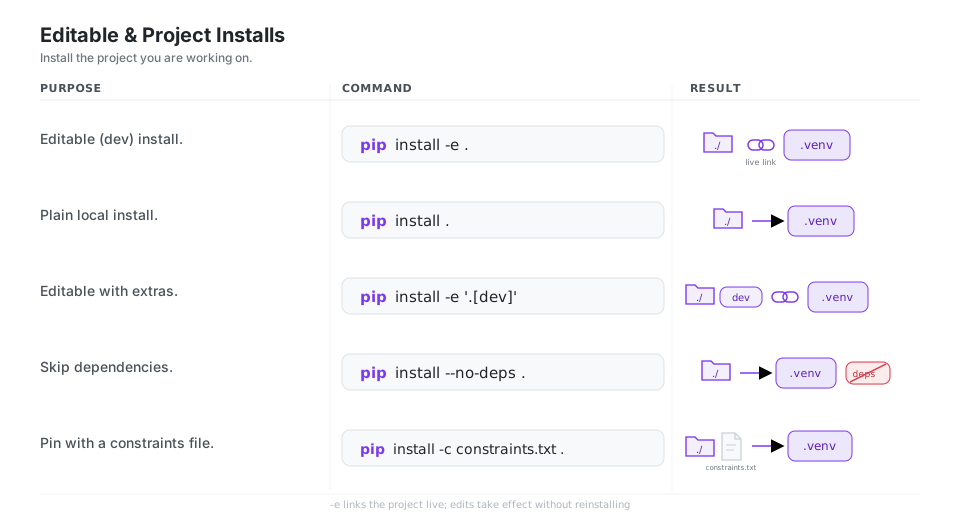
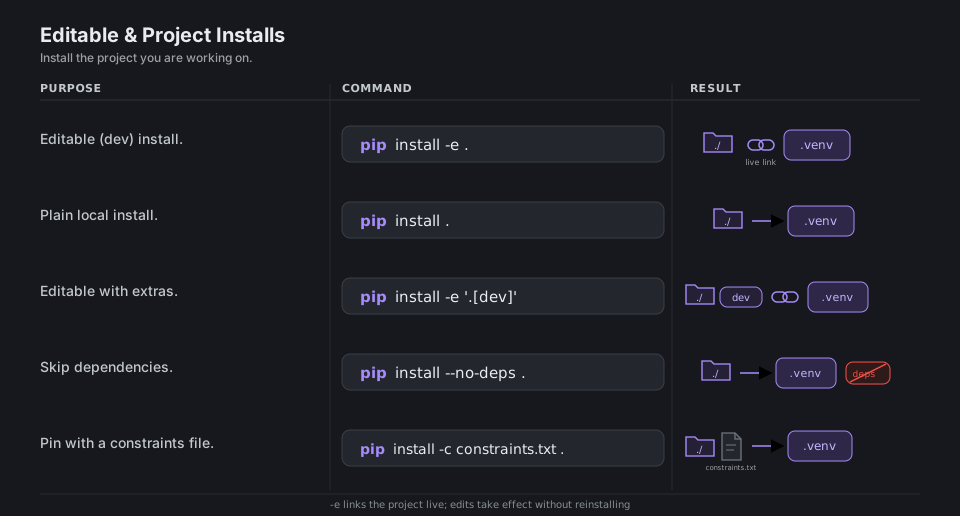
pip install -e .                     # editable (dev) install
pip install .                        # plain local install
pip install -e '.[dev]'              # editable with extras
pip install --no-deps .              # skip dependencies
pip install -c constraints.txt .     # pin shared versions
See local project installs and constraints files.
Uninstalling & Inspecting
pip uninstall removes a package, pip show reads a single package’s metadata, and pip list walks the whole environment. Add --outdated to see what has newer releases available.
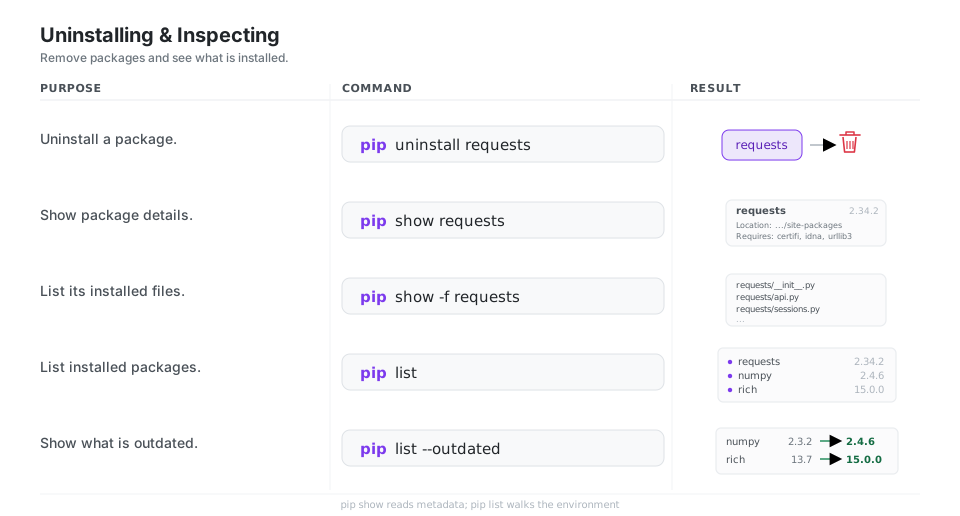
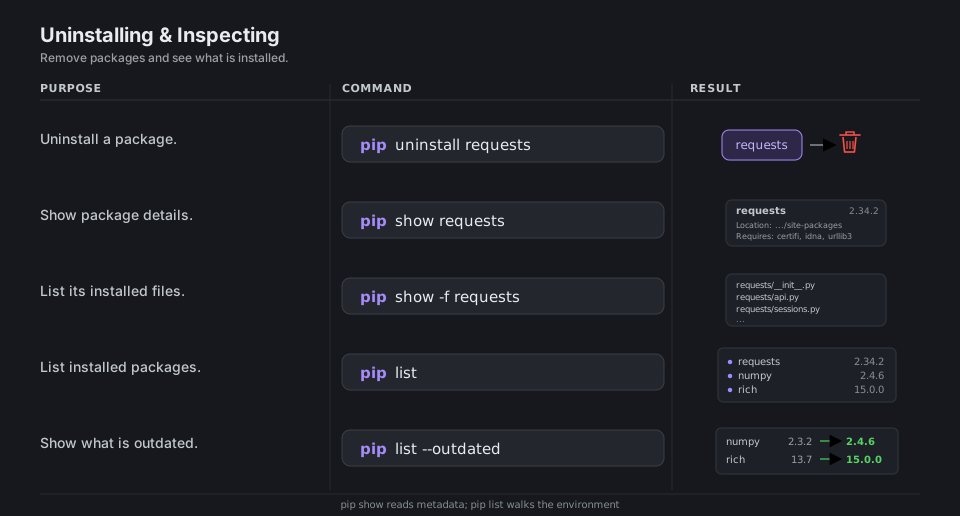
pip uninstall requests               # remove a package
pip show requests                    # show package details
pip show -f requests                 # list its installed files
pip list                             # list installed packages
pip list --outdated # show what is outdatedRequirements & Freezing
pip freeze prints every installed package pinned to its exact version. Redirect it to a file and you have a reproducible requirements.txt; install from that file to recreate the environment elsewhere. pip check verifies that all installed dependencies are mutually compatible.
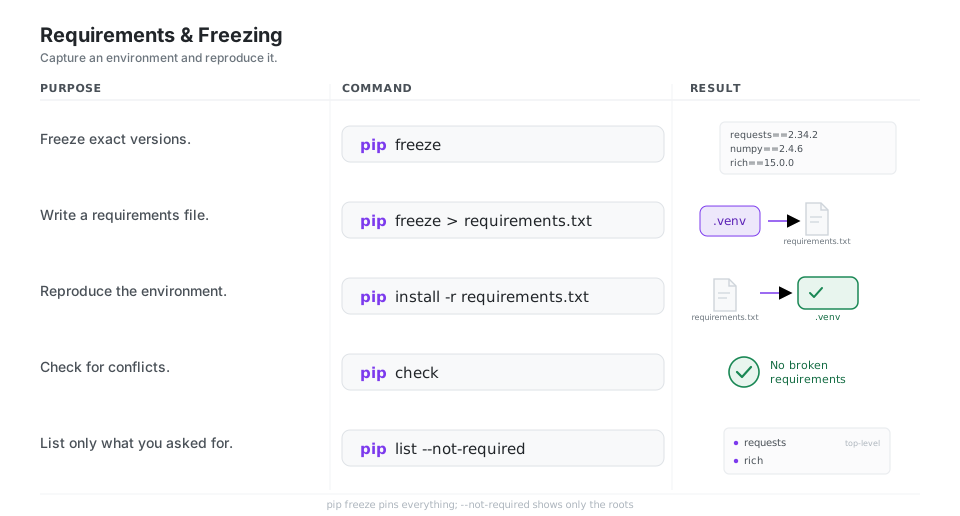
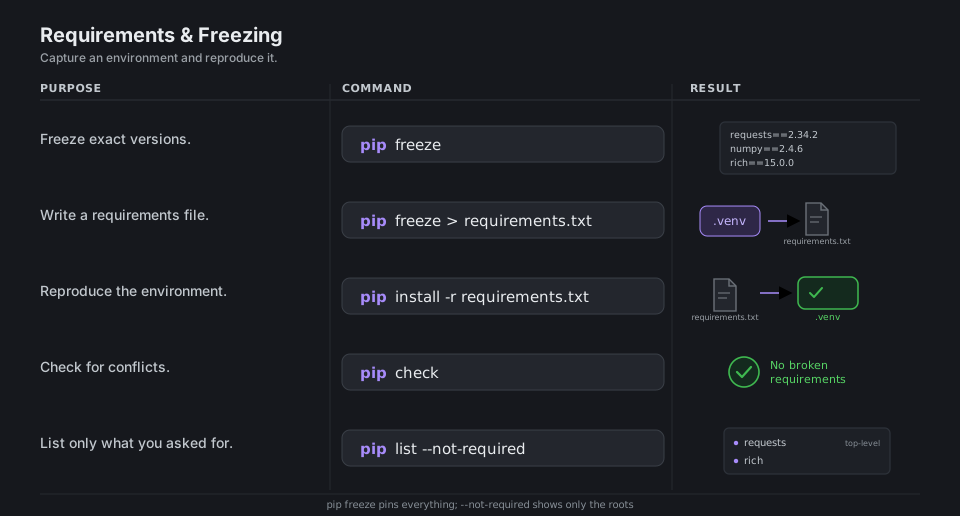
pip freeze                           # print exact versions
pip freeze > requirements.txt        # write a requirements file
pip install -r requirements.txt      # reproduce the environment
pip check                            # check for conflicts
pip list --not-required              # only the top-level packages
More in pip freeze. For a hand-edited requirements.in compiled into a fully pinned requirements.txt, reach for pip-tools or uv.
Finding & Downloading
pip download and pip wheel fetch or build artifacts without touching the active environment, which is handy for building an offline mirror or pre-fetching wheels for a later install. pip index versions lists what an index has available.
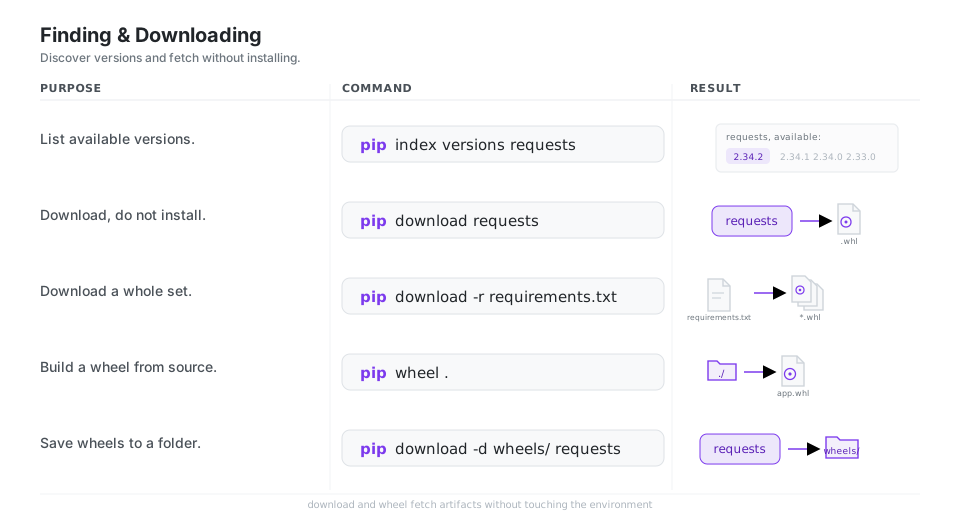
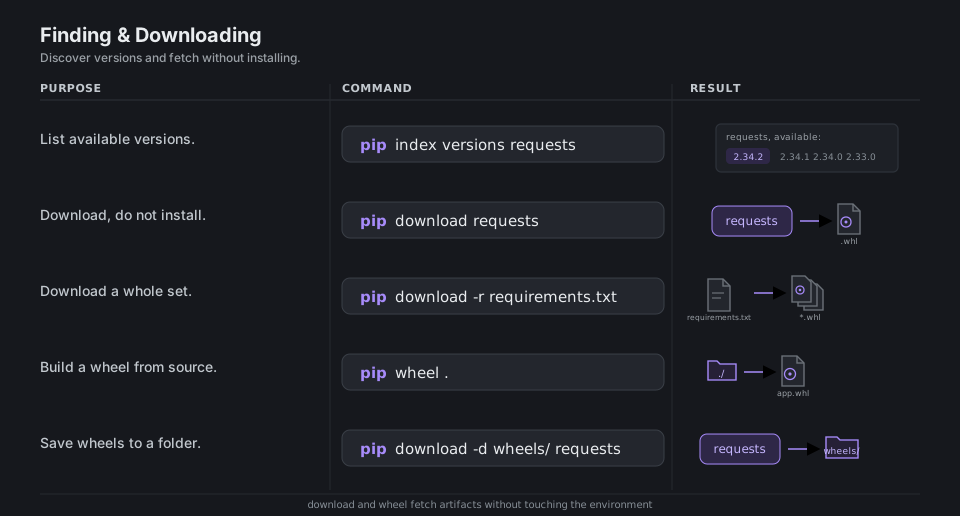
pip index versions requests          # list available versions
pip download requests                # download, do not install
pip download -r requirements.txt     # download a whole set
pip wheel .                          # build a wheel from source
pip download -d wheels/ requests     # save wheels to a folder
See pip download and pip wheel.
Indexes & Install Targets
By default pip installs from PyPI into the active environment’s site-packages. You can point it at a different index, add a fallback index, install into your per-user location, or target an arbitrary folder. Set any of these once in pip’s config instead of repeating flags.
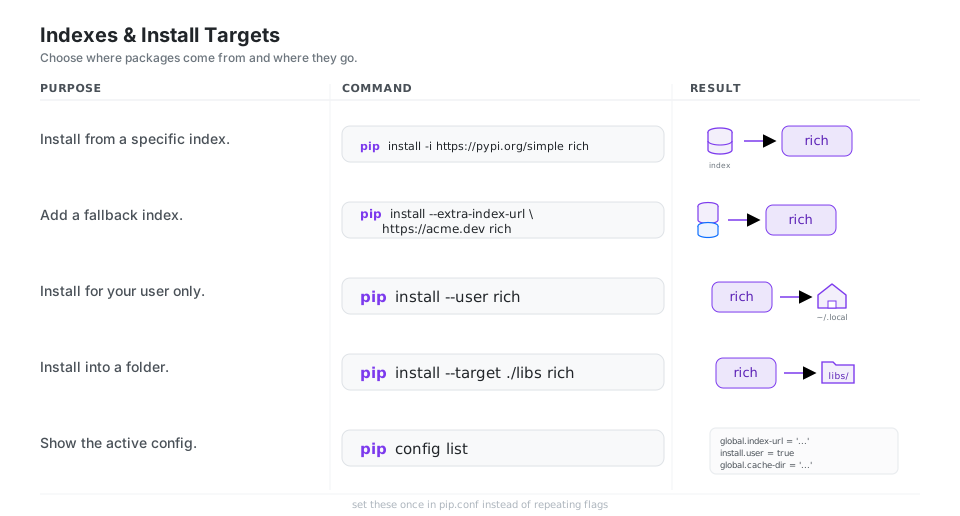
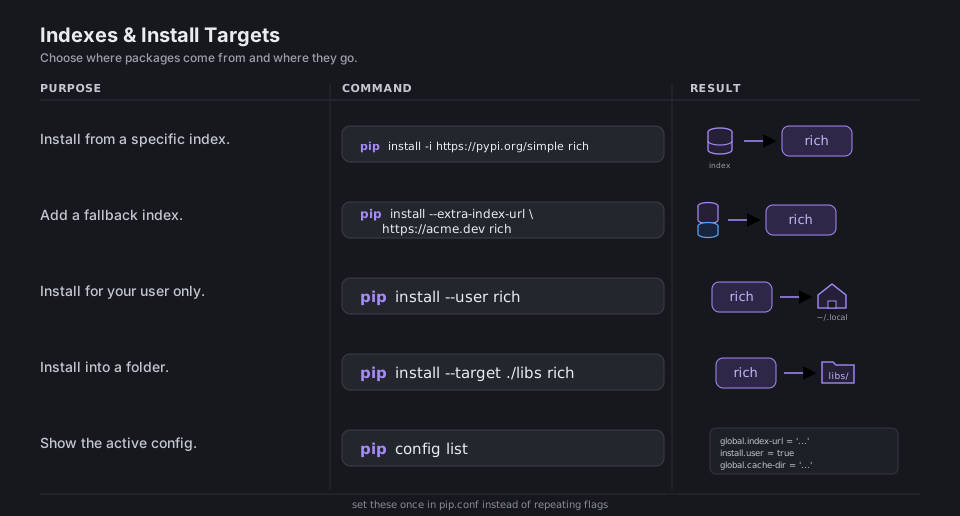
pip install -i https://pypi.org/simple rich          # a specific index
pip install --extra-index-url https://acme.dev rich  # a fallback index
pip install --user rich              # install for your user only
pip install --target ./libs rich     # install into a folder
pip config list                      # show the active config
More in installing from other indexes and configuration.
The pip Command & Cache
Invoke pip as python -m pip to be sure you are using the pip that belongs to the Python you intend, avoiding “which pip?” ambiguity across environments. pip keeps a download cache to speed up repeat installs; pip cache inspects and clears it.
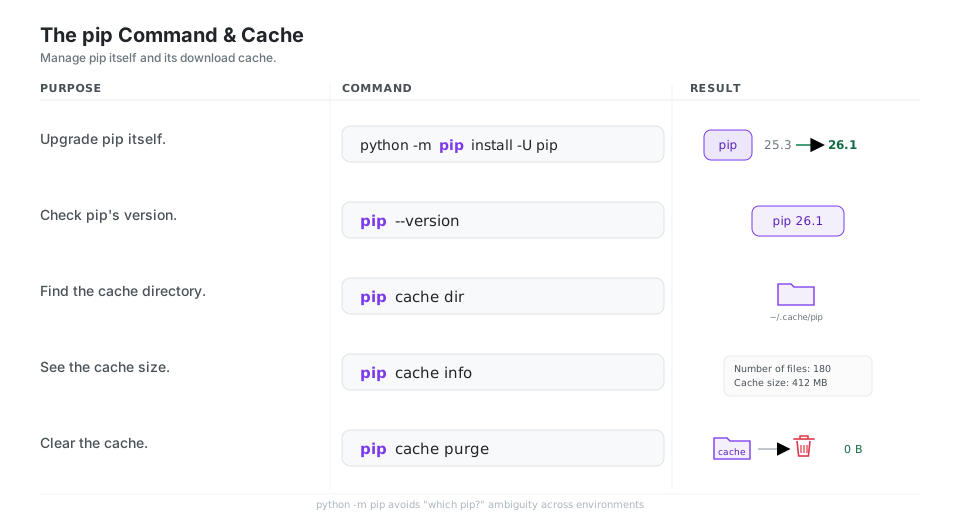
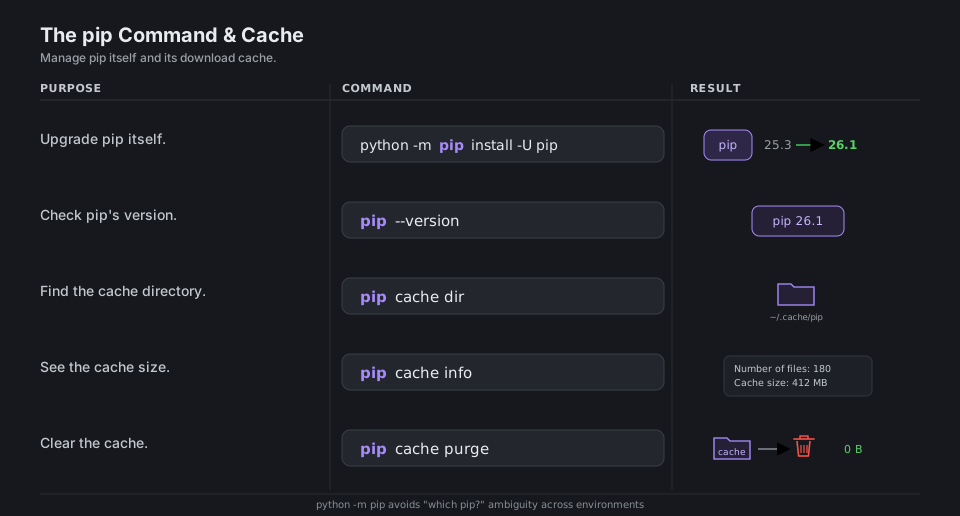
python -m pip install -U pip         # upgrade pip itself
pip --version                        # check pip's version
pip cache dir                        # find the cache directory
pip cache info                       # see the cache size
pip cache purge                      # clear the cache
See pip cache and the user guide.
Quick Reference
| Command | What it does | Area |
|---|---|---|
pip install pkg |
Install a package | Install |
pip install -U pkg |
Upgrade to the latest | Install |
pip install -r requirements.txt |
Install from a requirements file | Sources |
pip install -e . |
Editable install of the local project | Projects |
pip uninstall pkg |
Remove a package | Inspect |
pip list / pip show pkg |
List the env / show one package | Inspect |
pip freeze > requirements.txt |
Pin the environment to a file | Freezing |
pip check |
Verify dependencies are compatible | Freezing |
pip download pkg |
Fetch without installing | Download |
pip install -i URL pkg |
Install from a specific index | Indexes |
pip cache purge |
Clear the download cache | Cache |
| File | Role |
|---|---|
requirements.txt |
Pinned list of packages to install, written by pip freeze |
constraints.txt |
Caps versions without adding packages (-c) |
pip.conf |
Persistent pip configuration (index URL, cache dir, …) |
pyproject.toml |
Declares your own project’s dependencies |
.venv/ |
The virtual environment pip installs into |
| Flag | Meaning | Example |
|---|---|---|
-U |
Upgrade if already installed | pip install -U pip |
-e |
Editable / development install | pip install -e . |
-r |
Read requirements from a file | pip install -r requirements.txt |
-i |
Use a specific index URL | pip install -i URL pkg |
--user |
Install into the per-user site | pip install --user pkg |
--target |
Install into a given folder | pip install --target ./libs pkg |
--no-deps |
Do not install dependencies | pip install --no-deps . |
Appendix: Sample Files
Short examples of the files the cheatsheet refers to.
requirements.txt
A pinned list, typically produced by pip freeze. Each line is a requirement specifier:
requests==2.34.2
rich>=13,<16
httpx[http2]==0.27.0
# install an exact build from Git
git+https://github.com/psf/requests@v2.34.2
constraints.txt
A constraints file looks like a requirements file but only caps versions. It never adds a package; it just bounds whatever else gets installed, applied with -c:
urllib3<3
certifi>=2024.0
pip.conf
Persistent configuration, so you stop repeating flags. On macOS and Linux it lives at ~/.config/pip/pip.conf (or ~/.pip/pip.conf):
[global]
index-url = https://pypi.org/simple
require-virtualenv = true

[install]
no-cache-dir = false
References
pip documentation
- pip overview and user guide and the detailed user guide
pip installand installing from other indexes- Requirements file format and constraints files
- Local project installs and VCS support
pip list,pip show, andpip freezepip downloadandpip wheelpip cacheand configuration
Python and packaging standards
- The Python Package Index (PyPI) and the
venvstandard library module - PEP 508: the dependency specification (names, versions, extras, markers)
Related tools