polars is a fast columnar DataFrame library with a lazy query engine. Its core idea: polars is an expression engine, not a cell editor. You describe what you want with pl.col(...) expressions inside a handful of verbs (select, with_columns, filter, group_by().agg, join), and polars decides how to run them. A DataFrame runs eagerly; a LazyFrame (scan_* / .lazy()) builds a plan that is optimized once and executed on .collect(). This cheatsheet walks the daily loop in eight panels. To install polars, see the pip, uv, or conda sheets; for the row-oriented cousin, see pandas.


Read & Write Data
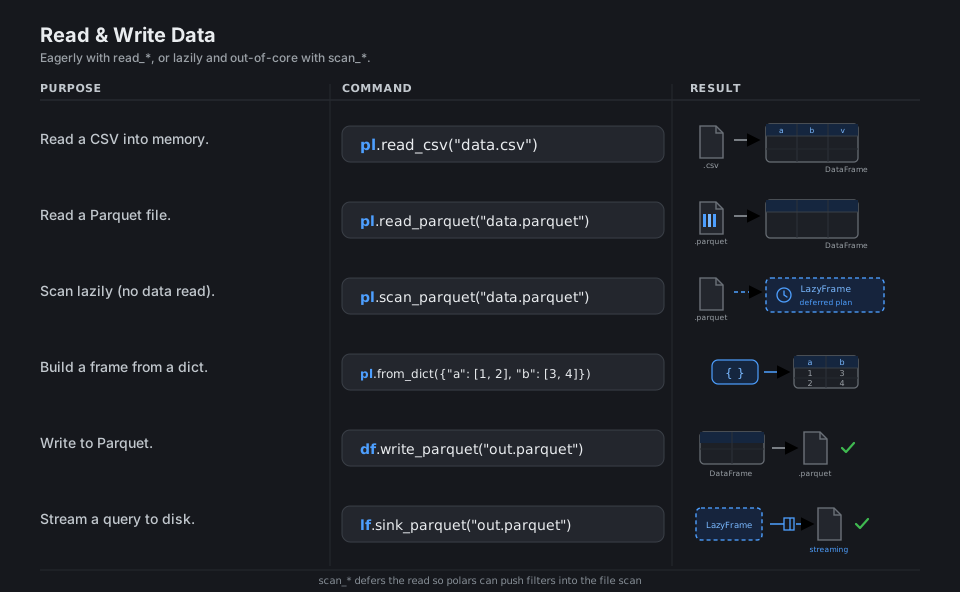
Every session starts by getting data in: read_* pulls a file fully into memory as a DataFrame, while scan_* returns a LazyFrame that records how to read without touching the data yet, letting polars push filters and column pruning down into the file scan. Writers mirror the readers, and sink_* streams a lazy query straight to disk so it never has to fit in RAM.
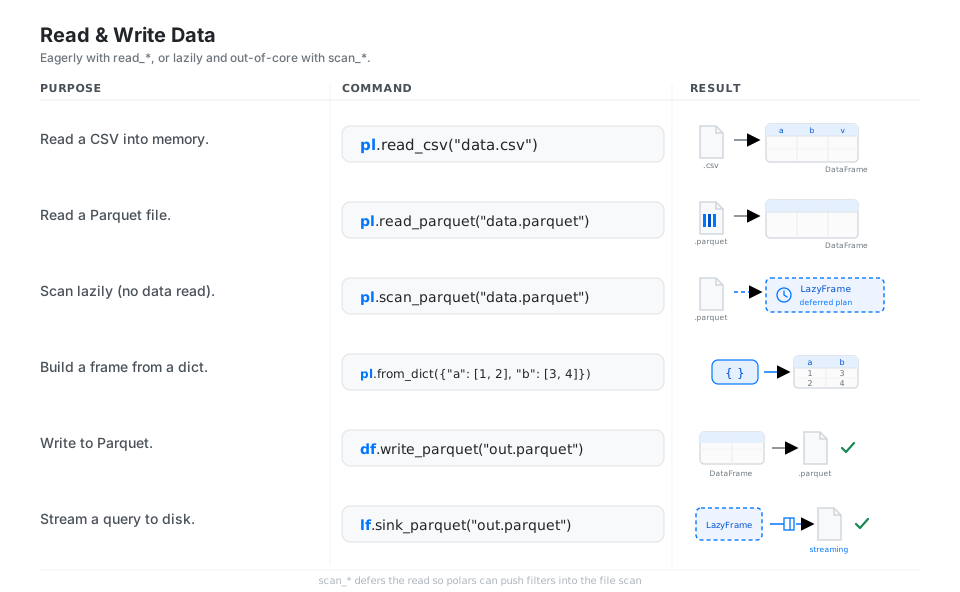
pl.read_csv("data.csv")               # read a CSV into memory (DataFrame)
pl.read_parquet("data.parquet")       # read a Parquet file
pl.scan_parquet("data.parquet")       # scan lazily (no data read yet) -> LazyFrame
pl.from_dict({"a": [1, 2], "b": [3, 4]})   # build a frame from a dict
df.write_parquet("out.parquet")       # write to Parquet
lf.sink_parquet("out.parquet")        # stream a lazy query to disk
See reading & writing data and the streaming concept.
Inspect a Frame
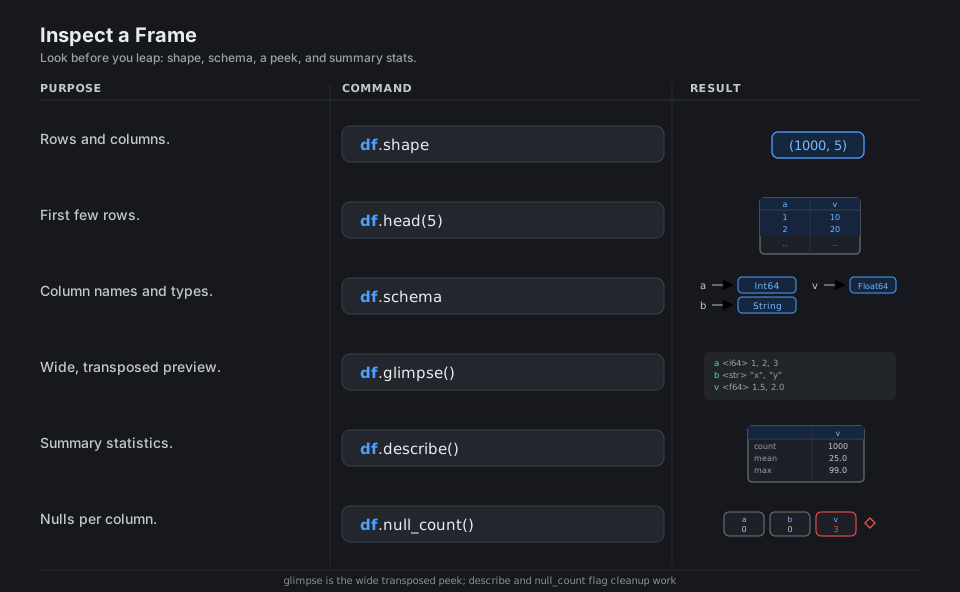
Before transforming anything, confirm the shape, the schema, and what the values actually look like. shape, schema, and head answer “how big, what types, what’s in there”, glimpse is the wide transposed peek for many columns, and describe plus null_count surface summary stats and missing-data problems.
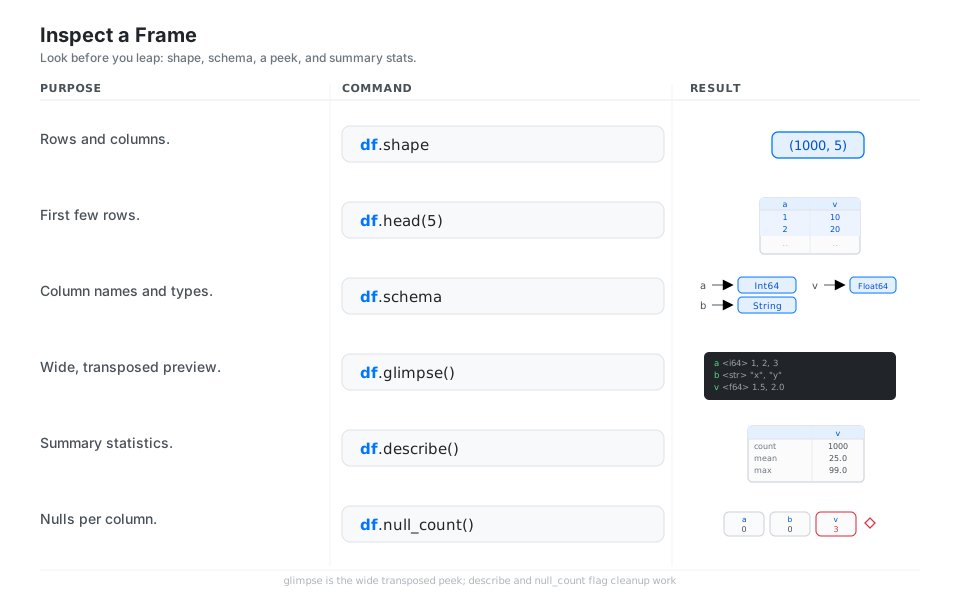
df.shape          # (rows, cols)
df.head(5)        # first few rows
df.schema         # column names and types
df.glimpse()      # wide, transposed preview
df.describe()     # summary statistics
df.null_count() # nulls per columnSelect & Add Columns
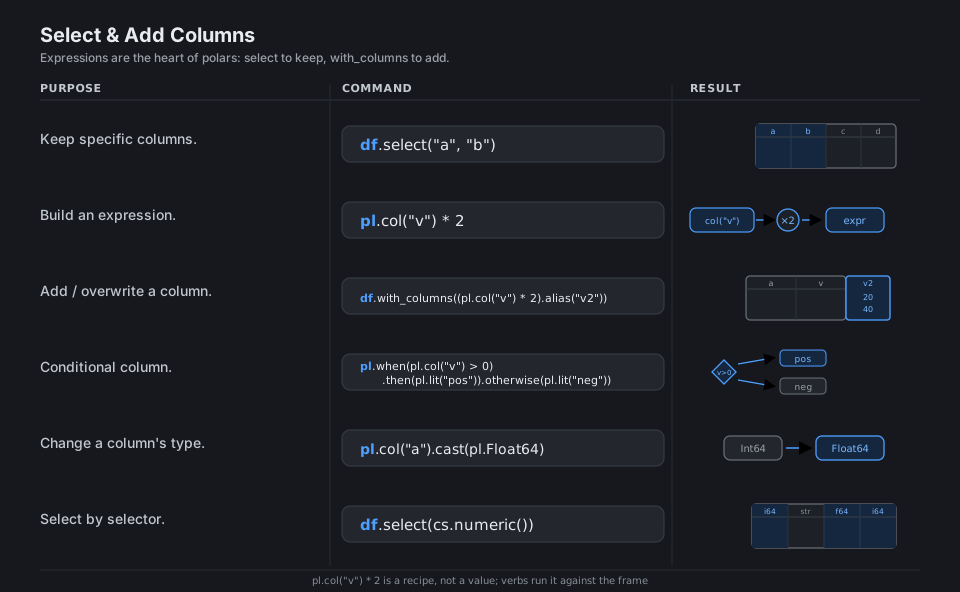
Expressions are polars’ core idea: pl.col("v") * 2 is a recipe, not a value, and the verbs select (keep/replace the column set) and with_columns (add or overwrite) run those recipes against the frame. when/then/otherwise builds conditional columns, cast changes types, and selectors like cs.numeric() let one expression target many columns at once.
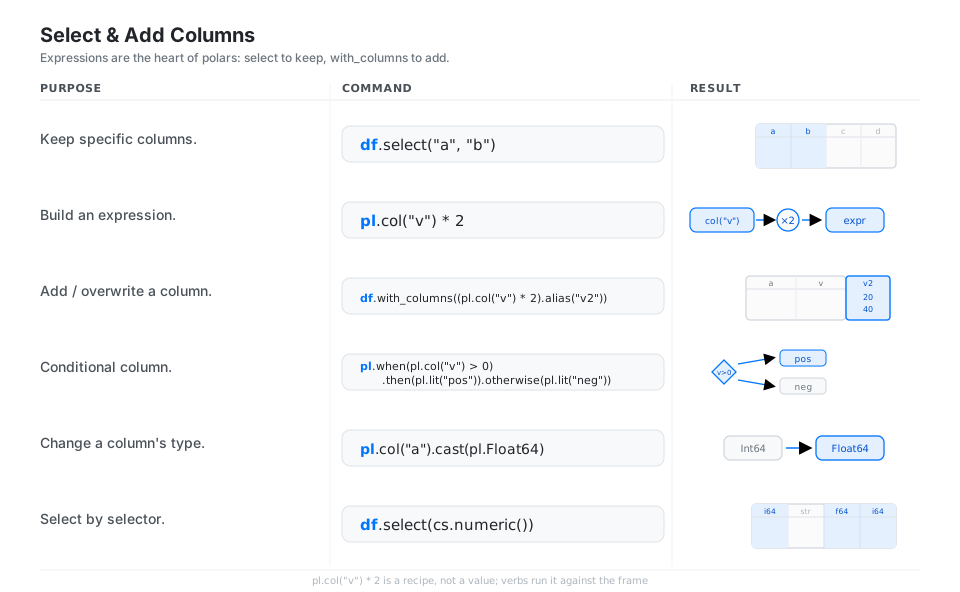
df.select("a", "b")                                # keep specific columns
pl.col("v") * 2                                    # build an expression (a recipe)
df.with_columns((pl.col("v") * 2).alias("v2"))     # add / overwrite a column
pl.when(pl.col("v") > 0).then(pl.lit("pos")).otherwise(pl.lit("neg"))   # conditional
pl.col("a").cast(pl.Float64)                       # change a column's type
df.select(cs.numeric())                            # select by selector
See expressions and contexts and expression expansion / selectors.
Filter & Sort Rows
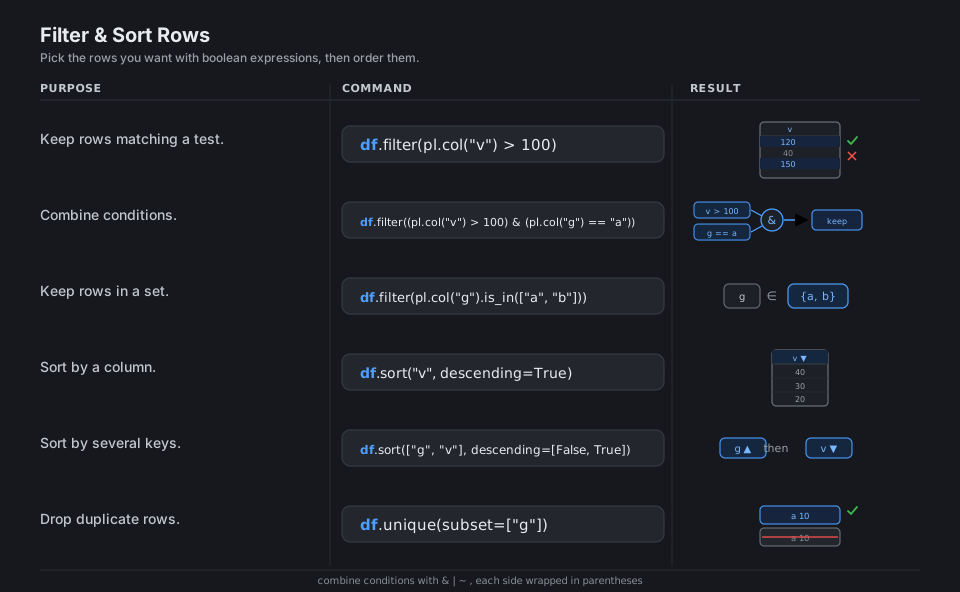
filter keeps rows where a boolean expression is true; combine conditions with & (and), | (or), and ~ (not), and remember each side needs parentheses. sort orders rows (ascending by default, descending=True to flip, a list of keys for tie-breaks), while unique removes duplicate rows.
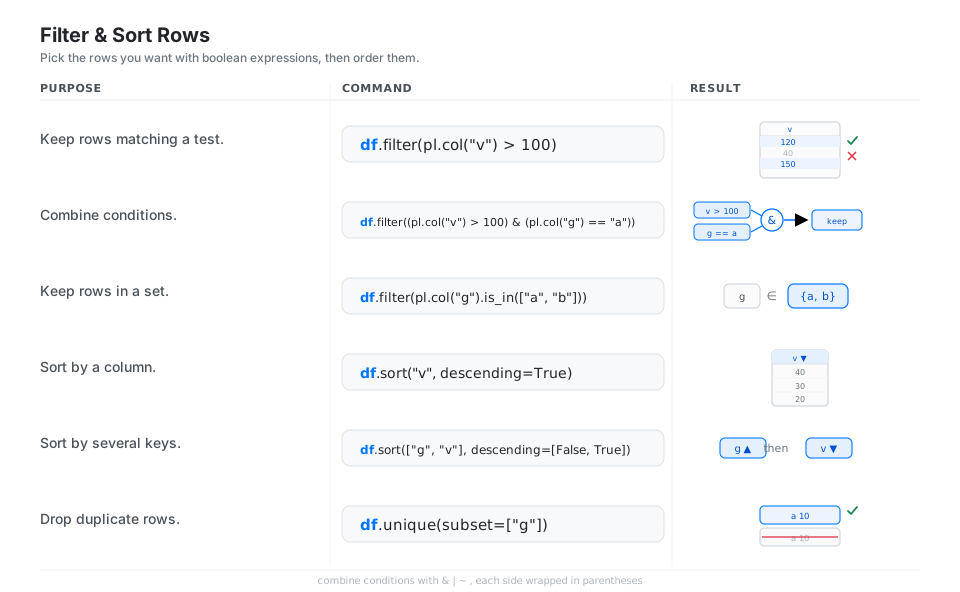
df.filter(pl.col("v") > 100)                            # keep rows matching a test
df.filter((pl.col("v") > 100) & (pl.col("g") == "a"))   # combine conditions
df.filter(pl.col("g").is_in(["a", "b"]))                # keep rows in a set
df.sort("v", descending=True)                           # sort by a column
df.sort(["g", "v"], descending=[False, True])           # sort by several keys
df.unique(subset=["g"])                                 # drop duplicate rows
See the Expr reference.
Group & Aggregate
group_by(key).agg(...) is split-apply-combine: rows are bucketed by the key, each aggregate expression runs per bucket, and you get one row per group. When you want a group statistic without collapsing rows, reach for .over("key") inside with_columns (a window function), and use group_by_dynamic for time-bucketed aggregation.
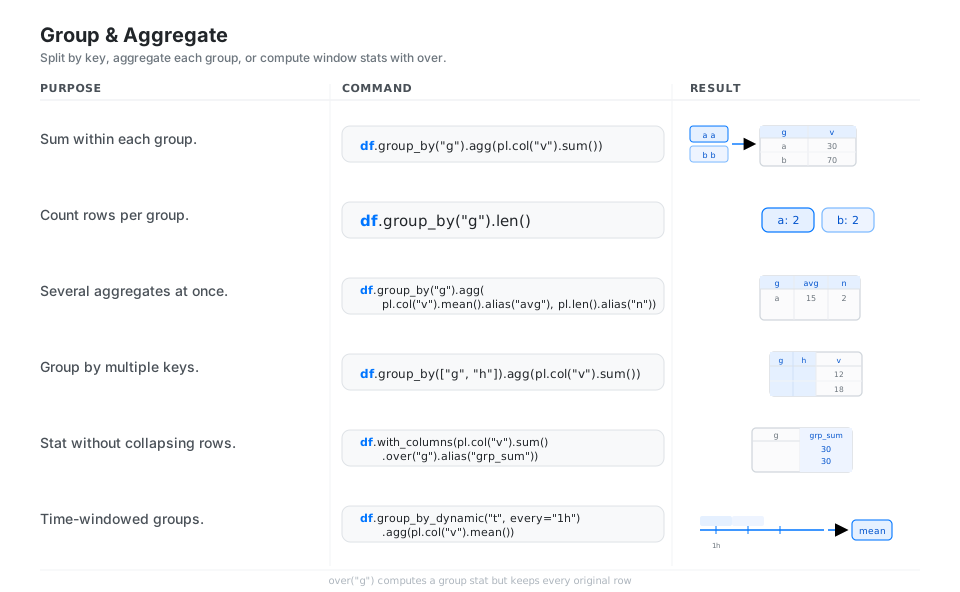
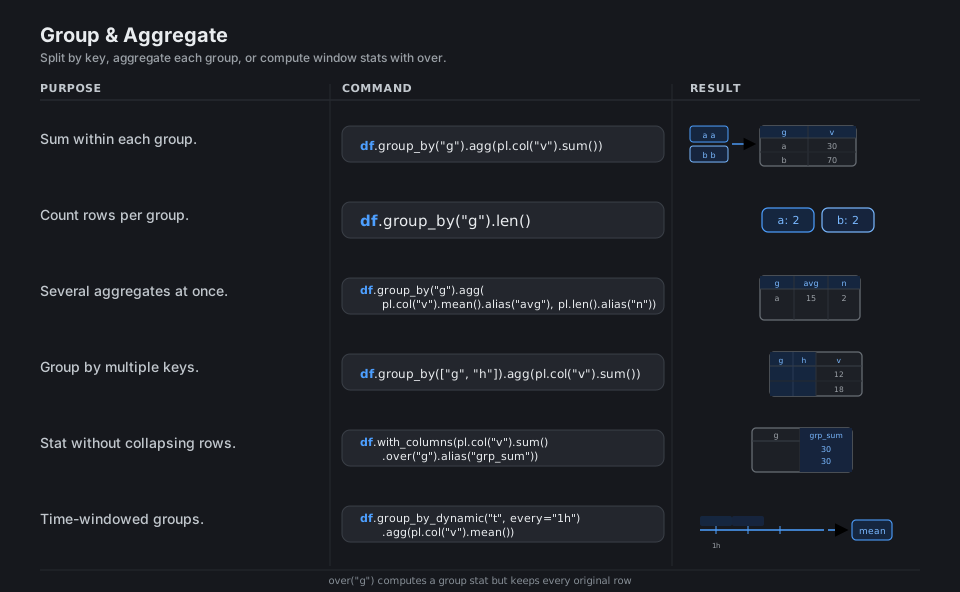
df.group_by("g").agg(pl.col("v").sum())                 # sum within each group
df.group_by("g").len()                                  # count rows per group
df.group_by("g").agg(pl.col("v").mean().alias("avg"), pl.len().alias("n"))   # several aggregates
df.group_by(["g", "h"]).agg(pl.col("v").sum())          # group by multiple keys
df.with_columns(pl.col("v").sum().over("g").alias("grp_sum"))   # stat without collapsing
df.group_by_dynamic("t", every="1h").agg(pl.col("v").mean())   # time-windowed groups
See aggregation and window functions.
Join & Concatenate
Joins combine frames by key: inner keeps matches, left keeps all of the left, full keeps everything, and the filtering joins semi/anti keep left rows that do (or do not) have a match without adding any right-hand columns. pl.concat instead just stacks frames, vertically or horizontally.
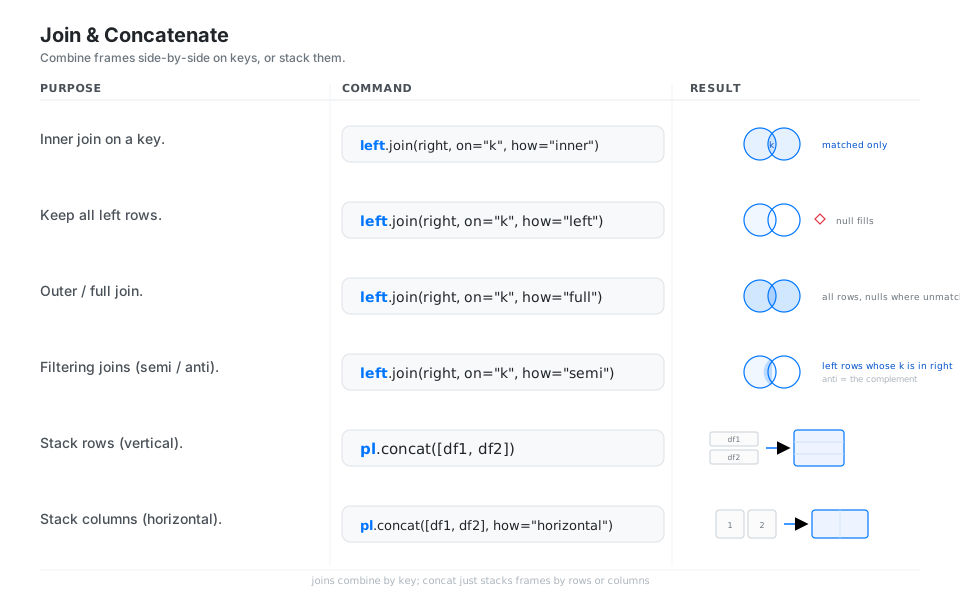
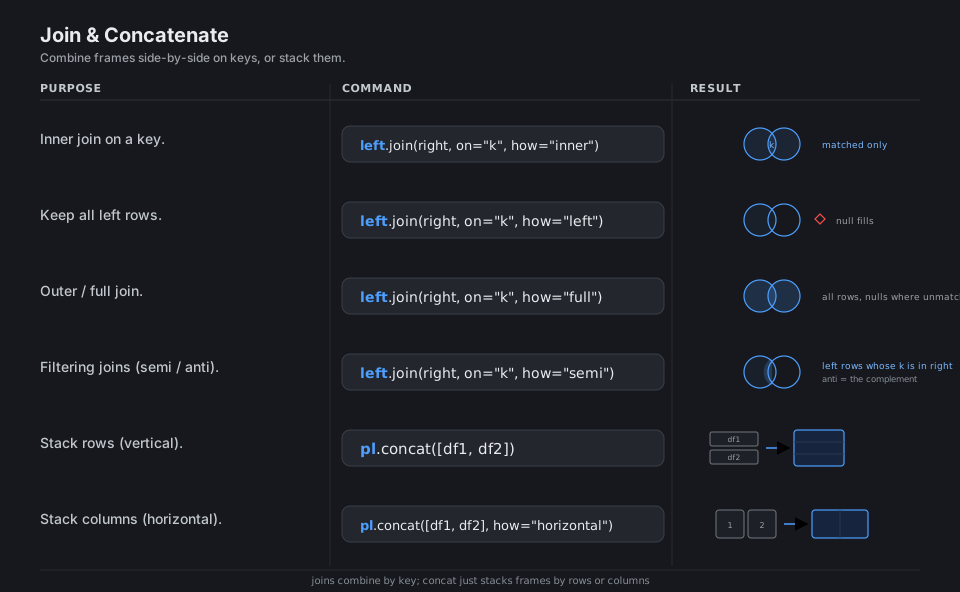
left.join(right, on="k", how="inner")          # inner join on a key
left.join(right, on="k", how="left")           # keep all left rows (null fills)
left.join(right, on="k", how="full")           # full / outer join
left.join(right, on="k", how="semi")           # filtering join (anti = the complement)
pl.concat([df1, df2])                          # stack rows (vertical)
pl.concat([df1, df2], how="horizontal")        # stack columns (horizontal)
See joins and concatenation.
Reshape & Restructure
Reshaping moves data between wide and long layouts: unpivot gathers many value columns into variable/value rows (long, tidy), and pivot spreads a key column back out into named columns (wide). explode turns each element of a list column into its own row, and rename/drop/transpose handle the structural odds and ends.
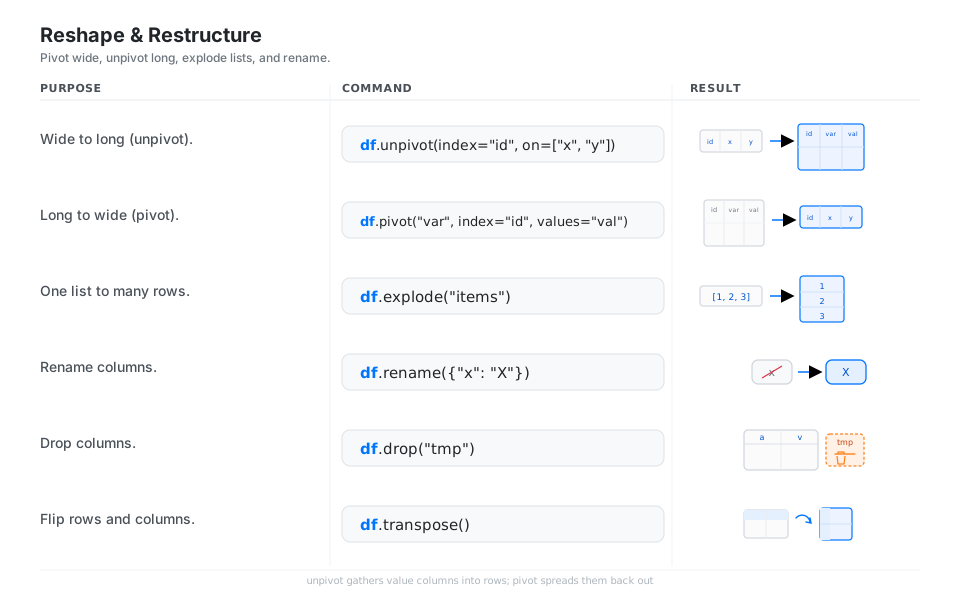
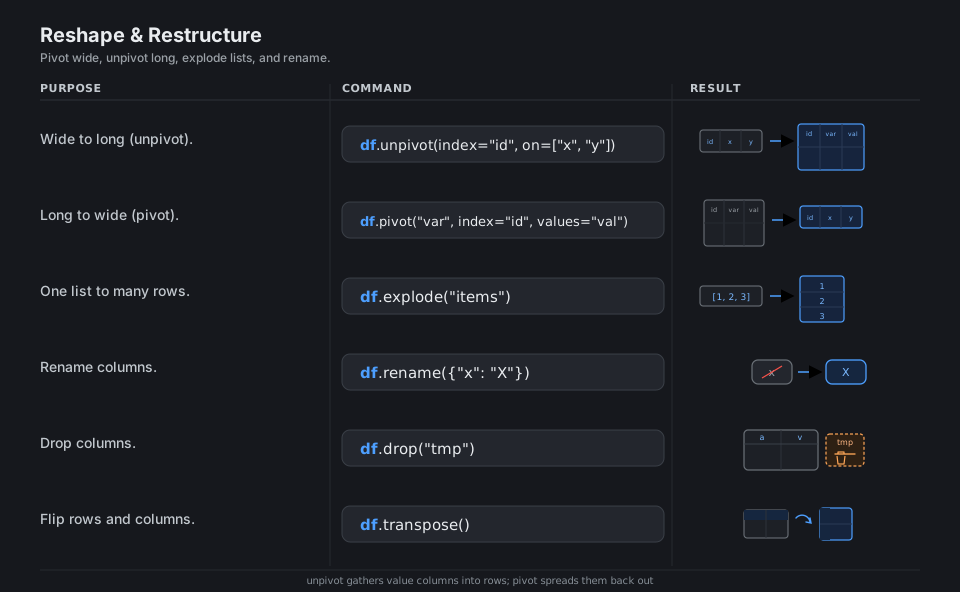
df.unpivot(index="id", on=["x", "y"])           # wide to long
df.pivot("var", index="id", values="val")       # long to wide
df.explode("items")                             # one list -> many rows
df.rename({"x": "X"})                           # rename columns
df.drop("tmp")                                  # drop columns
df.transpose() # flip rows and columnsClean: Strings, Dates & Nulls
Type-specific operations live in namespaces: .str for text (to_uppercase, contains, replace, split) and .dt for temporal parts (year, month), with str.to_date/str.to_datetime parsing text into real date types. Missing data is explicit null (distinct from NaN): fill_null substitutes a value, drop_nulls removes affected rows, and is_null tests for them.
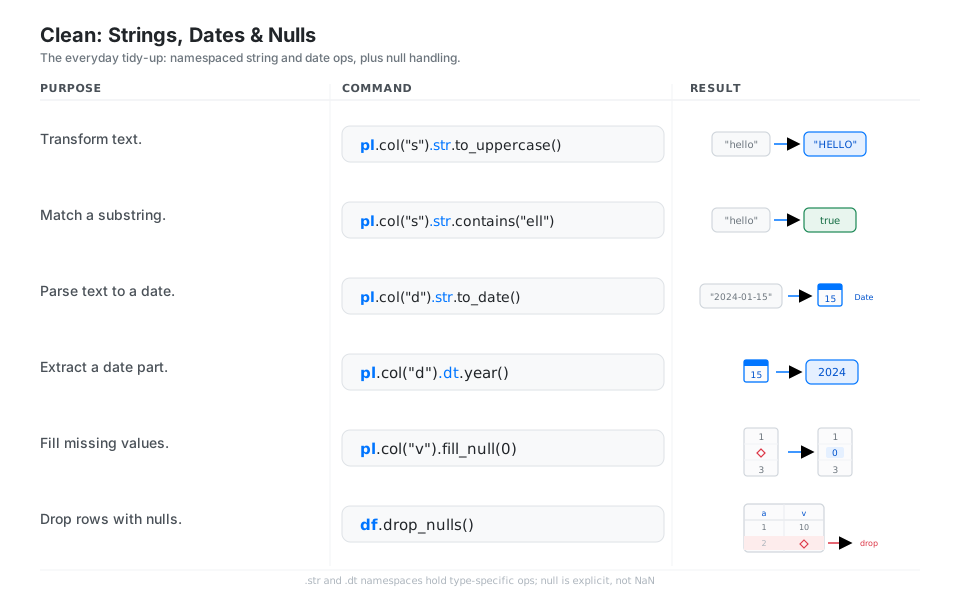
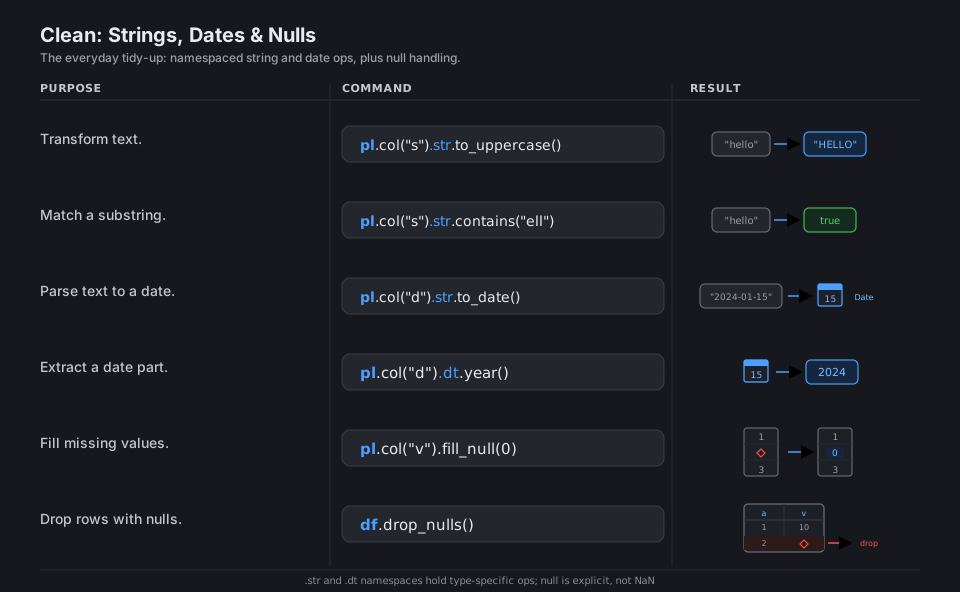
pl.col("s").str.to_uppercase()    # transform text
pl.col("s").str.contains("ell")   # match a substring -> Boolean
pl.col("d").str.to_date()         # parse text to a date
pl.col("d").dt.year()             # extract a date part
pl.col("v").fill_null(0)          # fill missing values
df.drop_nulls()                   # drop rows with nulls
See strings and missing data.
Quick Reference
| Verb | What it does | Example |
|---|---|---|
select |
Keep / build a set of columns | df.select("a", pl.col("v") * 2) |
with_columns |
Add or overwrite columns | df.with_columns(rev=pl.col("u") * pl.col("p")) |
filter |
Keep rows where an expression is true | df.filter(pl.col("v") > 100) |
sort |
Order rows | df.sort("v", descending=True) |
group_by().agg |
Split-apply-combine | df.group_by("g").agg(pl.col("v").sum()) |
join |
Combine frames on a key | left.join(right, on="k", how="left") |
unpivot / pivot |
Wide <-> long reshape | df.unpivot(index="id") |
collect |
Execute a LazyFrame plan |
lf.collect() |
| Name | Role |
|---|---|
DataFrame |
An in-memory, eager table |
LazyFrame |
A deferred query plan (scan_* / .lazy()), run by .collect() |
Series |
A single typed column |
Expr |
A reusable column recipe (pl.col(...)), run inside a verb |
.parquet |
Columnar file format, the preferred polars on-disk format |
null |
Explicit missing value (distinct from float NaN) |
| Piece | Meaning | Example |
|---|---|---|
pl.col("x") |
Reference a column | pl.col("x").mean() |
pl.lit(value) |
A literal constant | pl.lit(0) |
.alias("name") |
Rename the expression’s output | (pl.col("x") * 2).alias("x2") |
pl.when().then().otherwise() |
Conditional | pl.when(c).then(a).otherwise(b) |
pl.col("s").str.… |
String namespace | pl.col("s").str.to_uppercase() |
pl.col("d").dt.… |
Datetime namespace | pl.col("d").dt.year() |
cs.numeric() |
Selector for numeric columns | df.select(cs.numeric()) |
.over("g") |
Window (group stat, keep rows) | pl.col("v").sum().over("g") |
Appendix: Sample Files
The standard import header, the toy data behind the diagrams, and the eager-vs-lazy contrast.
Imports
import polars as pl
import polars.selectors as cs
sales.csv
date,region,product,units,price
2024-01-15,west,widget,10,2.50
2024-01-15,east,widget,7,2.50
2024-02-03,west,gadget,4,9.00
2024-02-03,east,gadget,,9.00
2024-03-21,west,widget,12,2.75
2024-03-21,east,gadget,6,9.00
df = pl.read_csv("sales.csv").with_columns(
pl.col("date").str.to_date(),
revenue=pl.col("units") * pl.col("price"),
)Eager vs lazy
The same pipeline, eager and lazy. The lazy form defers execution and is optimized as one plan when .collect() runs:
# Eager: runs immediately, step by step
out = (
    pl.read_csv("sales.csv")
    .filter(pl.col("units") > 5)
    .group_by("region")
    .agg(pl.col("units").sum().alias("total_units"))
)

# Lazy: builds a plan, optimizes once, then runs on collect()
out = (
    pl.scan_csv("sales.csv")
    .filter(pl.col("units") > 5)
    .group_by("region")
    .agg(pl.col("units").sum().alias("total_units"))
    .collect()  # add engine="streaming" for larger-than-memory data
)
API currency (polars 1.38.1): the reshape verbs are unpivot / pivot (melt is deprecated), streaming is selected with collect(engine="streaming") / sink_*, and pivot’s first positional argument is on.
References
polars documentation
- polars user guide and home and getting started
- Concepts: data types and structures, expressions, the lazy API, streaming
- Reading & writing data
- Transformations: joins, concatenation, pivot, unpivot, time series
- Expressions: aggregation, window functions, strings, casting, missing data, expansion / selectors
API reference
Project