PyTorch is the deep-learning framework built around one data type, the tensor, an n-dimensional array (much like a NumPy array) that can also track its own computation history for automatic differentiation and move onto a GPU. The whole library speaks tensors, and a typical day with PyTorch traces a single loop: you make tensors, reshape and index them, ask autograd for gradients, build a model out of nn.Module layers, feed it batches from a DataLoader, run the five-line training step, save the state_dict, and finally move everything to an accelerator to run inference. This cheatsheet walks those eight stages in order, with version-verified commands at every step.


Create tensors
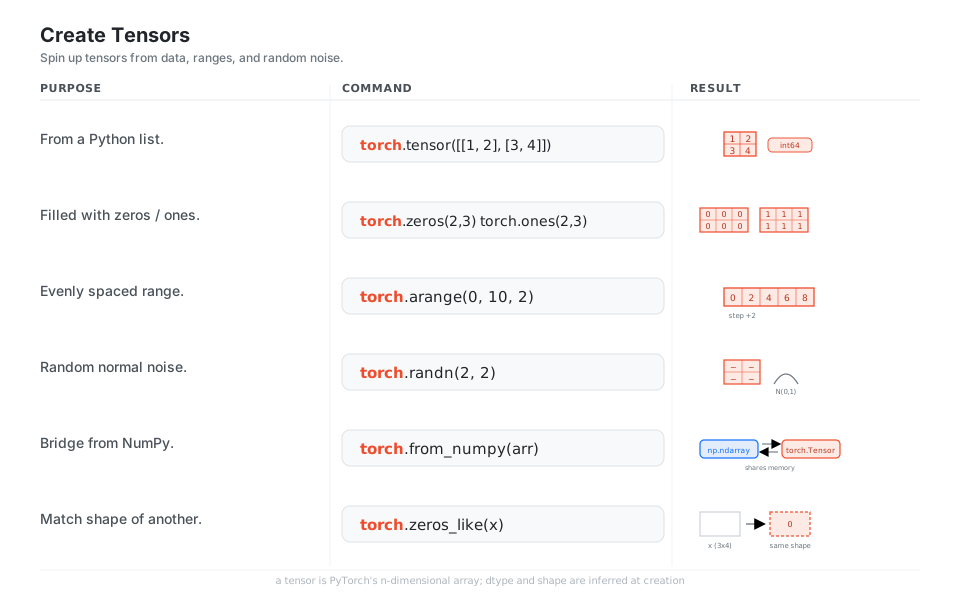
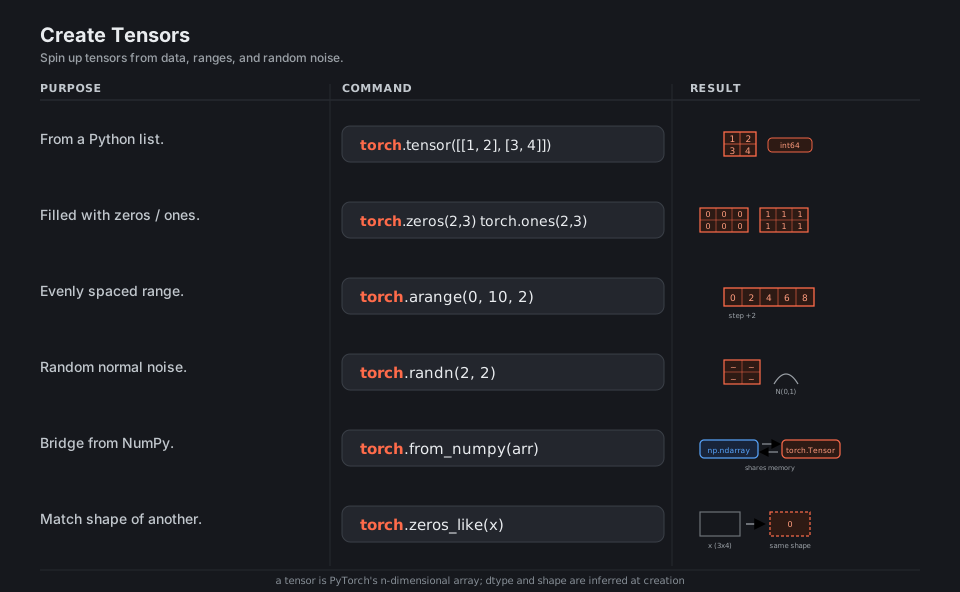
A tensor is PyTorch’s n-dimensional array and the only data type the whole library speaks. You build them from Python lists, from constant fills, from ranges, or from random noise, and you can bridge a NumPy array in (it even shares the same memory). Dtype and shape are inferred at creation, so a list of ints gives you an int64 tensor while a list of floats gives float32.
import torch

torch.tensor([[1, 2], [3, 4]])     # from a Python list (dtype inferred -> int64)
torch.zeros(2, 3)  torch.ones(2, 3)  # constant-filled tensors of a given shape
torch.arange(0, 10, 2)             # evenly spaced range -> [0, 2, 4, 6, 8]
torch.randn(2, 2)                  # random normal noise, N(0, 1)
torch.from_numpy(arr)              # bridge a NumPy array (shares memory)
torch.zeros_like(x)               # match shape/dtype/device of an existing tensor
See tensor creation ops.
Shapes, indexing, and ops
Most of deep learning is bookkeeping on shapes. reshape/view reinterpret the same data, unsqueeze/squeeze add and drop size-1 axes (the trick behind batching and broadcasting), and permute/transpose reorder axes. NumPy-style slicing and boolean masks read and write in place, and @ does the matrix multiply at the heart of every layer.
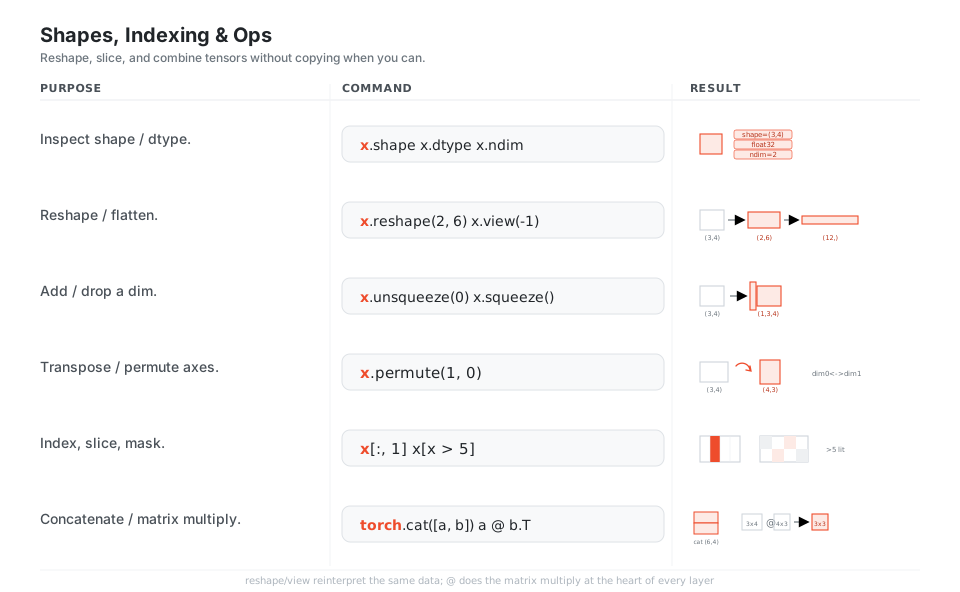
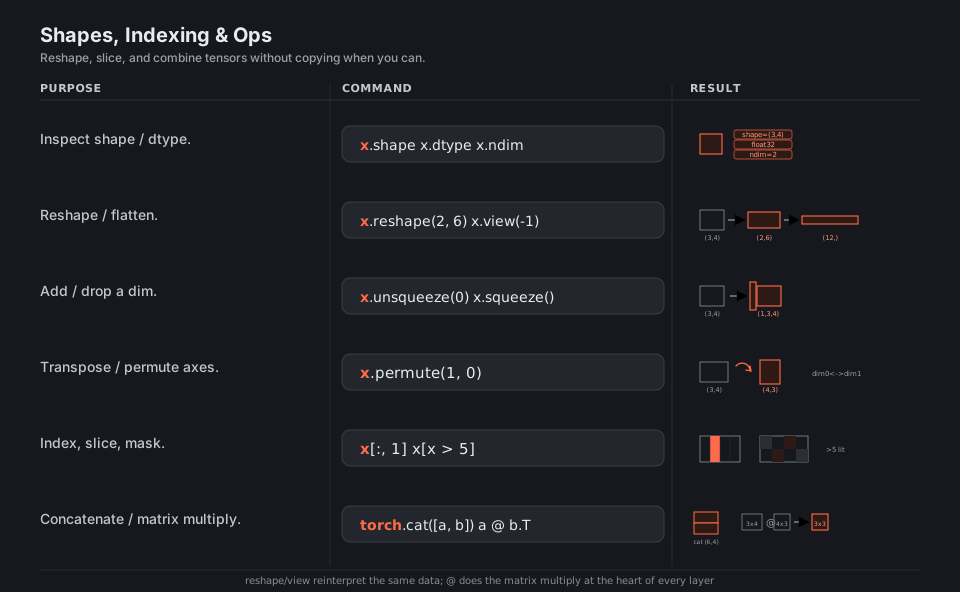
x.shape  x.dtype  x.ndim          # inspect metadata -> (3,4), float32, 2
x.reshape(2, 6)  x.view(-1)        # reinterpret same data; view(-1) flattens to (12,)
x.unsqueeze(0)  x.squeeze()        # add a leading dim -> (1,3,4); drop size-1 dims
x.permute(1, 0)                    # reorder axes -> (4,3), swap dim0 and dim1
x[:, 1]  x[x > 5]                  # column slice; boolean mask of values > 5
torch.cat([a, b], dim=0)           # join along an existing dim -> (6,4)
a @ b.T                            # matrix multiply, (3,4) @ (4,3) -> (3,3)
See torch.Tensor.
Autograd (gradients)
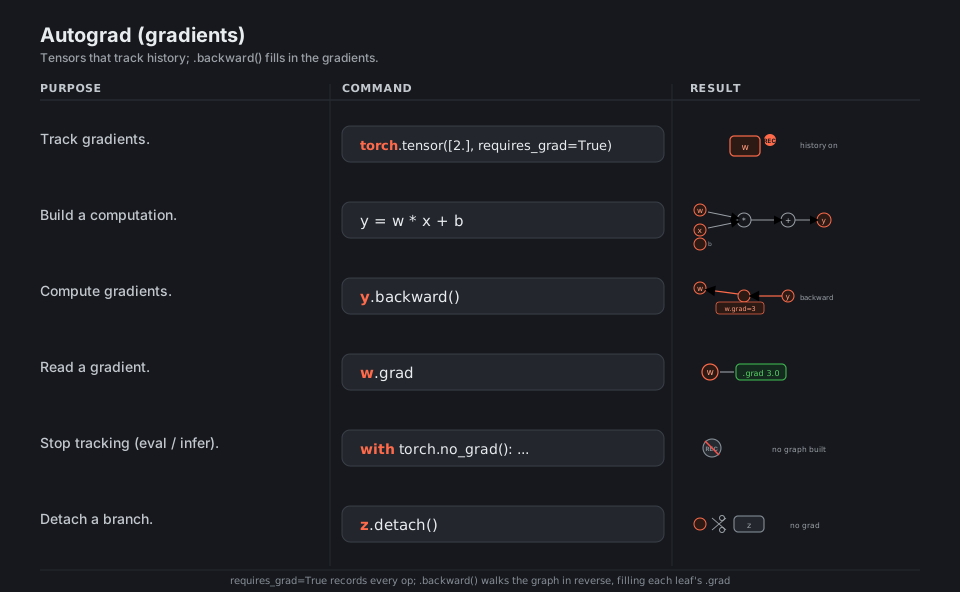
Set requires_grad=True and PyTorch silently records every operation into a graph. Calling .backward() on a scalar walks that graph in reverse and deposits a gradient in each leaf’s .grad. When you only want predictions, wrap the math in torch.no_grad() (or inference_mode()) so no graph is built, which is faster and uses less memory.
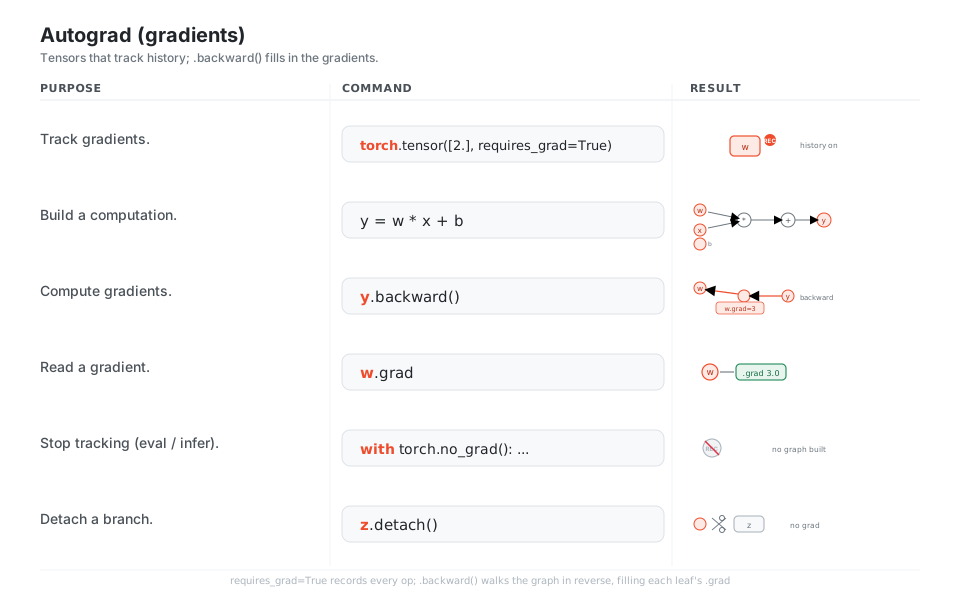
w = torch.tensor([2.], requires_grad=True)  # track gradients on this leaf
y = w * x + b                      # build a computation (history is recorded)
y.backward()                       # walk the graph backward; for w=2, x=3, b=1 -> w.grad=3, b.grad=1
w.grad                             # read the gradient at a leaf -> 3.0
with torch.no_grad():              # stop tracking: no graph built (eval / infer)
    ...
z.detach()                         # cut a branch off the graph (no grad)
See autograd mechanics.
Build a model (nn.Module)
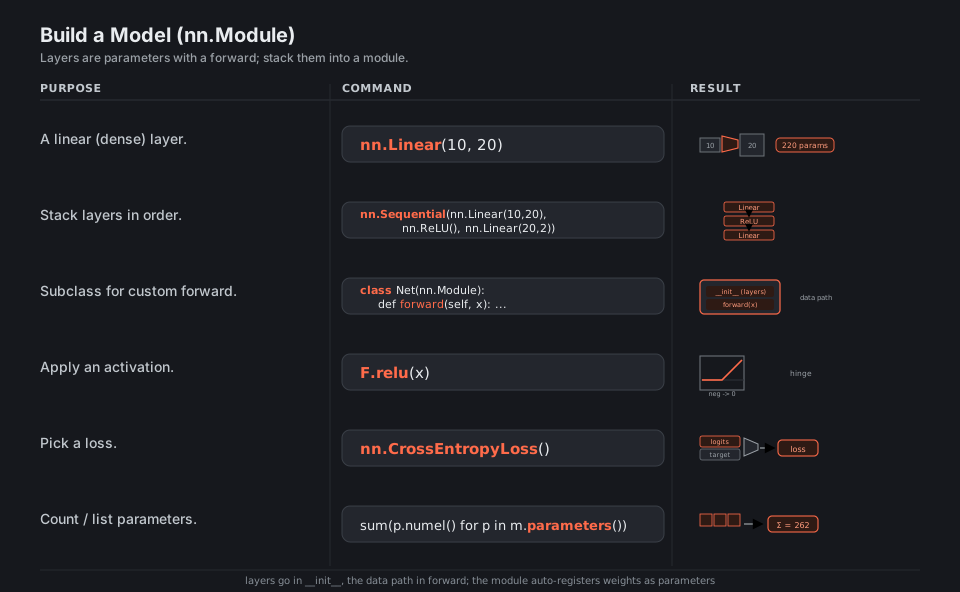
Every model subclasses nn.Module: layers are created in __init__ and the data path is spelled out in forward. The module auto-registers each layer’s weights as parameters, so the optimizer can find them later. nn.Sequential is the quick way to chain layers when the forward pass is just “run them in order”.
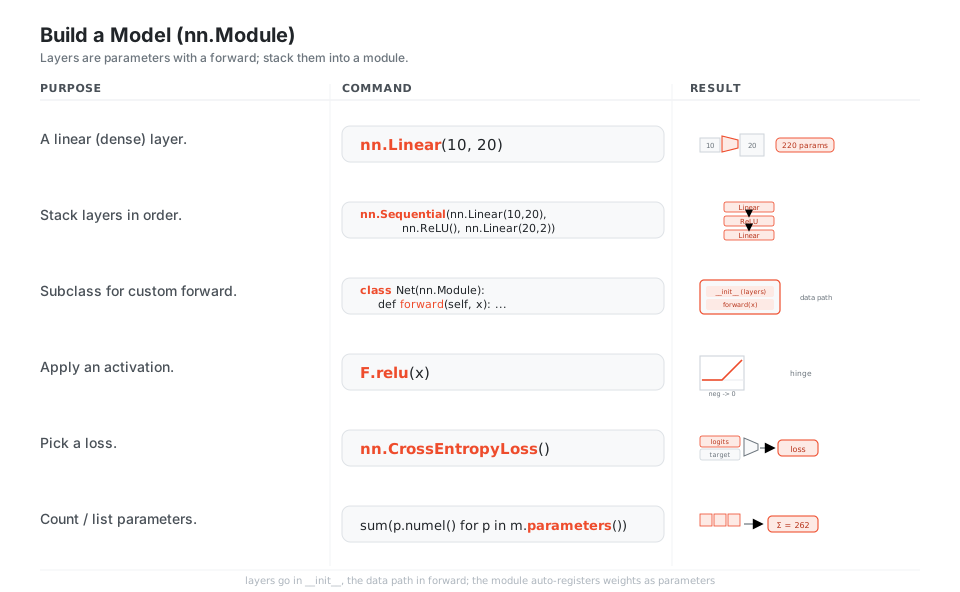
import torch.nn as nn
import torch.nn.functional as F

nn.Linear(10, 20)                  # a linear (dense) layer -> 220 params
nn.Sequential(nn.Linear(10, 20), nn.ReLU(), nn.Linear(20, 2))  # stack layers in order

class Net(nn.Module):              # subclass for a custom forward
    def forward(self, x):
        ...

F.relu(x)                          # apply an activation (negatives clipped to 0)
nn.CrossEntropyLoss()              # a loss: logits + target -> scalar loss
sum(p.numel() for p in m.parameters())  # count parameters -> 262 for the two-layer Net
See torch.nn and torch.nn.functional.
Data loading
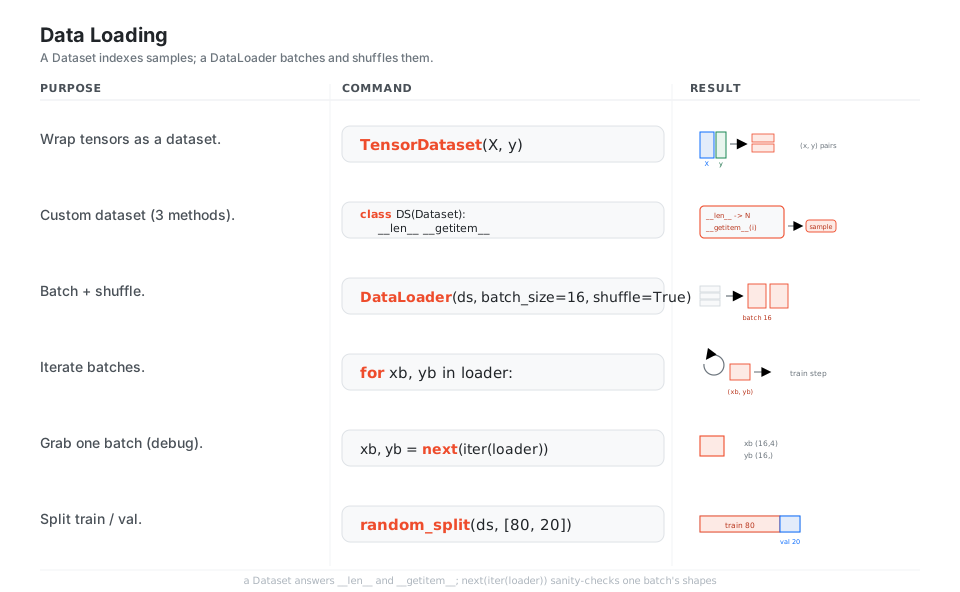
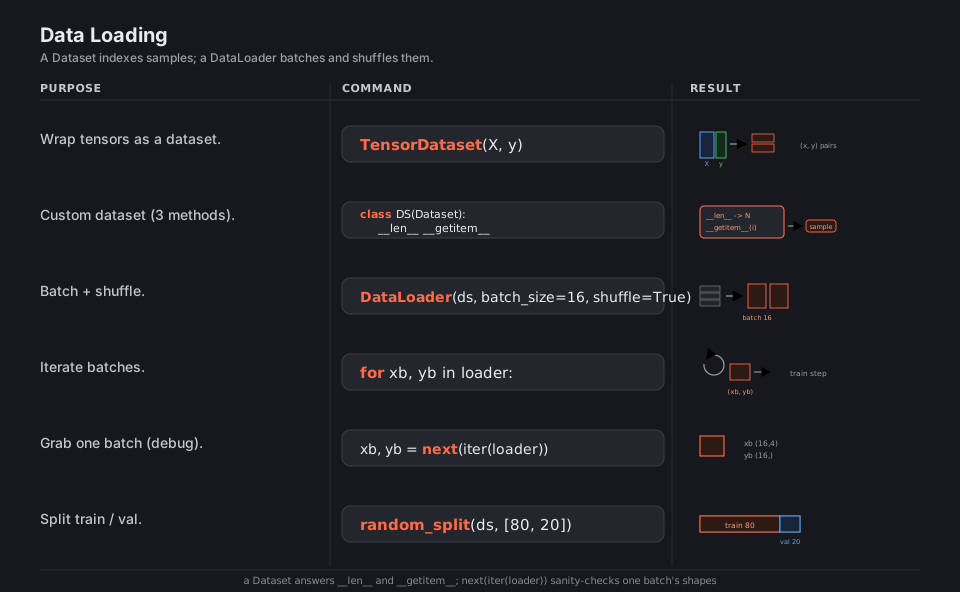
A Dataset answers two questions, “how many samples?” (__len__) and “give me sample i” (__getitem__). A DataLoader wraps it to batch, shuffle, and (optionally) parallelize loading, yielding ready-to-train (inputs, targets) tuples. next(iter(loader)) is the fastest way to sanity-check one batch’s shapes before you train.
from torch.utils.data import TensorDataset, DataLoader, Dataset, random_split

TensorDataset(X, y)                # wrap tensors, zipped row-by-row into (x, y) samples

class DS(Dataset):                 # custom dataset (the three methods)
    def __len__(self): ...         # how many samples
    def __getitem__(self, i): ...  # give me sample i

DataLoader(ds, batch_size=16, shuffle=True)  # batch + shuffle
for xb, yb in loader:              # iterate batches one (xb, yb) at a time
    ...
xb, yb = next(iter(loader))        # grab one batch (debug) -> (16,4) and (16,)
random_split(ds, [80, 20])         # split into train / val
See Dataset / DataLoader.
The training loop
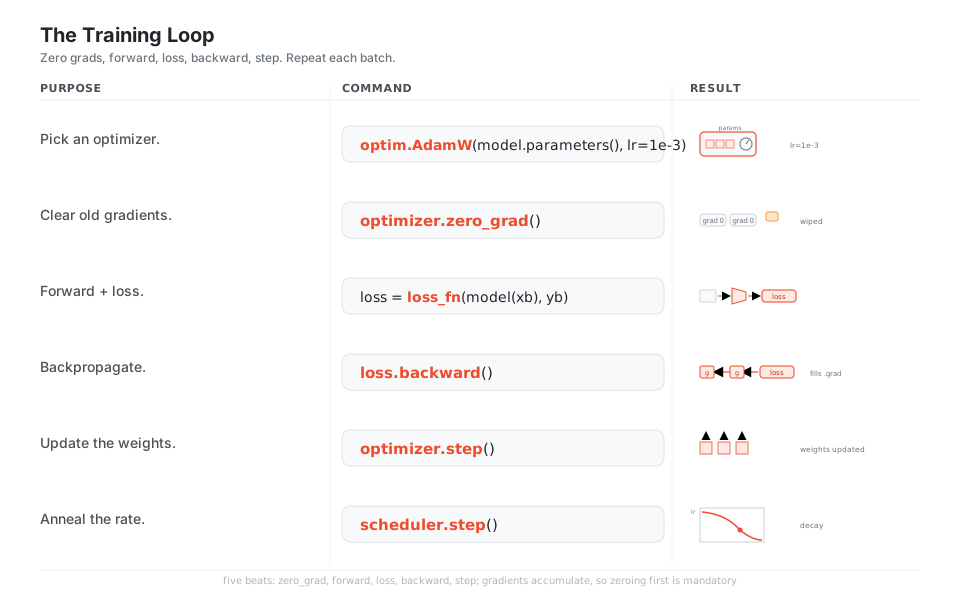
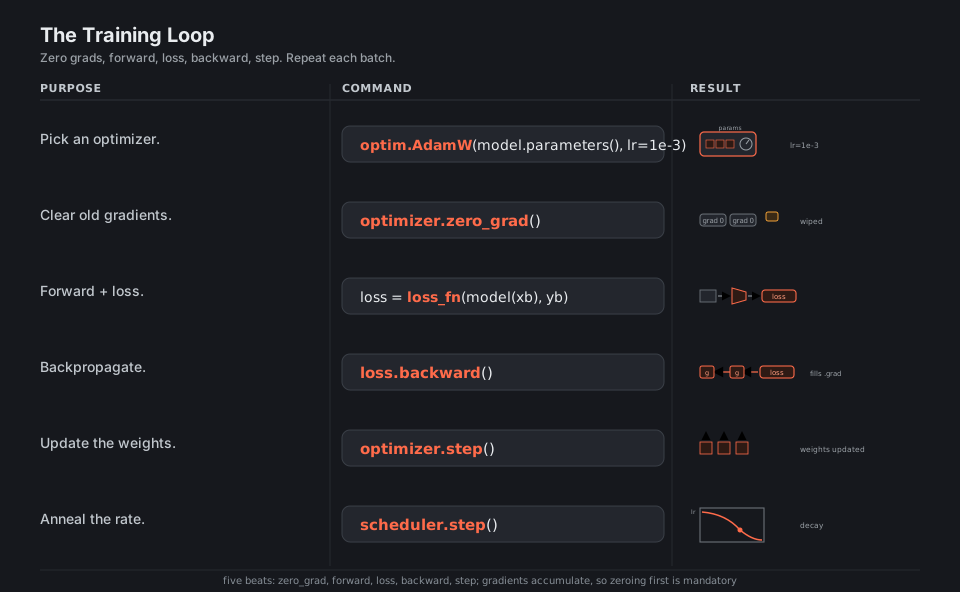
The loop is always the same five beats: zero_grad (clear last step’s gradients), forward, compute loss, backward (fill gradients), step (update weights). Gradients accumulate by default, which is why zeroing first is mandatory. A learning-rate scheduler optionally decays the rate as training progresses.
import torch.optim as optim

optimizer = optim.AdamW(model.parameters(), lr=1e-3)  # pick an optimizer
optimizer.zero_grad()              # clear old gradients (they accumulate by default)
loss = loss_fn(model(xb), yb)      # forward + loss
loss.backward()                    # backpropagate: fill every parameter's .grad
optimizer.step()                   # update the weights
scheduler.step()                   # anneal the learning rate (optional)
See torch.optim.
Save and load
Save the state_dict (a plain dict of tensors), not the Python object, so your checkpoint survives refactors. Reload it into a freshly constructed model of the same shape, and always pass weights_only=True to avoid executing arbitrary pickled code. Toggle model.eval() before inference so dropout and batch-norm behave correctly, and back to model.train() to resume.
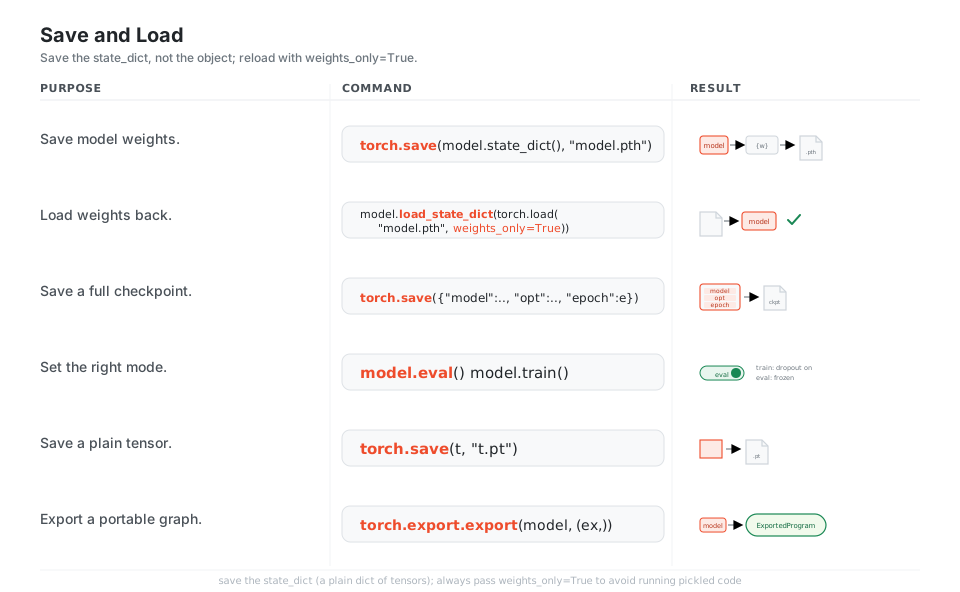
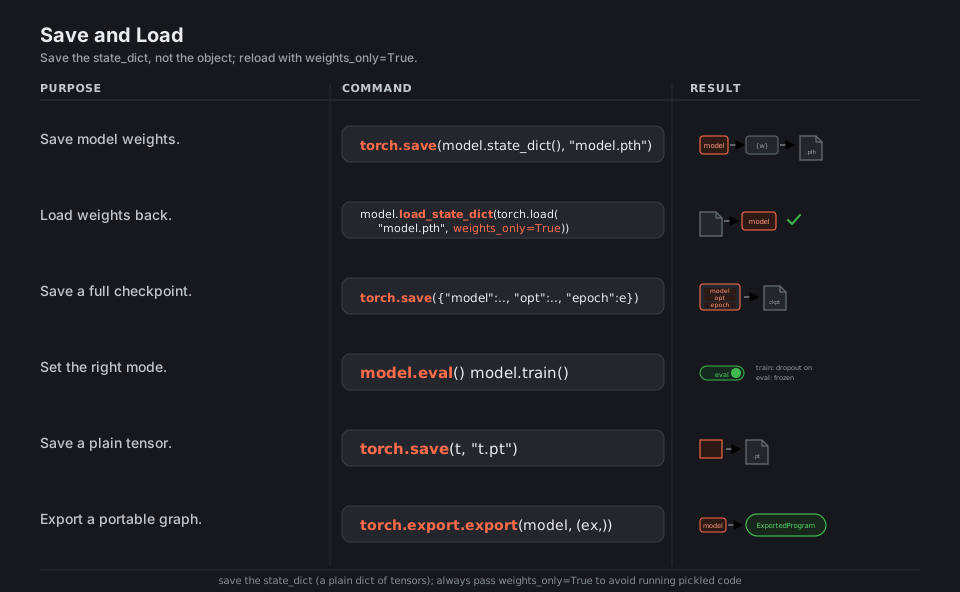
torch.save(model.state_dict(), "model.pth")   # save just the weights (recommended)
model.load_state_dict(torch.load("model.pth", weights_only=True))  # load weights back (safe flag)
torch.save({"model": ..., "opt": ..., "epoch": e}, "ckpt.pth")     # save a full checkpoint
model.eval()  model.train()        # set the right mode (inference vs training)
torch.save(t, "t.pt")              # save a plain tensor
torch.export.export(model, (example,))   # export a portable graph (ExportedProgram)
See saving and loading and torch.export.
Devices and inference
Tensors and models live on a device; computation only happens when both are on the same one, so you .to(device) both. torch.accelerator (PyTorch 2.x) picks CUDA, Apple MPS, or CPU without hard-coding. For predictions, run under inference_mode(), then turn raw logits into a class with argmax or into probabilities with softmax.
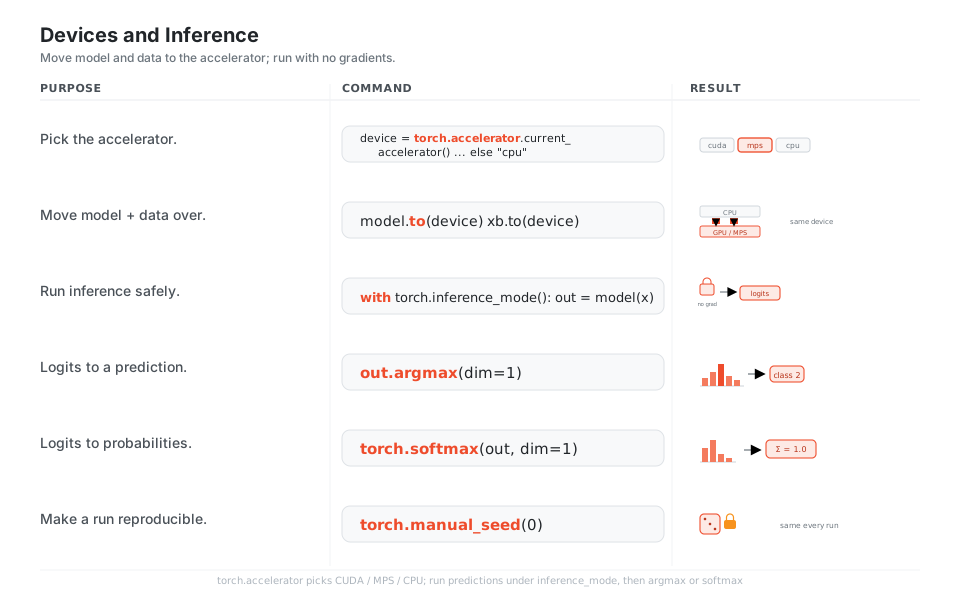
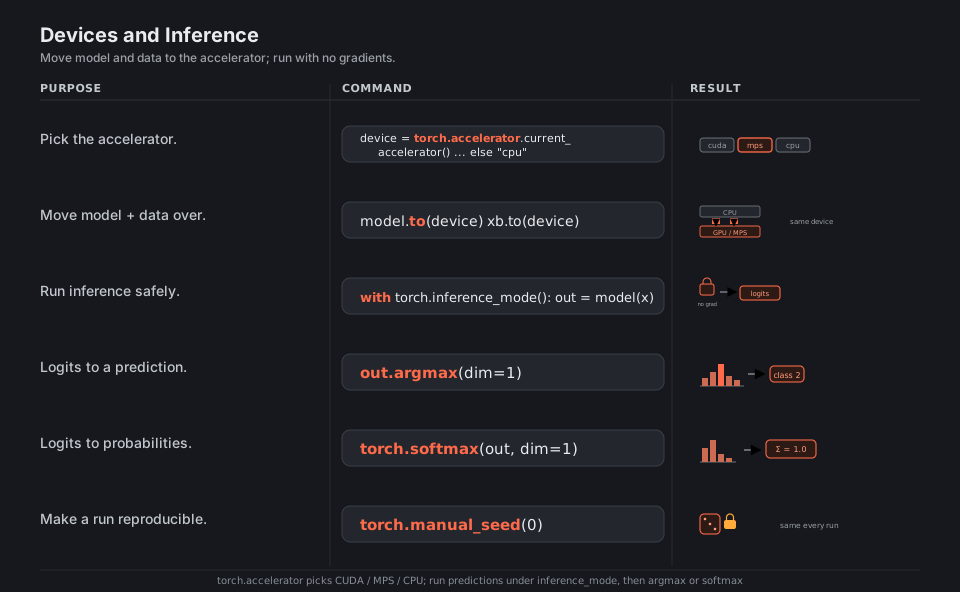
device = torch.accelerator.current_accelerator() if torch.accelerator.is_available() else "cpu"  # cuda / mps / cpu
model.to(device)  xb.to(device)    # move model + data to the same device
with torch.inference_mode():       # run inference safely (no autograd)
    out = model(x)
out.argmax(dim=1)                  # logits -> predicted class index -> 2
torch.softmax(out, dim=1)          # logits -> probabilities summing to 1.0
torch.manual_seed(0)               # make a run reproducible
See torch.accelerator and Apple MPS backend.
Quick Reference
| Call | Makes |
|---|---|
torch.tensor(data) |
Tensor from a list/array (dtype inferred) |
torch.zeros(s) · torch.ones(s) |
Constant-filled tensor of shape s |
torch.full(s, v) |
Tensor of shape s filled with v |
torch.arange(a, b, step) |
1-D range [a, b) |
torch.linspace(a, b, n) |
n evenly spaced points in [a, b] |
torch.randn(s) · torch.rand(s) |
Normal / uniform random |
torch.randint(lo, hi, s) |
Random integers |
torch.eye(n) |
n x n identity |
torch.from_numpy(arr) |
Tensor sharing memory with a NumPy array |
torch.zeros_like(x) |
Same shape/dtype/device as x |
| Call | Does |
|---|---|
x.shape · x.dtype · x.device |
Inspect metadata |
x.reshape(s) · x.view(s) |
Reinterpret to shape s |
x.flatten() |
Collapse to 1-D |
x.unsqueeze(d) · x.squeeze(d) |
Add / drop a size-1 dim at d |
x.permute(*dims) · x.transpose(a, b) |
Reorder / swap axes |
torch.cat([a, b], dim) |
Join along an existing dim |
torch.stack([a, b], dim) |
Join along a new dim |
a @ b · a.matmul(b) |
Matrix multiply |
x.sum() · x.mean() · x.max(dim) |
Reductions |
x.argmax(dim) · torch.topk(x, k) |
Indices of the largest values |
x.to(device) · x.to(dtype) |
Move / cast |
| Step | Call |
|---|---|
| 1. Clear gradients | optimizer.zero_grad() |
| 2. Forward | out = model(xb) |
| 3. Loss | loss = loss_fn(out, yb) |
| 4. Backward | loss.backward() |
| 5. Update | optimizer.step() |
| Thing | Meaning |
|---|---|
state_dict |
Plain dict of tensors; the thing you save |
model.pth / .pt |
Convention for a saved checkpoint/tensor |
model.train() |
Dropout + BatchNorm active (training) |
model.eval() |
Dropout off, BatchNorm uses running stats (inference) |
requires_grad=True |
Tensor tracks history for autograd |
torch.no_grad() / inference_mode() |
Disable history tracking for speed |
weights_only=True |
Safe load flag for torch.load |
Appendix: Sample Code
Minimal end-to-end training loop
import torch
import torch.nn as nn
from torch.utils.data import TensorDataset, DataLoader

# Data: 100 samples, 4 features, 2 classes
X = torch.randn(100, 4)
y = torch.randint(0, 2, (100,))
loader = DataLoader(TensorDataset(X, y), batch_size=16, shuffle=True)

# Model
model = nn.Sequential(nn.Linear(4, 16), nn.ReLU(), nn.Linear(16, 2))

# Loss + optimizer
loss_fn = nn.CrossEntropyLoss()
optimizer = torch.optim.AdamW(model.parameters(), lr=1e-3)

# Train
model.train()
for epoch in range(5):
    for xb, yb in loader:
        optimizer.zero_grad()
        loss = loss_fn(model(xb), yb)
        loss.backward()
        optimizer.step()
    print(f"epoch {epoch}: loss {loss.item():.4f}")
Custom nn.Module and a custom Dataset
import torch.nn as nn
import torch.nn.functional as F
from torch.utils.data import Dataset

class Net(nn.Module):
    def __init__(self):
        super().__init__()
        self.fc1 = nn.Linear(10, 20)
        self.fc2 = nn.Linear(20, 2)

    def forward(self, x):
        x = F.relu(self.fc1(x))
        return self.fc2(x)

class MyDataset(Dataset):
    def __init__(self, X, y):
        self.X, self.y = X, y

    def __len__(self):
        return len(self.X)

    def __getitem__(self, i):
        return self.X[i], self.y[i]
Save, load, and run on the best device
import torch

# Save just the weights (recommended)
torch.save(model.state_dict(), "model.pth")

# Rebuild the same architecture, then load
model.load_state_dict(torch.load("model.pth", weights_only=True))

# Pick the accelerator (CUDA, Apple MPS, or CPU)
device = torch.accelerator.current_accelerator() if torch.accelerator.is_available() else torch.device("cpu")
model = model.to(device)

# Inference
model.eval()
with torch.inference_mode():
    x = torch.randn(1, 4).to(device)
    logits = model(x)
    probs = torch.softmax(logits, dim=1)
    pred = logits.argmax(dim=1)
References
PyTorch documentation
- PyTorch documentation home, tensor creation ops, and
torch.Tensor torch.from_numpy, autograd mechanics, andtorch.autograd/backwardtorch.no_gradandinference_modetorch.nn,torch.nn.functional, andDataset/DataLoadertorch.optim, saving and loading,torch.save, andtorch.loadtorch.accelerator, Apple MPS backend, andtorch.export
More