Streamlit turns a plain Python script into an interactive web app with no front-end code. The one idea that makes it click: an app is a script that reruns top to bottom every time the user interacts. You do not register callbacks; you write straight-line code, and st. calls paint widgets and output in order down the page. Each input widget (like st.slider) is a function that returns its current value, so reading user input is just assigning a variable, and when the user moves that slider Streamlit re-executes the whole script with the new value. Two escape hatches keep this fast and stateful: @st.cache_data skips recomputing expensive results, and st.session_state remembers values across reruns. The recurring picture in this sheet is one image: a script on the left, a gray top-to-bottom execution arrow, and a rendered app page on the right that updates on each rerun. The conventional import is import streamlit as st, the whole app is one ordinary .py file (conventionally app.py) launched with streamlit run app.py, and everything here is verified against streamlit 1.58.0.


Text and Titles
st.write is the everyday display function: hand it a string, a number, a DataFrame, a chart, or several at once and it renders each in a sensible way, top to bottom. Reach for st.title/st.header/st.subheader to structure the page, st.markdown for formatted prose, and st.caption for muted helper text. On a line by itself a bare variable is auto-displayed by Streamlit’s “magic”, and st.json pretty-prints a dict as a collapsible tree.
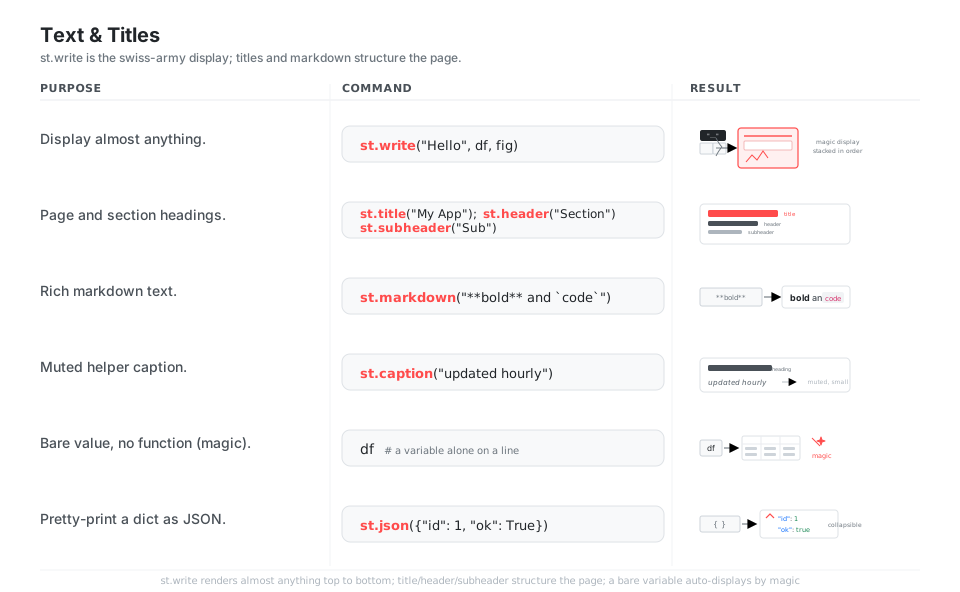
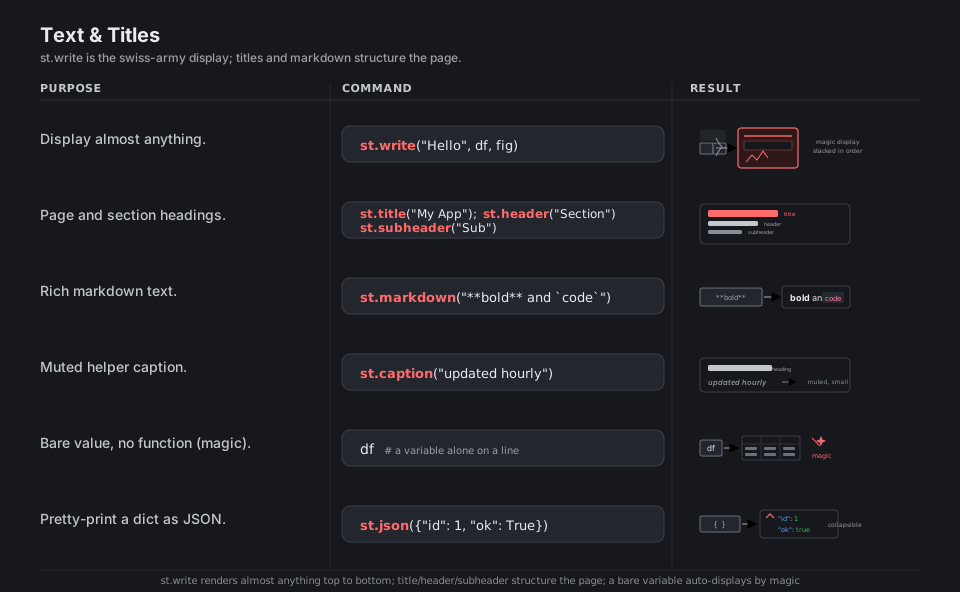
st.write("Hello", df, fig)            # display almost anything, in order

st.title("My App")                    # page-level heading
st.header("Section")                  # section heading
st.subheader("Sub")                   # sub-section heading

st.markdown("**bold** and `code`")    # formatted prose
st.caption("updated hourly")          # muted helper text

df                                    # magic: a bare variable is auto-displayed
st.json({"id": 1, "ok": True})        # collapsible JSON tree
See Text elements. A bare variable on its own line is displayed by Streamlit’s “magic”.
Input Widgets as Variables
Every input widget is a plain function that returns the user’s current value, so reading input is just value = st.slider(...); there are no callbacks to register. st.text_input, st.slider, st.selectbox, st.multiselect, and st.checkbox return their value immediately, while st.button returns True only on the rerun where it was clicked, which is why you put button-triggered work behind if st.button(...).
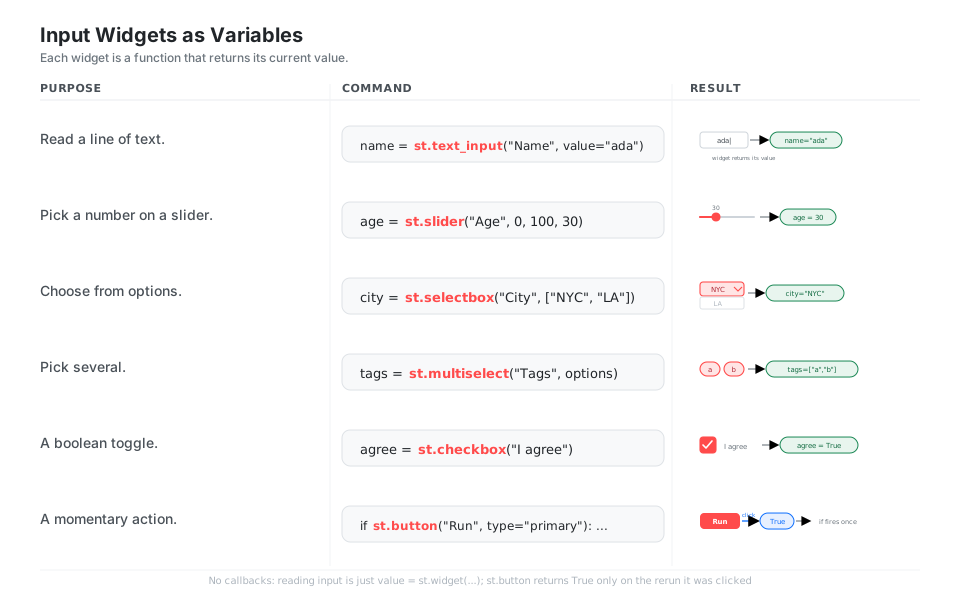
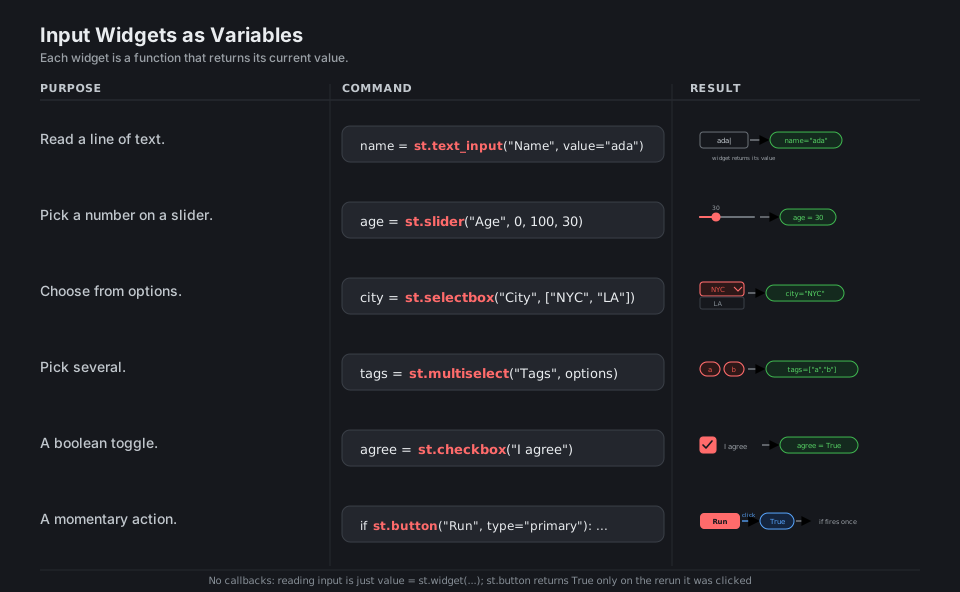
name = st.text_input("Name", value="ada")     # returns "ada"
age = st.slider("Age", 0, 100, 30)            # returns 30
city = st.selectbox("City", ["NYC", "LA"])    # returns "NYC"
tags = st.multiselect("Tags", options)        # returns ["a", "b"]
agree = st.checkbox("I agree")                # returns True / False

if st.button("Run", type="primary"):          # True only on its click rerun
    run_the_thing()
See Input widgets. A widget returns its value; st.button is True only on its click.
The Rerun Model
This is the one idea that makes Streamlit click: interacting with any widget reruns the entire script from the top, with the new widget values flowing in as ordinary variables. Use st.stop() to bail out early, st.rerun() to restart on demand, an st.form to batch several inputs into a single submit, and @st.fragment to rerun just one region instead of the whole page. The old st.experimental_rerun name has been removed in favor of st.rerun.
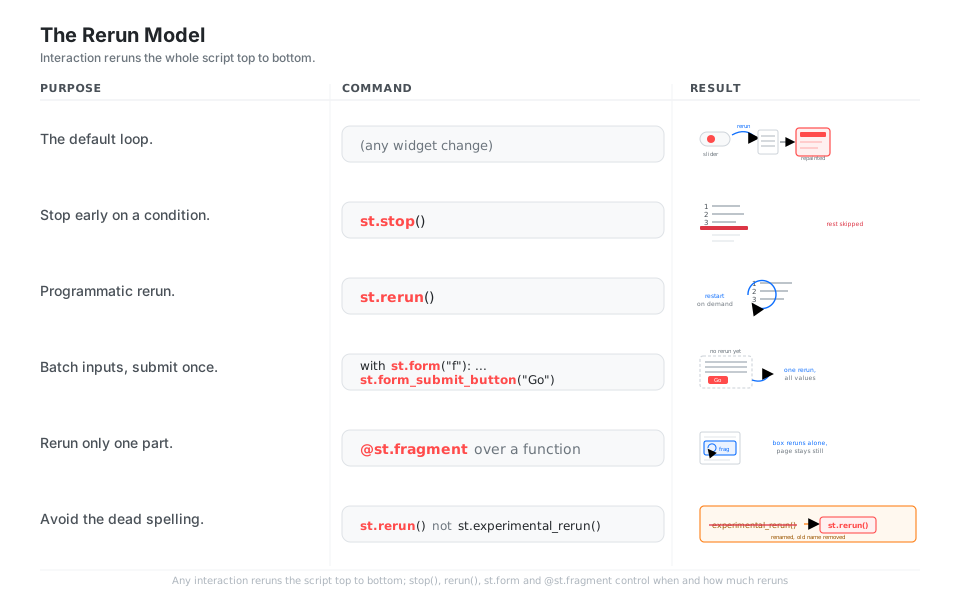
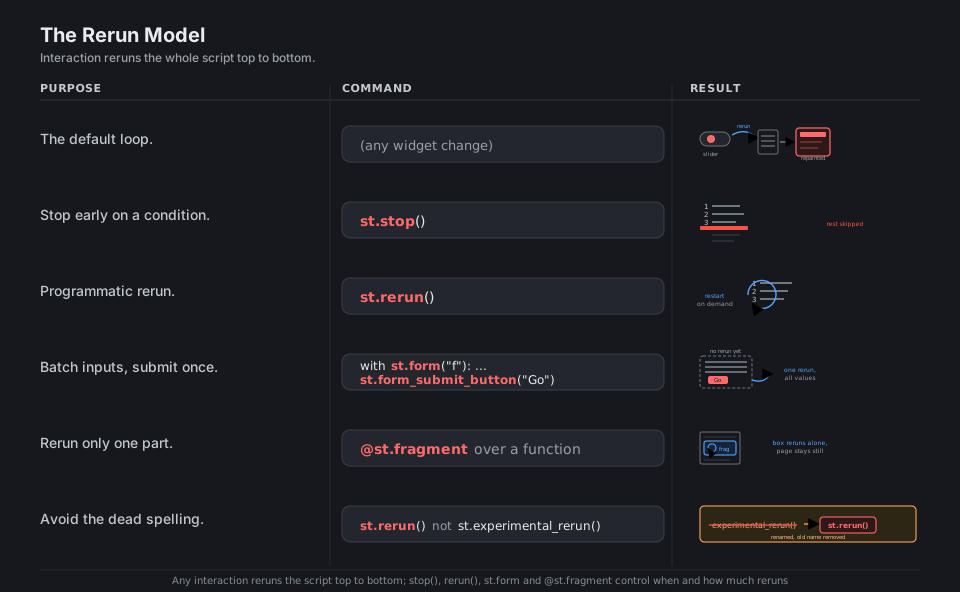
# Any widget change reruns the whole script from line 1, top to bottom.

st.stop()                              # halt the script for this rerun
st.rerun()                             # force a fresh rerun on demand

with st.form("f"):                     # batch inputs; no rerun until submit
    x = st.slider("x", 0, 10)
    st.form_submit_button("Go")        # one rerun fires with all values

@st.fragment                           # rerun just this function in isolation
def panel():
    st.button("refresh me only")
See Execution flow. Use st.rerun(), not the removed st.experimental_rerun().
Layout: Columns, Sidebar, Tabs
By default elements stack vertically, but st.columns returns container objects you write into to place things side by side, optionally with width ratios like [2, 1]. Put filters and controls in st.sidebar, group alternate views behind st.tabs, and tuck secondary detail inside a st.expander. Each of these is a container you either use as a context manager (with col:) or call methods on (col.metric(...)).
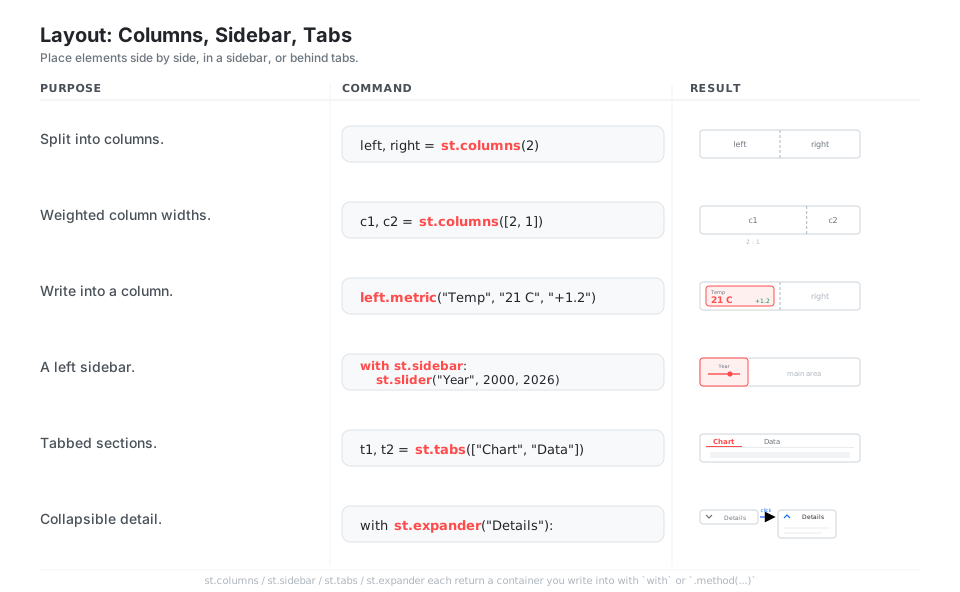
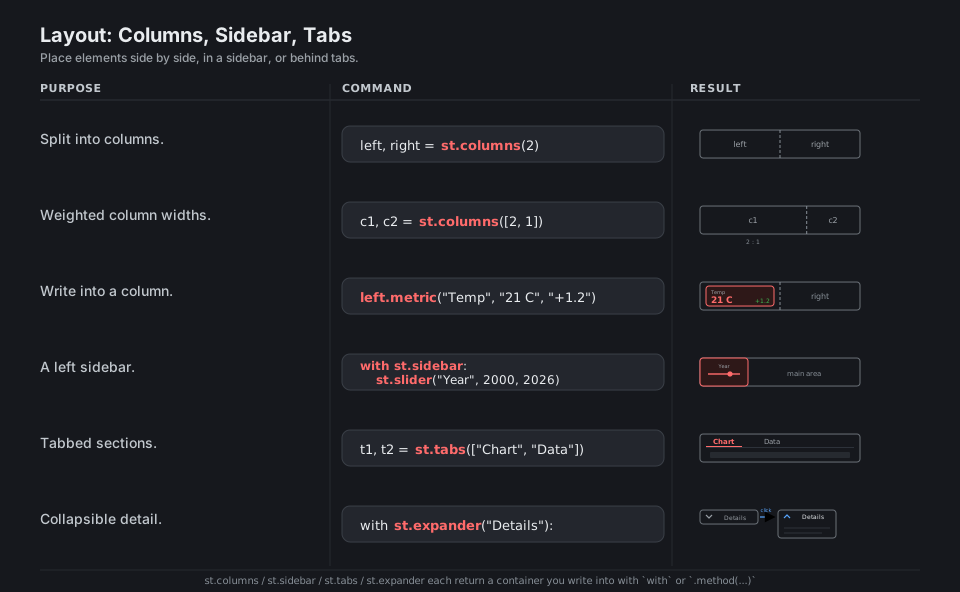
left, right = st.columns(2)            # two equal columns
c1, c2 = st.columns([2, 1])            # 2:1 width ratio
left.metric("Temp", "21 C", "+1.2")   # write into a column

with st.sidebar:                       # left rail for controls
    st.slider("Year", 2000, 2026)

t1, t2 = st.tabs(["Chart", "Data"])    # tabbed sections
with st.expander("Details"):           # collapsible detail
    st.write("hidden until opened")
See Layout and containers. Each is a container: use with c: or call c.method(...).
Display Data
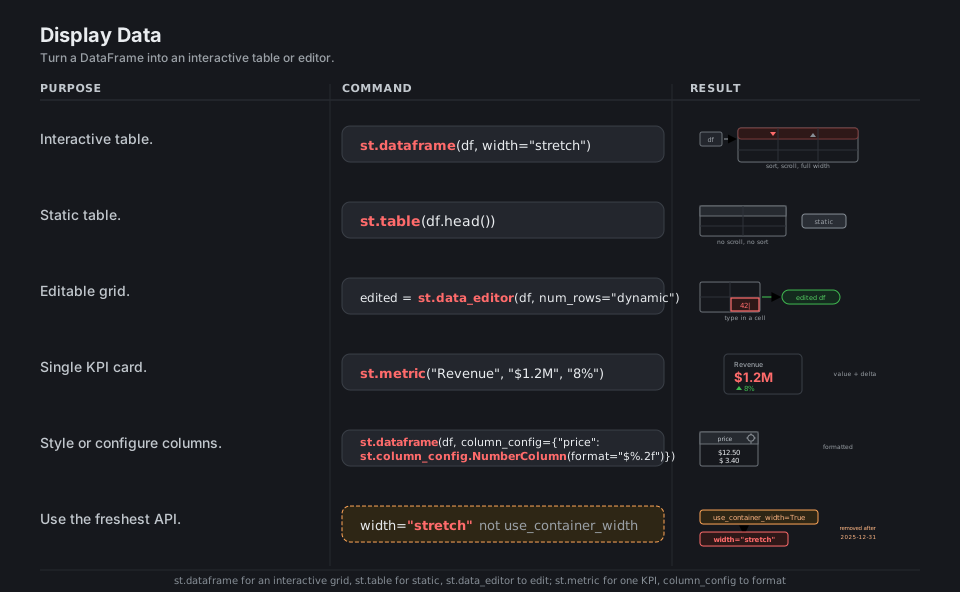
st.dataframe renders any pandas (or Polars, or other) frame as a sortable, scrollable, interactive grid, while st.table draws a small static one and st.data_editor lets the user edit cells and hands the edited frame back. st.metric shows a single headline number with an optional up/down delta, and column_config lets you format and label individual columns. Pass width="stretch" to fill the container; the old use_container_width=True was removed after 2025-12-31.
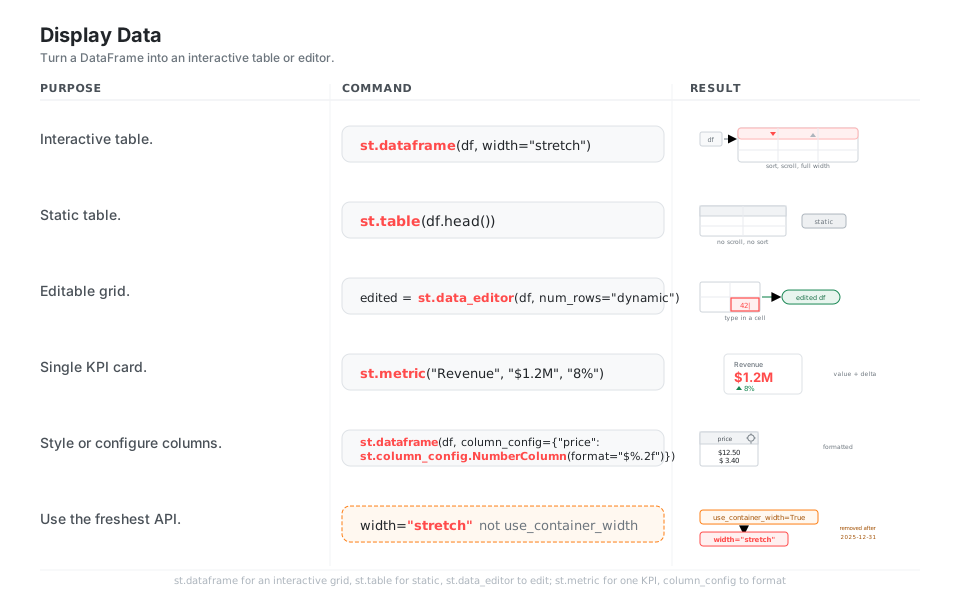
st.dataframe(df, width="stretch")              # interactive, sortable, scrollable
st.table(df.head())                            # small static table
edited = st.data_editor(df, num_rows="dynamic")  # editable; returns the new frame

st.metric("Revenue", "$1.2M", "8%")            # single KPI card with a delta

st.dataframe(                                  # format a column
    df,
    column_config={"price": st.column_config.NumberColumn(format="$%.2f")},
)
See Data elements. Use width="stretch", not the removed use_container_width=True.
Charts
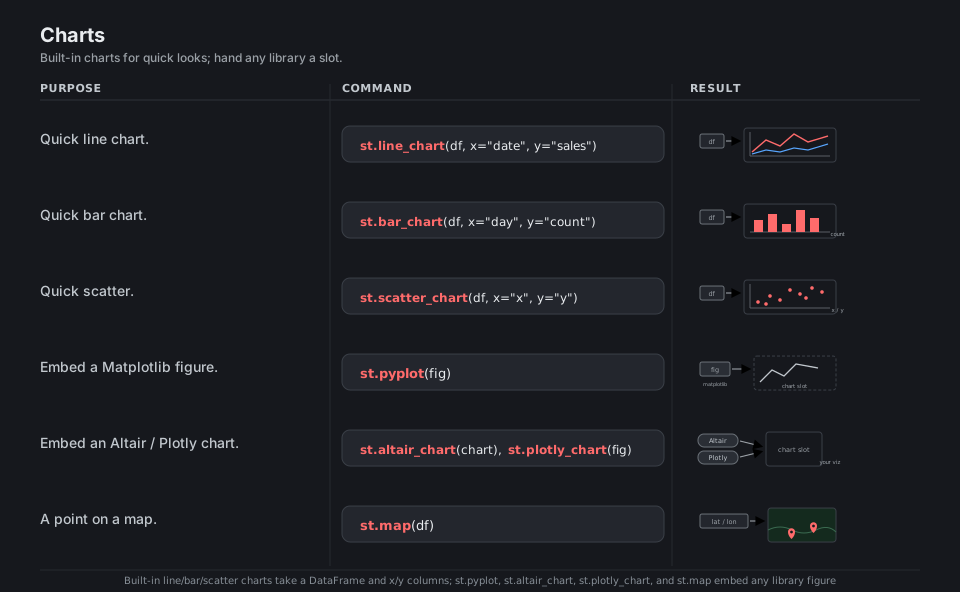
For a fast look, the built-in st.line_chart, st.bar_chart, st.area_chart, and st.scatter_chart take a DataFrame and x/y column names directly. When you need full control, build the figure in your library of choice and hand it to the matching slot: st.pyplot for Matplotlib, st.altair_chart for Altair, st.plotly_chart for Plotly, and st.map for quick lat/lon points. Streamlit is the canvas, not the plotting engine.
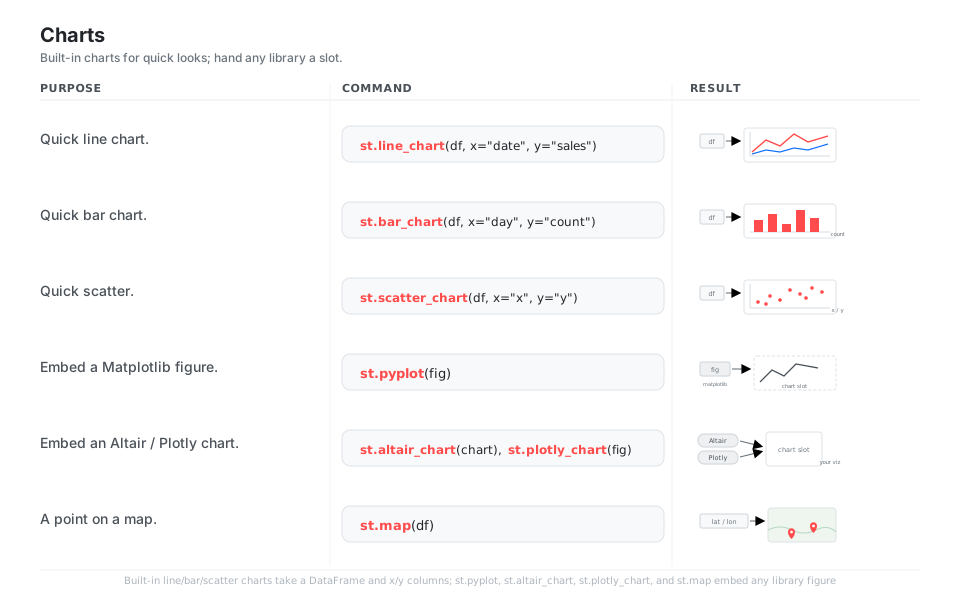
st.line_chart(df, x="date", y="sales")    # quick multi-series line
st.bar_chart(df, x="day", y="count")      # quick bar
st.scatter_chart(df, x="x", y="y")        # quick scatter

st.pyplot(fig)                            # embed a Matplotlib figure
st.altair_chart(chart)                    # embed an Altair chart
st.plotly_chart(fig)                      # embed a Plotly figure
st.map(df)                                # quick lat/lon points
See Chart elements. Streamlit is the canvas; bring your own plotting library.
Caching and session_state
Because the script reruns on every interaction, you cache expensive work so it does not repeat: @st.cache_data memoizes functions that return data (DataFrames, API results), keyed by their arguments, with an optional ttl, while @st.cache_resource holds one shared instance of an unserializable thing like a database connection or a loaded model. To remember a value across reruns (a counter, a wizard step, a chat history), store it in the dict-like st.session_state, which persists for the life of the user’s session. The old single @st.cache decorator is deprecated, so always pick cache_data or cache_resource.
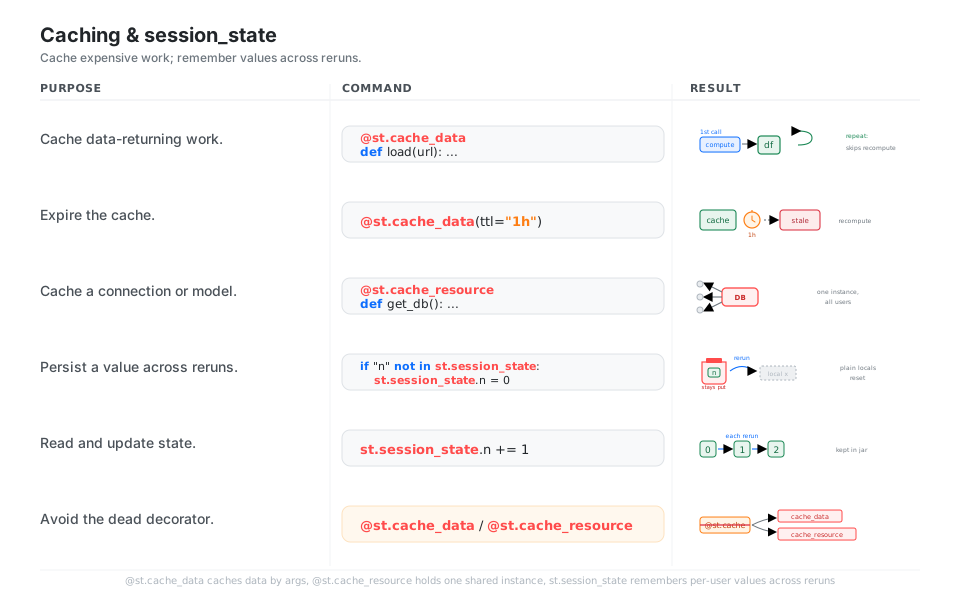
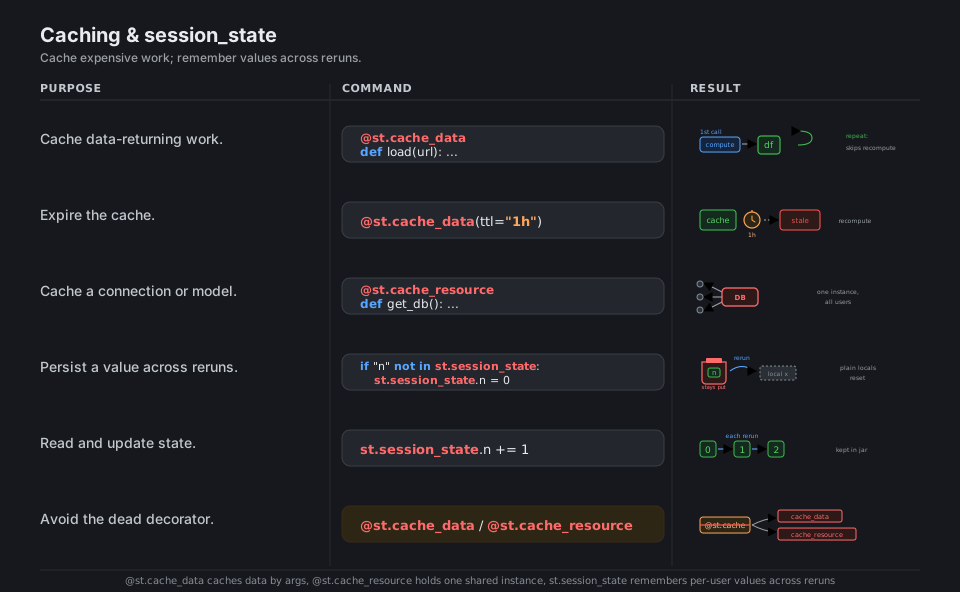
@st.cache_data                         # memoize data-returning work by args
def load(url): ...

@st.cache_data(ttl="1h")               # refresh hourly
def load_fresh(url): ...

@st.cache_resource                     # one shared connection/model for all users
def get_db(): ...

if "n" not in st.session_state:        # persist a value across reruns
    st.session_state.n = 0
st.session_state.n += 1                # read and update; survives the rerun
See Caching and state. Pick @st.cache_data or @st.cache_resource, not @st.cache.
Run and Deploy
You launch an app with streamlit run app.py, which serves it at localhost:8501 and hot-reloads on save; call st.set_page_config(...) as the first Streamlit command to set the tab title, icon, and wide layout. Pin your versions in requirements.txt, push the repo to GitHub, and deploy free on Streamlit Community Cloud to get a public *.streamlit.app URL. streamlit hello runs the bundled demo and streamlit version confirms what you have installed.
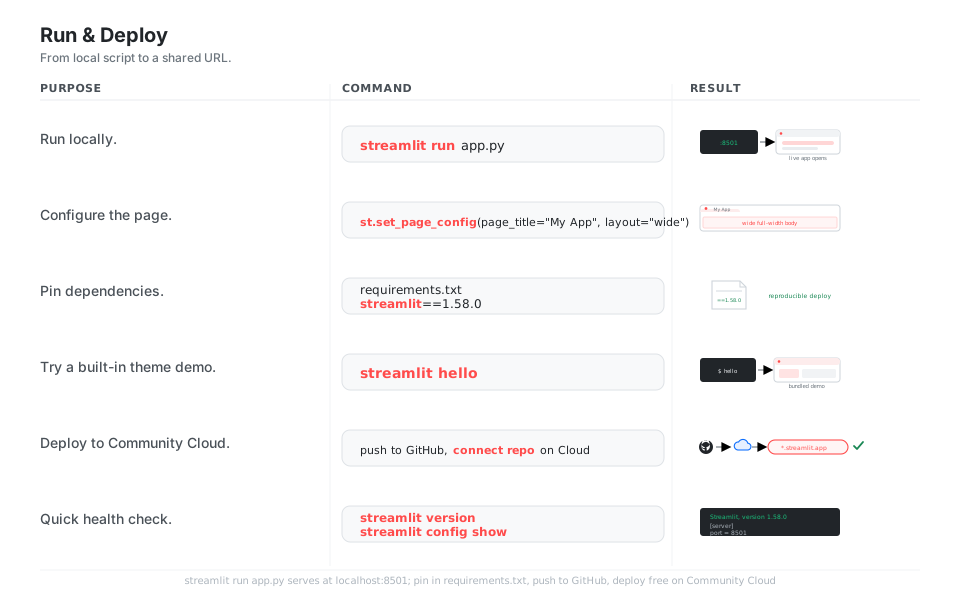
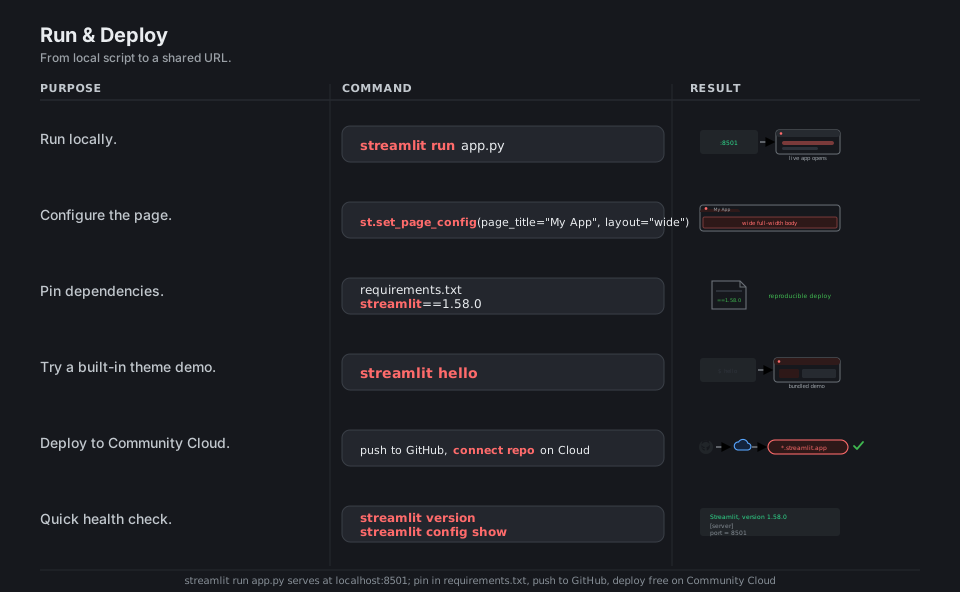
streamlit run app.py             # serve at localhost:8501, hot-reload on save
streamlit hello                  # run the bundled demo app
streamlit version                # print "Streamlit, version 1.58.0"
streamlit config show            # dump the current config
# first Streamlit command in the script:
st.set_page_config(page_title="My App", layout="wide")Push to GitHub and connect the repo on Streamlit Community Cloud for a public *.streamlit.app URL.
See Run your app and Streamlit Community Cloud.
Quick Reference
| Command | What it does | Area |
|---|---|---|
st.write(x) |
Display almost anything | Text |
st.title / header / subheader |
Page and section headings | Text |
st.markdown(...) |
Formatted prose | Text |
st.text_input(...) |
Read a line of text (returns it) | Widgets |
st.slider(...) |
Pick a number (returns it) | Widgets |
st.selectbox(...) |
Choose one option (returns it) | Widgets |
if st.button(...) |
Run code on a click | Widgets |
st.rerun() |
Restart the script from the top | Flow |
with st.form(...) |
Batch inputs, submit once | Flow |
@st.fragment |
Rerun just one region | Flow |
st.columns([2, 1]) |
Side-by-side panels | Layout |
with st.sidebar: |
Put controls in the left rail | Layout |
st.tabs([...]) |
Tabbed views | Layout |
st.dataframe(df, width="stretch") |
Interactive table | Data |
st.metric(label, value, delta) |
Single KPI card | Data |
st.line_chart(df, x=, y=) |
Quick chart | Charts |
st.pyplot / altair_chart / plotly_chart |
Embed a library figure | Charts |
@st.cache_data |
Cache data-returning work | Cache |
@st.cache_resource |
Cache a connection/model | Cache |
st.session_state |
Remember values across reruns | State |
streamlit run app.py |
Launch the app locally | Run |
| Concept | Behavior |
|---|---|
| Default flow | The whole script reruns top to bottom on any widget change |
| Widget return | A widget call returns the user’s current value |
st.button |
Returns True only on the rerun it was clicked |
st.stop() |
Halts the script for this rerun |
st.rerun() |
Forces a fresh rerun on demand |
st.form |
Defers reruns until the submit button |
@st.fragment |
Reruns one function in isolation |
| Tool | Use for | Keyed by | Scope |
|---|---|---|---|
@st.cache_data |
Data: DataFrames, API JSON, computations | Function args | Shared across users (default scope="global") |
@st.cache_resource |
Connections, ML models, clients (unserializable) | Function args | One shared instance for all users |
st.session_state |
Per-user values: counters, wizard step, chat log | Your own keys | One user’s session only |
| You have | Use |
|---|---|
| Any object, quick | st.write(...) |
| A DataFrame, interactive | st.dataframe(...) |
| A DataFrame, static | st.table(...) |
| A DataFrame to edit | st.data_editor(...) |
| A single number + delta | st.metric(...) |
| Quick line/bar/scatter | st.line_chart / bar_chart / scatter_chart |
| A Matplotlib/Altair/Plotly figure | st.pyplot / altair_chart / plotly_chart |
| Use this (current) | Avoid (deprecated or removed) |
|---|---|
st.rerun() |
st.experimental_rerun() (removed) |
@st.cache_data / @st.cache_resource |
@st.cache (deprecated), @st.experimental_memo / @st.experimental_singleton (removed) |
width="stretch" |
use_container_width=True (removed after 2025-12-31) |
st.columns(...) |
st.beta_columns(...) (removed) |
st.data_editor(...) |
st.experimental_data_editor(...) (removed) |
Appendix: Sample Code
The whole mental model in one tiny app
import streamlit as st

st.title("Hello, Streamlit")              # painted top of page

name = st.text_input("Your name", "ada")  # returns the current value
age = st.slider("Your age", 0, 100, 30)   # returns the current value

# This line reruns every time the widgets change:
st.write(f"Hi {name}, you are {age}.")     # always reflects the latest input
The rerun loop, made visible with session_state
import streamlit as st

# session_state survives reruns; a plain local would reset to 0 each time.
if "count" not in st.session_state:
    st.session_state.count = 0

if st.button("Increment", type="primary"):
    st.session_state.count += 1            # button True only on its click rerun

st.metric("Clicks", st.session_state.count)Batch inputs with a form, then submit once
import streamlit as st

with st.form("signup"):                    # widgets inside do NOT rerun the app
    email = st.text_input("Email")
    plan = st.selectbox("Plan", ["Free", "Pro"])
    submitted = st.form_submit_button("Sign up", type="primary")

if submitted:                              # one rerun fires with all values at once
    st.success(f"Signed up {email} on the {plan} plan.")
Run it
# install (pin in requirements.txt for deploys)
pip install streamlit==1.58.0

# launch locally; hot-reloads on save, serves at http://localhost:8501
streamlit run app.py

# bundled demo and version check
streamlit hello
streamlit version
Behavior notes
- The script reruns top to bottom on every interaction. There are no callbacks; the new widget values flow in as ordinary variables, and
st.calls paint output in order down the page. - A widget returns its value;
st.buttonis special. Most widgets return the current value every rerun, butst.buttonreturnsTrueonly on the rerun where it was clicked, so put its work behindif st.button(...). - Cache data vs cache a resource.
@st.cache_datais for serializable results (DataFrames, API JSON) keyed by arguments;@st.cache_resourceholds one shared instance of an unserializable thing like a connection or a model. session_stateis per-user and persists across reruns. Use it for counters, wizard steps, and chat history; plain locals reset on every rerun.- Removed spellings fail; deprecated ones warn.
st.experimental_rerun,st.experimental_memo,st.experimental_singleton,st.experimental_data_editor, andst.beta_columnsare removed;@st.cacheanduse_container_width=Trueare deprecated. Preferst.rerun,st.cache_data/st.cache_resource,st.data_editor,st.columns, andwidth="stretch". - Call
st.set_page_configfirst. It must be the first Streamlit command in the script to set the tab title, icon, and wide layout.
References
Streamlit documentation (latest)
- Documentation home and Get started: main concepts
- Full API reference, the official cheat sheet, and the 2026 release notes
- Text elements, Input widgets, Execution flow
- Layout and containers, Data elements, Chart elements
- Caching and state, Run your app
Concepts and deploy
- Caching concepts (data vs resource) and session state concepts
- Install Streamlit and deploy on Streamlit Community Cloud
Project