Quarto has a lot of features spread across many documentation pages. To make them easier to find and reference, I am creating a series of visual cheatsheets that cover the major areas of Quarto authoring, from column layouts and callout blocks to table syntax and figure cross-references.
Each cheatsheet uses hand-crafted SVG diagrams that illustrate how the syntax maps to rendered output. Every diagram comes in both dark and light mode variants, and each post includes a downloadable composite cheatsheet with all diagrams in one image.
Available Cheatsheets
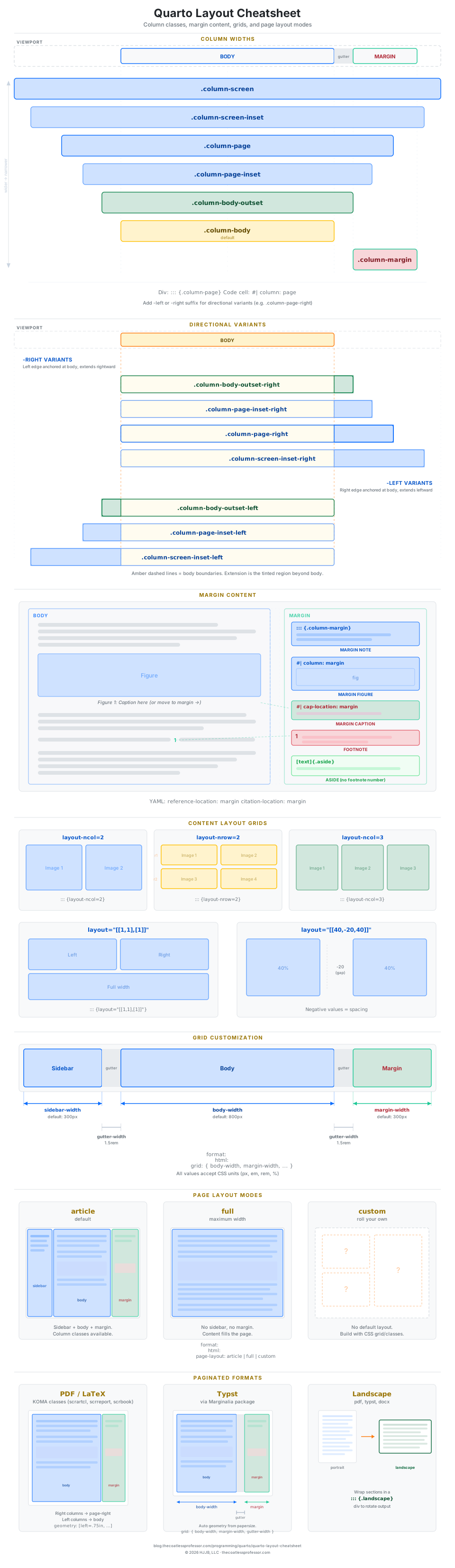
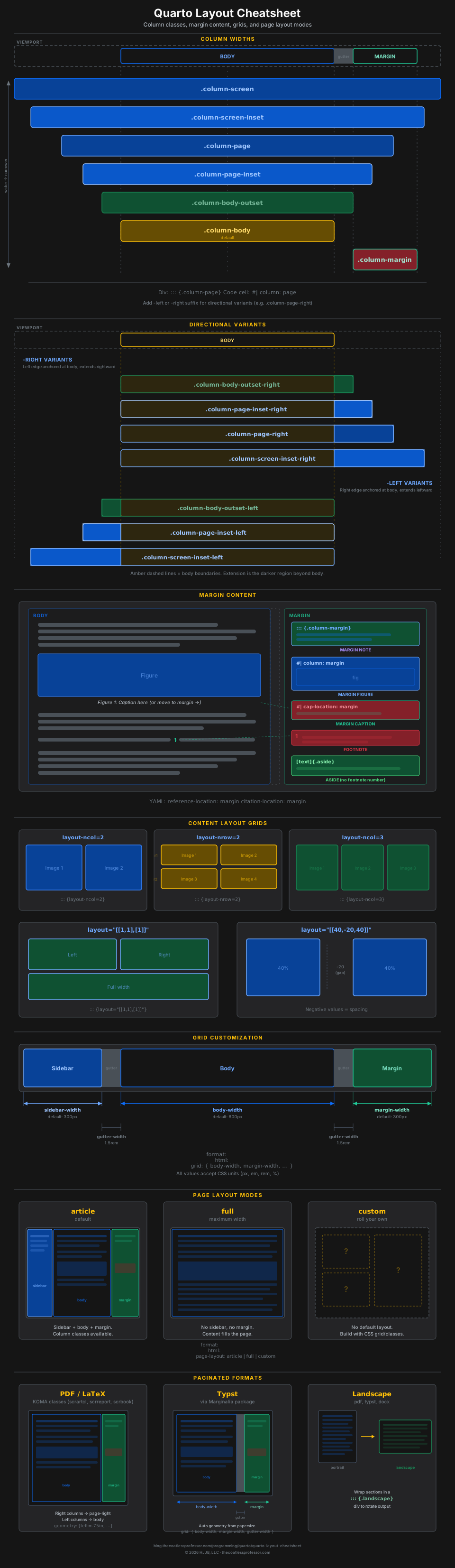
Layout
Column widths, directional variants, margin content, grid customization, page layout modes, paginated formats.
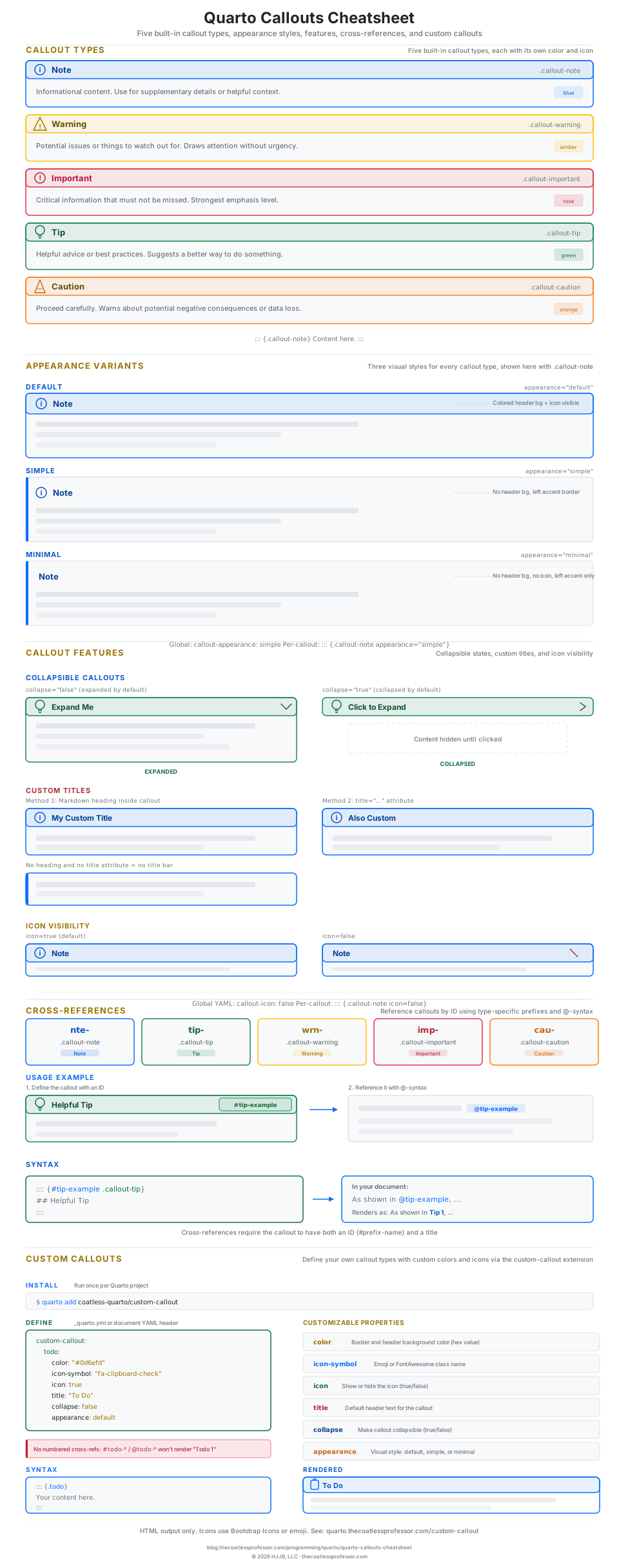
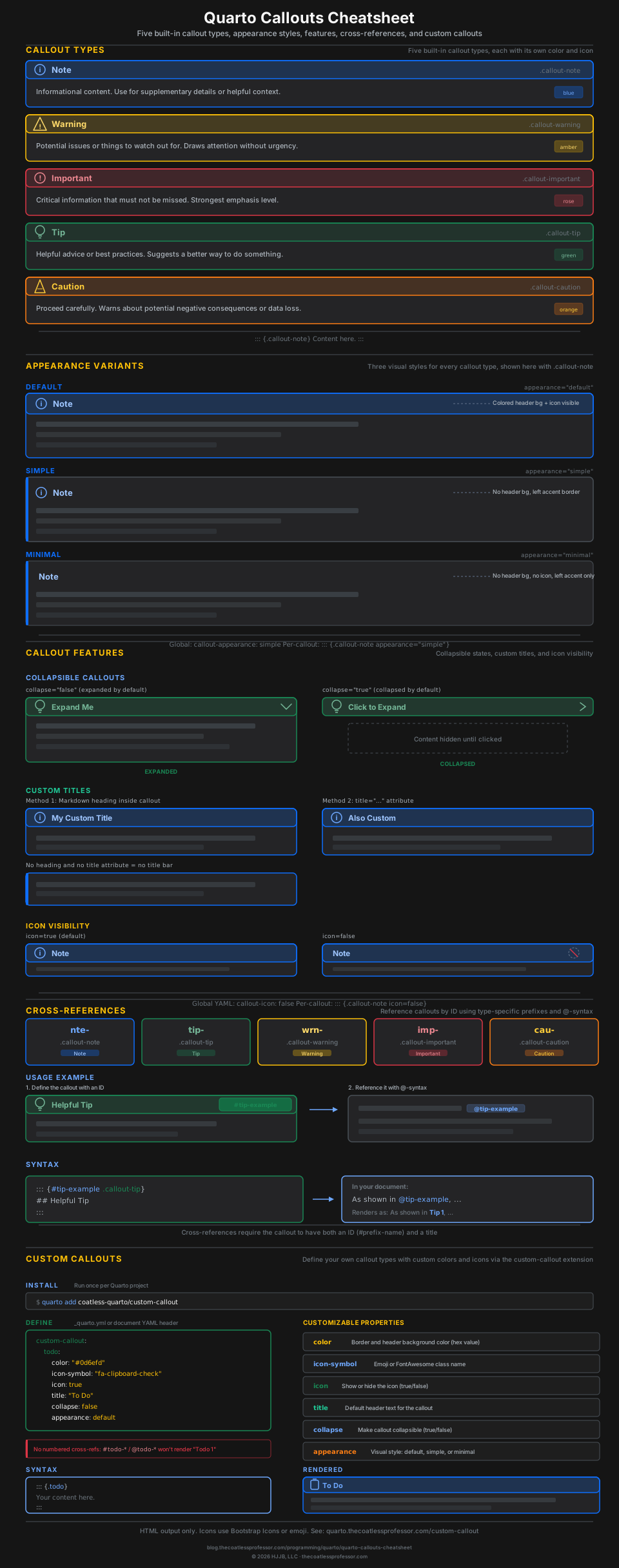
Callout Blocks
Five callout types, appearance variants, collapsible/title/icon features, cross-references, custom callouts.
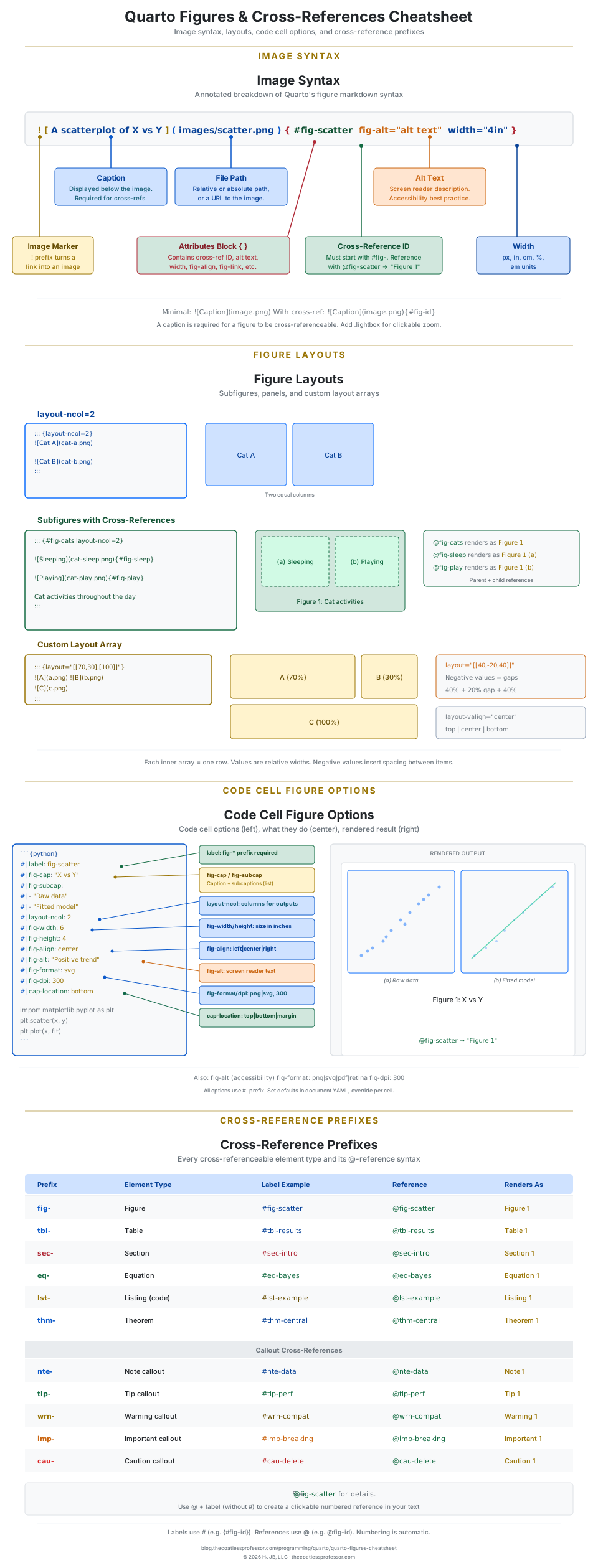
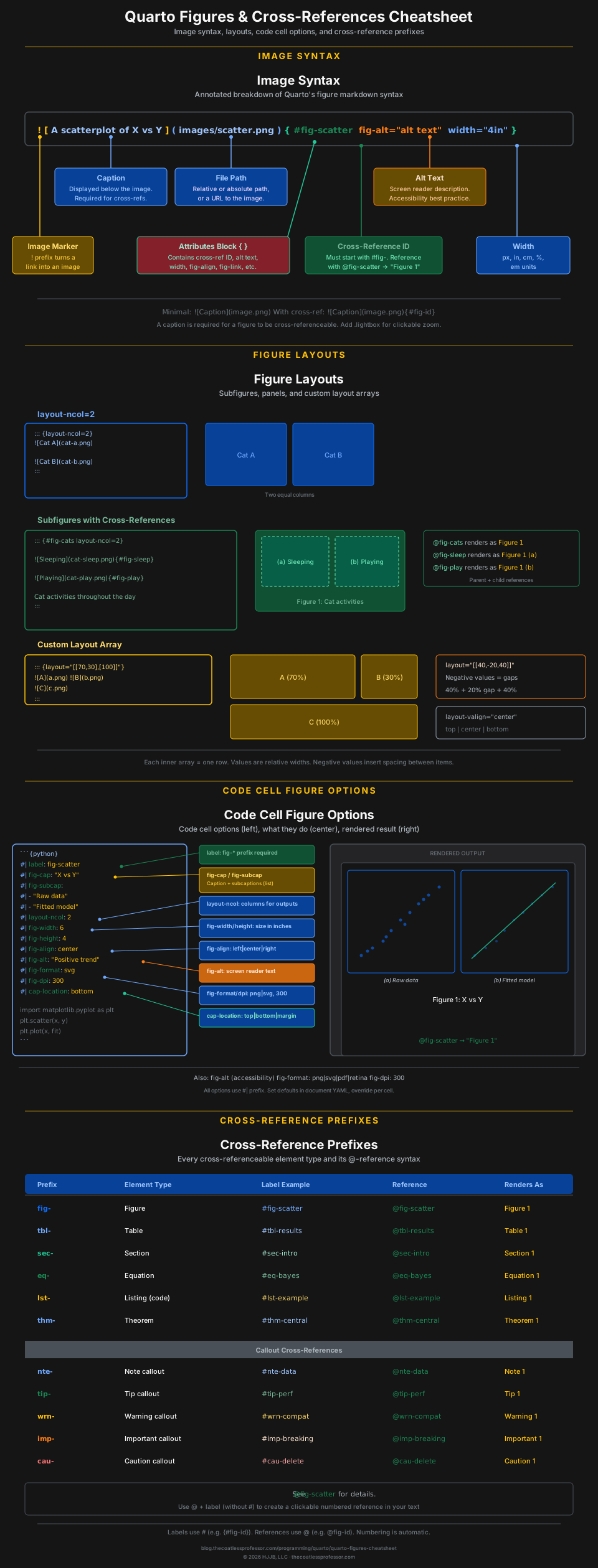
Figures & Cross-References
Image syntax, subfigure layouts, code cell figure options, cross-reference prefixes.
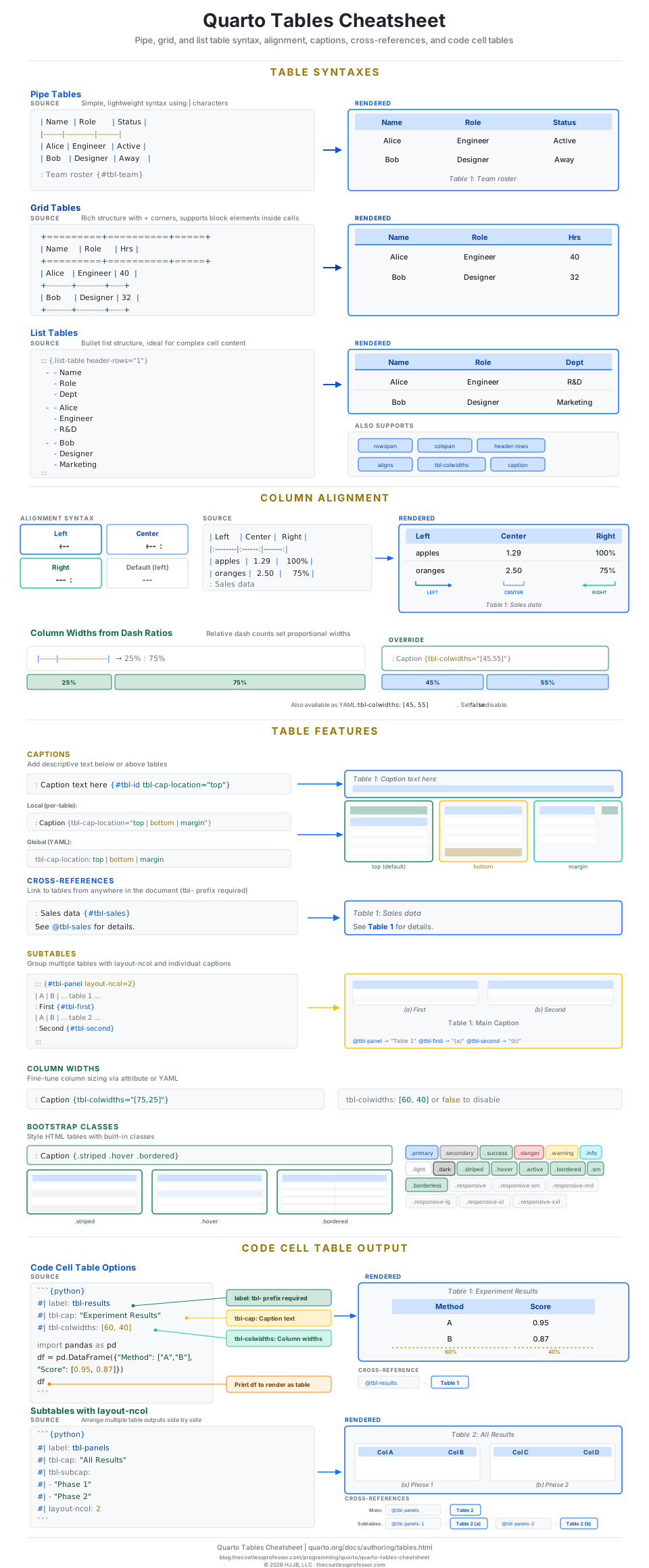
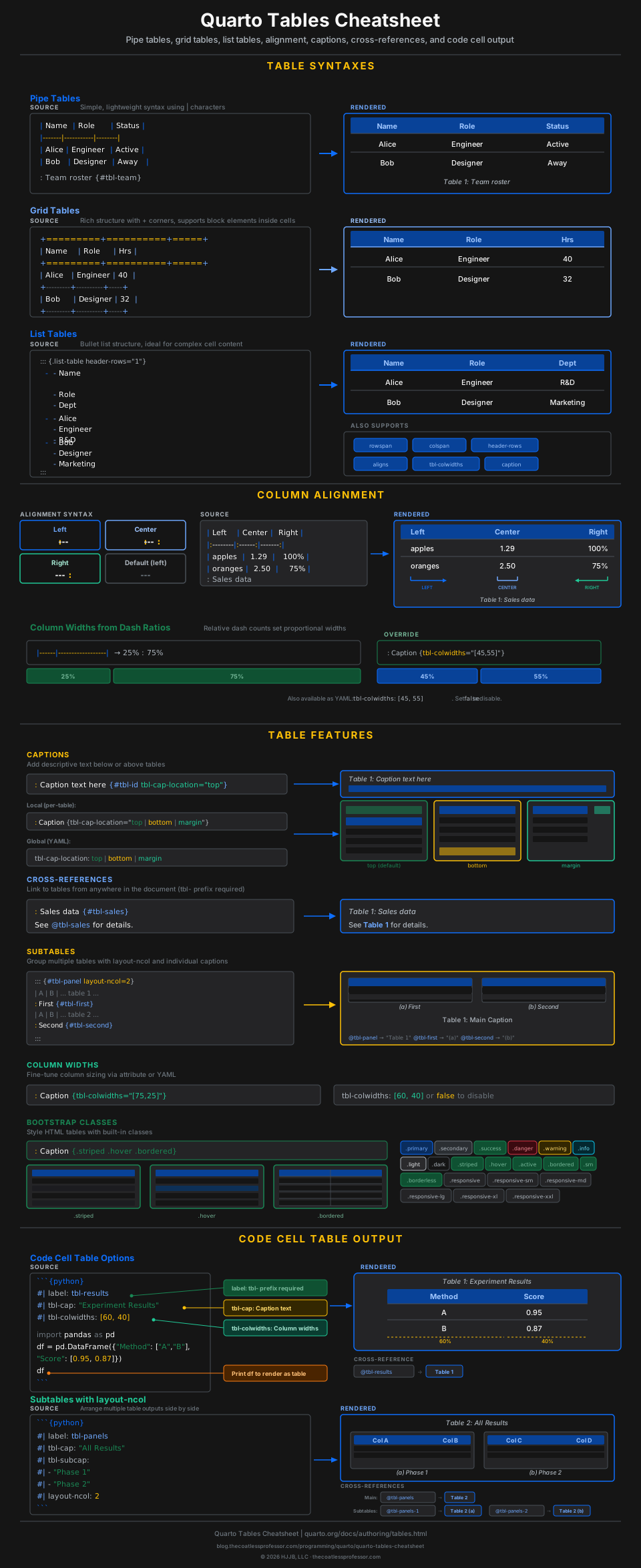
Tables
Pipe, grid, and list table syntax, alignment, captions, cross-references, code cell tables.
Coming Soon
More cheatsheets are in progress covering additional Quarto features:
- Code Blocks & Annotations: Execution options, display settings, code annotation syntax.
- Revealjs Presentations: Slide structure, column layouts, backgrounds, themes.
- Dashboards: Dashboard layout, cards, value boxes, tabsets, navigation.
- Website Navigation: Navbar, sidebar, footer, breadcrumbs, page navigation.
- Scholarly Writing: Citations, cross-references, appendices, theorem environments.
- Diagrams: Mermaid and Graphviz (DOT) diagrams.
- Theming & Brand: Bootswatch themes, SCSS customization, dark mode.
- Books: Project structure, chapter organization, multi-format output.
- Publishing: Deploy targets (GitHub Pages, Netlify, Quarto Pub), CI/CD.
- Conditional Content: content-visible/hidden, format and metadata conditions.
Downloads
Every cheatsheet above links to its individual post, where you can download the composite SVG (dark or light) as a standalone reference image. Click through to any cheatsheet post and use the download links at the top.
About This Series
These cheatsheets were designed as visual-first references. Instead of condensing the official documentation into text tables, each cheatsheet uses SVG diagrams that show how Quarto syntax maps to rendered output. The diagrams follow Bootstrap’s default color palette to match what most Quarto documents look like out of the box.
All diagrams come in paired dark and light mode variants that switch automatically with your browser theme. The SVGs are standalone files that can be downloaded, printed, or embedded in your own materials.
For the full Quarto documentation, visit quarto.org.