Quarto provides a rich system for including images, creating subfigure layouts, and cross-referencing figures throughout your document. The image syntax extends standard Markdown with attributes for sizing, accessibility, and automatic numbering.
This post covers the full figure workflow, from basic image inclusion through multi-panel layouts and code cell options, to the cross-reference prefix system that supports figures, tables, equations, and more. For the full reference, see the Figures and Cross References pages in the Quarto documentation.
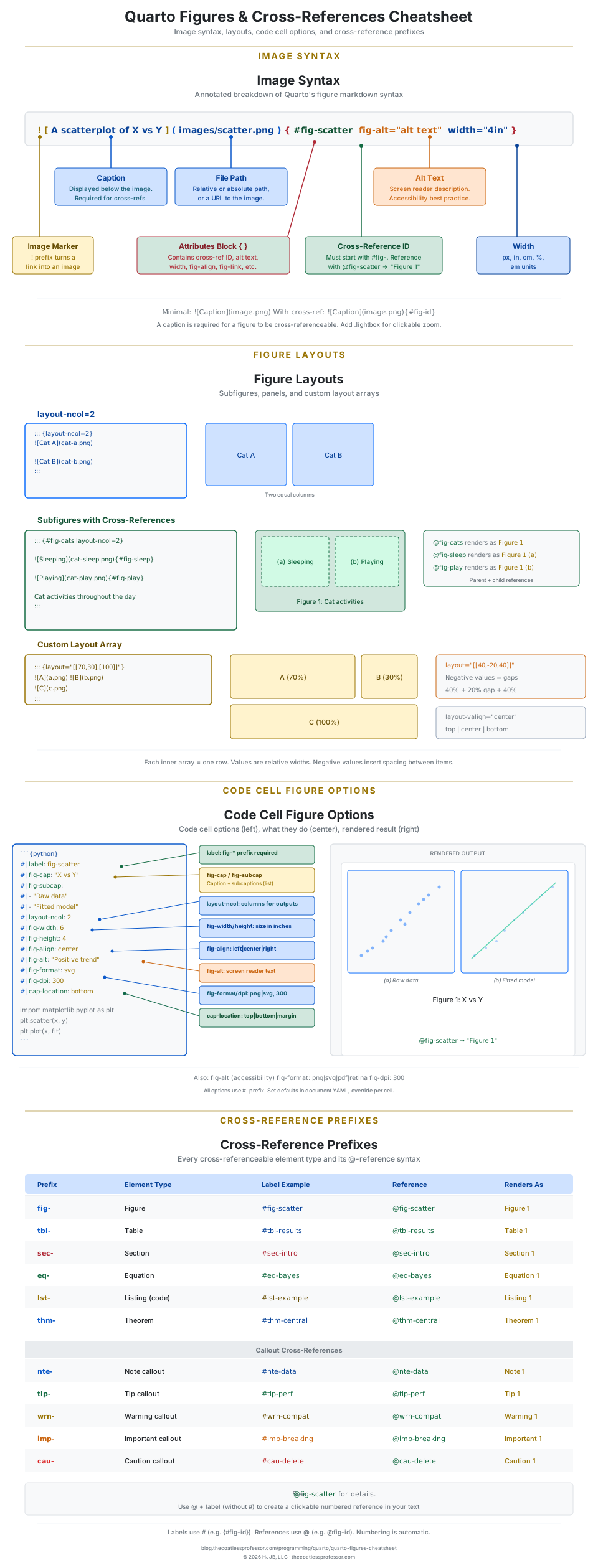
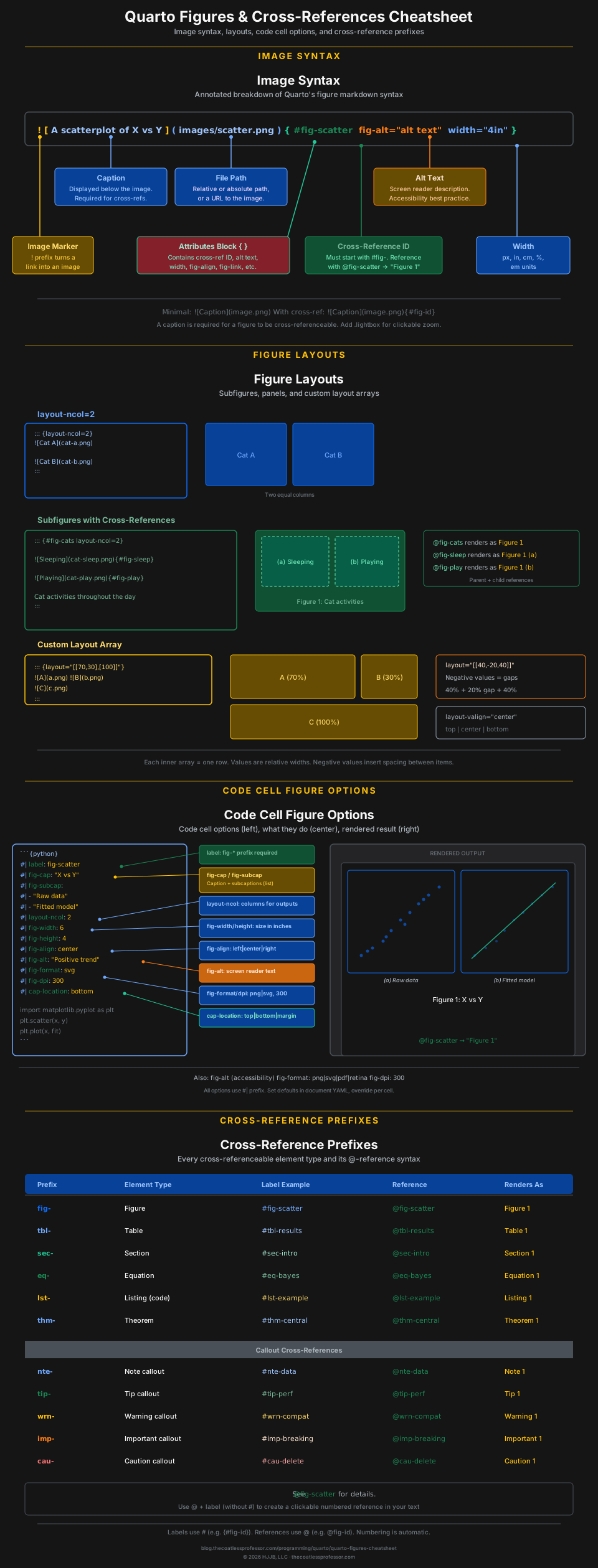
Image Syntax
Every Quarto figure starts with Markdown’s image syntax, extended with an optional attributes block for cross-referencing, sizing, and accessibility.
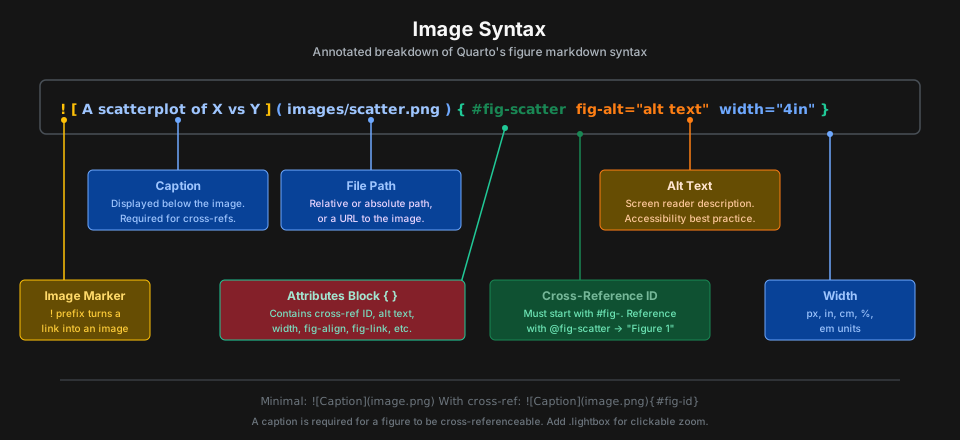
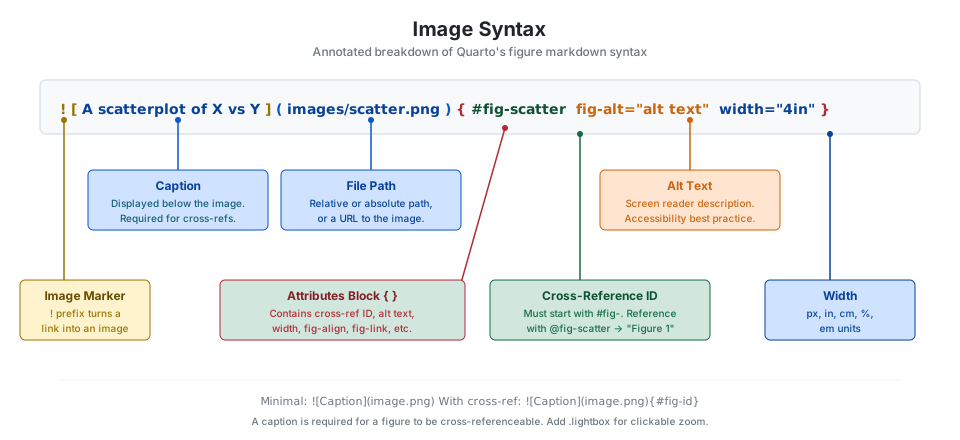
The minimal form is . To make a figure cross-referenceable, add {#fig-id} in the attributes block. The fig- prefix is required for figures.
{#fig-plot}{#fig-plot fig-alt="Scatterplot of X vs Y." width="80%"}Add the .lightbox class to enable a clickable image viewer:
{.lightbox}Figure Layouts
Arrange multiple images in rows and columns using layout-ncol, layout-nrow, or custom layout arrays. Wrap images in a fenced div to create subfigure groups with parent and child cross-references.
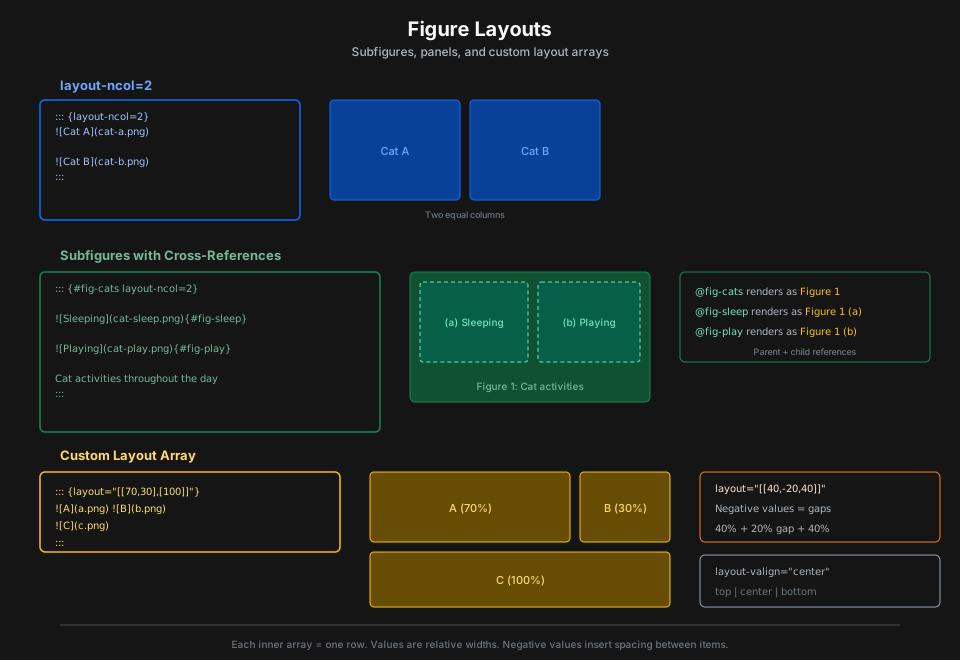
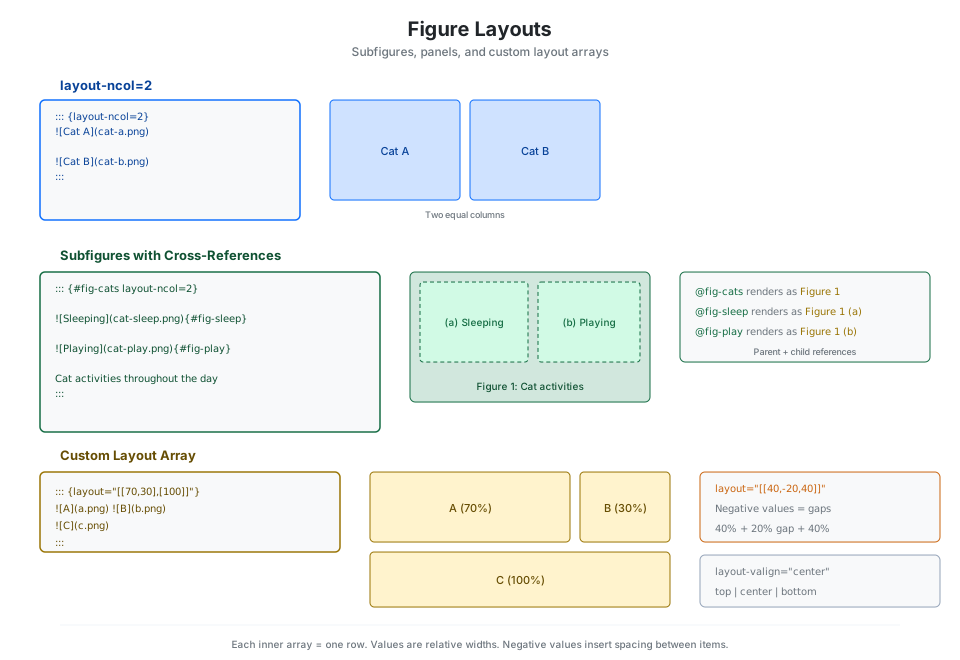
Two equal columns using layout-ncol:
::: {layout-ncol=2}


:::Subfigures with cross-references need a parent #fig- ID on the div and individual #fig- IDs on each child image. The last line before ::: becomes the group caption.
::: {#fig-animals layout-ncol=2}
{#fig-sleep}
{#fig-play}
Cat activities throughout the day
:::Referencing @fig-animals renders as “Figure 1”, while @fig-sleep renders as “Figure 1 (a)”.
Custom layout arrays define rows with relative widths. Negative values insert spacing between items.
::: {layout="[[70,30],[100]]"}


:::::: {layout="[[40,-20,40]]"}


:::Control vertical alignment with layout-valign:
::: {layout-ncol=2 layout-valign="bottom"}


:::Code Cell Options
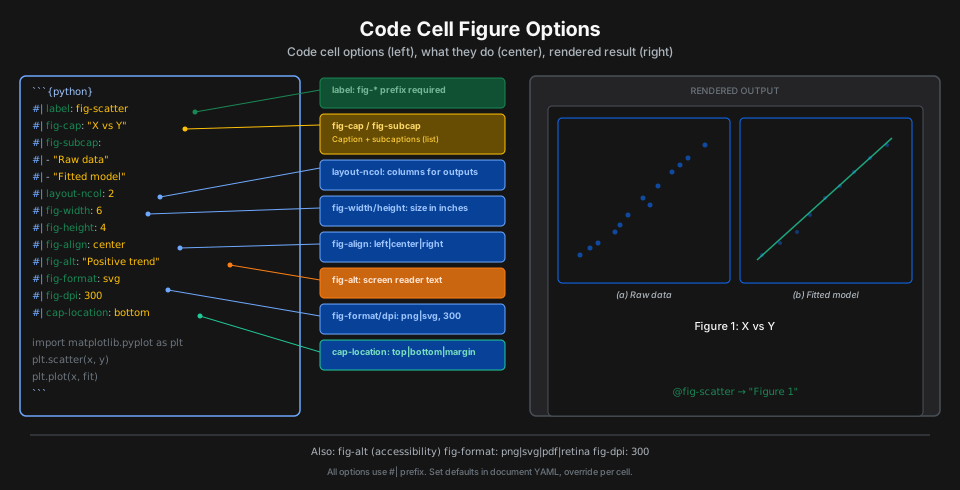
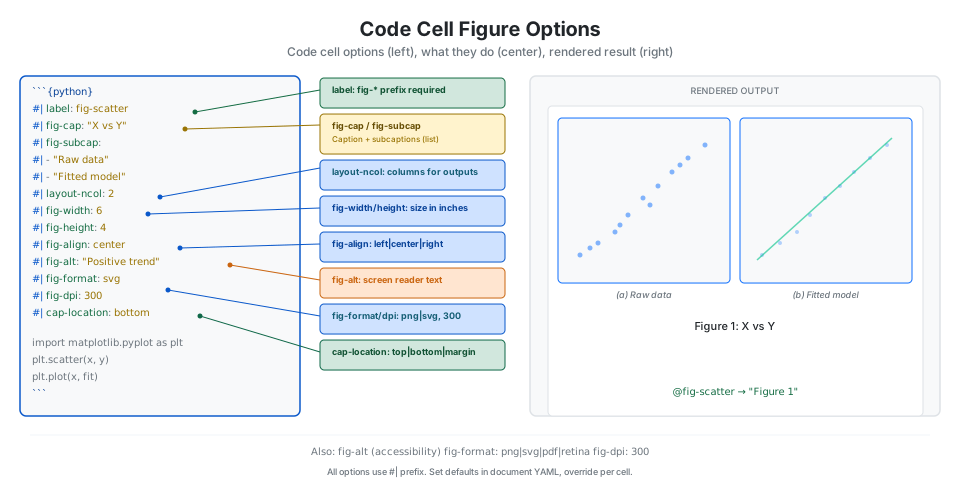
When generating figures from code (R, Python, Julia, Observable), use YAML-style cell options to control output.
```{python}
#| label: fig-scatter
#| fig-cap: "X vs Y scatterplot"
#| fig-width: 6
#| fig-height: 4
#| fig-align: center

import matplotlib.pyplot as plt
plt.scatter(x, y)
```
Subcaptions from a single code cell that produces multiple plots:
```{r}
#| label: fig-plots
#| fig-cap: "Two related plots"
#| fig-subcap:
#|   - "Raw data"
#|   - "Fitted model"
#| layout-ncol: 2

plot(x, y)
plot(fitted_model)
```
Set global defaults in the document YAML to avoid repeating options:
---
fig-width: 7
fig-height: 5
fig-dpi: 300
fig-format: png
fig-align: center
---
Cross-References
Quarto’s cross-reference system assigns automatic numbers to labeled elements. Every cross-referenceable type has a required prefix.
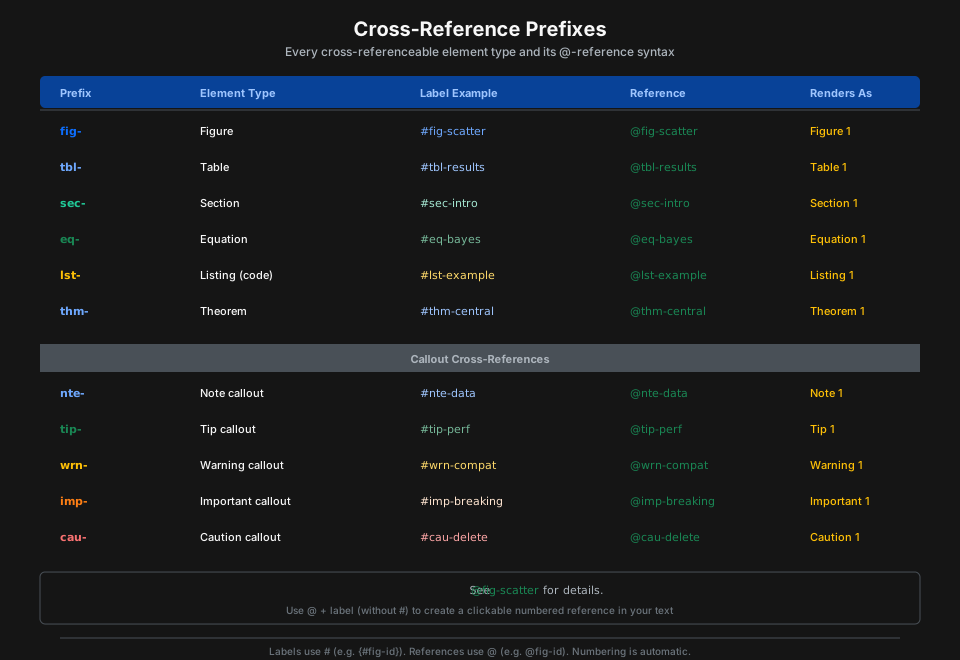
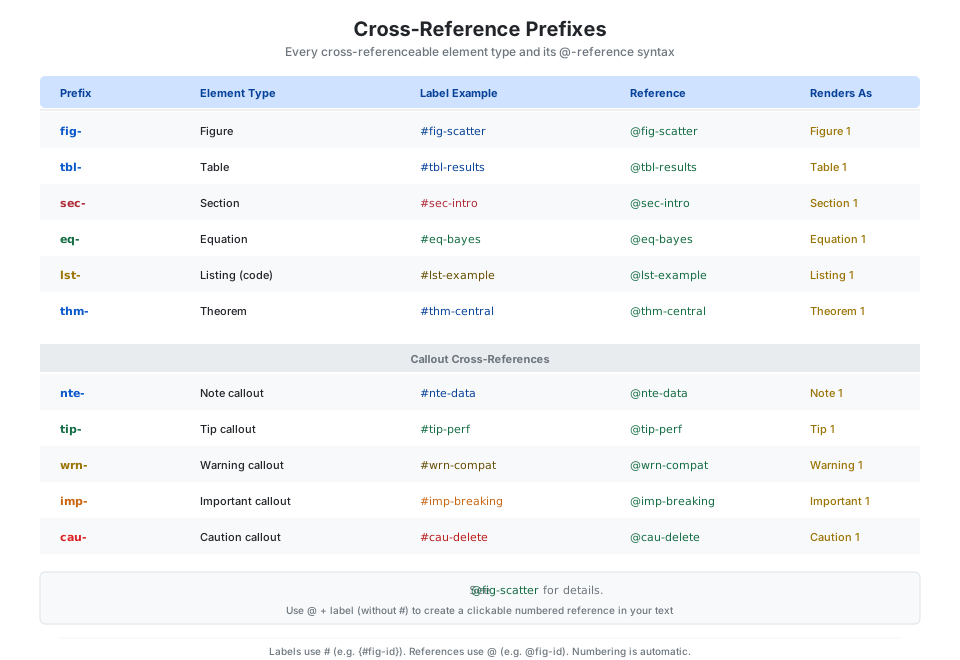
Labels are set with # in an attributes block: {#fig-scatter}. References use @ in your prose: @fig-scatter. Quarto replaces the reference with the element type and number, such as “Figure 1”.
See @fig-scatter for the relationship between X and Y.
As shown in @tbl-results, the model fits well.
Cross-reference callout blocks by adding an ID to the callout div:
::: {#tip-performance .callout-tip}
## Performance Tip
Use vectorized operations for speed.
:::

See @tip-performance for optimization advice.
Caption Placement
Caption location can be set globally in YAML or per code cell. The three options are top, bottom (default), and margin.
---
fig-cap-location: bottom   # default
tbl-cap-location: top       # tables often look better with top captions
---
Override per cell:
```{r}
#| fig-cap: "Caption in the margin"
#| cap-location: margin
plot(cars)
```
Quick Reference
| Attribute | Description | Example |
|---|---|---|
width |
Display width | width="80%" or width="4in" |
height |
Display height | height="300px" |
fig-align |
Horizontal alignment | fig-align="center" |
fig-alt |
Alt text for accessibility | fig-alt="Description..." |
fig-link |
URL to link the image to | fig-link="https://..." |
fig-cap |
Caption (in code cells) | fig-cap: "Title" |
fig-scap |
Short caption (for list of figures) | fig-scap: "Short title" |
fig-env |
LaTeX environment | fig-env="figure*" |
fig-pos |
LaTeX float position | fig-pos="H" |
.lightbox |
Enable click-to-zoom viewer | {.lightbox} |
| Code Cell Option | Description | Values |
|---|---|---|
label |
Cross-reference ID | fig- prefix required |
fig-cap |
Caption (string or list) | "Title" or list |
fig-subcap |
Subcaptions for subfigures | List of strings |
fig-width |
Plot generation width (inches) | Numeric |
fig-height |
Plot generation height (inches) | Numeric |
fig-align |
Alignment | left, center, right |
fig-alt |
Alt text (string or list) | String or list |
fig-format |
Output format | png, svg, pdf, retina |
fig-dpi |
Resolution for raster output | Numeric (default: 72) |
cap-location |
Caption position | top, bottom, margin |
| Prefix | Element Type | Reference | Renders As |
|---|---|---|---|
fig- |
Figure | @fig-name |
Figure 1 |
tbl- |
Table | @tbl-name |
Table 1 |
sec- |
Section | @sec-name |
Section 1 |
eq- |
Equation | @eq-name |
Equation 1 |
lst- |
Listing (code) | @lst-name |
Listing 1 |
thm- |
Theorem | @thm-name |
Theorem 1 |
nte- |
Note callout | @nte-name |
Note 1 |
tip- |
Tip callout | @tip-name |
Tip 1 |
wrn- |
Warning callout | @wrn-name |
Warning 1 |
imp- |
Important callout | @imp-name |
Important 1 |
cau- |
Caution callout | @cau-name |
Caution 1 |
| YAML Option | Description | Values |
|---|---|---|
fig-cap-location |
Figure caption placement | top, bottom, margin |
tbl-cap-location |
Table caption placement | top, bottom, margin |
fig-width |
Default figure width | Numeric (inches) |
fig-height |
Default figure height | Numeric (inches) |
fig-dpi |
Default DPI | Numeric |
fig-format |
Default figure format | png, svg, pdf, retina |
fig-align |
Default alignment | left, center, right, default |