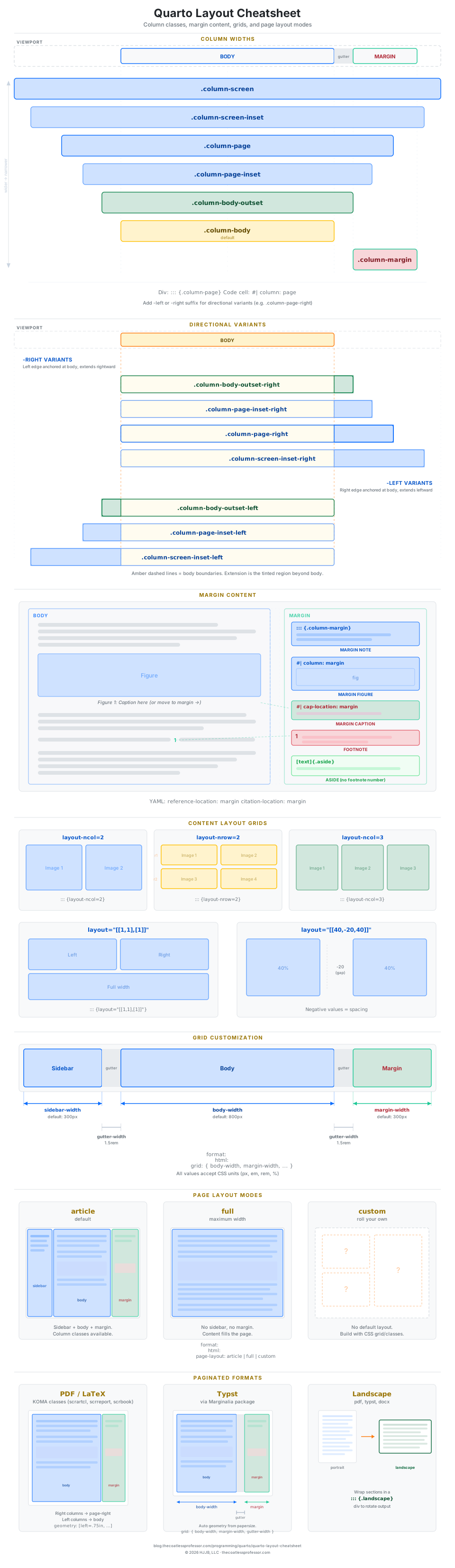
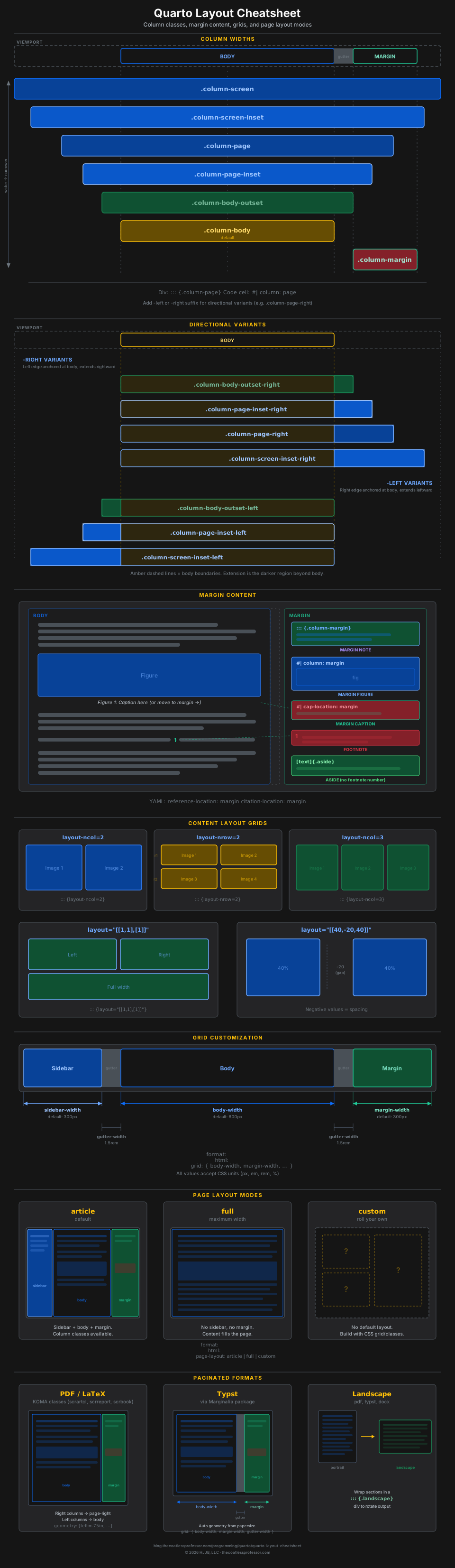
Quarto’s layout system is built around columns. Every piece of content sits in a column that determines how wide it renders on the page. The default is the body column, but you can push content wider (to the page or full screen), pull it into the right margin, or arrange multiple items in grid layouts.
There are two ways to apply any column: wrap content in a fenced div (.column-*) or set a code cell option (#| column:). This post covers every layout option with visual diagrams, from column widths and directional variants through margin content, grids, and paginated output. For the full reference, see the Article Layout page in the Quarto documentation.
Column Widths
Columns range from the narrow body (default) to full-screen bleed. The diagram below shows each class and how it maps to the page.
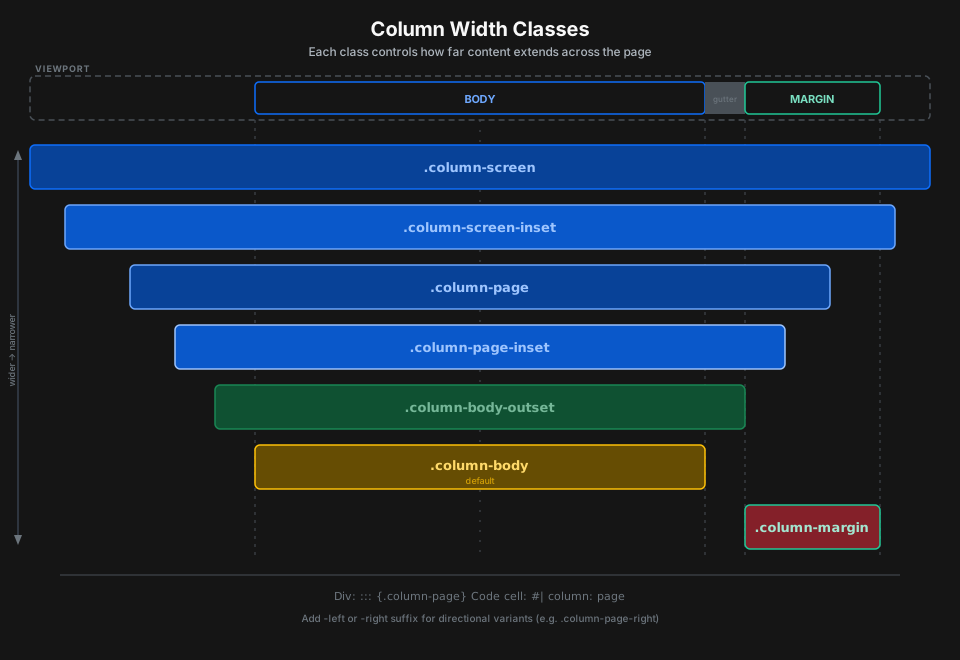
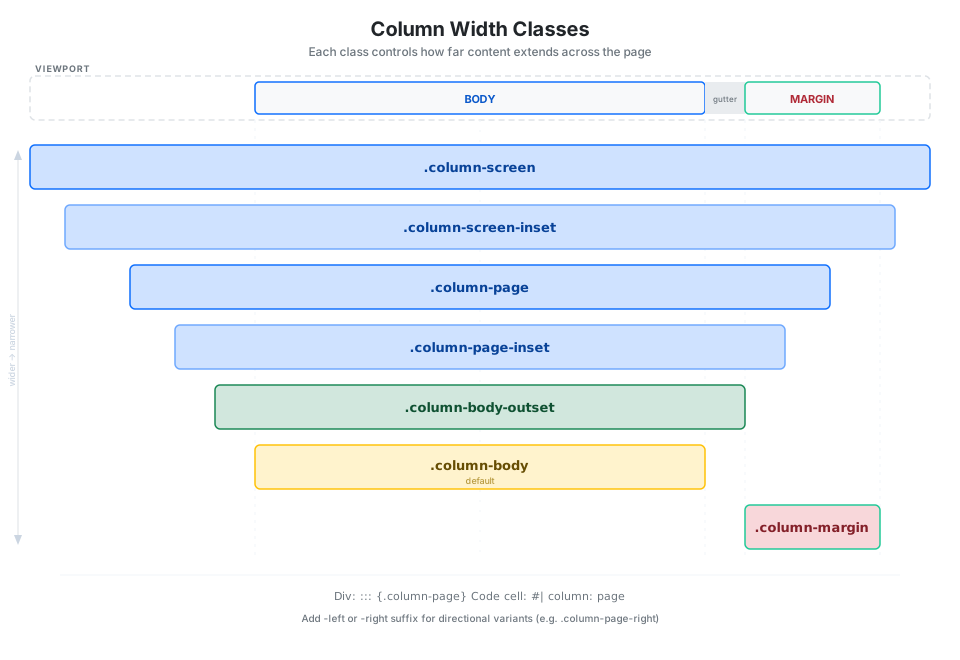
Apply a column with a fenced div or a code cell option:
::: {.column-page}
Content at page width.
:::
```{r}
#| column: page
plot(cars)
```Directional Variants
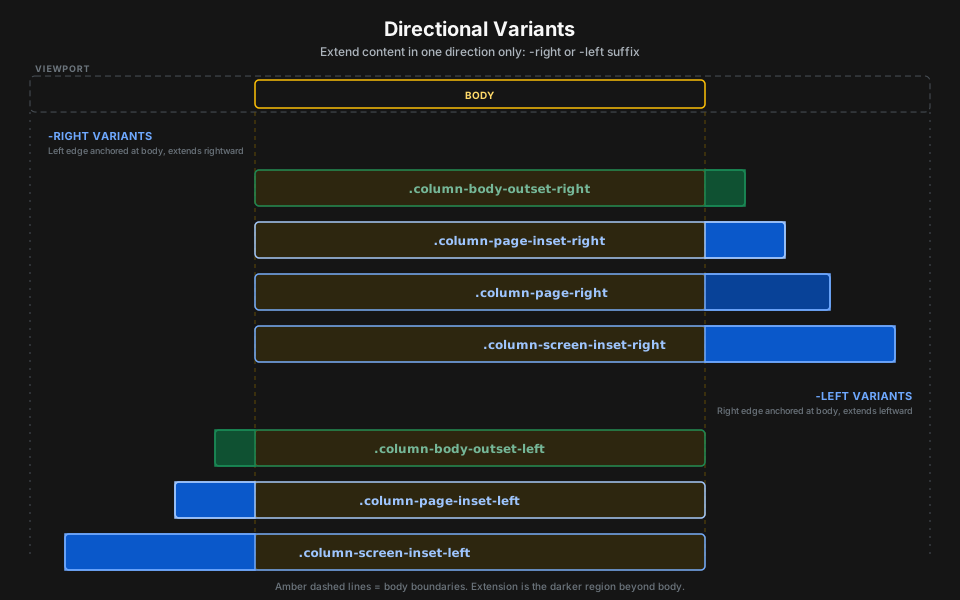
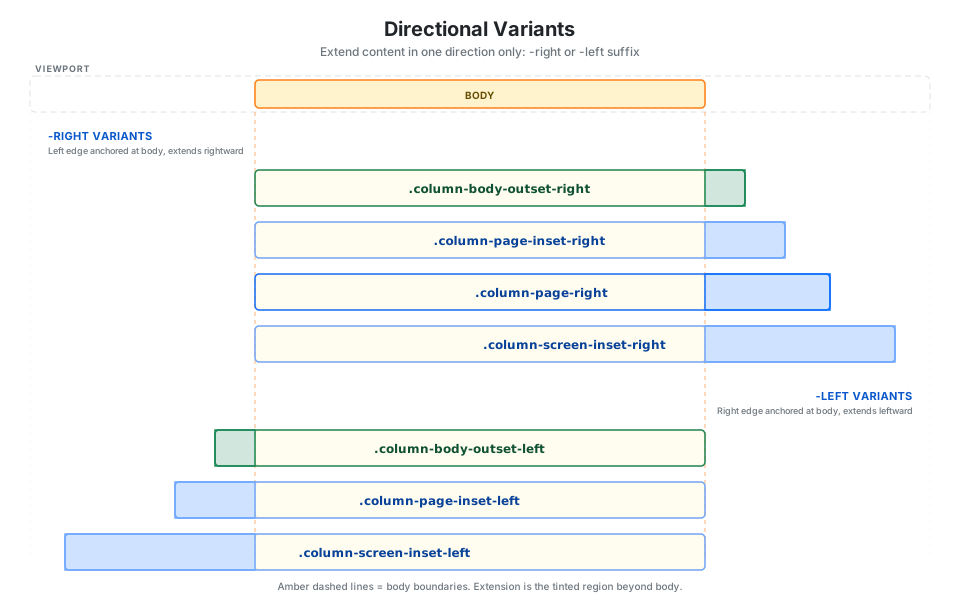
Add -left or -right to extend content in only one direction while the body stays anchored on the opposite side.
Screen Inset Shaded
A special variant that wraps full-width content in a light shaded background:
```{r}
#| column: screen-inset-shaded
#| layout-nrow: 1
plot(cars)
plot(iris)
plot(pressure)
```
Margin Content
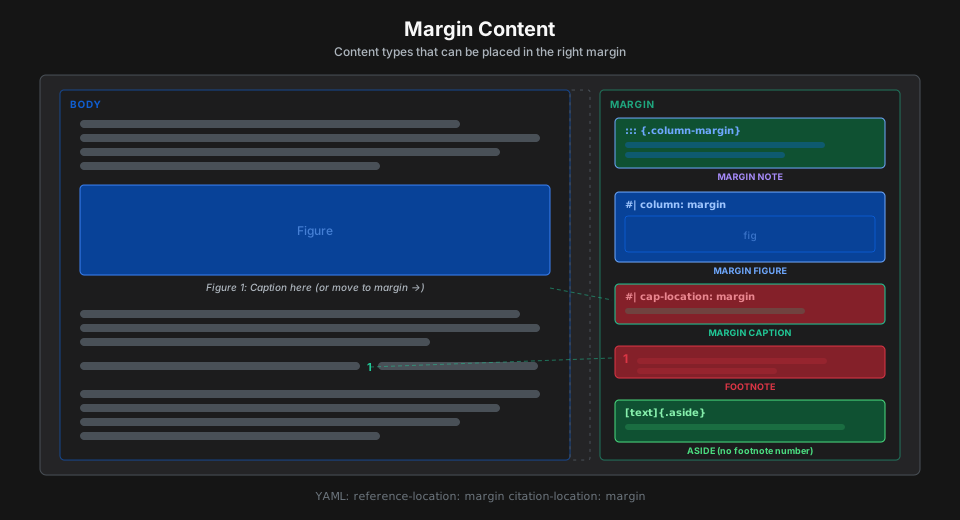
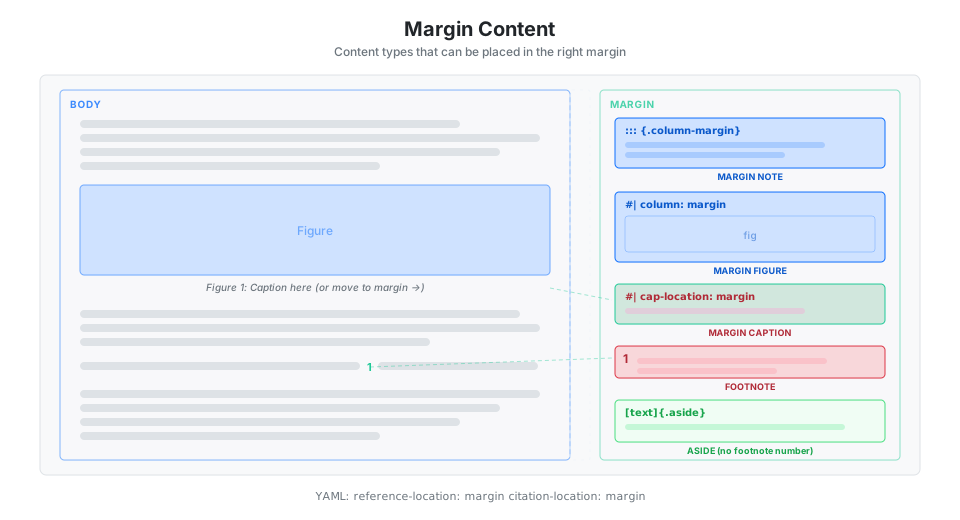
The right margin can hold notes, figures, tables, captions, footnotes, citations, and asides. The diagram below shows each type and its syntax.
Margin notes use a fenced div:
::: {.column-margin}
This text appears in the right margin.
:::
Margin figures and tables use code cell options. Use fig-column or tbl-column to send only figures or tables to the margin while other output stays in the body.
```{r}
#| column: margin
#| fig-cap: "Small margin plot."
plot(1:10)
```
Asides appear in the margin without a footnote number:
Main text here. [This appears in the margin.]{.aside}Captions can be moved to the margin per cell or globally:
```{r}
#| fig-cap: "Caption in the margin."
#| cap-location: margin
plot(cars)
```fig-cap-location: margin # or tbl-cap-locationFootnotes and citations move to the margin via YAML:
reference-location: margin
citation-location: margin
Content Layout Grids
Arrange images, figures, and text in rows and columns using layout-ncol, layout-nrow, or custom layout arrays.
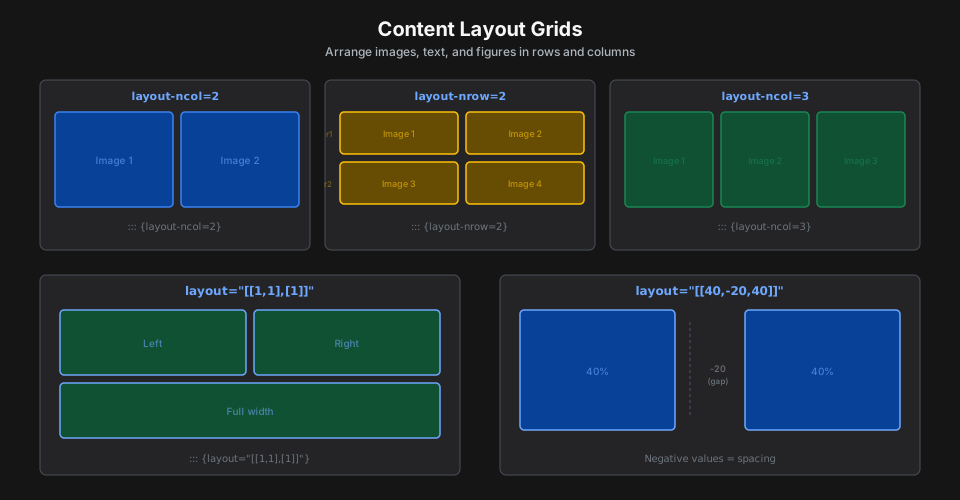
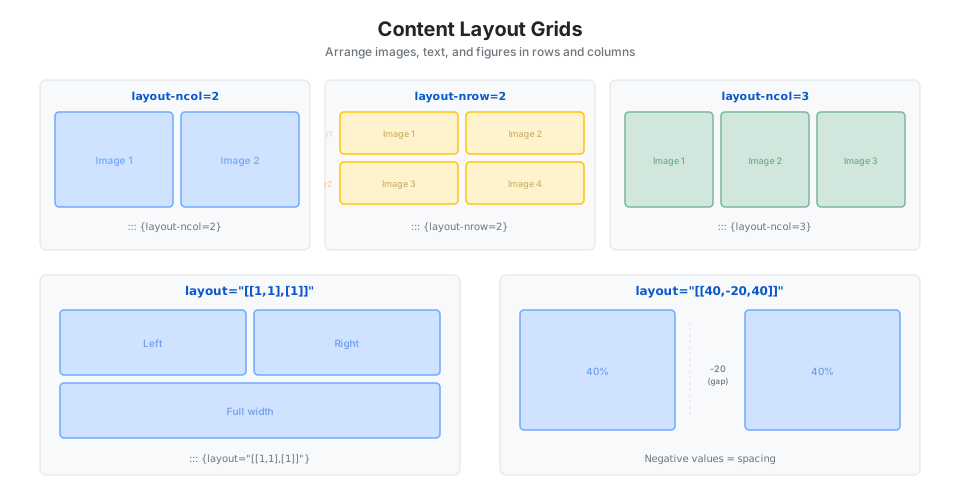
::: {layout-ncol=2}


:::Custom layout arrays define rows with relative widths. Negative values insert spacing.
::: {layout="[[1,1],[1]]"}
Top-left.    Top-right.    Full-width bottom.
:::
::: {layout="[[40,-20,40]]"}
Left (40%). Right (40%), 20% gap between.
:::Vertical alignment with layout-valign: top (default), center, or bottom.
Two-column text uses .columns and .column divs with width percentages.
Grid Customization
The underlying page grid has four configurable regions.
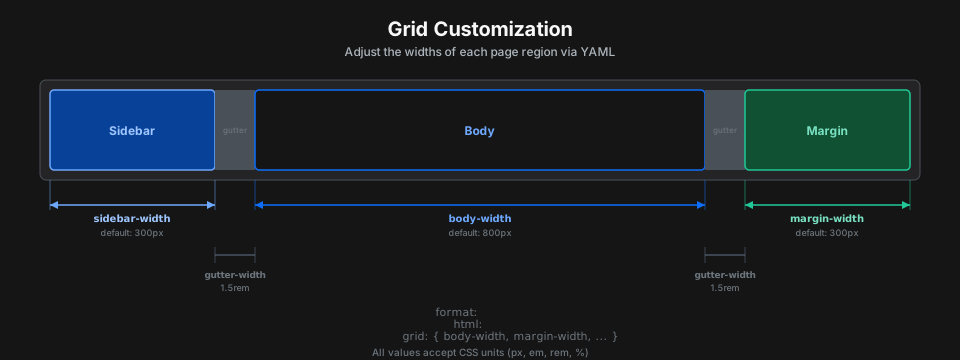
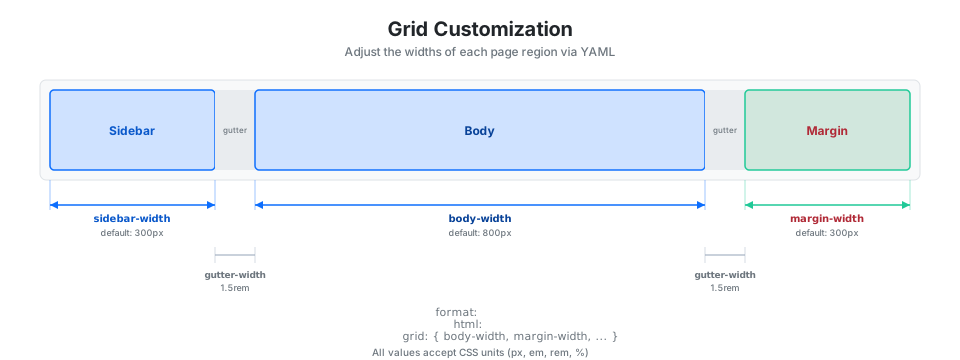
format:
  html:
    grid:
      sidebar-width: 300px
      body-width: 800px
      margin-width: 300px
      gutter-width: 1.5rem
Page Layout Modes
Three modes control the overall page structure.
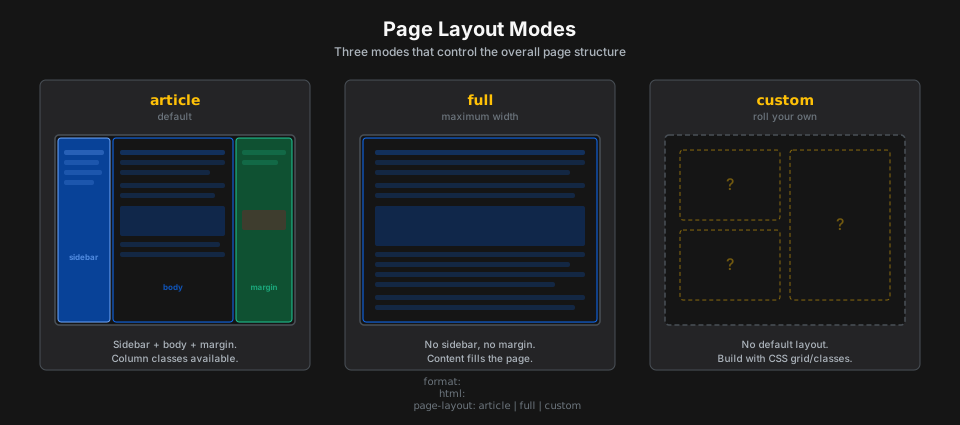
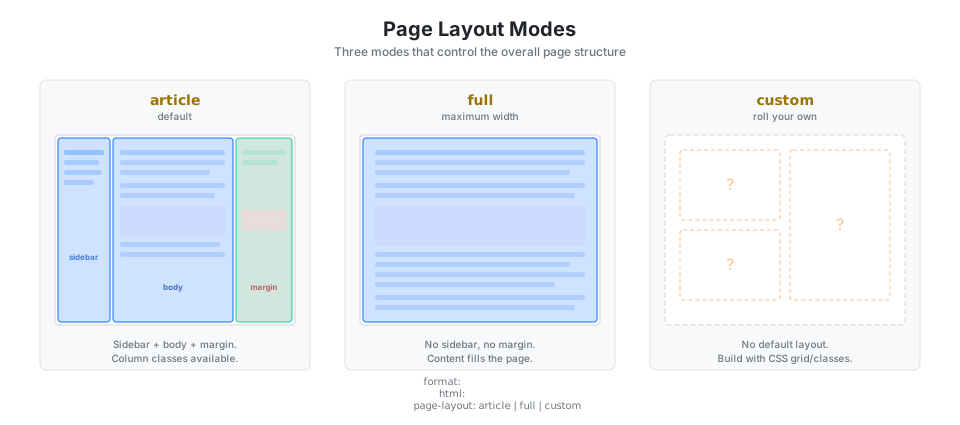
format:
  html:
    page-layout: article  # Default: sidebar + body + margin
    page-layout: full     # Full width, no sidebar or margin
    page-layout: custom   # No default layout, build with CSS
PDF, Typst, and Landscape
Column classes work across output formats with some differences.
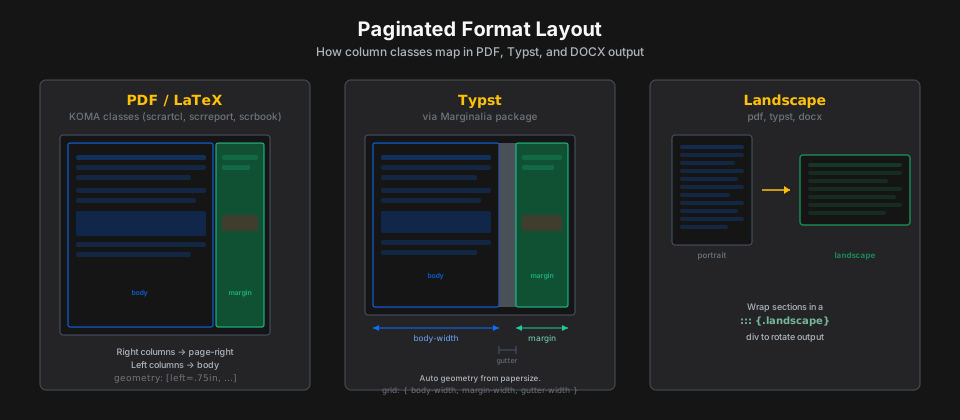
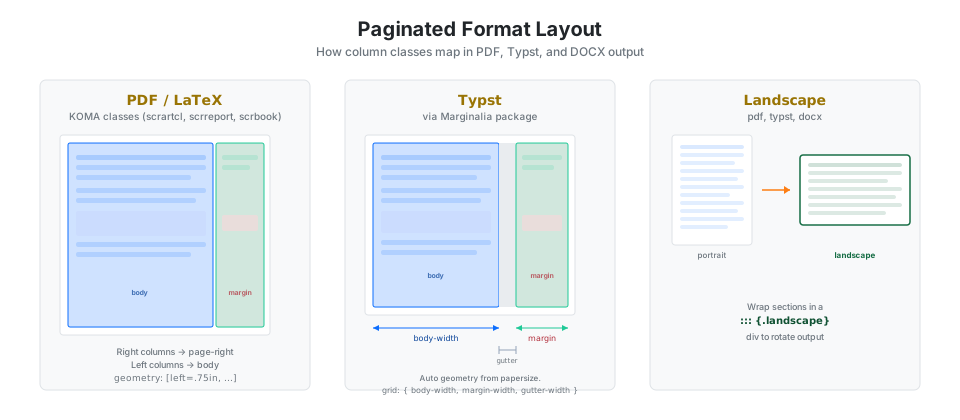
In PDF/LaTeX, right-extending columns render as page-right and left-extending columns collapse to body width. KOMA classes get automatic geometry, or set it manually:
geometry:
  - left=.75in
  - textwidth=4.5in
  - marginparsep=.25in
  - marginparwidth=2.25in
Typst uses the Marginalia package. Customize widths under format: typst: grid:.
Landscape sections in paginated formats (pdf, typst, docx):
::: {.landscape}
This renders in landscape orientation.
:::
Quick Reference
| Column | column: value |
.column-* class |
|---|---|---|
| Body | body |
.column-body |
| Body outset | body-outset |
.column-body-outset |
| Page inset | page-inset |
.column-page-inset |
| Page | page |
.column-page |
| Screen inset | screen-inset |
.column-screen-inset |
| Screen shaded | screen-inset-shaded |
.column-screen-inset-shaded |
| Screen | screen |
.column-screen |
| Margin | margin |
.column-margin |
| Option | Values | Scope |
|---|---|---|
column |
Any column value | Code cell |
fig-column |
Any column value | Code cell |
tbl-column |
Any column value | Code cell |
cap-location |
top, bottom, margin |
Cell or YAML |
fig-cap-location |
top, bottom, margin |
Cell or YAML |
tbl-cap-location |
top, bottom, margin |
Cell or YAML |
reference-location |
document, section, block, margin |
YAML |
citation-location |
document, margin |
YAML |