Background
CRAN, the Comprehensive R Archive Network, has been online since 1997 and remains the canonical package repository for the R statistical computing language. The HTML structure has served the community well for nearly three decades; the visual presentation has evolved less than the surrounding ecosystem. The earliest archived snapshot of cran.r-project.org on the Wayback Machine, from August 2000, and a slightly more polished capture from December 2000, are still readily recognizable today.
This post introduces CSS CRAN Garden, a CSS-only refresh that applies an updated typographic and color treatment to CRAN’s existing pages without altering their markup. The project is available as a live demonstration and as source on GitHub under the MIT license.
It is a tribute to the original CSS Zen Garden (Dave Shea, 2003), which proved twenty-three years ago that the same HTML could be transformed into radically different visual designs using only CSS. The same principle applies here. Every page on CRAN is restyled through structural CSS selectors. No markup changes are required.
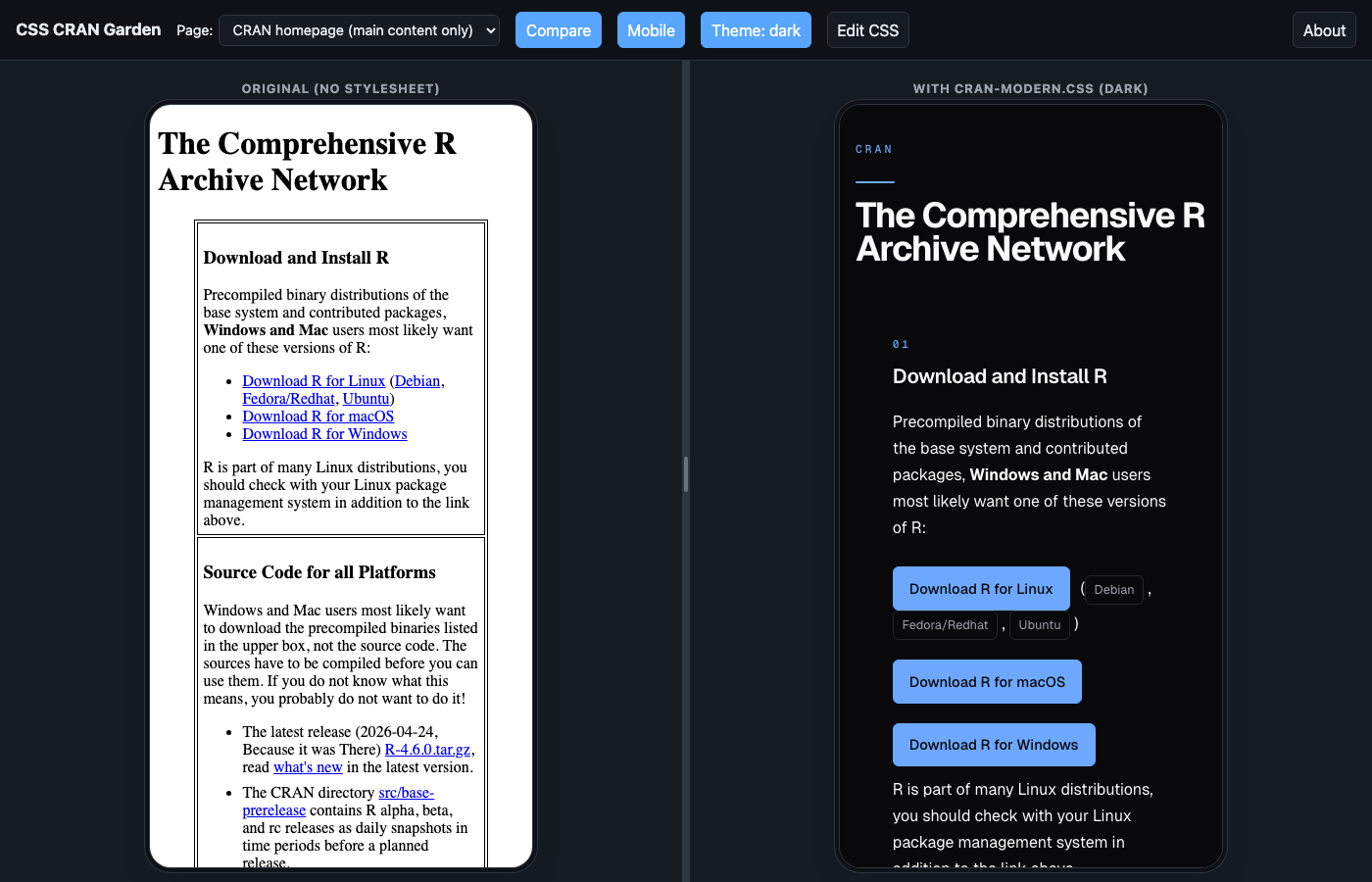
The paint job supports a full dark mode and tracks the reader’s prefers-color-scheme. The screenshots below also adapt: if you are reading this post in dark mode, each figure below will show the dark variant of the paint job; if you are in light mode, you will see the light variant. Toggle your site theme to compare.
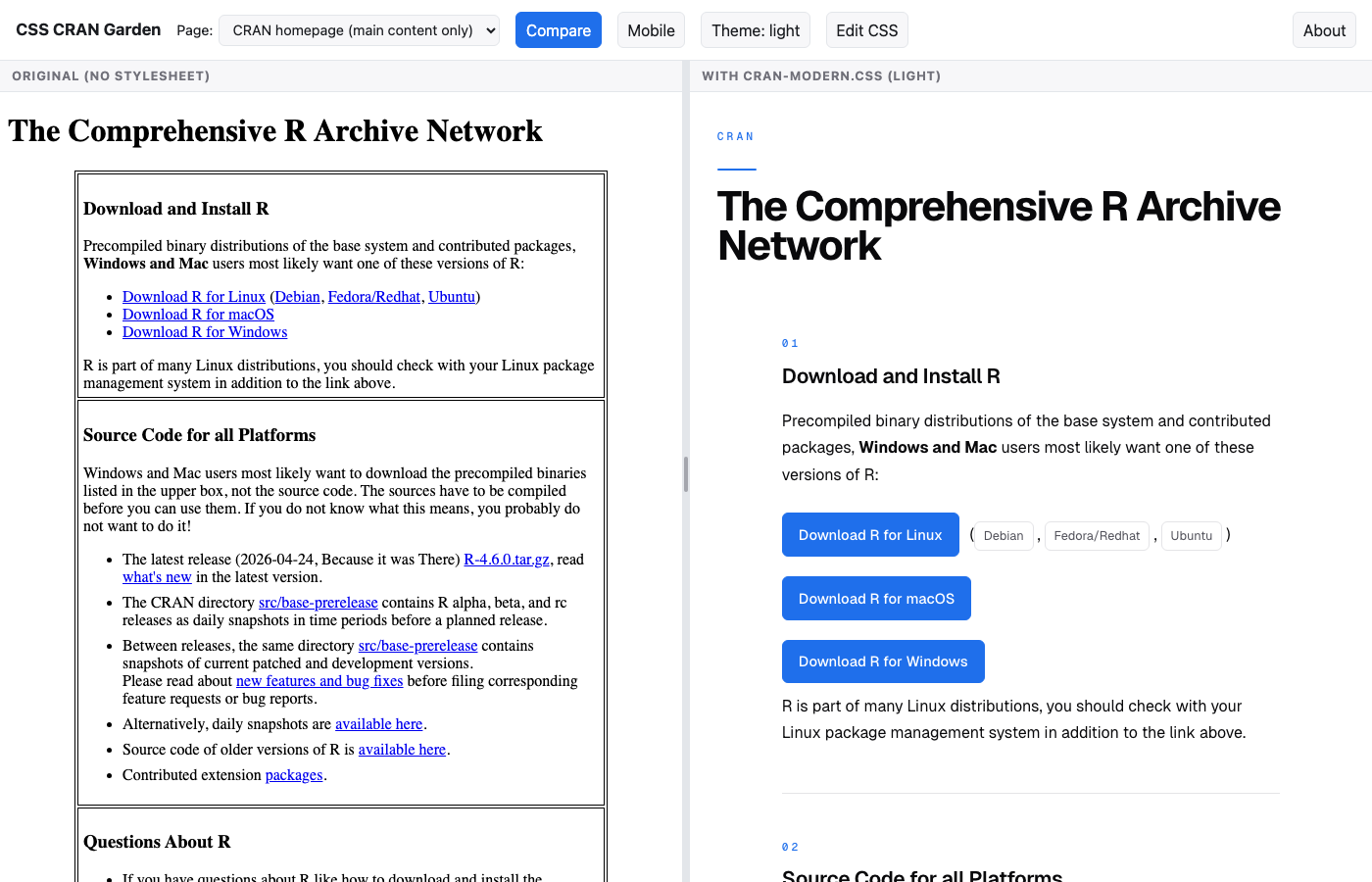
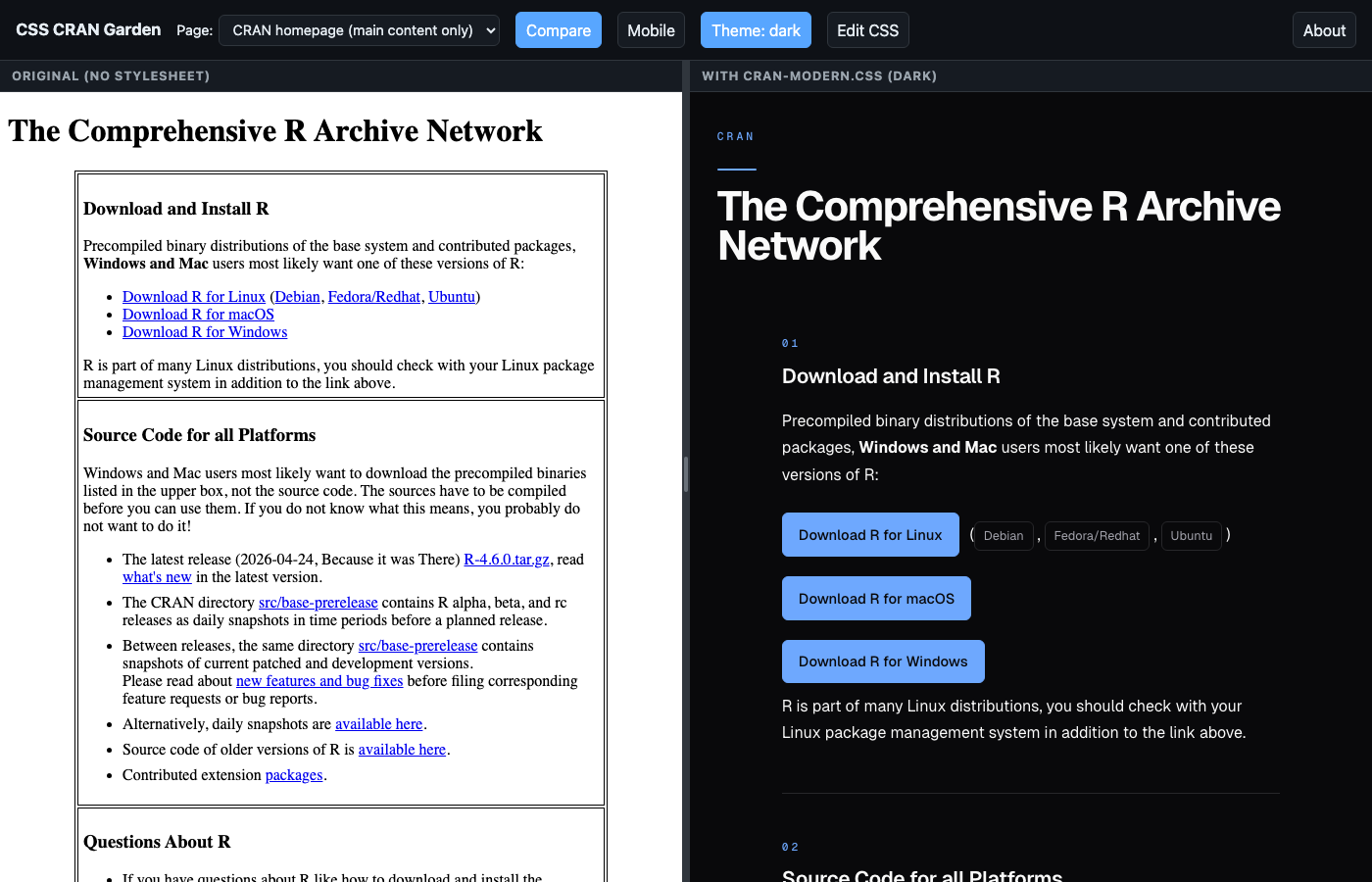
cran-modern.css.
The paint job
The stylesheet is cran-modern.css: roughly 63 KB unminified, around 2,200 lines. Most rules are anchored to attribute selectors like a[href*="contrib/extra"] and tr[id^="available-packages-"], with structural :has() signatures like body:has(> div.container > dl):not(:has(> div.container > h2)) picking out specific pages by their HTML fingerprint.
Theming uses CSS custom properties for light, dark, and auto, driven by both prefers-color-scheme and an optional data-theme attribute on <html> that the viewer’s Theme button sets. Where an anchor pattern accidentally overlaps with the homepage, a :not(:has(...)) exclusion keeps page-specific rules off the homepage.
Each page gets a mono accent eyebrow above its H1 that identifies the section: CRAN for the homepage, MIRRORS · GLOBAL NETWORK for mirrors, DIRECTORY · A–Z for packages by name, DOWNLOADS · SOURCE for R sources, DOCUMENTATION · MANUALS for manuals, ABOUT · CRAN TEAM for the team page, and so on. Detection is purely structural, keyed off the unique HTML fingerprint of each page. Nothing on the server changes.
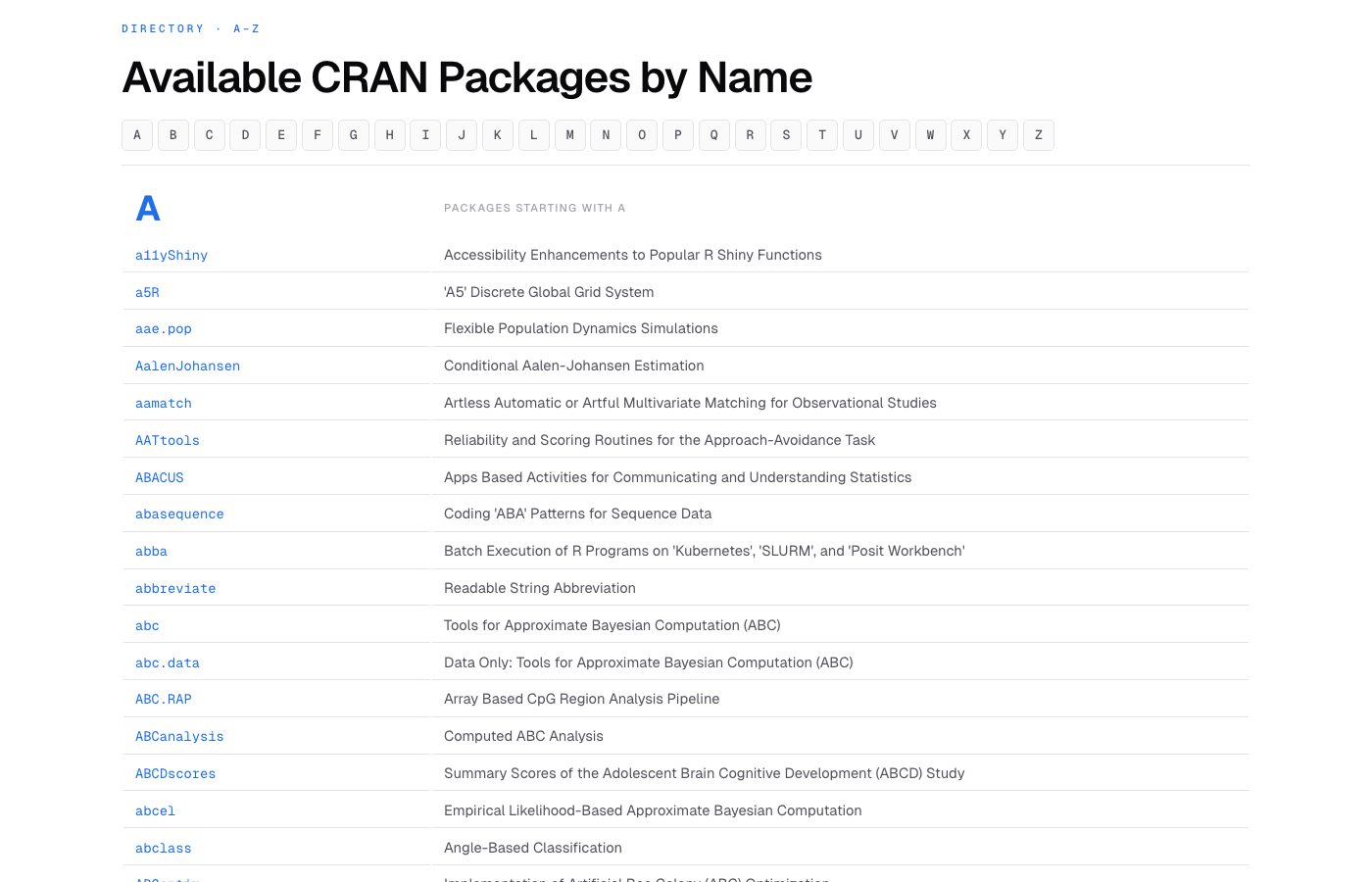
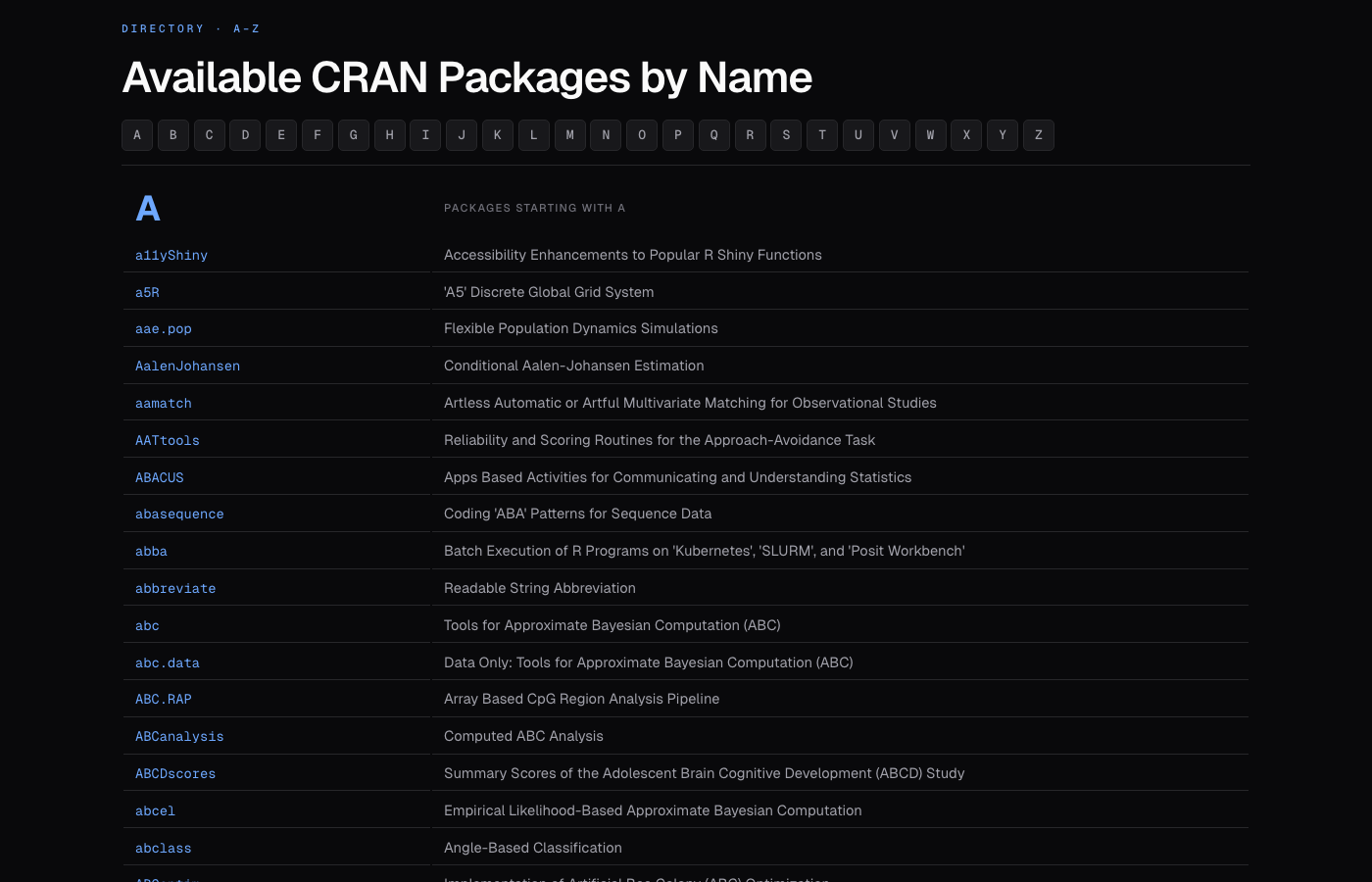
DIRECTORY · A–Z packages-by-name page after the paint job, with the alphabet anchor bar and per-letter eyebrows.
The viewer
I needed a fast way to evaluate changes against real CRAN markup, so the repo also ships a side-by-side viewer. It is vanilla HTML, CSS, and JavaScript: no build pipeline, no Node, no framework. Any static server will run it (python3 -m http.server is enough). The header carries four controls:
- Compare: toggle side-by-side vs. paint-job only. Drag the centre divider to resize; double-click the divider or click the ↔︎ button to recenter.
- Mobile: clamp both iframes to a 390 px phone-size viewport with a device-like frame.
- Theme: cycle auto, light, and dark for both viewer chrome and iframes.
- Edit CSS: live editor for
cran-modern.csswith full CSS syntax highlighting, line numbers,Tabinsertion of two spaces, and ⌘S / Ctrl+S to flush the debounce immediately. Changes appear in the right iframe within a few hundred milliseconds.
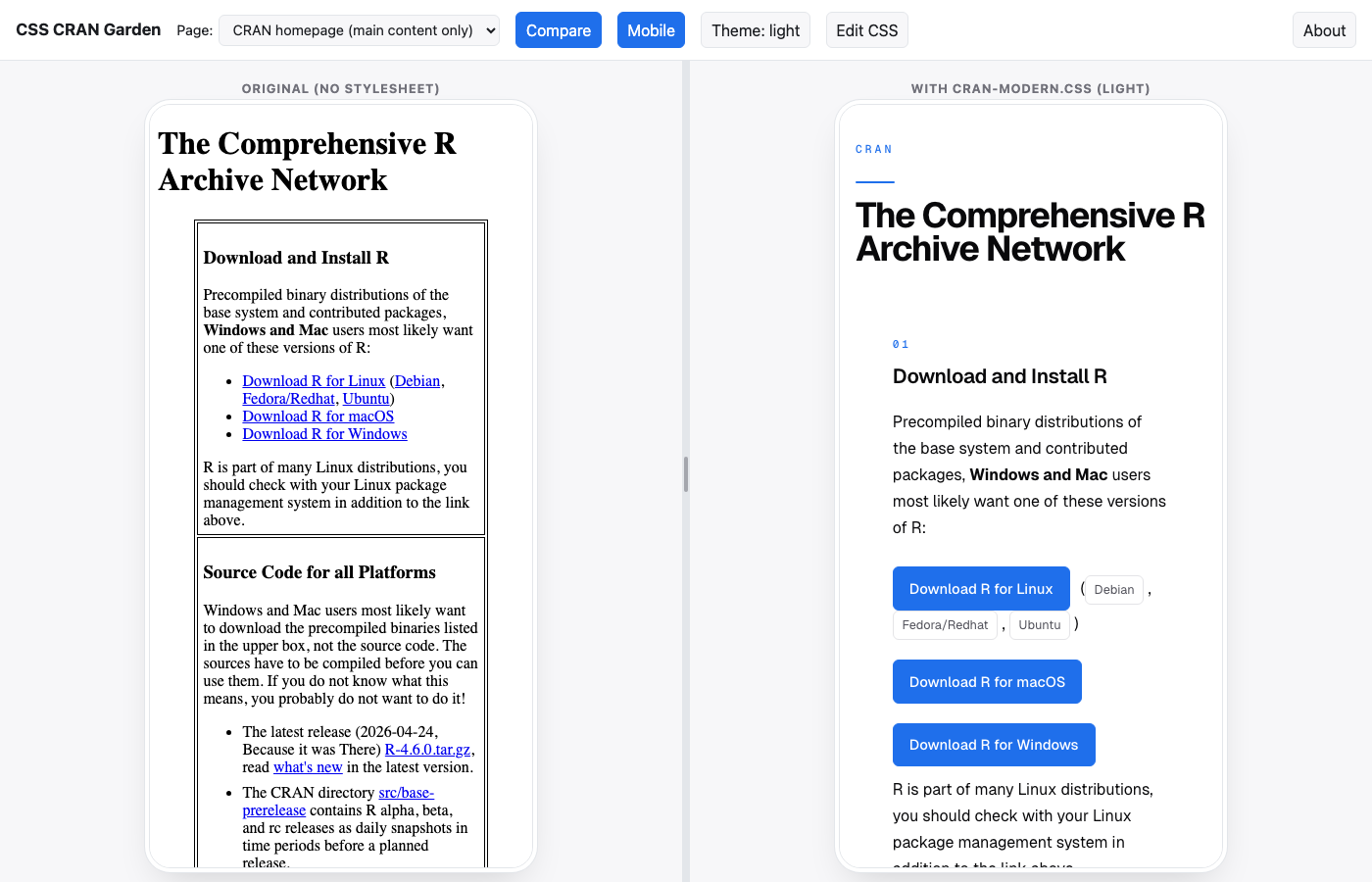
Toggling Mobile clamps both iframes to a 390 px viewport (iPhone width) inside a soft device frame on a workbench-grey background. The constraint is applied identically to both panes so the before / after comparison stays apples-to-apples at mobile scale, and the surrounding workbench tone makes the constrained surface read as a deliberate phone preview rather than as a layout bug. The reflowed homepage below shows how the action grid stacks at phone width on both sides:
Opening Edit CSS splits the screen: the top half keeps whichever fixture is loaded, and the bottom half becomes a code editor holding the current cran-modern.css. The editor has syntax highlighting, line numbers, and Tab indentation. As you type, changes apply to the right iframe within a fraction of a second; ⌘S / Ctrl+S applies them immediately. Three buttons sit at the top of the editor tray: Download saves your edited version as cran-modern.css so you can drop it into a mirror’s <head>, Close dismisses the editor and reloads the on-disk stylesheet, and Reset restores the original without closing. Forking the project to try out your own overlay against real CRAN HTML is just opening this editor and typing:
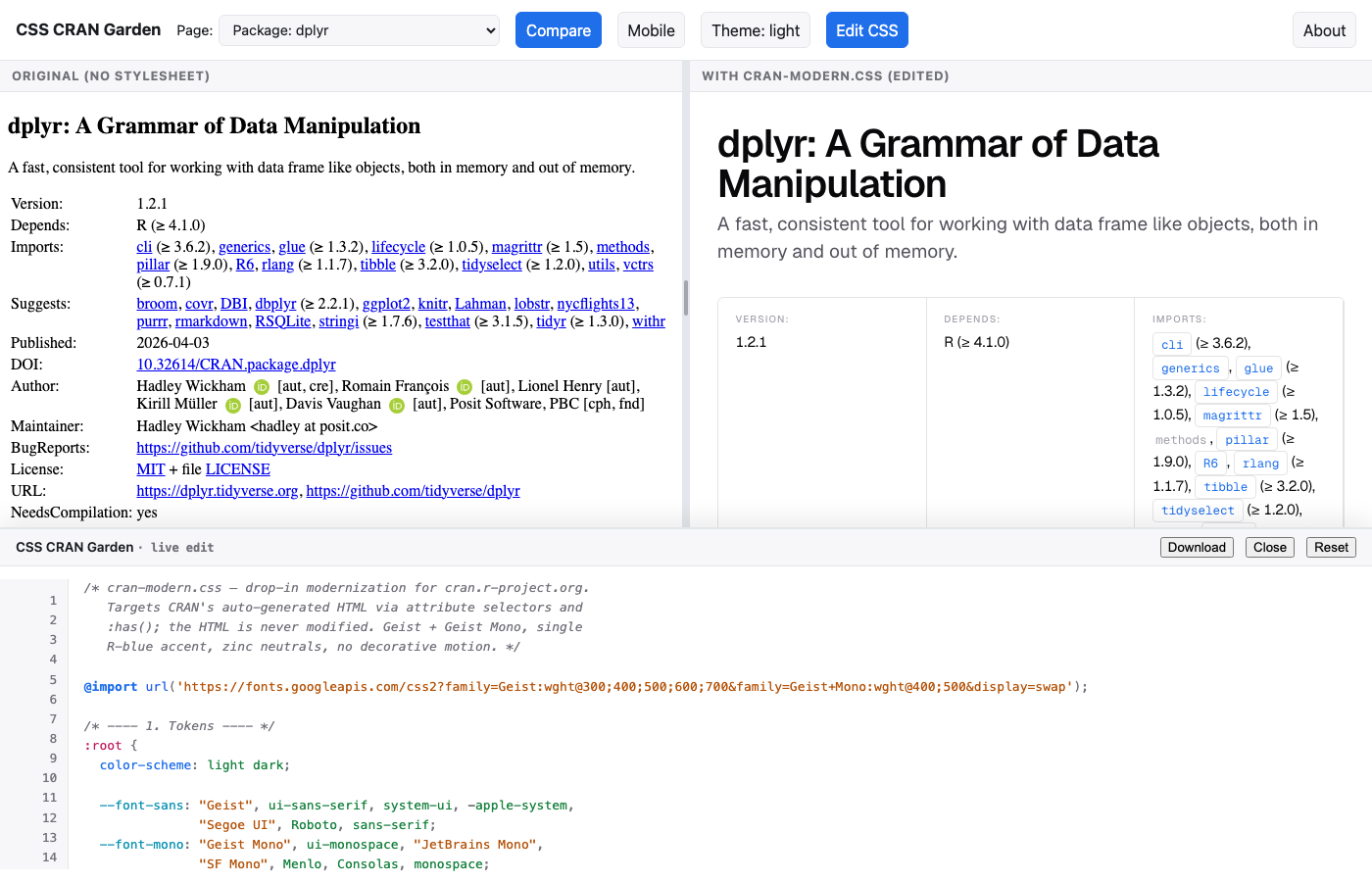
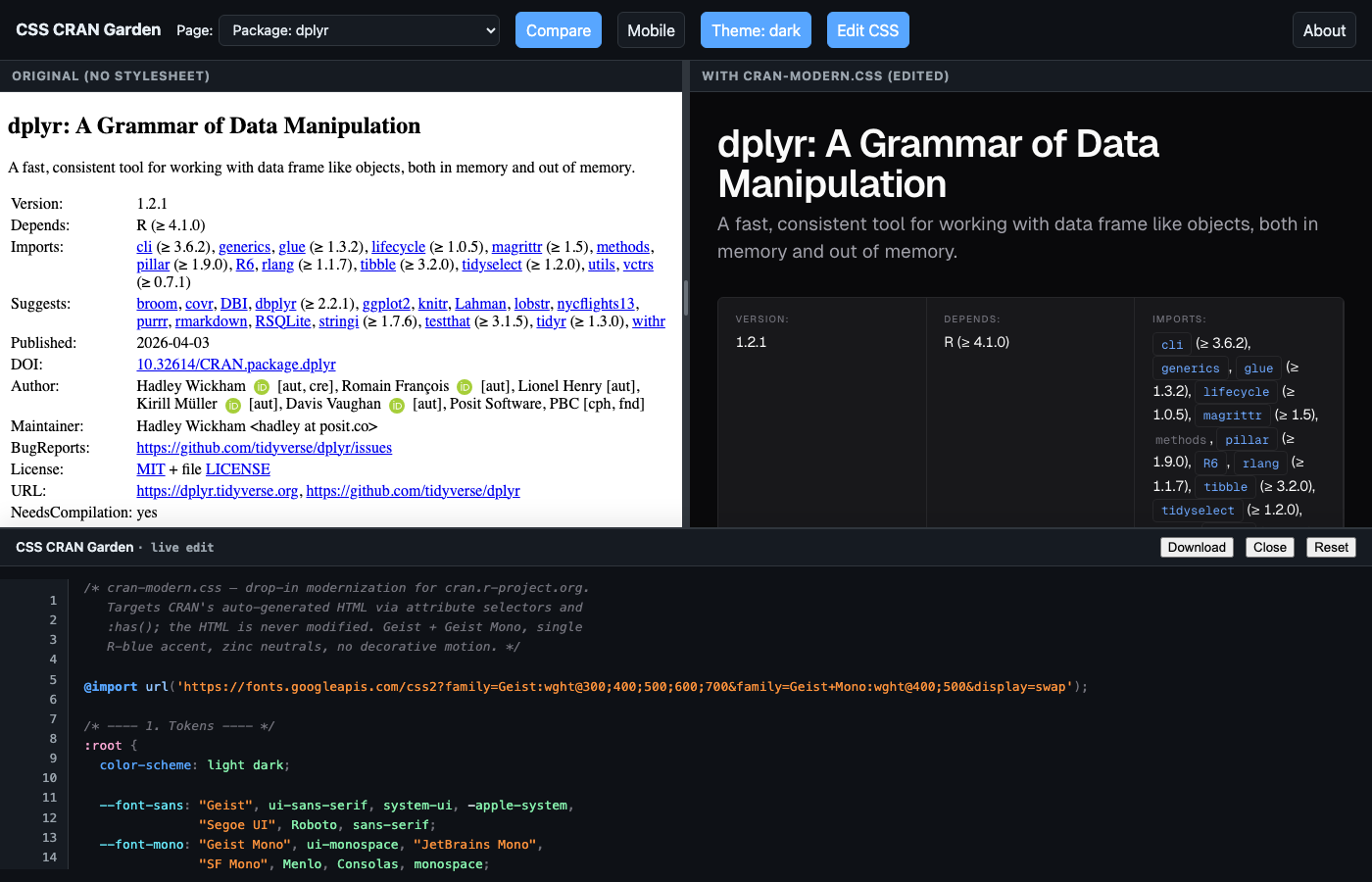
cran-modern.css, Close dismisses the tray, and Reset restores the on-disk stylesheet.
How :has() does the work
The CRAN page set has no shared shell. Each generated page is essentially raw <body> content with its own structure. Instead of asking “what page am I on?” we ask “what HTML fingerprint is on this page?” via :has():
/* Sources page: a body containing a base-prerelease link, but NOT
   the homepage layout-table signature. */
body:has(a[href*="base-prerelease"]):not(:has(> h1:first-child + div > table))
  > h1:first-child::before {
  content: "DOWNLOADS · SOURCE";
}

/* Manuals page: the only container page with <h2>The R Manuals</h2>
   followed by <em>edited by the R Core Team</em>. */
body:has(> div.container > h2 + em) > div.container > h1:first-child::before {
  content: "DOCUMENTATION · MANUALS";
}
The :not(:has(...)) exclusion deserves a callout. The homepage <frameset> contains links to src/base-prerelease, which would otherwise match the sources-page selector. The exclusion identifies the homepage via its structural signature (an H1 followed by the <div> wrapping the main layout table) and keeps page-specific rules off the homepage.
One constraint worth noting: :has() cannot be nested inside another :has(). A selector such as body:has(> h3 + table:not(:has(td > i))) is invalid because the inner :has() is nested in the outer one, even through an intermediate :not(). The CSS parser silently invalidates the entire selector list, so a single non-conforming selector causes the whole rule to be dropped. This silent failure mode is worth knowing about when a comma-separated selector list stops applying after a small edit.
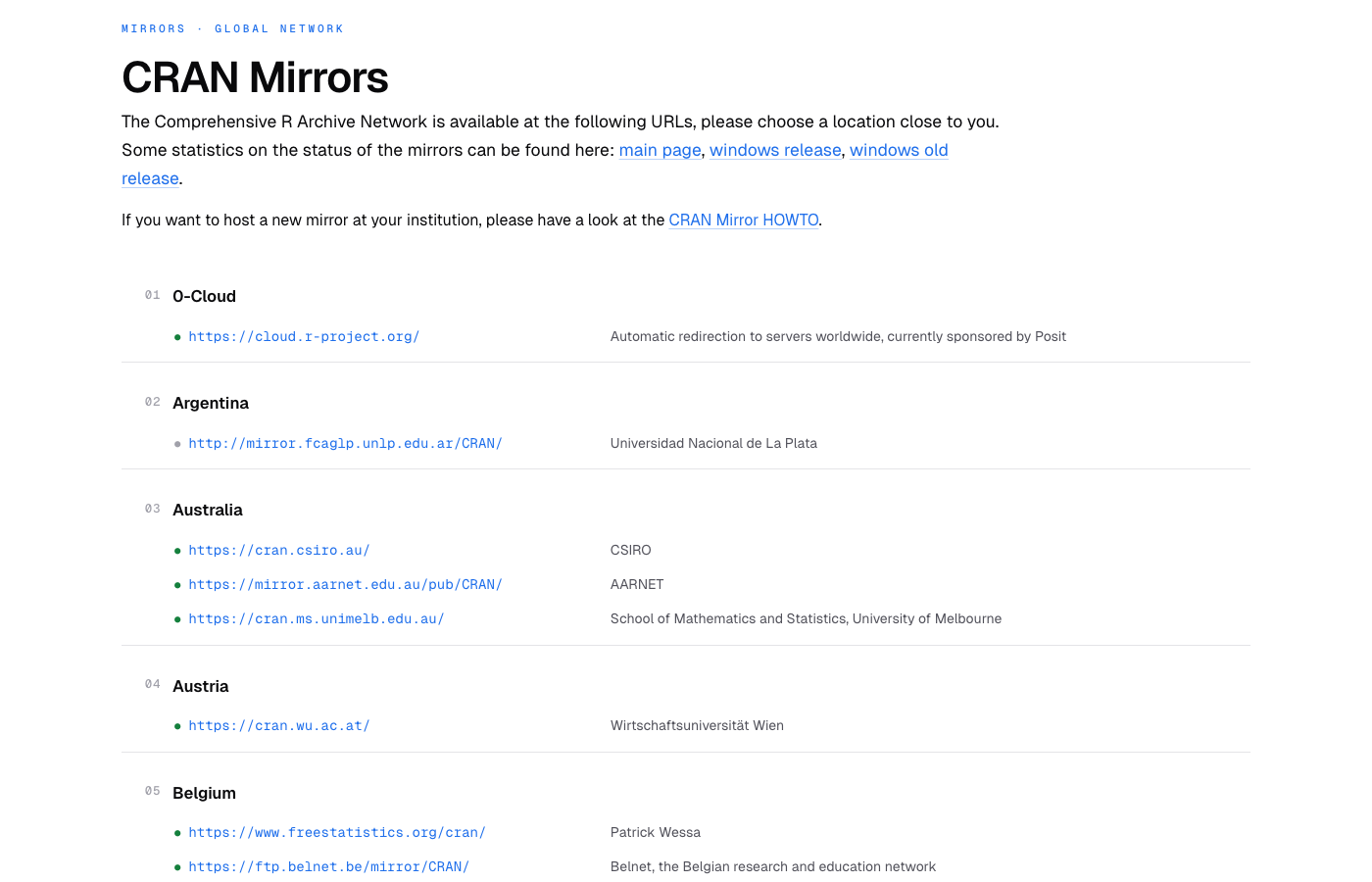
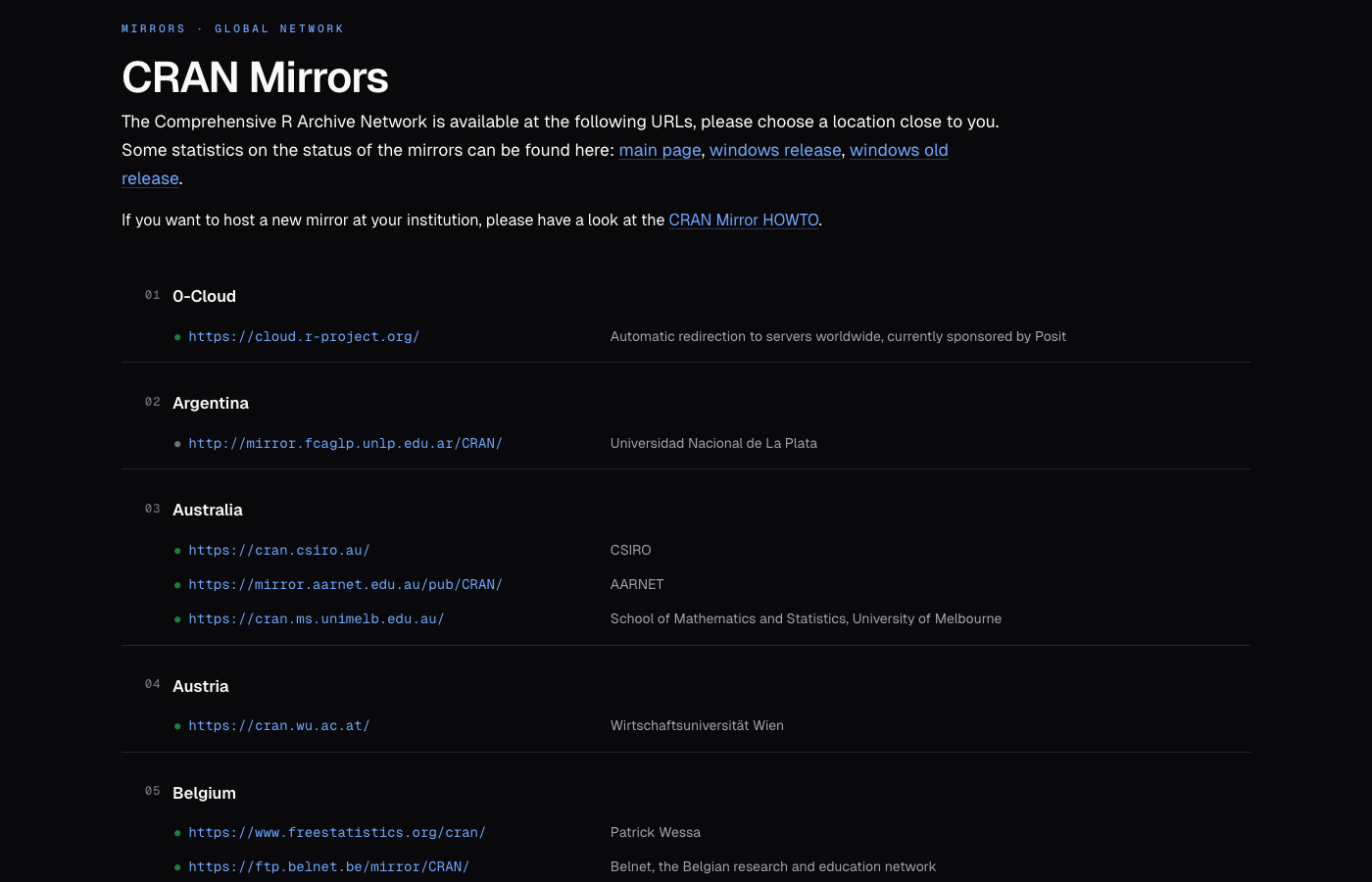
MIRRORS · GLOBAL NETWORK page after the paint job: country sections with numbered eyebrows, mono URLs, and a green or muted dot indicating HTTPS versus plain HTTP.
A per-page treatment, briefly
Every visible page got its own treatment. A short tour:
- Homepage: numbered action grid (Download R, Source Code, Questions, Supporting CRAN), accent-tinted “latest release” card, accent download buttons for the platform binaries.
- Packages by name: alphabet anchor bar, letter-section eyebrows, mono package names paired with descriptions.
- Package detail (
/web/packages/<pkg>/): hero title from the package summary, metadata in a clean two-column grid, dependency chips forDepends/Imports/Suggests. - Task views index: numbered topic table with hover state.
- Mirrors: numbered country sections, mono URLs with a green / grey security dot, muted host descriptions.
- R Sources: numbered chapter sections (‘Official releases’, ‘Snapshots’) with release cards and accent-tinted tarball download buttons.
- CRAN Team: PEOPLE and ROLES eyebrows, current vs. former members rendered as side-by-side cards, each role section with member chips and a tinted email-CTA button.
Most of those treatments are visible in the screenshots above: the homepage in Figure 1, the by-name directory in Figure 2, the mirrors page in Figure 5, the package detail page paired with the live editor in Figure 4, and the homepage again at phone scale in Figure 3. The CRAN Team page is the one that has not appeared yet (Figure 6):
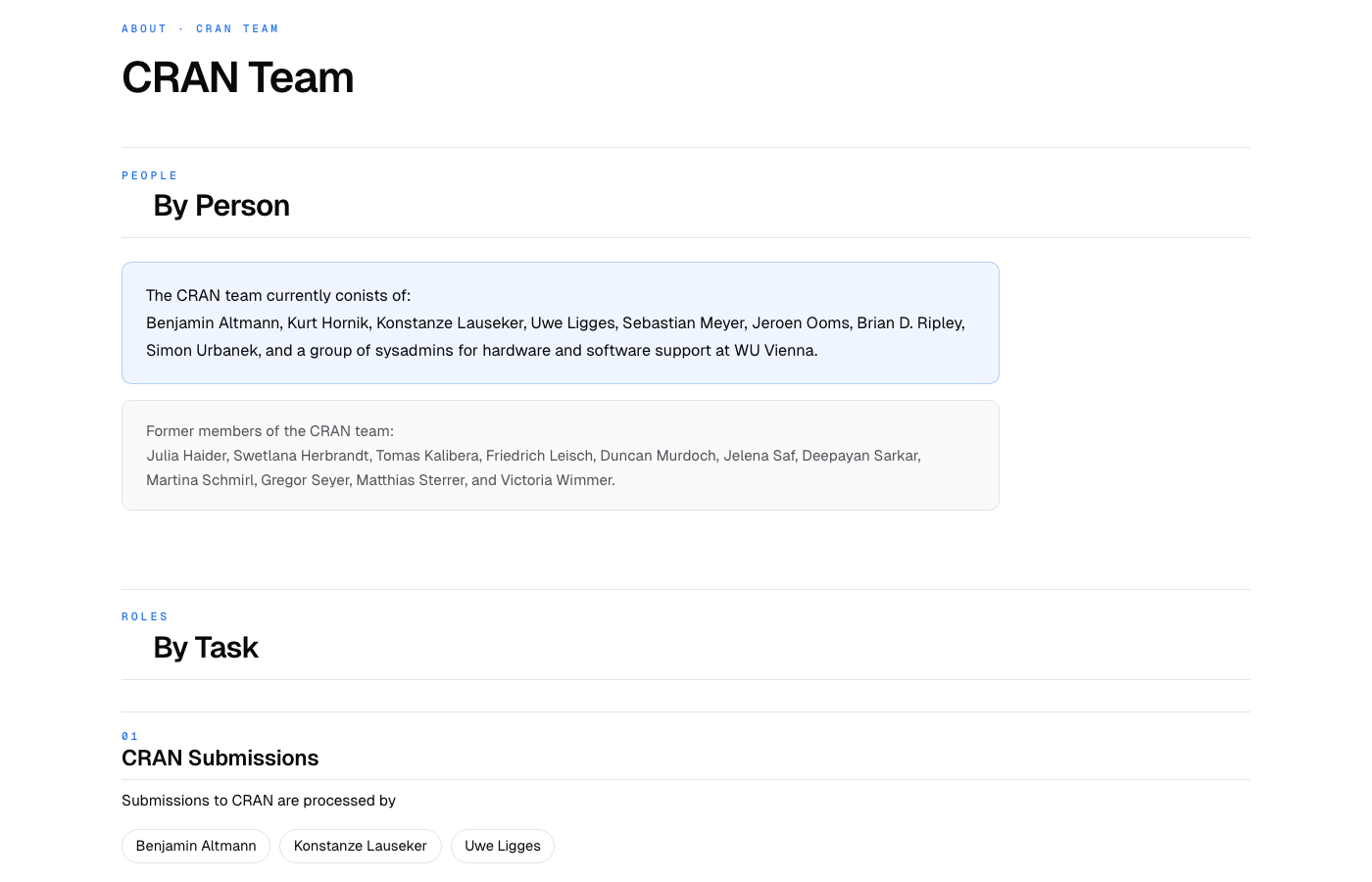
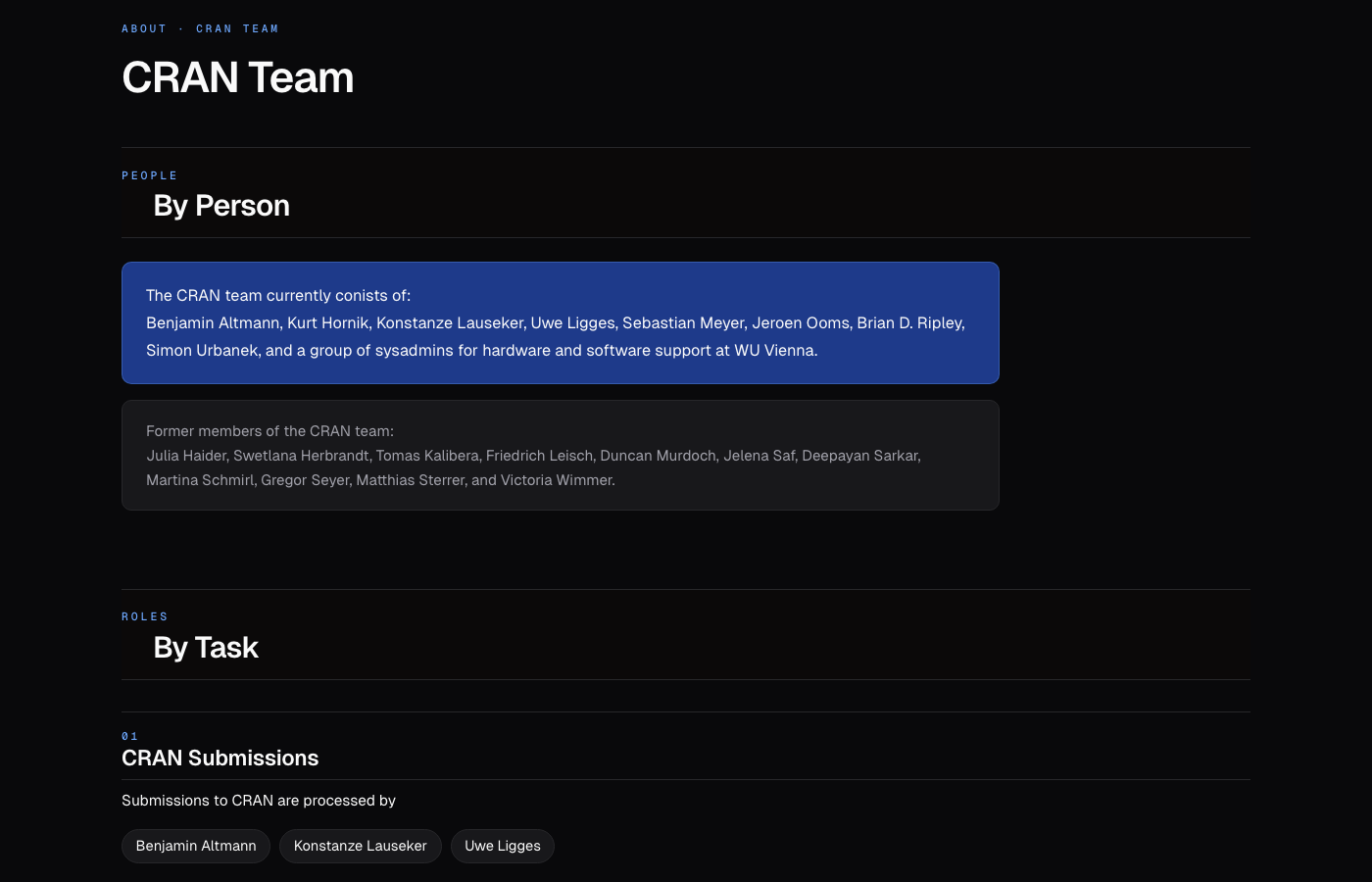
ABOUT · CRAN TEAM page with PEOPLE and ROLES section eyebrows, current and former team cards under PEOPLE, and the start of the first numbered role section.
Limitations
CSS alone cannot do everything. The homepage uses a deprecated <frameset>, which the stylesheet can theme inside each frame but not at the seams between them; those inter-frame borders remain at the browser’s default light gray in dark mode because CSS on the parent document cannot reach into the frameset chrome itself. The packages-by-name page ships roughly 23,000 rows in a single response, so while CSS can visually hide rows it cannot paginate or reduce the bytes shipped; proper pagination needs JavaScript. Layout tables on the homepage would benefit from real ARIA landmarks and roles for screen readers, but adding those is a markup change rather than a styling change. Anything behavioral, such as a search box, copy-to-clipboard buttons, or dependency graphs, is JS-driven and out of scope.
Adoption
For any CRAN mirror, adoption is one line in the existing <head>:
<link rel="stylesheet" href="/cran-modern.css">That is all. No HTML changes are needed because the stylesheet targets the attributes and structure the existing R generators already emit.
Source
- Live demo: rd.thecoatlessprofessor.com/cran-paint-job
- Repo: github.com/coatless-r-n-d/cran-paint-job (MIT)
If you mirror CRAN and want to experiment, fork the repo, edit the stylesheet against the bundled fixtures (or your own snapshots) in the live editor, and drop the result into your page templates. The HTML is never modified.
References
- The Comprehensive R Archive Network
- The R Project for Statistical Computing
- Earliest archived snapshot of cran.r-project.org, August 16, 2000, Wayback Machine
- A second snapshot of cran.r-project.org, December 3, 2000, Wayback Machine
- CSS Zen Garden, Dave Shea, 2003
- CSS CRAN Garden, live demo
- CSS CRAN Garden, source on GitHub (MIT licensed)
- The MIT License, Open Source Initiative
- Attribute selectors reference, MDN Web Docs
:has()selector reference, MDN Web Docs:not()selector reference, MDN Web Docsprefers-color-schemereference, MDN Web Docs- Custom properties (CSS variables) reference, MDN Web Docs
data-*attributes reference, MDN Web Docs