Altair is a declarative statistical visualization library for Python built on the Vega-Lite grammar of graphics. Unlike the Matplotlib-based sheets in this series, Altair is different in kind: you describe a chart declaratively in Python, Altair compiles it to a Vega-Lite JSON spec, and a JavaScript renderer (Vega) draws it in the browser, which is what makes panning, zooming, tooltips, selections, and linked brushing native and free. Where plotnine ports ggplot2 into a static Matplotlib image and seaborn returns Matplotlib axes, Altair keeps a clean lane: the declarative grammar (alt.Chart(df).mark_*().encode(...)), the encoding channel plus measurement-type model (:Q :N :O :T), and the interactivity that the static sheets cannot give you. The recurring mental model in this sheet is one pipeline: a tidy DataFrame flows into alt.Chart(df), you pick a mark for the geometry and .encode(...) to map columns to visual channels, Altair compiles that to a Vega-Lite { } spec, and the browser’s Vega renderer turns the spec into an interactive picture. The conventional import is import altair as alt, data arrives as a pandas (or Polars) DataFrame in tidy/long form, and everything here is Altair 6 (v4/v5 spellings are flagged per section).


Grammar: Chart, mark, encode
Every Altair chart is the same three chained calls: alt.Chart(df) wraps a tidy DataFrame, .mark_*() picks the geometry (point, bar, line, area, …), and .encode(...) maps columns to visual channels; until you encode something there is no picture. Altair never draws pixels itself: it compiles the chart to a Vega-Lite JSON spec (inspect it with chart.to_dict()) that the browser’s Vega renderer turns into an interactive figure.
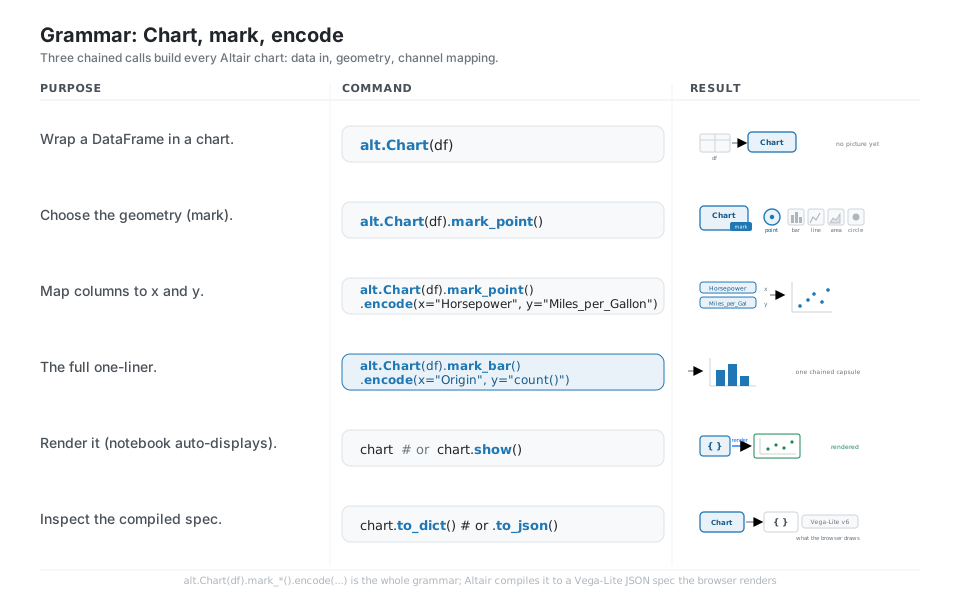
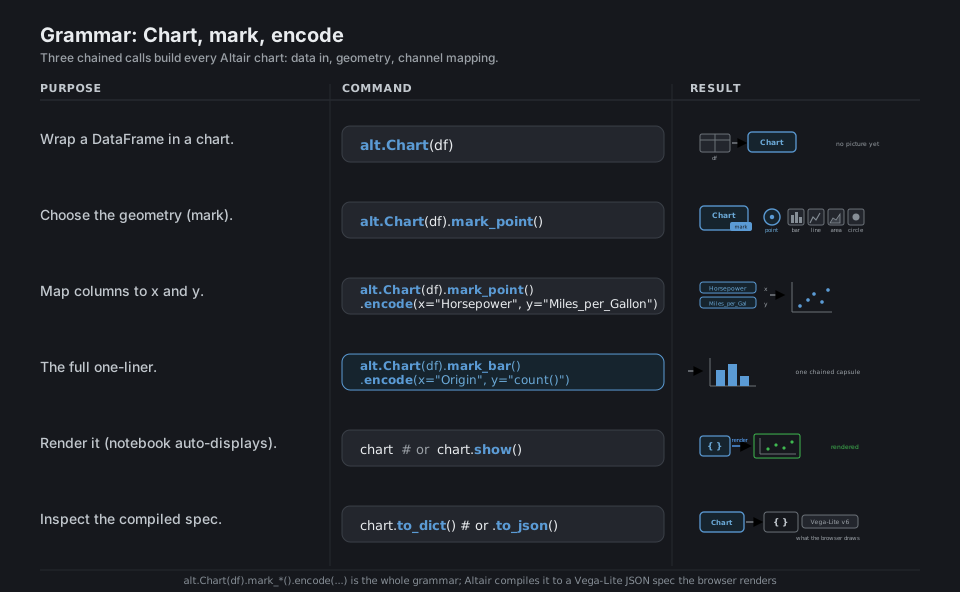
import altair as alt

alt.Chart(df)                                            # wrap a DataFrame (no picture yet)
alt.Chart(df).mark_point()                               # choose the geometry (mark)
chart = alt.Chart(df).mark_point().encode(               # map columns to channels
    x="Horsepower", y="Miles_per_Gallon")
alt.Chart(df).mark_bar().encode(x="Origin", y="count()") # the full one-liner

chart                                                     # notebook auto-displays the chart
chart.to_dict()                                          # inspect the compiled Vega-Lite spec
See Starting with the grammar. Altair compiles to a Vega-Lite spec; the browser draws it.
Encoding: channels and measurement types
The heart of Altair is the encoding, where each column is bound to a channel (x, y, color, size, shape, opacity, …) and tagged with a measurement type using the shorthand suffix: :Q quantitative, :N nominal, :O ordinal, :T temporal. The type drives the default scale, axis, and legend, and you can swap the "col:Q" shorthand for an alt.X(...) / alt.Color(...) object whenever you need to set a title, scale, binning, or aggregation.
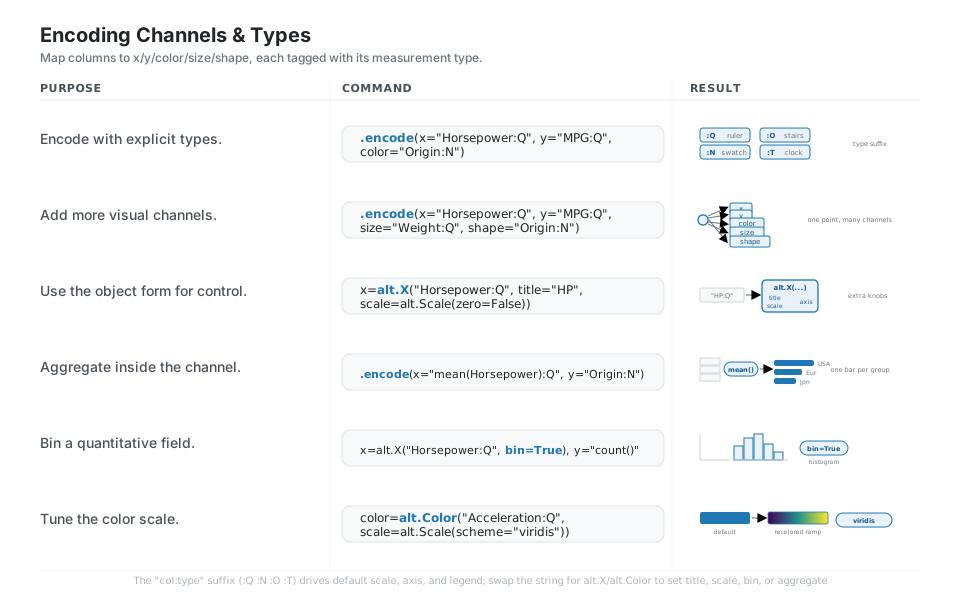
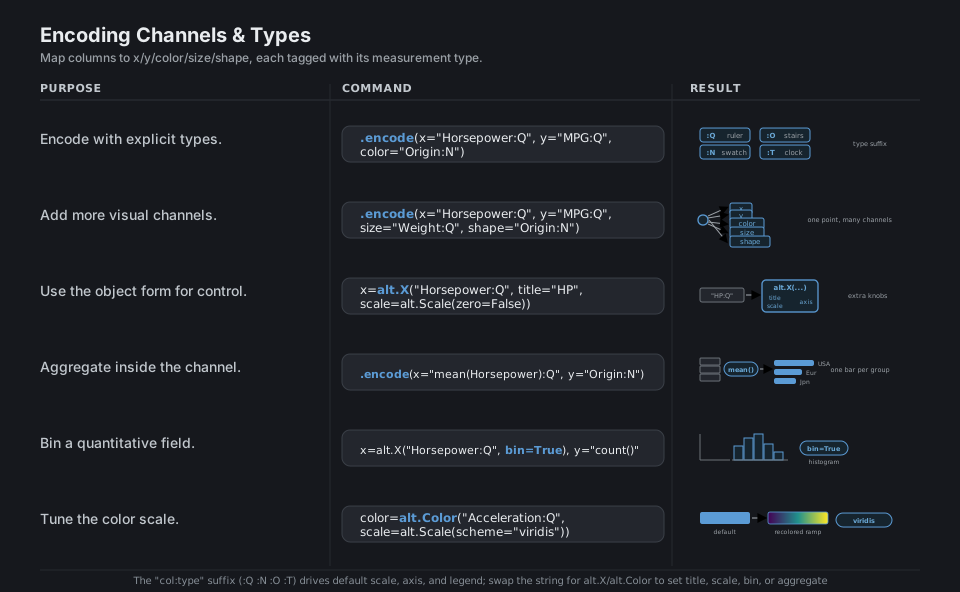
.encode(x="Horsepower:Q", y="Miles_per_Gallon:Q", color="Origin:N")  # explicit types
.encode(x="Horsepower:Q", y="MPG:Q", size="Weight:Q", shape="Origin:N")  # more channels
.encode(x=alt.X("Horsepower:Q", title="HP", scale=alt.Scale(zero=False)))  # object form
.encode(x="mean(Horsepower):Q", y="Origin:N")                        # aggregate in encoding
.encode(x=alt.X("Horsepower:Q", bin=True), y="count()")              # bin -> histogram
color=alt.Color("Acceleration:Q", scale=alt.Scale(scheme="viridis")) # tune the color scale
See Encodings. The type suffix :Q :N :O :T drives the default scale, axis, and legend.
Interactive: selections and linked brushing
Because the output is a live Vega view, you get interactivity for almost free: chart.interactive() adds pan and zoom, and a selection (alt.selection_interval() for a drag-brush, alt.selection_point() for clicks) attached with chart.add_params(...) lets the user pick data. Feed that selection into alt.condition(...) to recolor what is selected, or into another chart’s transform_filter(...) to build linked brushing where dragging on one chart filters another.
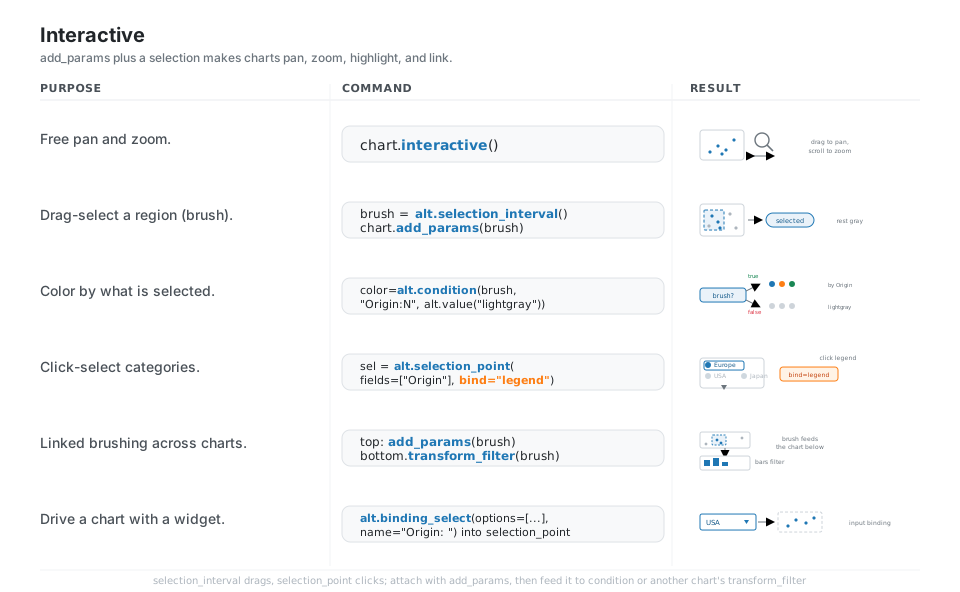
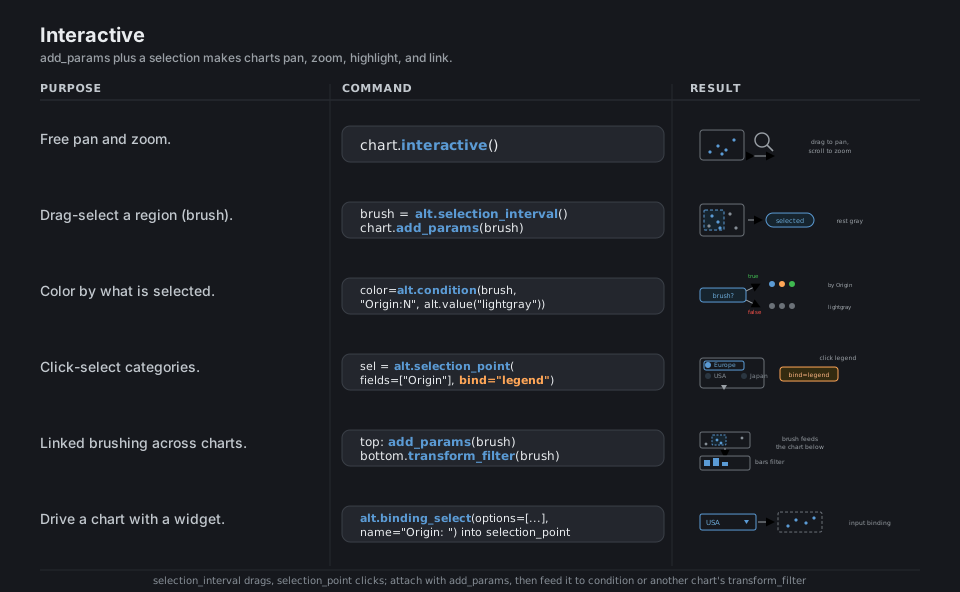
chart.interactive()                                      # free pan and zoom
brush = alt.selection_interval(); chart.add_params(brush)  # drag-select a region (brush)
color=alt.condition(brush, "Origin:N", alt.value("lightgray"))  # color by selection
sel = alt.selection_point(fields=["Origin"], bind="legend")  # click-select categories
bottom.transform_filter(brush)                           # linked brushing: filter another chart
alt.binding_select(options=["USA", "Europe", "Japan"], name="Origin: ")  # widget binding
See Interactions. add_params replaces the deprecated add_selection from v4.
Compose: layer and concatenate
Altair composes whole charts with operators: + (or alt.layer) overlays marks on shared axes (a scatter with a regression line on top), while | (or alt.hconcat) and & (or alt.vconcat) place independent charts side by side or stacked. Build a shared base = alt.Chart(df).encode(...) and add different marks to it to keep layers in sync, and call .properties(title=...) on the composition to title the whole thing.
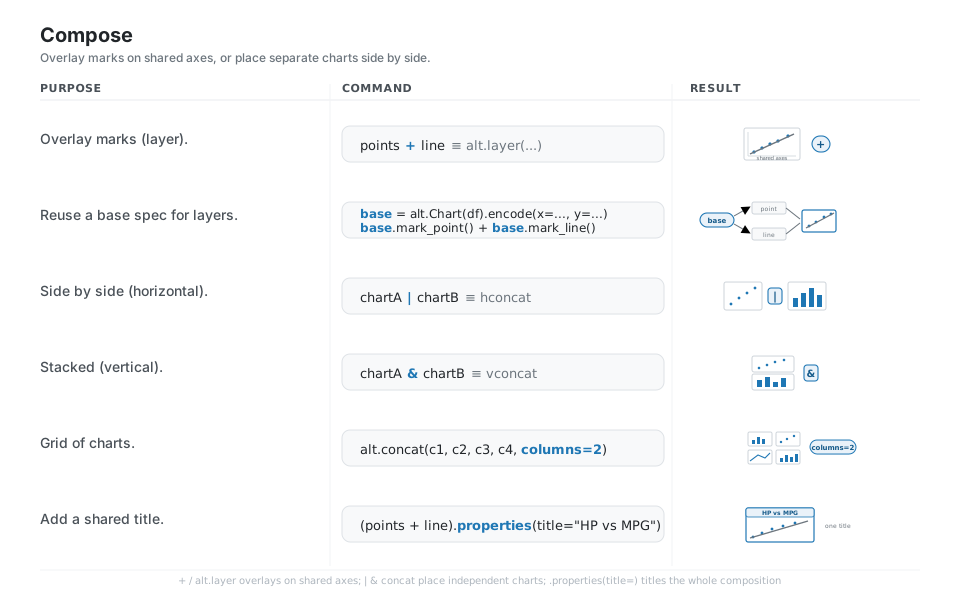
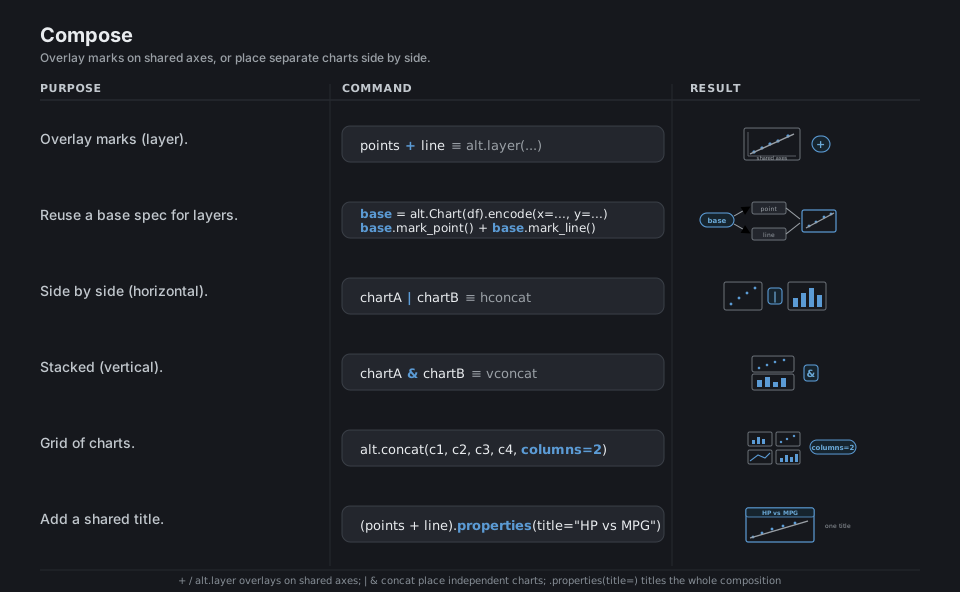
points + line                                            # overlay marks (layer)
base = alt.Chart(df).encode(x="x:Q", y="y:Q")            # reuse a base spec for layers
base.mark_point() + base.mark_line()                     # add different marks to the base
chartA | chartB                                          # side by side (horizontal concat)
chartA & chartB                                          # stacked (vertical concat)
alt.concat(c1, c2, c3, c4, columns=2)                    # grid of charts
(points + line).properties(title="HP vs MPG")            # add a shared title
See Compound charts. Use +/|/& (or alt.layer/hconcat/vconcat) to combine charts.
Facet: small multiples
Faceting splits one chart into a grid of subplots, one per category, all sharing the same scales so the panels are directly comparable; use chart.facet("col:N", columns=n), the facet=/row=/column= encoding channels, or .repeat(...) to stamp the same chart across several columns. Shared scales are the default and the point of small multiples, but you can call .resolve_scale(y="independent") when a per-panel axis makes more sense.
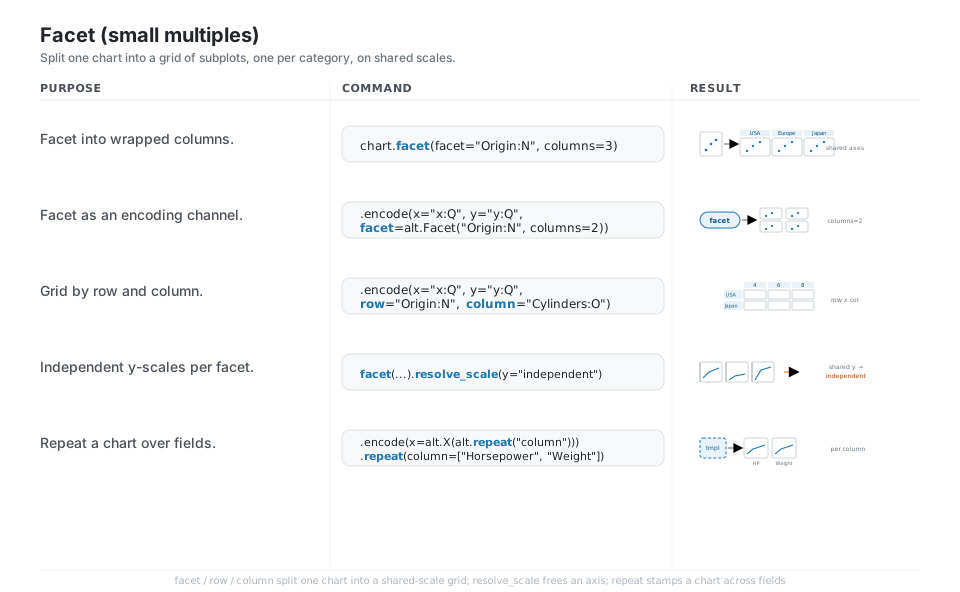
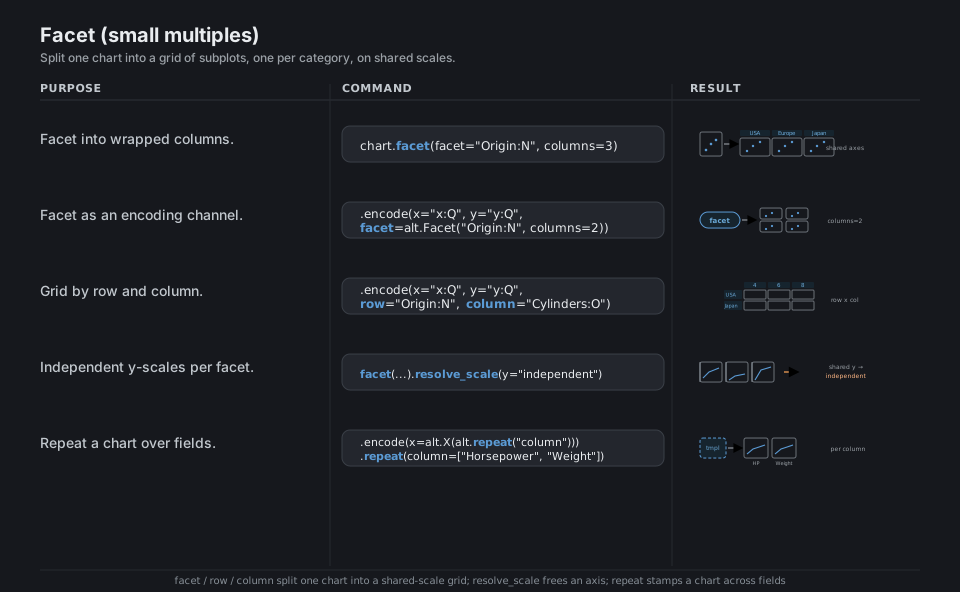
chart.facet(facet="Origin:N", columns=3)                 # facet into wrapped columns
.encode(x="x:Q", y="y:Q", facet=alt.Facet("Origin:N", columns=2))  # facet as a channel
.encode(x="x:Q", y="y:Q", row="Origin:N", column="Cylinders:O")    # grid by row and column
chart.facet("Origin:N").resolve_scale(y="independent")   # independent y-scales per facet
(alt.Chart(df).mark_point()                              # repeat a chart over fields
 .encode(x=alt.X(alt.repeat("column"), type="quantitative"), y="MPG:Q")
 .repeat(column=["Horsepower", "Weight"]))
See Faceted charts. Shared scales are the default; .resolve_scale(...) frees a per-panel axis.
Transform: aggregate, filter, calculate
Transforms reshape the data inside the spec so Vega does the work at render time instead of pre-computing in pandas, which keeps the chart self-contained and the source data tidy: transform_aggregate, transform_filter (with alt.datum.col predicates), transform_calculate, transform_bin, transform_window, and transform_pivot cover most needs. Simple aggregates can also live right in the encoding (y="mean(Horsepower):Q"), which is the shortest path for one-off summaries.
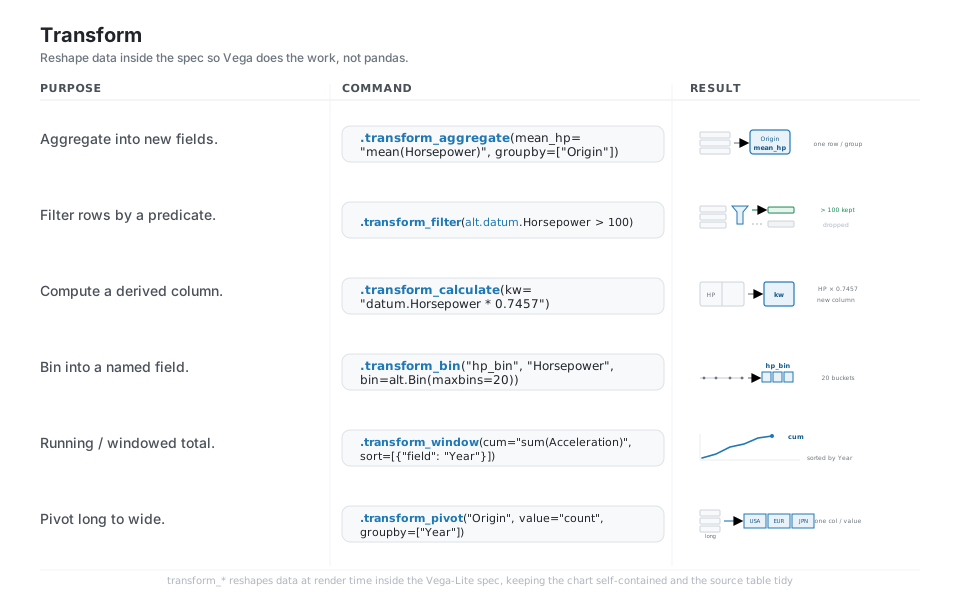
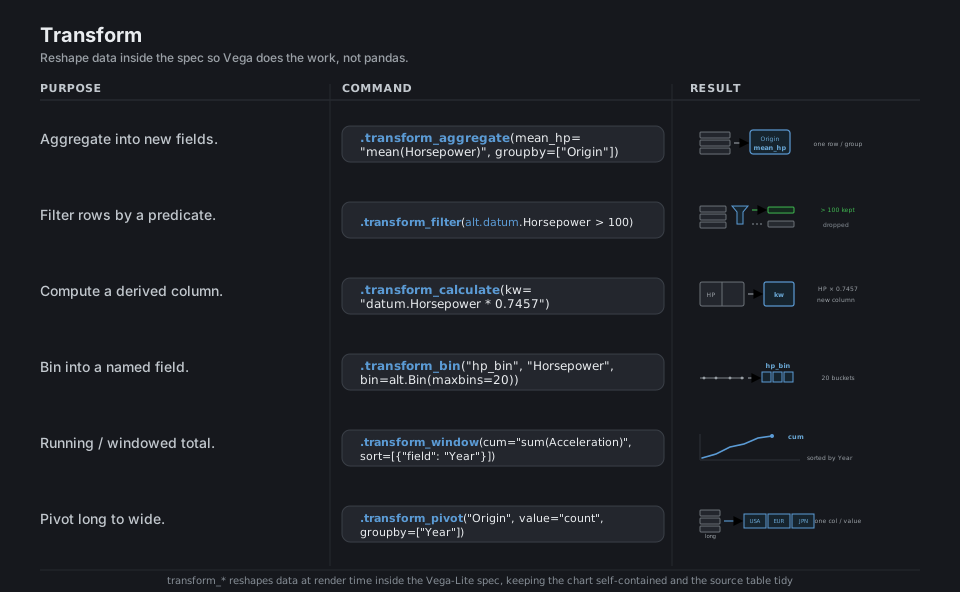
.transform_aggregate(mean_hp="mean(Horsepower)", groupby=["Origin"])  # aggregate new fields
.transform_filter(alt.datum.Horsepower > 100)            # filter rows by a predicate
.transform_calculate(kw="datum.Horsepower * 0.7457")     # compute a derived column
.transform_bin("hp_bin", "Horsepower", bin=alt.Bin(maxbins=20))  # bin into a named field
.transform_window(cum="sum(Acceleration)", sort=[{"field": "Year"}])  # running total
.transform_pivot("Origin", value="count", groupby=["Year"])  # pivot long to wide
See Transforms. alt.datum.col references a field inside a filter or calculate expression.
Theme, configure, and size
A theme sets the global look for every chart in the session: read the current one with alt.theme.active, switch with alt.theme.enable("dark"), list options with alt.theme.names(), and register your own with the @alt.theme.register(...) decorator. Per-chart, .properties(width=, height=, title=) sets size and title and the .configure_* family (for example configure_axis, configure_legend, configure_view) overrides fine styling for that chart only.
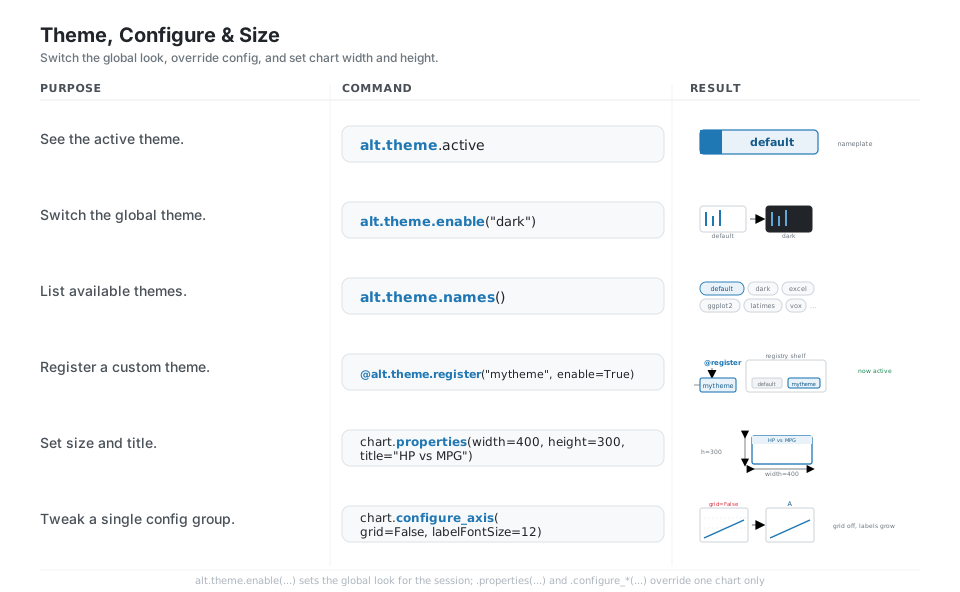
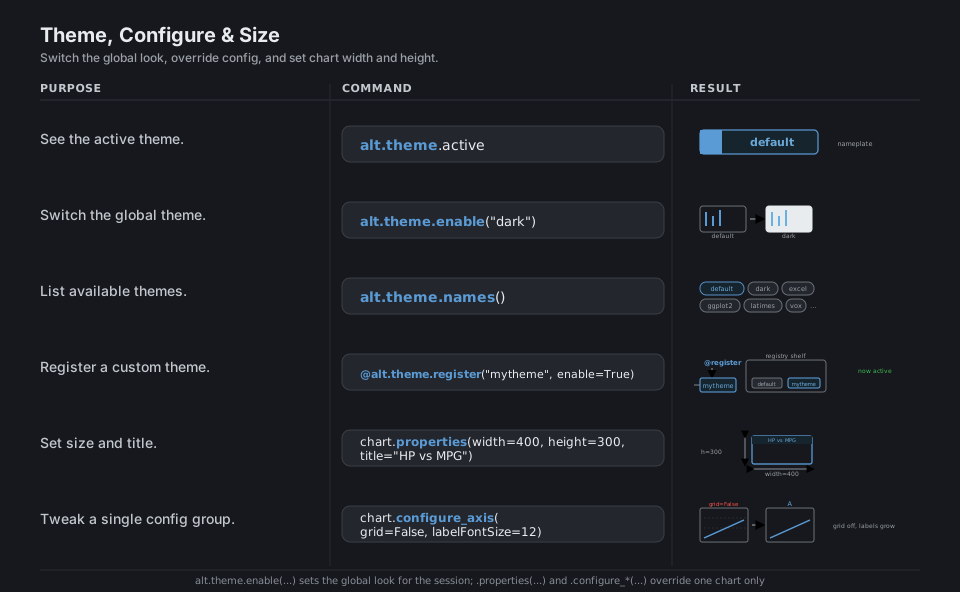
alt.theme.active                                         # see the active theme ('default')
alt.theme.enable("dark")                                 # switch the global theme
alt.theme.names()                                        # list available themes

@alt.theme.register("mytheme", enable=True)              # register a custom theme
def mytheme() -> alt.theme.ThemeConfig: ...

chart.properties(width=400, height=300, title="HP vs MPG")  # set size and title
chart.configure_axis(grid=False, labelFontSize=12)       # tweak a single config group
See Customizing visualizations. Use alt.theme (singular); the old alt.themes registry is deprecated.
Save and export
chart.save("name.ext") writes by file extension: .html bundles a fully interactive chart, while .png, .svg, and .pdf produce static images via vl-convert-python (pure Rust, no Node or browser needed), with scale_factor= controlling raster resolution. Saving .json exports just the portable Vega-Lite spec, and remember the default 5000-row guard: alt.data_transformers.disable_max_rows() lifts it, but aggregating or sampling first is usually the better fix.
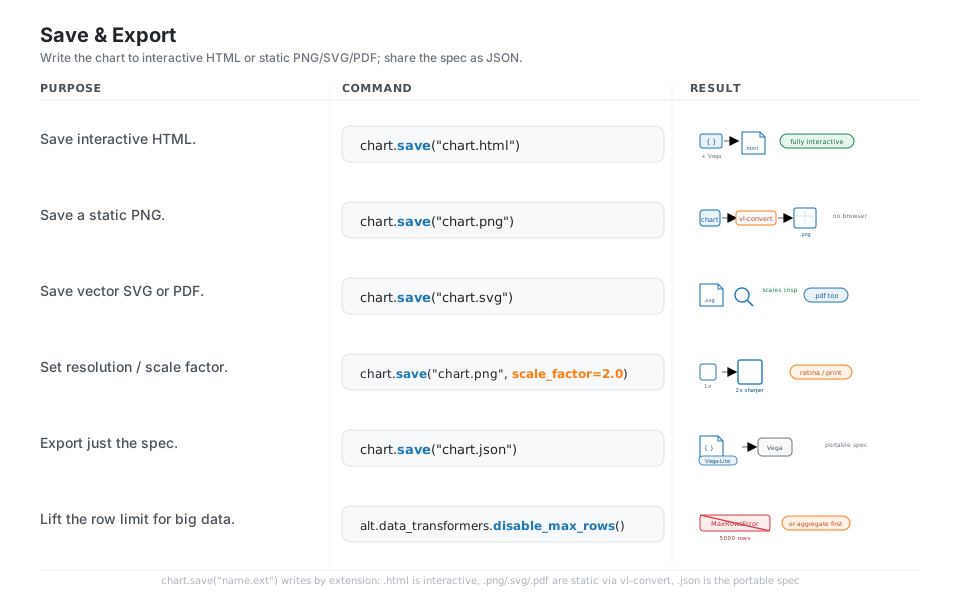
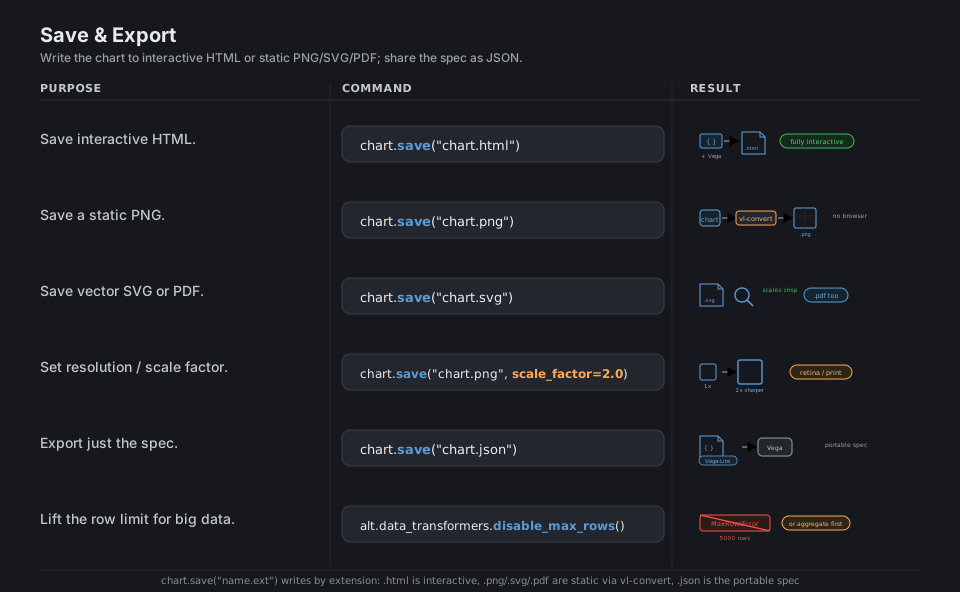
chart.save("chart.html")                                 # save interactive HTML
chart.save("chart.png")                                  # save a static PNG (needs vl-convert)
chart.save("chart.svg")                                  # save vector SVG (also "chart.pdf")
chart.save("chart.png", scale_factor=2.0)                # 2x raster for retina / print
chart.save("chart.json")                                 # export just the Vega-Lite spec
alt.data_transformers.disable_max_rows()                 # lift the 5000-row MaxRowsError guard
See Saving charts. Static export uses vl-convert-python (no Node, no Selenium, no webdriver=).
Quick Reference
| Command | What it does | Area |
|---|---|---|
alt.Chart(df) |
Wrap a DataFrame in a chart | Grammar |
.mark_point() / mark_bar / mark_line |
Choose the geometry | Grammar |
.encode(x=, y=, color=, ...) |
Map columns to channels | Encoding |
"col:Q" / :N / :O / :T |
Tag a field with its measurement type | Encoding |
alt.X("col:Q", scale=..., bin=...) |
Object form for full channel control | Encoding |
chart.interactive() |
Add pan and zoom | Interactive |
alt.selection_interval() + .add_params(...) |
Drag-brush selection | Interactive |
alt.condition(sel, a, b) |
Style by selection state | Interactive |
a + b / alt.layer |
Overlay marks on shared axes | Compose |
a \| b / a & b |
Concatenate charts (h / v) | Compose |
.facet("col:N", columns=n) |
Small-multiple grid | Facet |
.transform_filter(alt.datum.x > 0) |
Filter rows in the spec | Transform |
alt.theme.enable("dark") |
Switch the global theme | Theme |
.properties(width=, height=, title=) |
Size and title one chart | Theme |
chart.save("out.html" / ".png" / ".svg") |
Export the chart | Save |
| Suffix | Type | Use for | Default scale |
|---|---|---|---|
:Q |
quantitative | continuous numbers (Horsepower, price) | linear, zero-based |
:N |
nominal | unordered categories (Origin, color name) | discrete, distinct colors |
:O |
ordinal | ordered categories (small/medium/large) | discrete, ordered |
:T |
temporal | dates and times | time axis |
:G |
geojson | geographic shapes (maps) | projection |
| Channel | Maps a column to | Typical mark |
|---|---|---|
x, y |
position | all |
color |
hue / colormap | all |
size |
mark area | point, circle |
shape |
glyph shape | point |
opacity |
transparency | all |
tooltip |
hover text | all |
theta, radius |
angle / radius | arc (pie, donut) |
text |
label content | text |
row, column, facet |
small-multiple split | all |
| Extension | Output | Needs | Interactive |
|---|---|---|---|
.html |
standalone web page | (built in) | yes |
.json |
Vega-Lite spec only | (built in) | n/a (portable spec) |
.png |
raster image | vl-convert-python |
no |
.svg |
vector image | vl-convert-python |
no |
.pdf |
vector document | vl-convert-python |
no |
| Deprecated / old | Current (Altair 6) |
|---|---|
alt.selection(type="interval") |
alt.selection_interval() |
alt.selection_single(...) |
alt.selection_point(...) |
alt.selection_multi(...) |
alt.selection_point(...) |
chart.add_selection(sel) |
chart.add_params(sel) |
alt.themes.enable("dark") |
alt.theme.enable("dark") |
alt.themes.register(name, fn) |
@alt.theme.register(name, enable=True) |
chart.save("c.png", webdriver=...) |
chart.save("c.png") (uses vl-convert) |
Appendix: Sample Code
The grammar in one screen (the canonical pattern)
import altair as alt
from vega_datasets import data

cars = data.cars()        # a tidy pandas DataFrame: one row per car

chart = (
    alt.Chart(cars)                          # 1. data
    .mark_circle(size=60)                    # 2. mark (geometry)
    .encode(                                 # 3. encode columns -> channels
        x="Horsepower:Q",
        y="Miles_per_Gallon:Q",
        color="Origin:N",
        tooltip=["Name:N", "Horsepower:Q", "Miles_per_Gallon:Q"],
    )
    .properties(width=400, height=300, title="Horsepower vs MPG")
)

chart.to_dict()["$schema"]   # 'https://vega.github.io/schema/vega-lite/v6.4.1.json'
Linked brushing (the interactivity Altair gives you for free)
Drag on the top scatter to select a horsepower range; the bottom bar chart of counts by origin updates to the brushed rows.
import altair as alt
from vega_datasets import data

cars = data.cars()
brush = alt.selection_interval(encodings=["x"])

points = (
    alt.Chart(cars)
    .mark_point()
    .encode(
        x="Horsepower:Q",
        y="Miles_per_Gallon:Q",
        color=alt.condition(brush, "Origin:N", alt.value("lightgray")),
    )
    .add_params(brush)            # current API (was add_selection in v4)
)

bars = (
    alt.Chart(cars)
    .mark_bar()
    .encode(x="count():Q", y="Origin:N")
    .transform_filter(brush)      # filter the bars to the brushed points
)

linked = points & bars
linked.save("linked.html")        # fully interactive
Layer, facet, and a transform together
import altair as alt
from vega_datasets import data

cars = data.cars()
base = alt.Chart(cars).encode(x="Horsepower:Q", y="Miles_per_Gallon:Q")

# layer: raw points plus a smoothed trend line
scatter = base.mark_circle(opacity=0.4)
trend = base.mark_line(color="black").transform_loess("Horsepower", "Miles_per_Gallon")
overlay = (scatter + trend)

# facet the overlay into one panel per origin, shared scales
small_multiples = overlay.facet(facet="Origin:N", columns=3)
small_multiples.save("facets.html")
Theme, then export to static images
import altair as alt
from vega_datasets import data

cars = data.cars()
print(alt.theme.active)            # 'default'
print(alt.theme.names()[:6])       # ['carbong10', 'carbong100', 'carbonwhite', 'dark', 'default', 'excel']

alt.theme.enable("fivethirtyeight")

chart = (
    alt.Chart(cars)
    .mark_bar()
    .encode(x="mean(Horsepower):Q", y="Origin:N")
    .properties(width=400, height=200, title="Mean horsepower by origin")
)

chart.save("chart.html")                    # interactive
chart.save("chart.png", scale_factor=2.0)   # 2x raster (needs vl-convert-python)
chart.save("chart.svg")                     # crisp vector
chart.save("chart.json")                    # portable Vega-Lite spec

alt.theme.enable("default")                 # reset for the rest of the session
Register a custom theme (the current decorator API)
import altair as alt

@alt.theme.register("tcp_brand", enable=True)
def tcp_brand() -> alt.theme.ThemeConfig:
    return alt.theme.ThemeConfig(
        config={
            "view": {"continuousWidth": 480, "continuousHeight": 320},
            "axis": {"grid": False, "labelFontSize": 12, "titleFontSize": 13},
            "range": {"category": ["#1f77b4", "#fd7e14", "#198754", "#dc3545"]},
        }
    )

print(alt.theme.active)   # 'tcp_brand'  (enable=True flipped it on)
Handling large data
import altair as alt

# Altair guards against accidentally embedding huge tables in the spec:
# more than 5000 rows raises MaxRowsError. Prefer to aggregate or sample first;
# if you really need every row, lift the guard explicitly:
alt.data_transformers.disable_max_rows()
Behavior notes
- No picture until you encode.
alt.Chart(df).mark_point()is a valid chart object but renders nothing useful until.encode(...)maps at least one column to a channel. - The type suffix drives everything.
:Qquantitative,:Nnominal,:Oordinal,:Ttemporal choose the default scale, axis, and legend; get the type wrong and the chart looks wrong. - Use the v5/v6 selection API.
alt.selection_interval()/alt.selection_point()withchart.add_params(...). The v4 namesselection_single/selection_multi/selectionandadd_selection(...)still import but are deprecated. - Use
alt.theme(singular). The oldalt.themesregistry was deprecated in altair 5.5.0 and warns; register custom themes with@alt.theme.register(name, enable=True)returning aThemeConfig. - Static export goes through
vl-convert-python. Pure Rust, no Node, no Selenium, nowebdriver=. Installing it is all that is needed for.png,.svg, and.pdf. - The 5000-row guard is on by default. Aggregate, sample, or call
alt.data_transformers.disable_max_rows()for big frames.
References
Altair documentation (current)
- Documentation home and Overview / why Altair
- Installation, Starting with the grammar
- Encodings, Interactions, Compound charts
- Transforms, Customizing visualizations, Saving charts
- API reference
Project and related