DuckDB is an in-process analytical SQL engine: there is no server to run, you import duckdb and you are already querying. Its whole appeal is SQL over your data where it already lives. Point a query straight at a Parquet or CSV file on disk, or put a pandas or Polars DataFrame’s Python variable name right in the FROM clause, and hand the answer back to Python only at the very end. This makes it the natural next tool after the pandas, polars, and narwhals sheets: those are DataFrame method-chain APIs, DuckDB is the SQL entry point to the same data. The recurring picture in this sheet is one engine: sources (files, DataFrames, stored tables) flow into a brand-yellow DuckDB engine box, a SQL string drives it, and a lazy Relation flows out that you materialize with one of .df() / .pl() / .arrow() / .fetchall(). The convention is import duckdb, used by every command below.


Connect and Query
DuckDB is an in-process engine: import duckdb and call duckdb.sql("...") and you are already running SQL against a default in-memory database, no server and no setup. Call duckdb.connect() for your own in-memory connection or duckdb.connect("file.duckdb") to persist to disk, then run queries with con.sql(...) (which returns a lazy Relation) or con.execute(...) (for parametrized statements and DDL).
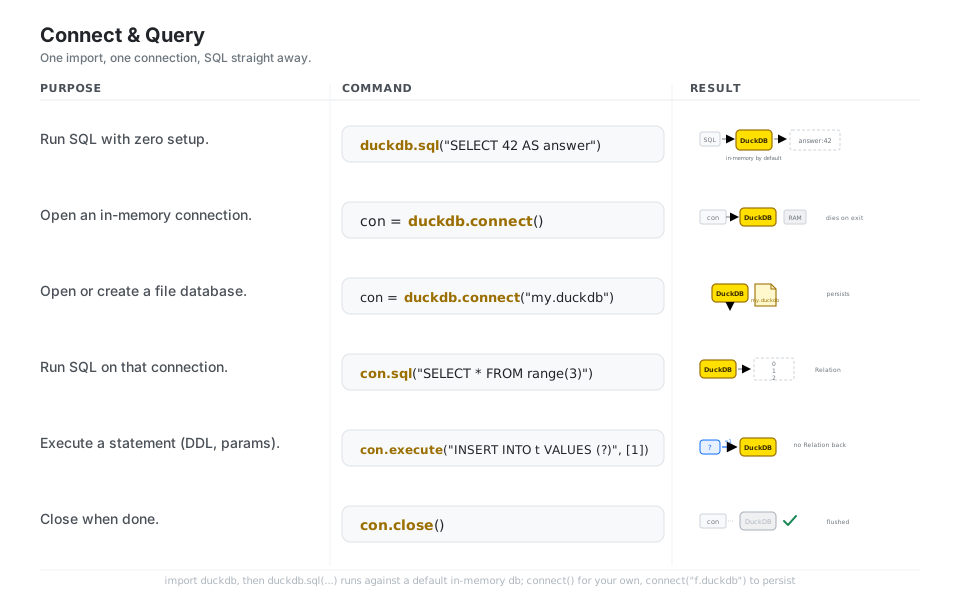
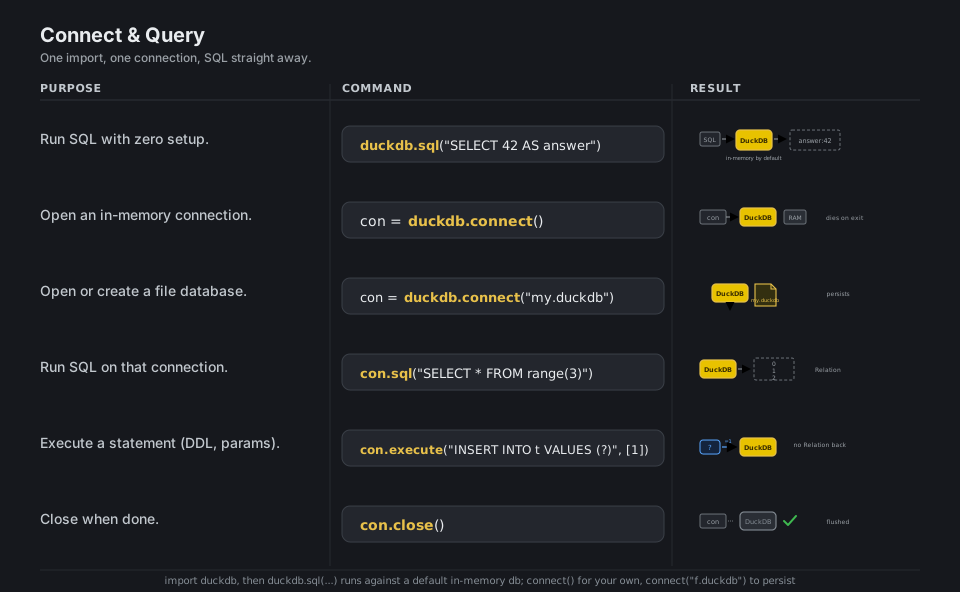
import duckdb

duckdb.sql("SELECT 42 AS answer")           # run SQL on the default in-memory db
con = duckdb.connect()                       # your own in-memory connection
con = duckdb.connect("my.duckdb")            # open or create a file database
con.sql("SELECT * FROM range(3)")            # query on that connection -> Relation
con.execute("INSERT INTO t VALUES (?)", [1]) # parametrized statement / DDL
con.close()                                  # flush and close
See the Python client overview.
Query Files Directly
You do not have to load a file before you can query it; DuckDB reads Parquet, CSV, and JSON straight from a path inside the SQL itself, so SELECT * FROM 'sales.parquet' just works. A glob like 'data/*.parquet' auto-unions a whole folder, read_csv_auto(...) sniffs CSV column types for you, and an https:// path streams a remote file, all without a separate load step.
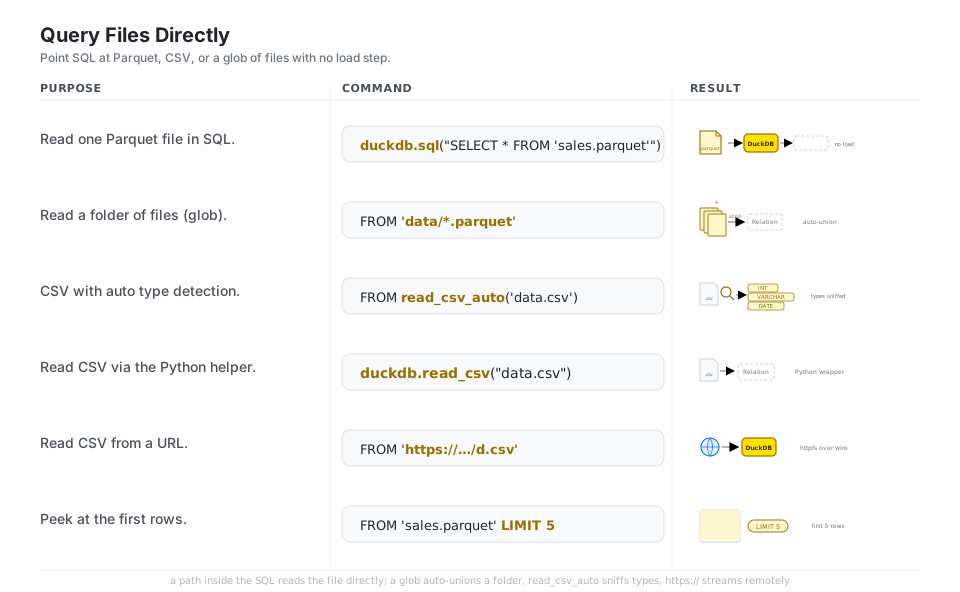
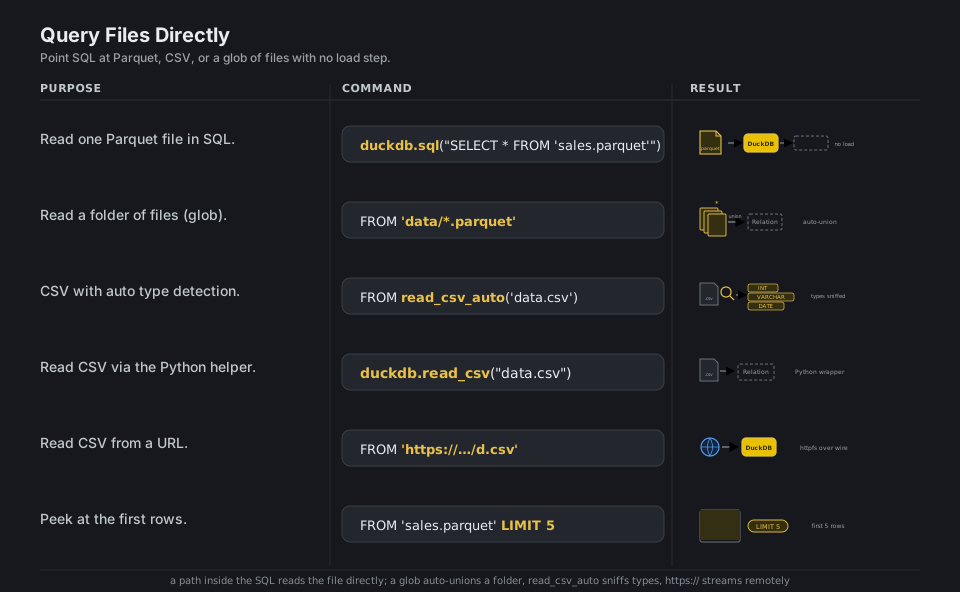
duckdb.sql("SELECT * FROM 'sales.parquet'")               # one Parquet file
duckdb.sql("SELECT * FROM 'data/*.parquet'")              # a folder, auto-unioned
duckdb.sql("SELECT * FROM read_csv_auto('data.csv')")     # CSV with type detection
duckdb.read_csv("data.csv")                               # CSV via the Python helper
duckdb.sql("SELECT * FROM 'https://example.com/d.csv'")   # stream a remote file
duckdb.sql("SELECT * FROM 'sales.parquet' LIMIT 5")       # peek at the first rows
See the Parquet docs. Note read_csv_auto is a SQL table function (use it inside SQL); duckdb.read_csv(...) is the Python helper.
SQL on a DataFrame
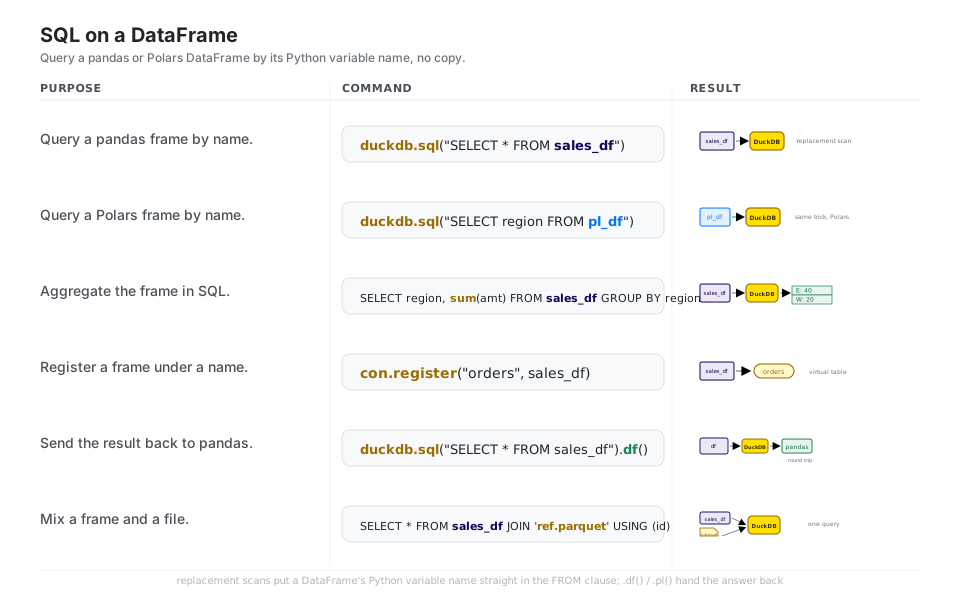
DuckDB’s replacement scans let you put a pandas or Polars DataFrame’s Python variable name directly in the FROM clause, so SELECT * FROM sales_df queries the frame in place with no copy or conversion. Run any SQL (filters, group-bys, joins) over that frame, optionally con.register("name", df) to give it a stable table name, and call .df() / .pl() to hand the answer back to Python.
import duckdb
import pandas as pd

duckdb.sql("SELECT * FROM sales_df")                      # query a pandas frame by name
duckdb.sql("SELECT region FROM pl_df")                    # a Polars frame, same trick
duckdb.sql("SELECT region, sum(amt) FROM sales_df GROUP BY region")   # aggregate it
con.register("orders", sales_df)                          # name it as a virtual table
duckdb.sql("SELECT * FROM sales_df").df()                 # round trip back to pandas
duckdb.sql("SELECT * FROM sales_df JOIN 'ref.parquet' USING (id)")    # frame + file
See SQL on pandas.
Filter, Aggregate, Window
The everyday SQL shape is WHERE to drop rows, GROUP BY to roll many rows into one per group, and ORDER BY ... LIMIT to take the top N. Window functions with OVER (PARTITION BY ... ORDER BY ...) compute running totals, ranks, and lags without collapsing the rows, which is the key difference from GROUP BY.
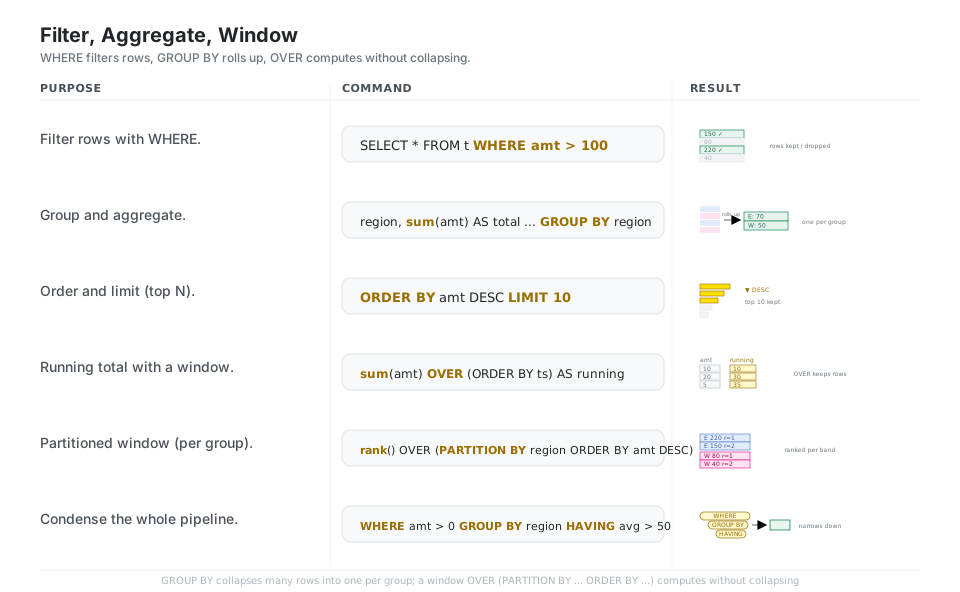
duckdb.sql("SELECT * FROM t WHERE amt > 100")                         # filter rows
duckdb.sql("SELECT region, sum(amt) AS total FROM t GROUP BY region") # roll up
duckdb.sql("SELECT * FROM t ORDER BY amt DESC LIMIT 10")              # top N
duckdb.sql("SELECT amt, sum(amt) OVER (ORDER BY ts) AS running FROM t")     # window
duckdb.sql("SELECT *, rank() OVER (PARTITION BY region ORDER BY amt DESC) FROM t")
duckdb.sql("SELECT region, avg(amt) FROM t WHERE amt > 0 GROUP BY region HAVING avg(amt) > 50")
See Window functions.
Joins
INNER JOIN keeps only rows whose keys match on both sides, LEFT JOIN keeps every left row and fills the right side with NULL when there is no match, and USING (col) is the shorthand when both sides share a column name. DuckDB also ships ASOF JOIN, which matches each left row to the nearest earlier right row on an inequality like t.ts >= p.ts, the standard tool for attaching prices to trades or any “most recent prior value” lookup.
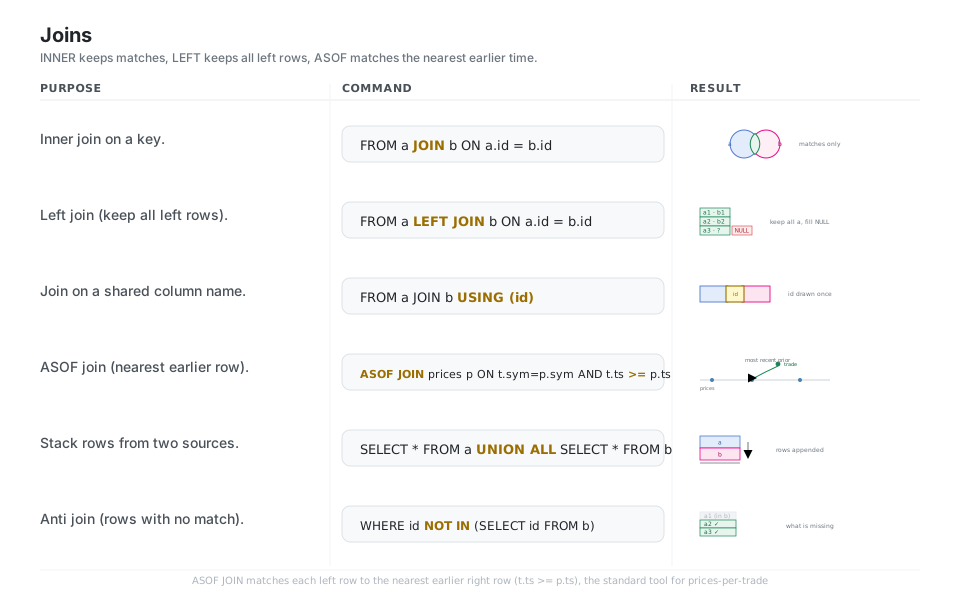
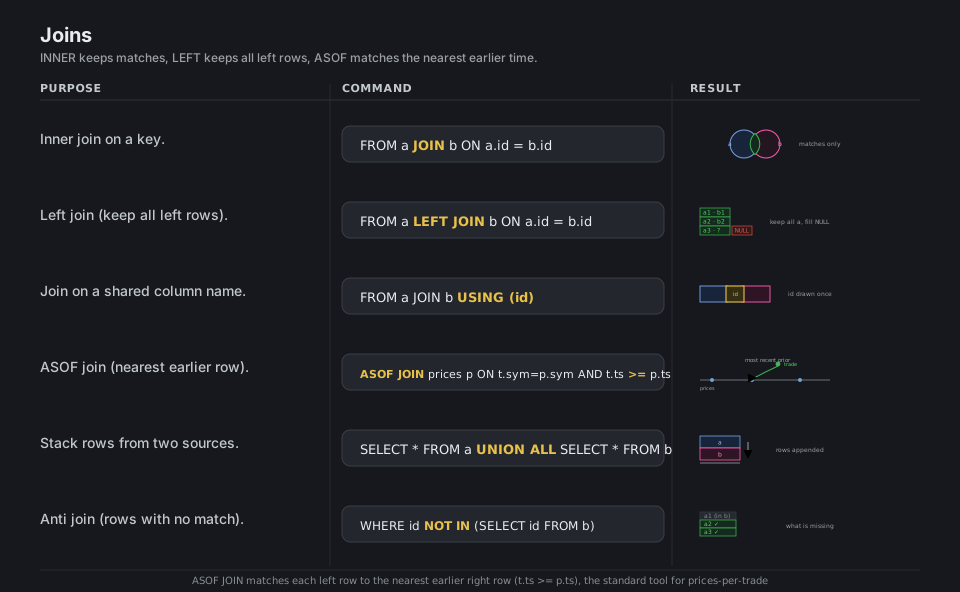
duckdb.sql("SELECT * FROM a JOIN b ON a.id = b.id")        # inner: matches only
duckdb.sql("SELECT * FROM a LEFT JOIN b ON a.id = b.id")   # keep all left, NULL right
duckdb.sql("SELECT * FROM a JOIN b USING (id)")            # shared column name
duckdb.sql("SELECT t.*, p.price FROM trades t "
           "ASOF JOIN prices p ON t.sym = p.sym AND t.ts >= p.ts")  # nearest earlier
duckdb.sql("SELECT * FROM a UNION ALL SELECT * FROM b")    # stack rows
duckdb.sql("SELECT * FROM a WHERE id NOT IN (SELECT id FROM b)")    # anti join
See the FROM and JOIN clause.
Move Results Out
A Relation returned by duckdb.sql(...) is lazy: nothing runs until you fetch or print it, which lets DuckDB optimize the whole chain. Materialize it with one method, .df() for pandas, .pl() for Polars, .arrow() for an Arrow table, .fetchall() for a list of tuples, or .fetchnumpy() for column arrays, choosing the format your next step wants.
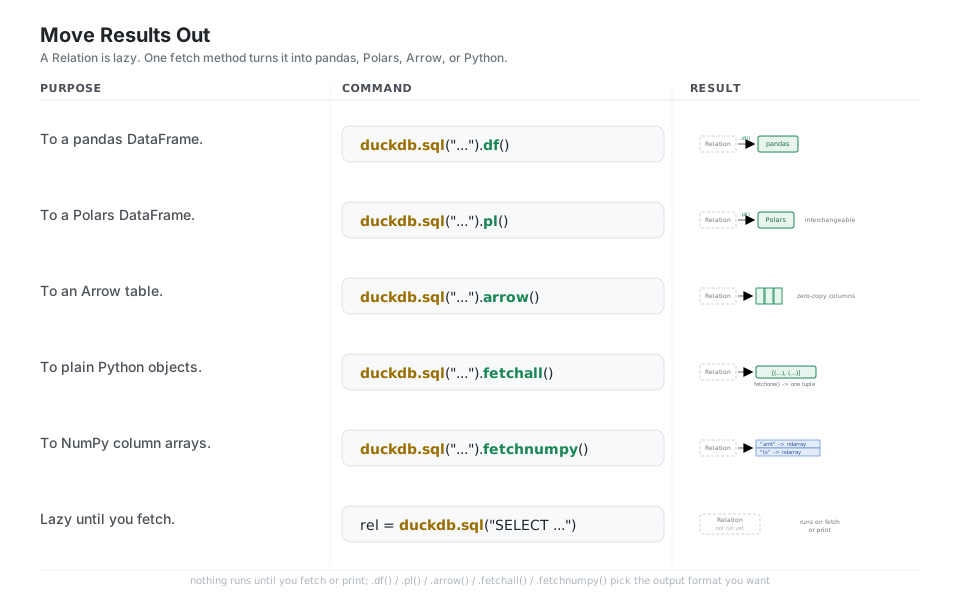
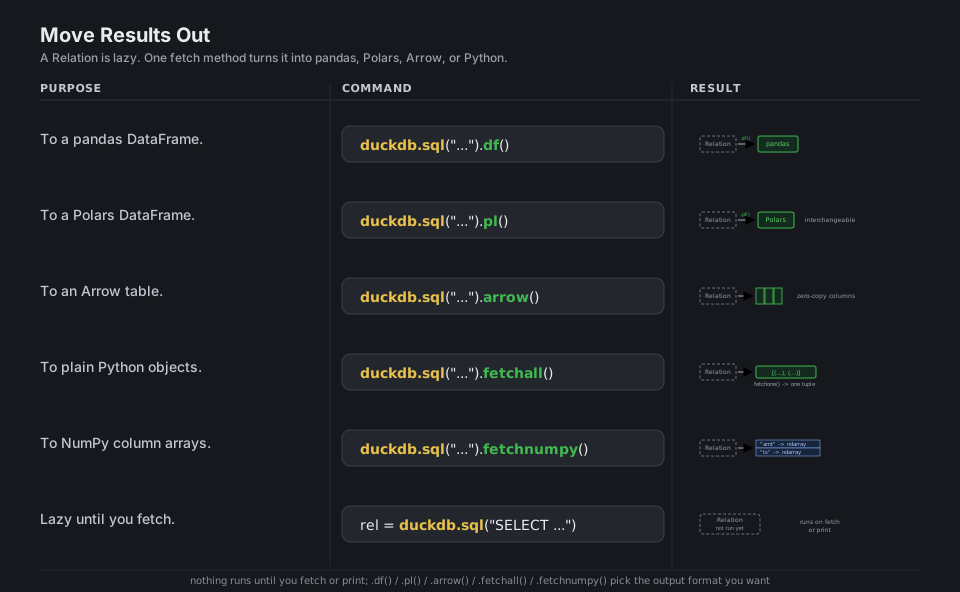
duckdb.sql("SELECT * FROM t").df()          # -> pandas DataFrame
duckdb.sql("SELECT * FROM t").pl()          # -> Polars DataFrame
duckdb.sql("SELECT * FROM t").arrow()       # -> Arrow table (zero-copy)
duckdb.sql("SELECT * FROM t").fetchall()    # -> list of tuples
duckdb.sql("SELECT * FROM t").fetchnumpy()  # -> dict of column ndarrays
rel = duckdb.sql("SELECT * FROM t")         # lazy: nothing runs until you fetch/print
See the conversion docs.
Persist and Export
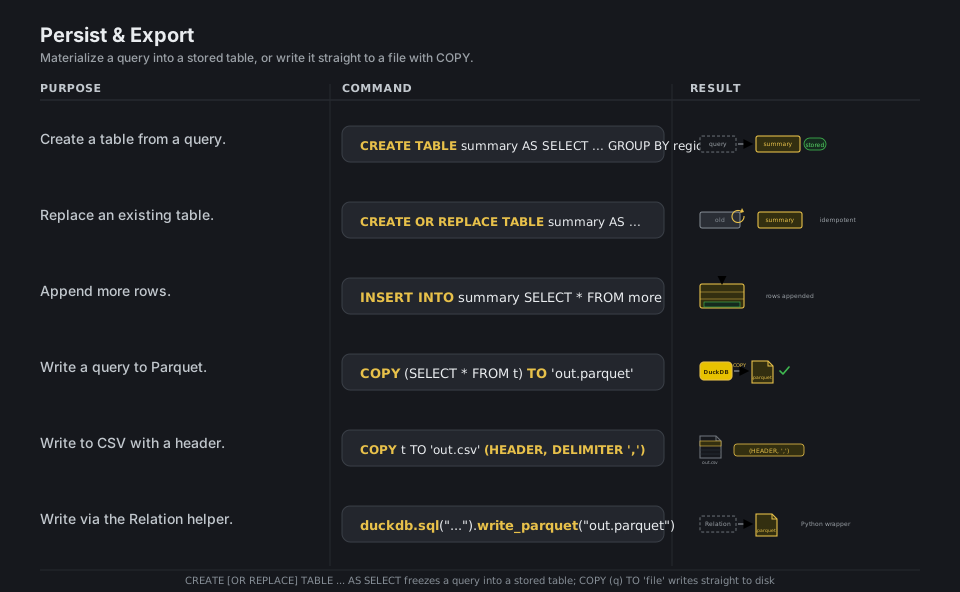
To keep a result, freeze it into a stored table with CREATE TABLE name AS SELECT ... (use CREATE OR REPLACE to make it rerunnable) and add rows later with INSERT INTO. To hand data to other tools, COPY (query) TO 'out.parquet' or COPY table TO 'out.csv' (HEADER) writes straight to disk, and the Relation helper .write_parquet(...) does the same from Python.
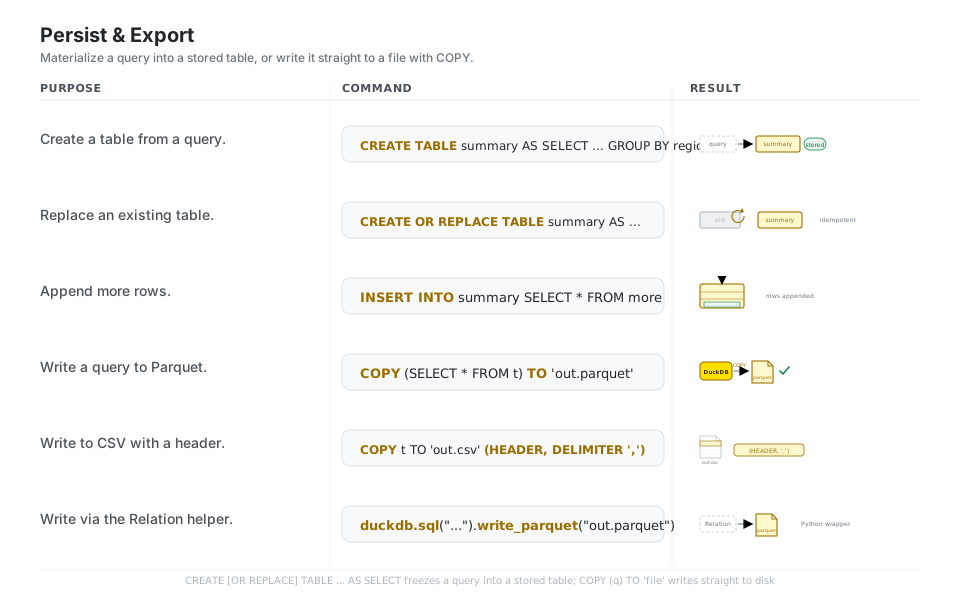
con.sql("CREATE TABLE summary AS SELECT region, sum(amt) FROM t GROUP BY region")
con.sql("CREATE OR REPLACE TABLE summary AS SELECT ...")   # rerunnable
con.sql("INSERT INTO summary SELECT * FROM more")          # append rows
con.sql("COPY (SELECT * FROM t) TO 'out.parquet'")         # write a query to Parquet
con.sql("COPY t TO 'out.csv' (HEADER, DELIMITER ',')")     # write CSV with a header
duckdb.sql("SELECT * FROM t").write_parquet("out.parquet") # via the Relation helper
See the COPY statement.
Inspect and EXPLAIN
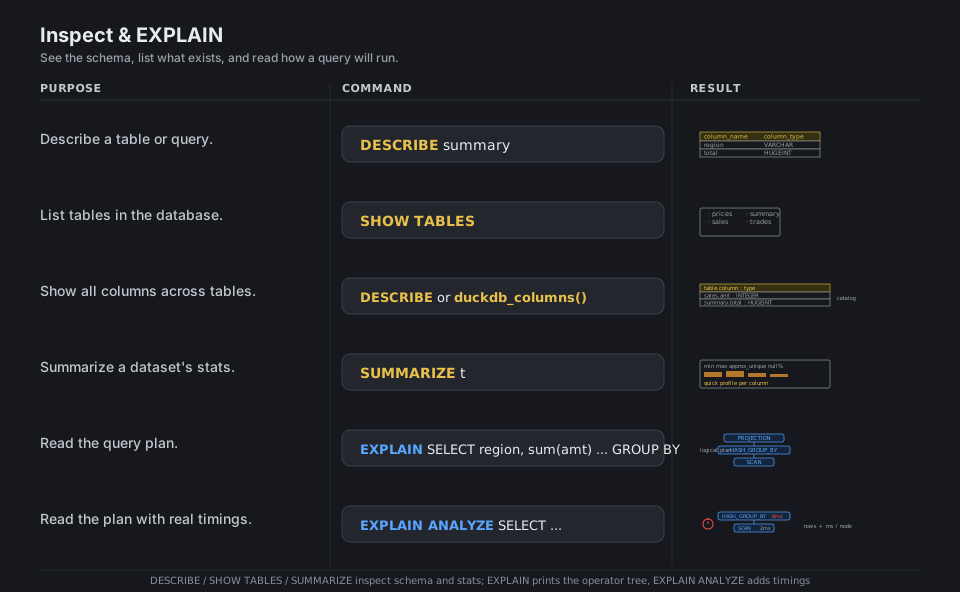
DESCRIBE shows a table’s or query’s columns and types, SHOW TABLES lists what exists, and SUMMARIZE profiles each column (min, max, approximate distinct count, null fraction) in one shot. When a query is slow, EXPLAIN prints the operator tree DuckDB will run and EXPLAIN ANALYZE reruns it with real per-node row counts and timings so you can see where the time goes.
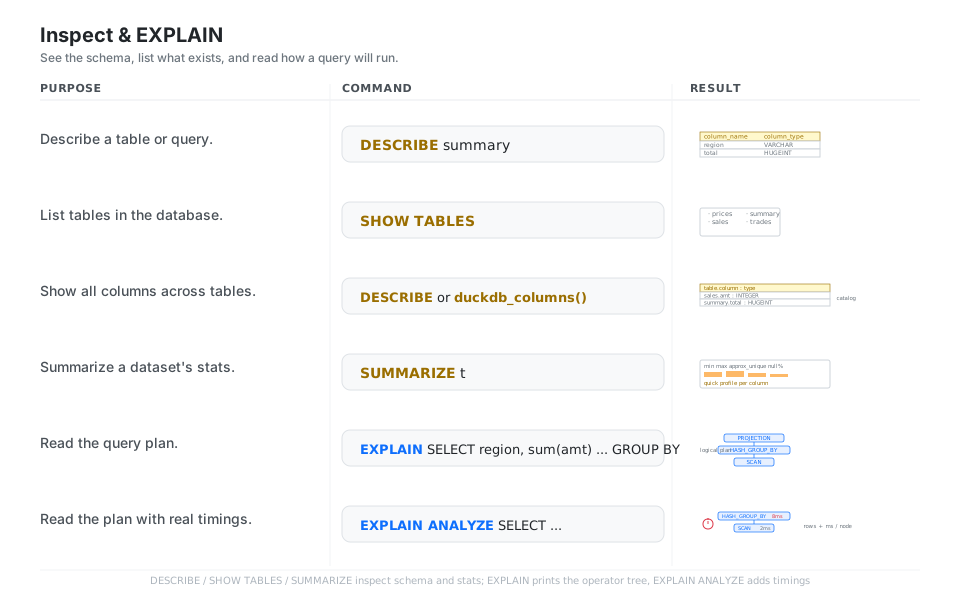
con.sql("DESCRIBE summary")     # column_name -> column_type
con.sql("SHOW TABLES")          # list the stored tables
con.sql("DESCRIBE")             # or duckdb_columns(): every table.column
con.sql("SUMMARIZE t")          # min, max, approx_unique, null_pct per column
con.sql("EXPLAIN SELECT region, sum(amt) FROM t GROUP BY region")   # operator tree
con.sql("EXPLAIN ANALYZE SELECT ...")   # the plan with real row counts and timings
See the profiling docs.
Quick Reference
| Command | What it does | Area |
|---|---|---|
duckdb.sql("SELECT ...") |
Run SQL on the default in-memory db | Connect |
duckdb.connect("my.duckdb") |
Open or create a file database | Connect |
con.execute(sql, params) |
Run a parametrized statement | Connect |
SELECT * FROM 'f.parquet' |
Query a Parquet file directly | Files |
SELECT * FROM 'data/*.csv' |
Query a glob of files (auto-union) | Files |
read_csv_auto('f.csv') |
CSV with type detection | Files |
SELECT * FROM my_df |
Query a pandas/Polars frame by name | DataFrame |
con.register("name", df) |
Name a frame as a virtual table | DataFrame |
WHERE / GROUP BY / ORDER BY |
Filter, roll up, sort | Aggregate |
... OVER (PARTITION BY ...) |
Window without collapsing rows | Aggregate |
JOIN ... ON / LEFT JOIN |
Match on a key / keep all left rows | Joins |
ASOF JOIN ... ON a.ts >= b.ts |
Nearest earlier row (time series) | Joins |
.df() / .pl() / .arrow() |
Result to pandas / Polars / Arrow | Results |
.fetchall() / .fetchnumpy() |
Result to tuples / column arrays | Results |
CREATE TABLE x AS SELECT ... |
Materialize a query into a table | Persist |
COPY (q) TO 'out.parquet' |
Write a query result to a file | Persist |
DESCRIBE / SHOW TABLES / SUMMARIZE |
Schema / list / profile | Inspect |
EXPLAIN / EXPLAIN ANALYZE |
Read the plan / plan with timings | Inspect |
| Method | Returns | Use when |
|---|---|---|
.df() / .fetchdf() |
pandas DataFrame |
Next step is pandas |
.pl() |
Polars DataFrame |
Next step is Polars |
.arrow() |
PyArrow Table |
Zero-copy / Arrow tooling |
.fetchall() |
list[tuple] |
Plain Python, small results |
.fetchone() |
one tuple or None |
Single row / scalar |
.fetchnumpy() |
dict[str, ndarray] |
Per-column NumPy arrays |
| Type | Keeps | Typical use |
|---|---|---|
[INNER] JOIN |
Rows matching on both sides | Standard key lookup |
LEFT JOIN |
All left rows, NULL on the right |
Enrich without dropping rows |
USING (col) |
Match on a shared column name | Shorthand for equal-named keys |
ASOF JOIN ... a.t >= b.t |
Nearest earlier right row | Prices for trades, latest reading |
UNION ALL |
All rows of both, stacked | Concatenate sources |
anti (NOT IN / EXCEPT) |
Left rows with no match | Find what is missing |
Appendix: Sample Code
The source to engine to result mental model
import duckdb

# Default in-memory database, SQL with zero setup.
rel = duckdb.sql("SELECT 42 AS answer")   # a lazy Relation, not run yet
rel.fetchall()                            # [(42,)]  -> runs now, returns Python tuples
rel.df()                                  # pandas DataFrame with one column 'answer'
SQL on a DataFrame you already have (replacement scan)
The headline trick: the frame’s Python variable name goes straight in the FROM clause.
import duckdb
import pandas as pd

sales_df = pd.DataFrame({"region": ["E", "W", "E"], "amt": [10, 20, 30]})

# Query the frame by name, no copy or registration needed.
out = duckdb.sql(
    "SELECT region, sum(amt) AS total "
    "FROM sales_df GROUP BY region ORDER BY region"
).df()
print(out)
#   region  total
# 0      E     40
# 1      W     20

# Same idea for Polars:
# import polars as pl
# pl_df = pl.DataFrame({"region": ["E", "W"], "amt": [5, 7]})
# duckdb.sql("SELECT * FROM pl_df").pl()
An ASOF join (most recent prior price per trade)
import duckdb

con = duckdb.connect()
con.sql("""
    CREATE TABLE trades AS
    SELECT * FROM (VALUES (TIMESTAMP '2026-01-01 10:00:05', 'AAA')) v(ts, sym)
""")
con.sql("""
    CREATE TABLE prices AS
    SELECT * FROM (VALUES
        (TIMESTAMP '2026-01-01 10:00:00', 'AAA', 99.0),
        (TIMESTAMP '2026-01-01 10:00:06', 'AAA', 101.0)
    ) v(ts, sym, price)
""")

con.sql("""
    SELECT t.ts, p.price
    FROM trades t
    ASOF JOIN prices p
      ON t.sym = p.sym AND t.ts >= p.ts
""").fetchall()
# -> matched the 10:00:00 price (99.0), NOT the later 10:00:06 price.
Persist a result and export it
import duckdb

con = duckdb.connect("warehouse.duckdb")     # file-backed, persists across runs

# Materialize a query into a stored, rerunnable table.
con.sql("""
    CREATE OR REPLACE TABLE summary AS
    SELECT region, sum(amt) AS total
    FROM 'data/*.parquet'
    GROUP BY region
""")

# Export straight to files for downstream tools.
con.sql("COPY summary TO 'summary.parquet'")
con.sql("COPY summary TO 'summary.csv' (HEADER, DELIMITER ',')")

con.sql("DESCRIBE summary").show()    # column_name -> column_type
con.sql("SUMMARIZE summary").show()   # per-column min/max/approx_unique/null_pct
con.close()
Behavior notes
duckdb.sql(...)is lazy. It returns a Relation; nothing executes until you fetch (.df(),.fetchall(), …) or print it. This lets DuckDB optimize the whole query before running it.- Replacement scans query frames by name. A pandas, Polars, or Arrow object in local scope can go straight in the
FROMclause. Usecon.register("name", df)only when the frame is not in an obvious scope or you want a stable table name. read_csv_autois SQL,read_csvis Python. Callread_csv_auto('f.csv')inside a SQL string; callduckdb.read_csv('f.csv')as the Python helper. There is noduckdb.read_csv_auto.- Prefer
con.sql(...)overcon.query(...). Both exist;sqlis the documented modern name. Usecon.execute(sql, params)for parametrized statements and DDL. CREATE OR REPLACE TABLEis rerunnable. Prefer it over drop-then-create so a script can run twice without erroring.- A file connection persists, in-memory does not.
connect("f.duckdb")survives across runs; the default database andconnect()live only as long as the process.
References
DuckDB documentation (current)
- Documentation home and the Python client overview
- Reading Parquet, SQL on pandas, the FROM/JOIN clause
- Window functions, result conversion, the COPY statement, profiling
Project and related