Matplotlib is the foundation the rest of the Python plotting world is built on: seaborn and plotnine both render through it. The mental model is two nested objects. A Figure is the whole canvas, and each Axes is one plot on it with its own data, ticks, and labels. plt.subplots() hands you both at once, and from then on you call methods on the ax object: ax.plot(...), ax.set_xlabel(...), ax.legend(). There is also the older plt.plot(...) pyplot interface that draws on an implicit “current” Axes, but the explicit object API is what scales to grids and reuse, so it is the one to learn. The conventional import is import matplotlib.pyplot as plt. Every command below assumes it, plus import numpy as np for the sample data in the Appendix.


Figure and Axes
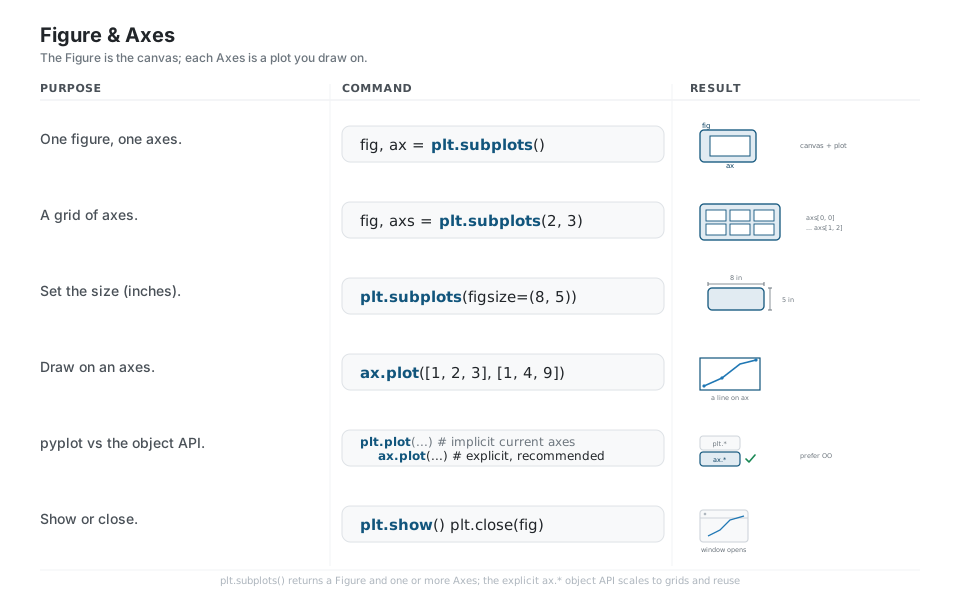
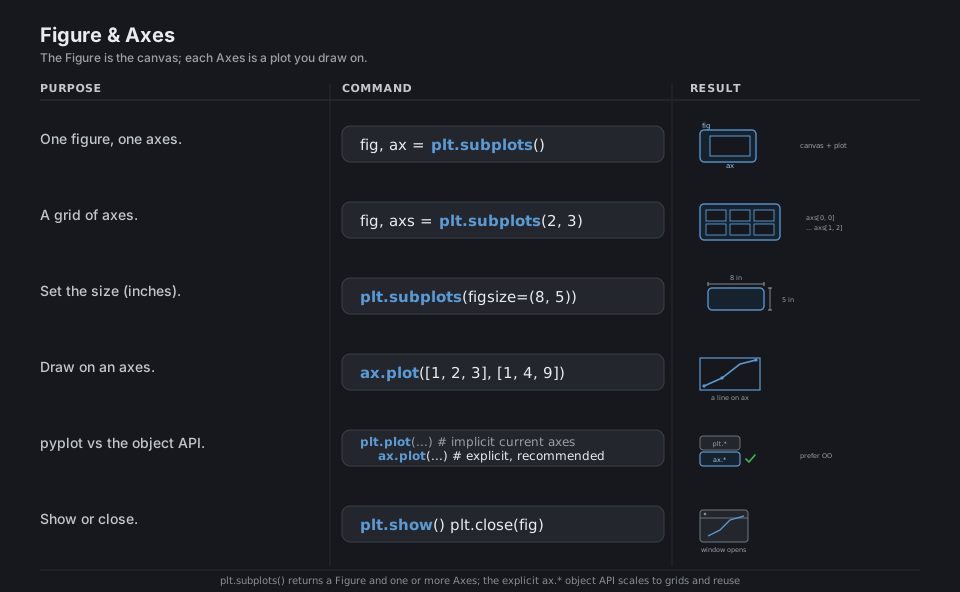
plt.subplots() returns a Figure (the canvas) and one or more Axes (the plots). Pass nrows and ncols for a grid, where axs becomes a NumPy array you index like axs[0, 0], and set figsize in inches. Draw by calling methods on an ax. The implicit plt.plot(...) interface targets whatever Axes is “current”, which is convenient in a notebook but brittle in scripts, so prefer the explicit ax.* object API.
import matplotlib.pyplot as plt

fig, ax = plt.subplots()                  # one Figure, one Axes
fig, axs = plt.subplots(2, 3)             # a 2x3 grid; axs[0, 0] ... axs[1, 2]
fig, ax = plt.subplots(figsize=(8, 5))    # size in inches (width, height)
ax.plot([1, 2, 3], [1, 4, 9])             # draw on the Axes object
plt.plot(...)   # implicit current axes;  ax.plot(...)  # explicit, recommended
plt.show()      # render;  plt.close(fig)  # free it
See the Quick start guide and pyplot vs the object API.
Core Plot Types
Each kind of chart is a method on the Axes. plot draws lines, scatter draws points you can color and size by data, bar and barh draw bars, hist bins one variable into a distribution, and imshow renders a 2D array as an image or heatmap. fill_between shades a band between two curves and errorbar adds uncertainty whiskers.
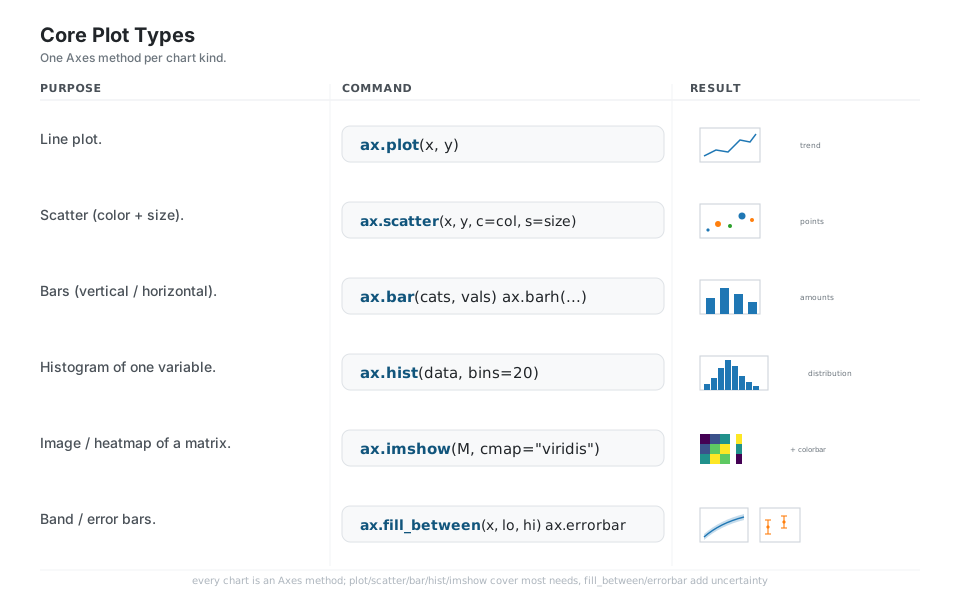
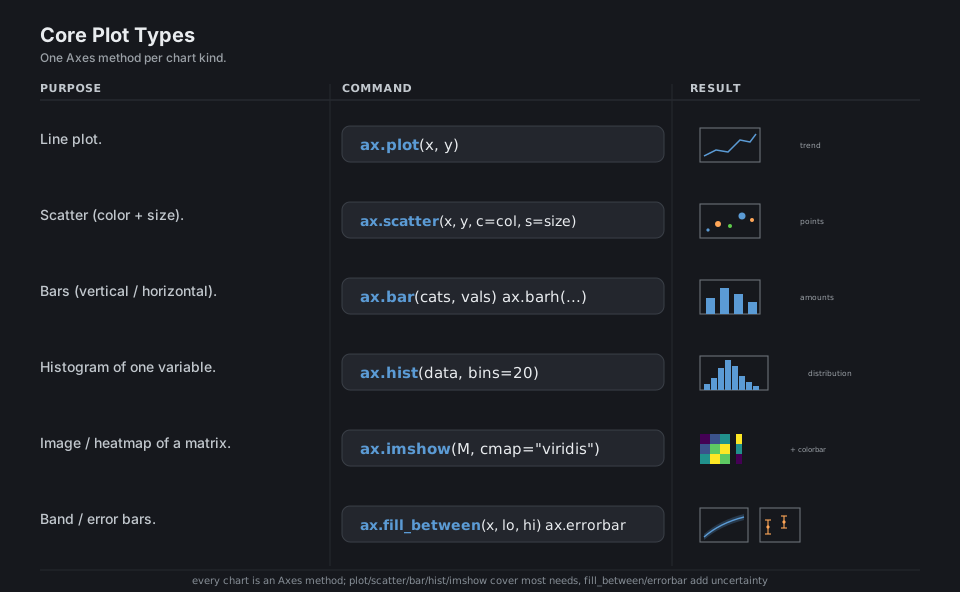
ax.plot(x, y)                          # line plot
ax.scatter(x, y, c=col, s=size)        # points colored / sized by data
ax.bar(cats, vals)   ax.barh(cats, vals)   # vertical / horizontal bars
ax.hist(data, bins=20)                 # histogram of one variable
ax.imshow(M, cmap="viridis")           # 2D array as an image / heatmap
ax.fill_between(x, lo, hi)   ax.errorbar(x, y, yerr=e)   # band; error bars
See Plot types and the Axes API.
Labels, Title and Legend
Name the axes with set_xlabel / set_ylabel, title the plot with set_title, and build a legend automatically by passing label= on each plotting call and then calling ax.legend(). ax.set(...) sets several properties in one call. annotate points an arrow at a coordinate, and ax.grid(True) adds reference lines.
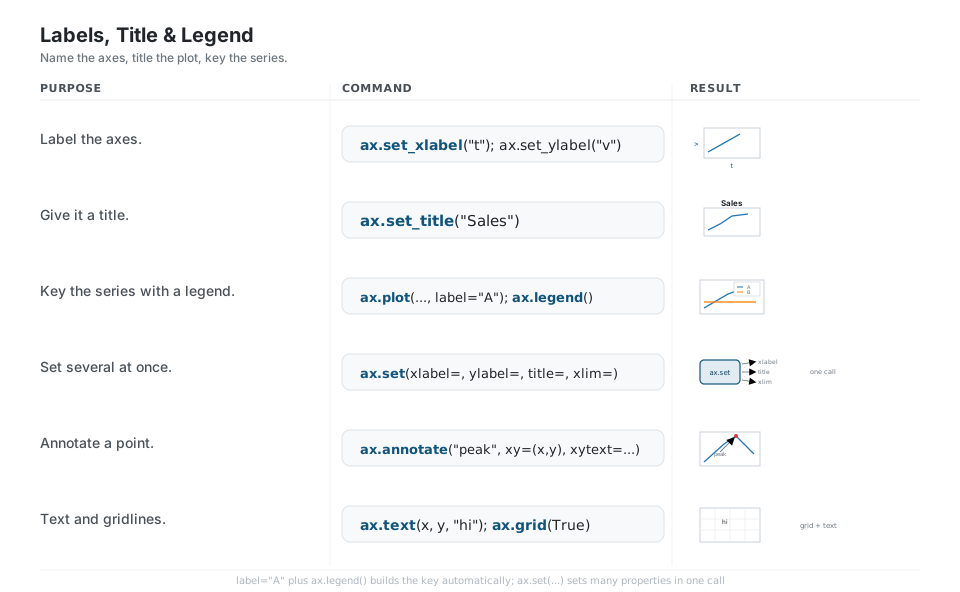
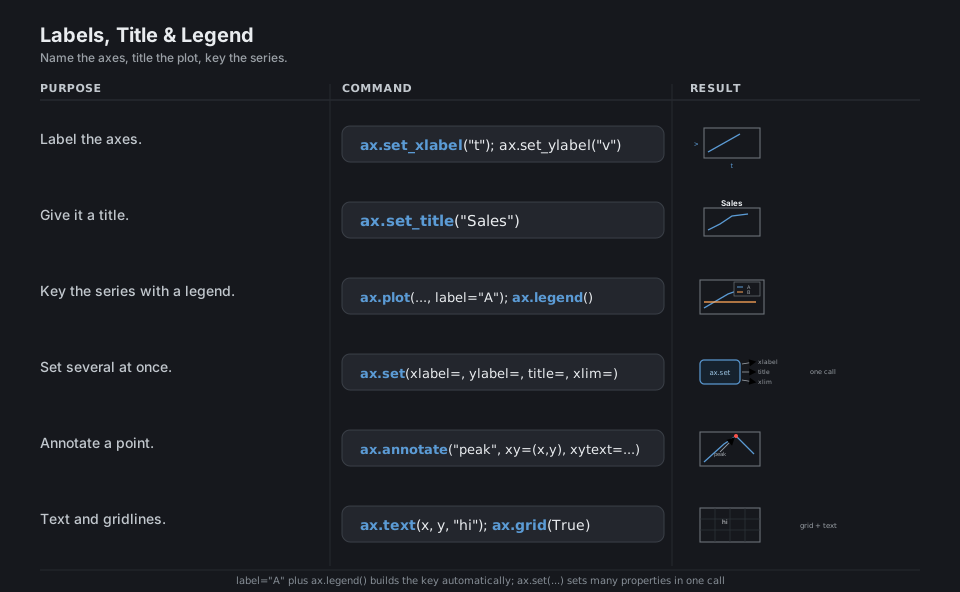
ax.set_xlabel("t");  ax.set_ylabel("v")          # axis labels
ax.set_title("Sales")                            # title
ax.plot(x, y, label="A");  ax.legend()           # label series, then build the key
ax.set(xlabel="t", ylabel="v", title="Sales", xlim=(0, 10))   # many at once
ax.annotate("peak", xy=(x, y), xytext=(x+1, y+1),
            arrowprops=dict(arrowstyle="->"))    # point an arrow at (x, y)
ax.text(x, y, "hi");  ax.grid(True)              # free text; gridlines
See Legend guide and Annotations.
Scales, Limits and Ticks
set_xlim / set_ylim bound the visible range, while set_xscale / set_yscale transform it ("log", "symlog"). Place tick marks with set_xticks (optionally passing labels), and format the numbers shown with a Formatter like PercentFormatter. fig.autofmt_xdate() rotates crowded date labels, and invert_yaxis() flips an axis.
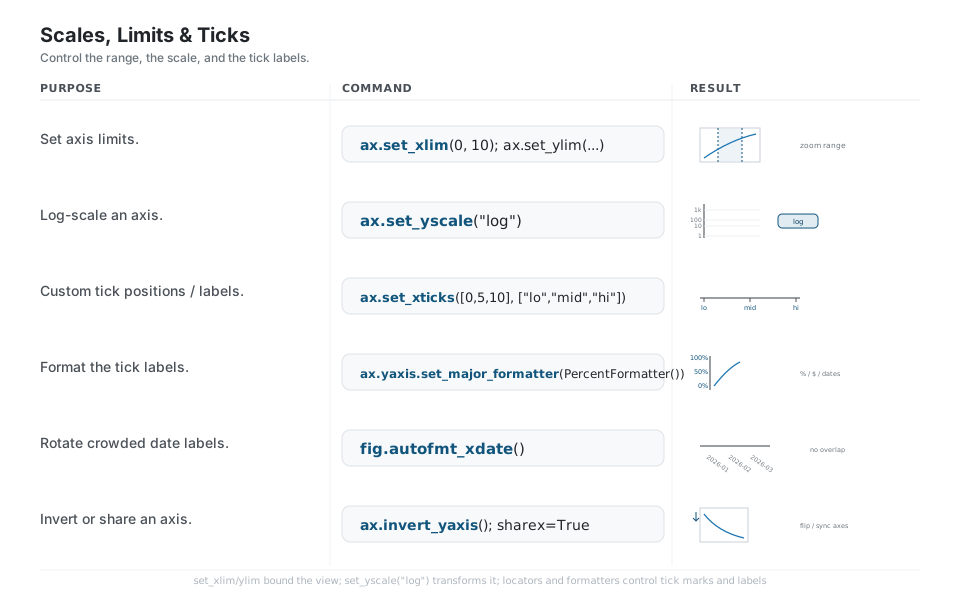
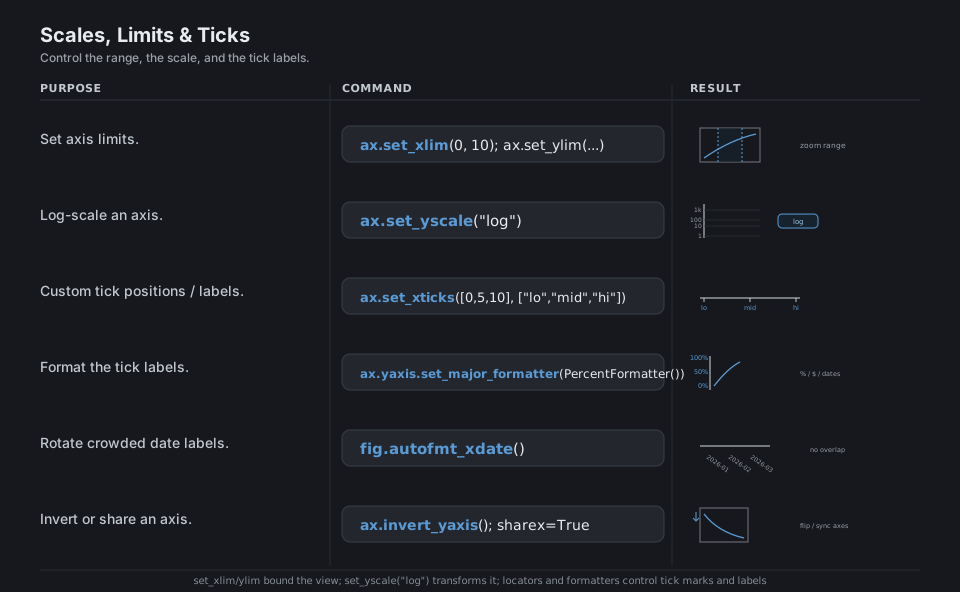
ax.set_xlim(0, 10);  ax.set_ylim(0, 100)         # bound the view
ax.set_yscale("log")                             # log-scale an axis
ax.set_xticks([0, 5, 10], ["lo", "mid", "hi"])   # tick positions + labels
from matplotlib.ticker import PercentFormatter
ax.yaxis.set_major_formatter(PercentFormatter()) # format tick labels
fig.autofmt_xdate()                              # rotate crowded date labels
ax.invert_yaxis()                                # flip an axis
See Axes scales and the Tick formatters.
Multi-Plot Layout
layout="constrained" auto-spaces panels so labels never overlap. For uneven grids, add_gridspec lets a subplot span cells (gs[0, :] takes the whole top row) and subplot_mosaic builds the same from an ASCII map where repeated letters merge. ax.twinx() adds a second y-axis sharing the x, and sharex=True ties stacked panels to one x-axis. fig.suptitle titles the whole Figure.
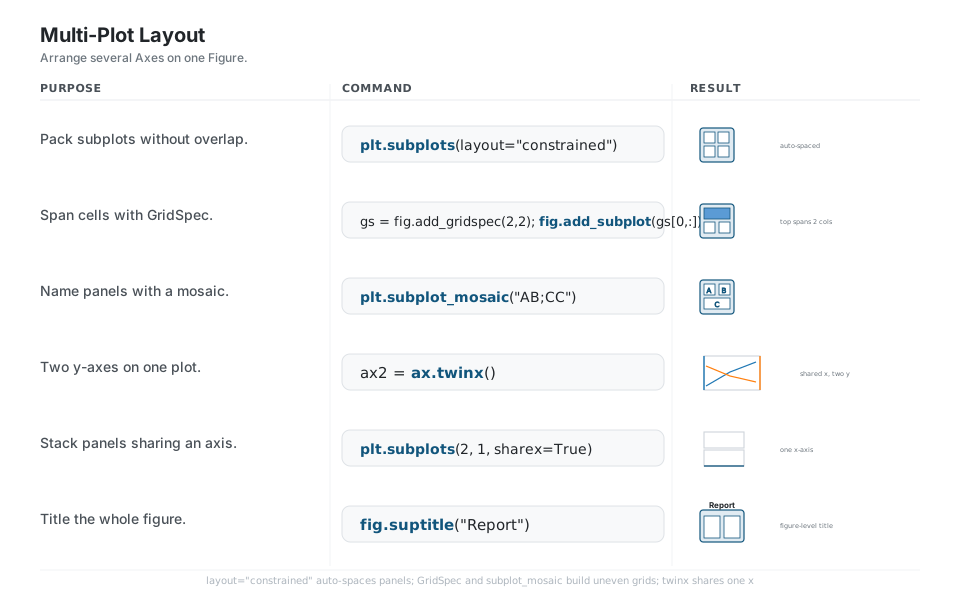
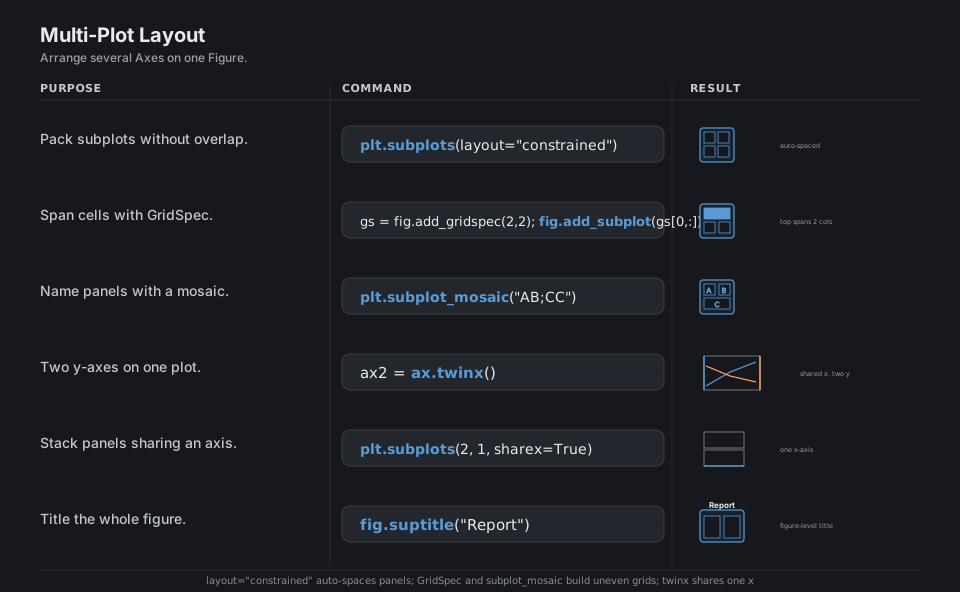
fig, axs = plt.subplots(2, 2, layout="constrained")   # auto-spaced grid
gs = fig.add_gridspec(2, 2);  fig.add_subplot(gs[0, :])  # top spans both columns
fig, axd = plt.subplot_mosaic("AB;CC")                # named panels; CC merges
ax2 = ax.twinx()                                      # second y-axis, shared x
fig, axs = plt.subplots(2, 1, sharex=True)            # stacked, one x-axis
fig.suptitle("Report")                                # Figure-level title
See Arranging multiple Axes and subplot_mosaic.
Style and Color
plt.style.use("ggplot") reskins everything, and plt.rcParams[...] sets individual global defaults like dpi or font size. Lines pick up the default color cycle (C0, C1, C2, …) automatically, or you override per call with color, lw, and ls. Continuous data maps through a colormap such as "viridis". plt.style.context(...) applies a style to just one with block.
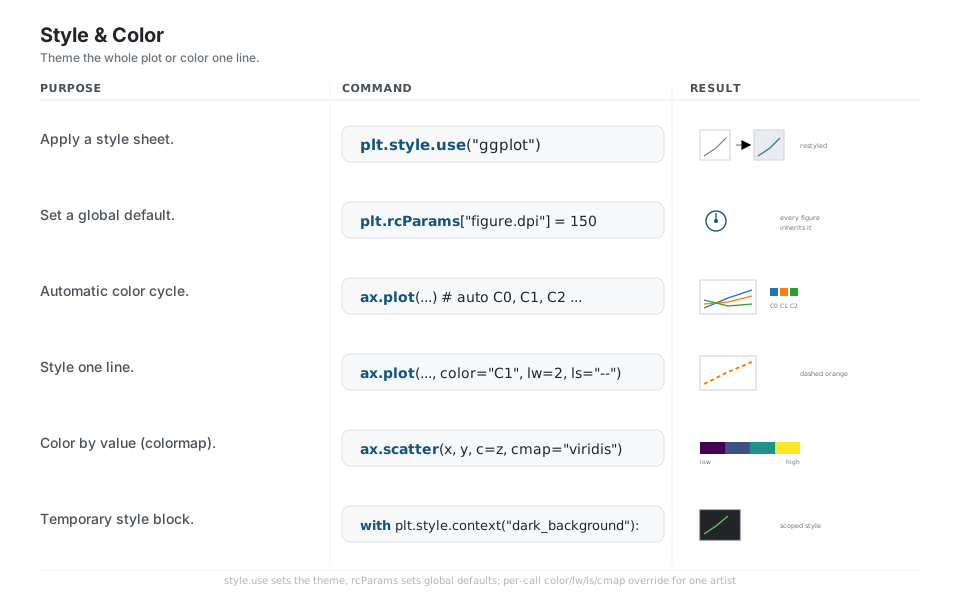
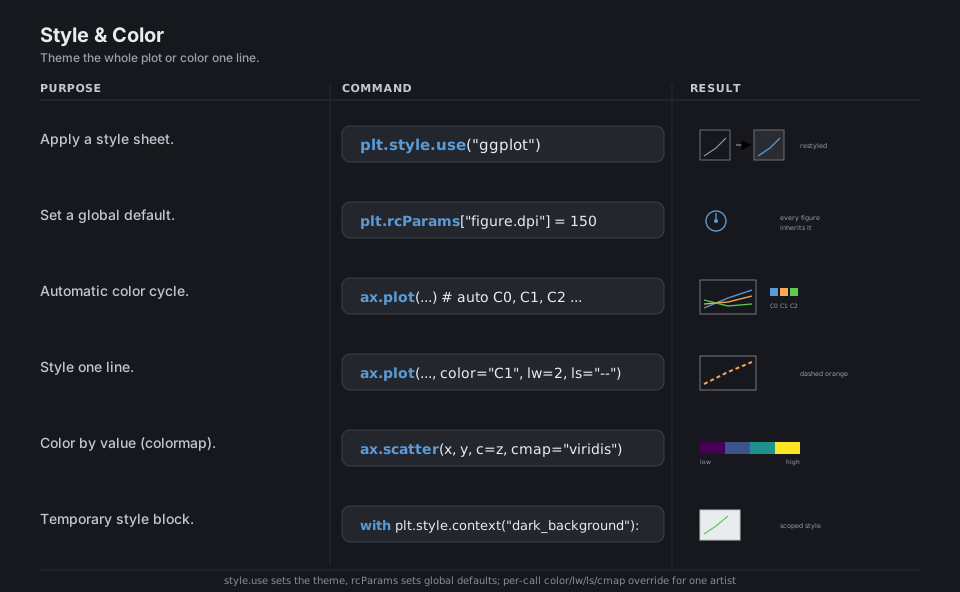
plt.style.use("ggplot")                          # apply a style sheet
plt.rcParams["figure.dpi"] = 150                 # set a global default
ax.plot(x, y1);  ax.plot(x, y2)                  # auto colors C0, C1, ...
ax.plot(x, y, color="C1", lw=2, ls="--")         # style one line
ax.scatter(x, y, c=z, cmap="viridis")            # color by value
with plt.style.context("dark_background"):       # temporary scoped style
    fig, ax = plt.subplots()
See Customizing with style sheets and rcParams and Choosing colormaps.
Reach Into the Artists
Every element you draw is an Artist object, and the plotting methods return the artists they created. Capture the handle (line, = ax.plot(...)) to mutate it later with set_color, set_linewidth, and friends. Add shapes with ax.add_patch, hide frame edges through ax.spines, attach a fig.colorbar, and bulk-edit many artists at once with plt.setp.
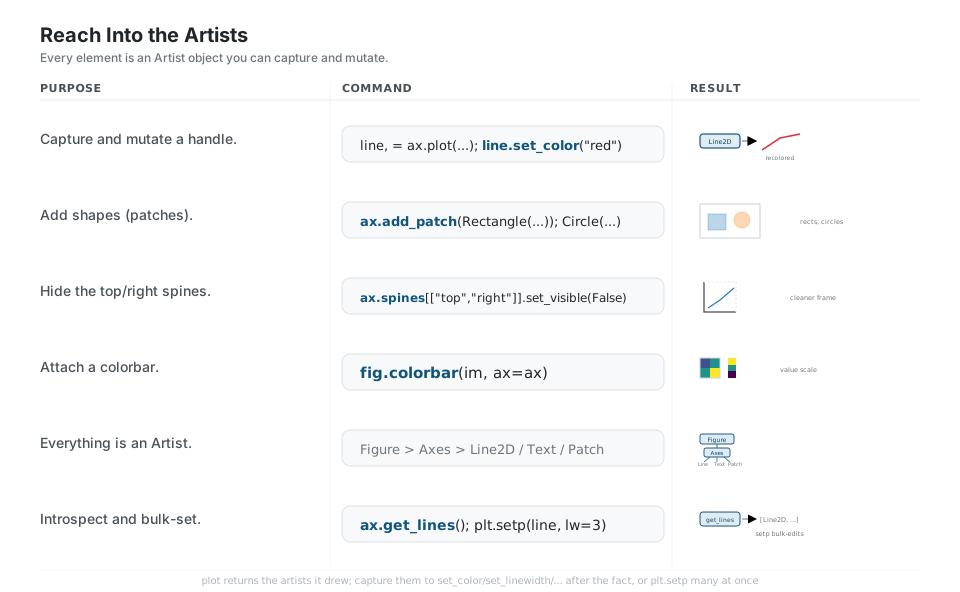
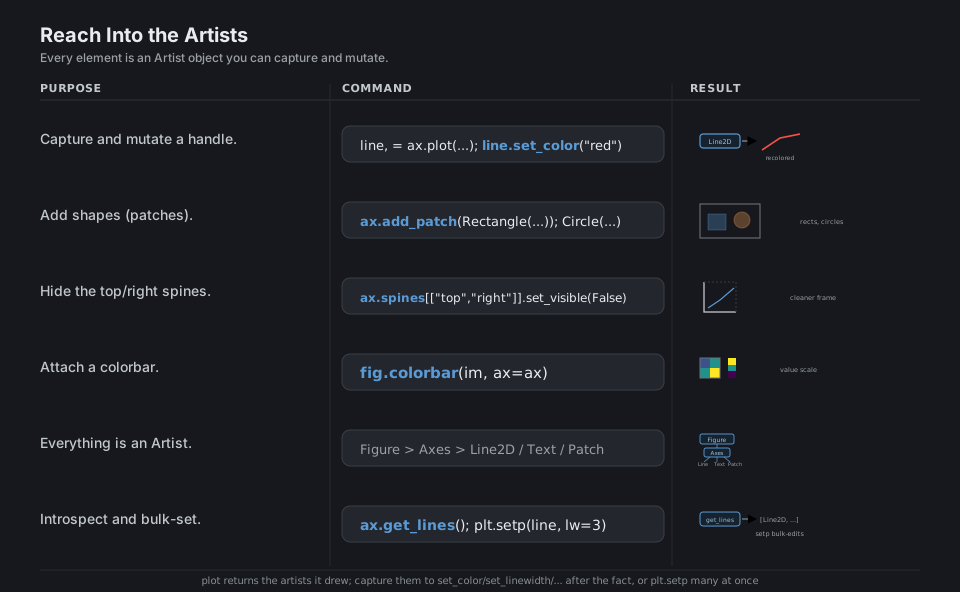
line, = ax.plot(x, y);  line.set_color("red")    # capture and mutate a handle
from matplotlib.patches import Rectangle, Circle
ax.add_patch(Rectangle((0, 0), 1, 1))            # add a shape
ax.spines[["top", "right"]].set_visible(False)   # hide frame edges
fig.colorbar(im, ax=ax)                          # attach a colorbar to an image
ax.get_lines()                                   # introspect: [Line2D, ...]
plt.setp(line, lw=3)                             # bulk-set artist properties
See Artist tutorial.
Save and Export
fig.savefig writes the Figure to disk, choosing the format from the file extension. Use a high dpi for raster .png, or .svg / .pdf for scalable vector output. bbox_inches="tight" trims whitespace and transparent=True drops the background. For servers and CI with no display, select the non-interactive Agg backend, and call plt.close() inside loops to free memory.
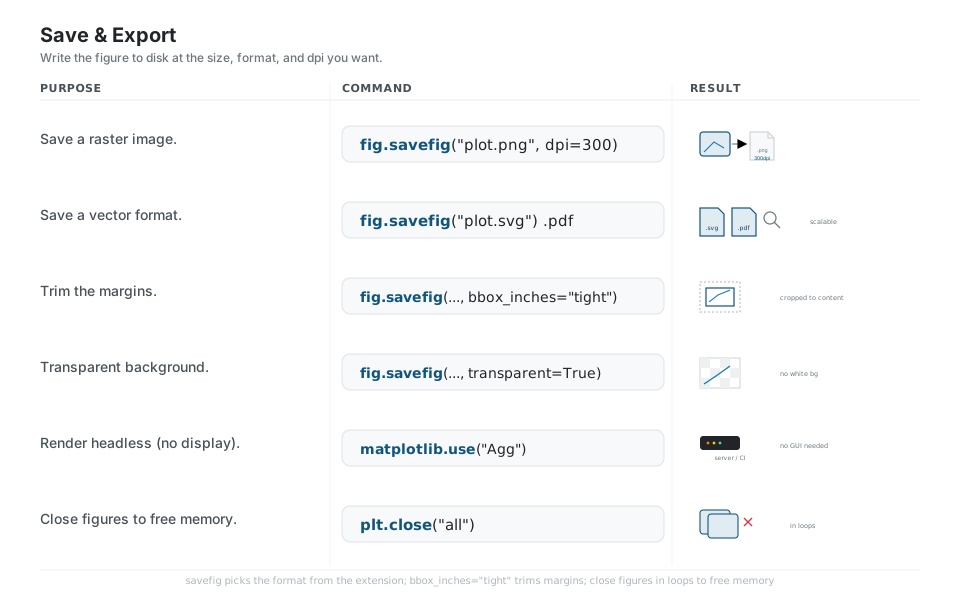
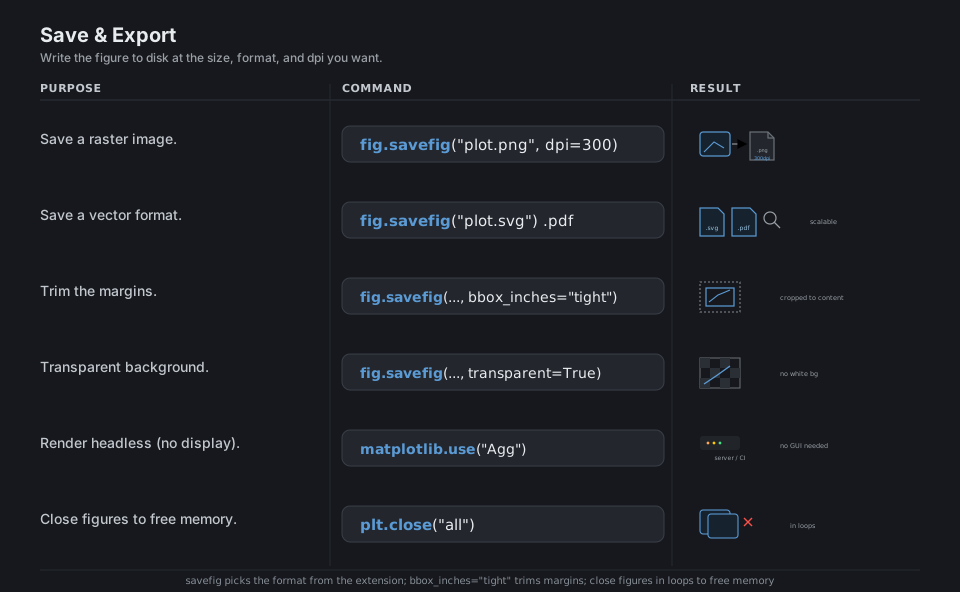
fig.savefig("plot.png", dpi=300)                 # raster at 300 dpi
fig.savefig("plot.svg")   fig.savefig("plot.pdf")  # scalable vector
fig.savefig("plot.png", bbox_inches="tight")     # trim the margins
fig.savefig("plot.png", transparent=True)        # no background
import matplotlib;  matplotlib.use("Agg")        # headless backend (set before pyplot)
plt.close("all") # free figures in loopsQuick Reference
| Goal | Call |
|---|---|
| Figure + one Axes | fig, ax = plt.subplots() |
| Grid of Axes | fig, axs = plt.subplots(2, 3) |
| Set size (inches) | plt.subplots(figsize=(8, 5)) |
| Auto-spaced layout | plt.subplots(layout="constrained") |
| Current Axes (implicit) | plt.gca() |
| Current Figure (implicit) | plt.gcf() |
| Show / close | plt.show() · plt.close(fig) |
| Chart | Call |
|---|---|
| Line | ax.plot(x, y) |
| Scatter | ax.scatter(x, y, c=col, s=size) |
| Bar / barh | ax.bar(c, v) · ax.barh(c, v) |
| Histogram | ax.hist(data, bins=20) |
| Box / violin | ax.boxplot(data) · ax.violinplot(data) |
| Image / heatmap | ax.imshow(M, cmap="viridis") |
| Stacked / step | ax.stackplot(x, ys) · ax.step(x, y) |
| Band / errors | ax.fill_between(x, lo, hi) · ax.errorbar(...) |
| Goal | Call |
|---|---|
| Axis labels | ax.set_xlabel(...) · ax.set_ylabel(...) |
| Title | ax.set_title(...) |
| Legend | ax.plot(..., label="A") then ax.legend() |
| Many at once | ax.set(xlabel=, ylabel=, title=, xlim=) |
| Limits | ax.set_xlim(a, b) · ax.set_ylim(a, b) |
| Log scale | ax.set_yscale("log") |
| Custom ticks | ax.set_xticks([...], [labels]) |
| Annotate | ax.annotate("t", xy=, xytext=, arrowprops=) |
| Gridlines | ax.grid(True) |
| Goal | Call |
|---|---|
| Style sheet | plt.style.use("ggplot") |
| List styles | plt.style.available |
| Global default | plt.rcParams["figure.dpi"] = 150 |
| One line’s color | ax.plot(..., color="C1", lw=2, ls="--") |
| Colormap | ax.scatter(..., cmap="viridis") |
| Colorbar | fig.colorbar(im, ax=ax) |
| Temporary style | with plt.style.context("dark_background"): |
| Save raster | fig.savefig("p.png", dpi=300, bbox_inches="tight") |
| Save vector | fig.savefig("p.svg") · fig.savefig("p.pdf") |
Appendix: Sample Code
Setup used across panels
import matplotlib.pyplot as plt
import numpy as np

x = np.linspace(0, 10, 100)
y = np.sin(x)
rng = np.random.default_rng(0)
data = rng.normal(size=500)
A typical figure, start to finish
import matplotlib.pyplot as plt
import numpy as np

x = np.linspace(0, 10, 100)

fig, ax = plt.subplots(figsize=(8, 5), layout="constrained")
ax.plot(x, np.sin(x), label="sin", color="C0")
ax.plot(x, np.cos(x), label="cos", color="C1", ls="--")
ax.set(xlabel="t", ylabel="amplitude", title="Trig functions", xlim=(0, 10))
ax.legend()
ax.grid(True, alpha=0.3)
fig.savefig("trig.png", dpi=300, bbox_inches="tight")
A 2x2 grid of different charts
fig, axs = plt.subplots(2, 2, figsize=(9, 7), layout="constrained")
axs[0, 0].plot(x, np.sin(x))
axs[0, 1].scatter(rng.uniform(size=50), rng.uniform(size=50))
axs[1, 0].hist(data, bins=20)
axs[1, 1].imshow(rng.uniform(size=(8, 8)), cmap="viridis")
for ax, title in zip(axs.flat, ["line", "scatter", "hist", "image"]):
    ax.set_title(title)
fig.suptitle("Four views")
A second y-axis (twinx)
fig, ax = plt.subplots()
ax.plot(x, np.sin(x), color="C0")
ax.set_ylabel("sin", color="C0")

ax2 = ax.twinx()                       # shares the x-axis
ax2.plot(x, np.exp(x / 5), color="C1")
ax2.set_ylabel("growth", color="C1")
Behavior notes
- Prefer the object API.
ax.plot(...)is explicit about which Axes you draw on;plt.plot(...)targets an implicit “current” Axes that the nextsubplotscall silently changes. Mixing the two is the most common source of “my plot went to the wrong panel”. plt.show()blocks, then clears. In a script,show()opens a window and waits; after it returns the figure may be gone, so callsavefigbeforeshow, not after.- Set the backend first.
matplotlib.use("Agg")must run before the firstpyplotimport or figure is created; on a headless server it avoids “no display” errors. figsizeis inches, dpi scales pixels. Afigsize=(8, 5)figure saved atdpi=300is 2400x1500 pixels. Raster formats (.png) bake in the dpi; vector formats (.svg,.pdf) stay sharp at any size.- Close figures in loops. Each
plt.subplots()keeps the figure in memory until closed; a long loop that makes and saves figures will leak unless youplt.close(fig)each iteration. constrainedovertight_layout.layout="constrained"resolves overlaps as the figure is drawn and handles colorbars and legends better than the olderfig.tight_layout().
References
Matplotlib documentation
- Documentation home and the Quick start guide
- pyplot vs the object API, Plot types, the Axes API
- Legend guide, Annotations, Axes scales, Tick formatters
- Arranging multiple Axes, subplot_mosaic, Artist tutorial
- Customizing (style sheets, rcParams), Choosing colormaps
- savefig and Backends
Project