Plotly is the library for interactive figures in Python: every chart it builds is a live HTML widget you can hover, zoom, pan, and animate, and that ships to a browser or notebook with no extra code. You meet it through two layers. plotly.express (imported as px) is the fast path, where one function call over a tidy DataFrame returns a finished figure, and plotly.graph_objects (imported as go) is the object model underneath, where every figure is a single Figure holding a data list of traces plus a layout. The recurring mental model in this sheet is one picture: a tidy DataFrame flows into an indigo Figure object (always data + layout), which renders into a live browser canvas showing the chrome that makes Plotly Plotly: a hover tooltip, a zoom-box, a mode-bar, a clickable legend, a play button. Where this overlaps the static plotnine and seaborn sheets, the contrast is the point: those freeze a mark, while Plotly keeps it interactive. The conventional imports are import plotly.express as px, import plotly.graph_objects as go, and import plotly.io as pio, and every example runs on the bundled px.data.* datasets so nothing here needs an external file.


plotly.express One-Liners
plotly.express (imported as px) is the fast path: pass a tidy DataFrame plus the column names you want on each axis and as color, and a single function call returns a fully interactive figure. Reach for px.scatter, px.line, px.bar, px.histogram, and px.box first, and use the bundled px.data.* datasets (iris, gapminder, tips, stocks) so any example runs without external files.
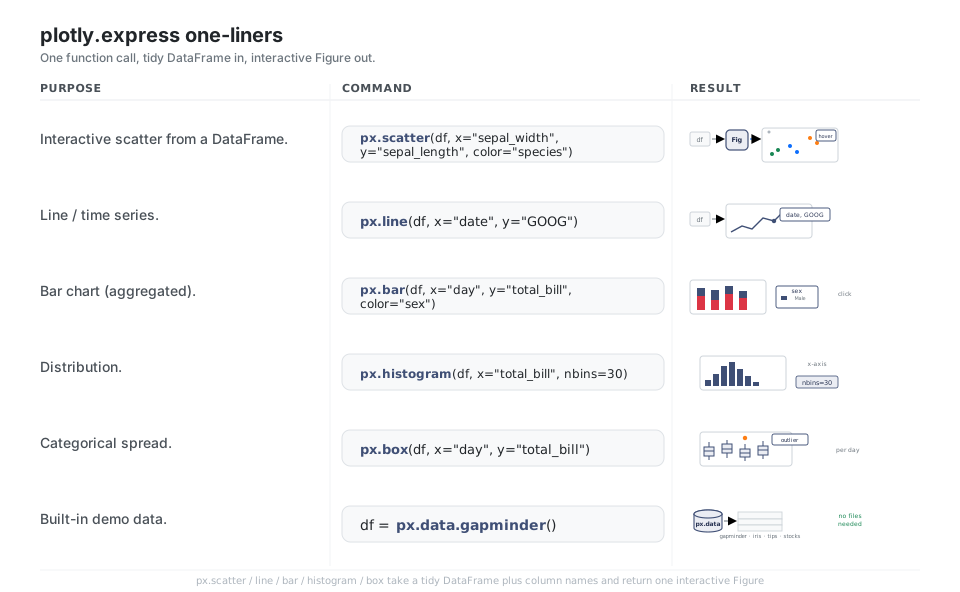
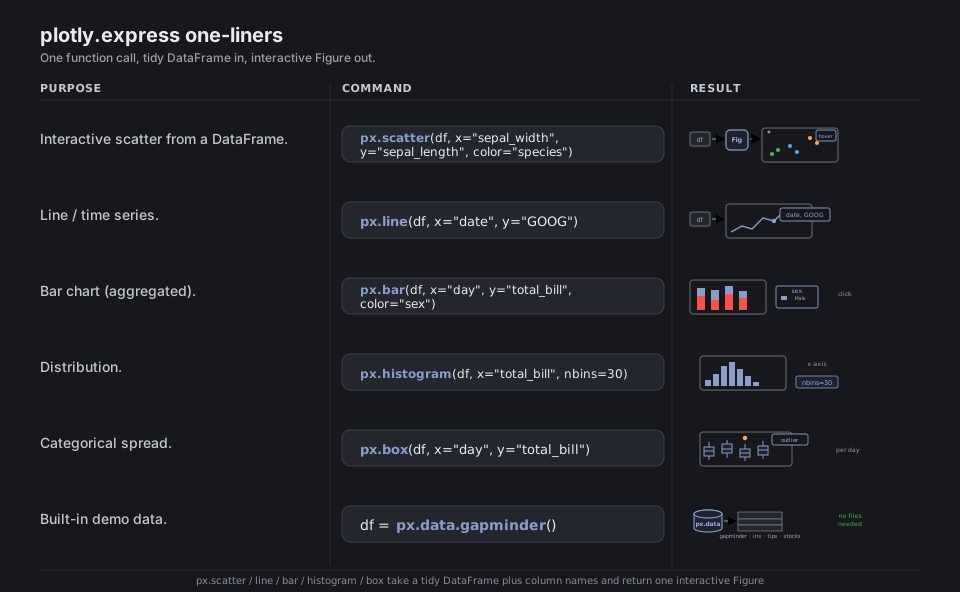
import plotly.express as px

df = px.data.gapminder()                                   # built-in demo data, no files
px.scatter(df, x="gdpPercap", y="lifeExp", color="continent")  # interactive scatter
px.line(px.data.stocks(), x="date", y="GOOG")              # line / time series
px.bar(px.data.tips(), x="day", y="total_bill", color="sex")   # aggregated bars
px.histogram(px.data.tips(), x="total_bill", nbins=30)     # distribution
px.box(px.data.tips(), x="day", y="total_bill")            # categorical spread
See Plotly Express. Every px.* call returns one graph_objects.Figure.
The Figure Object
Whatever you call, you always get back one plotly.graph_objects.Figure, and that object is just two things: a data list of traces (each trace is one chart type, like go.Scatter or go.Bar) and a layout dict of everything else (titles, axes, legend). px is a convenience layer that assembles this same object for you, so fig.to_dict() reveals that every figure is really a chunk of JSON you can inspect and edit.
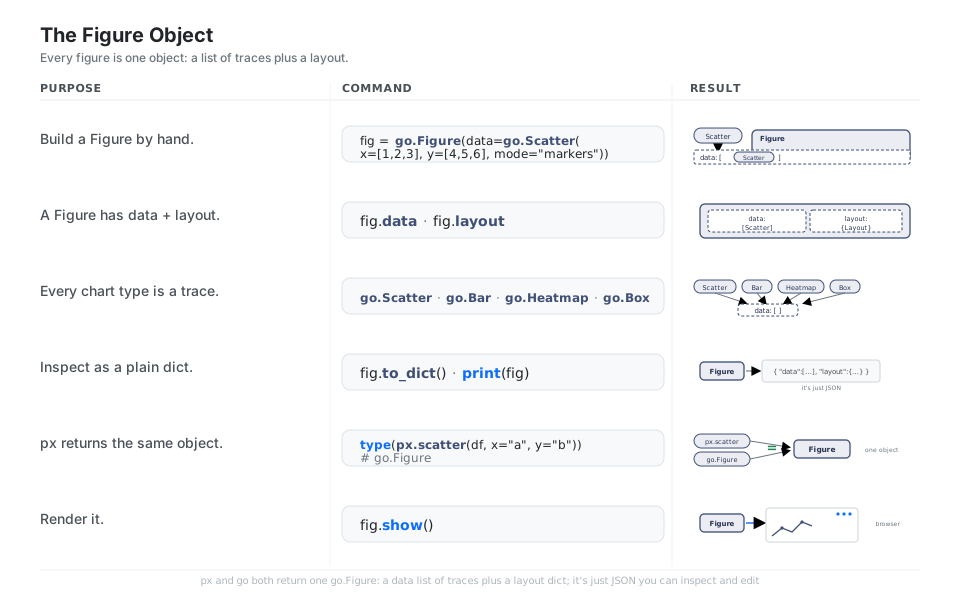
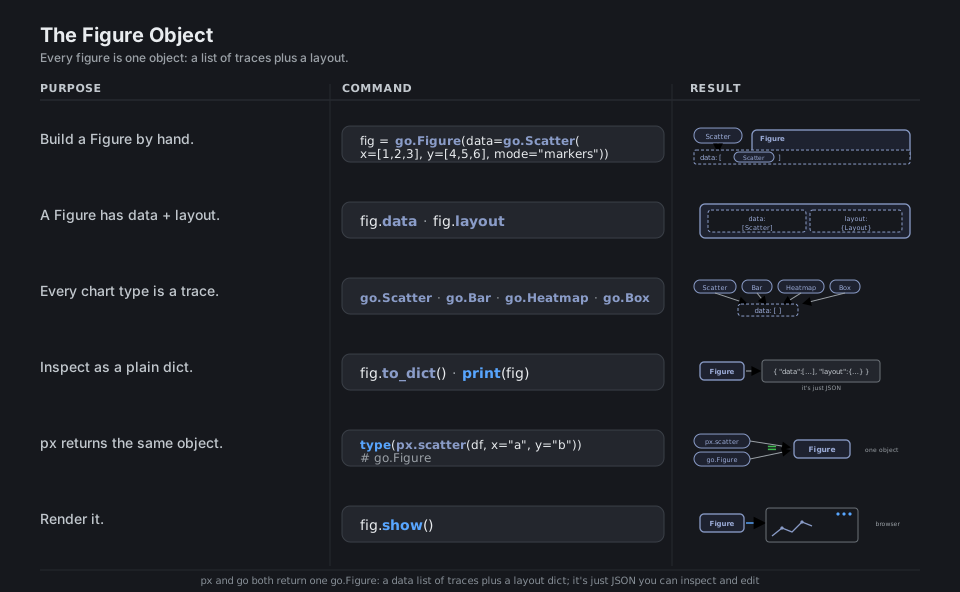
import plotly.graph_objects as go

fig = go.Figure(data=go.Scatter(x=[1, 2, 3], y=[4, 5, 6], mode="markers"))
fig.data                       # the list of traces (the chart series)
fig.layout                     # titles, axes, legend, template
go.Scatter, go.Bar, go.Heatmap, go.Box   # trace types you put in data
fig.to_dict()                  # the whole figure as plain JSON
type(px.scatter(df, x="a", y="b")).__name__   # 'Figure'  -> px returns this too
fig.show()                     # render to browser / notebook
See Graph objects. px and go produce the same go.Figure; one is a shortcut for the other.
add_trace and update_layout
Build up a figure by layering traces with fig.add_trace(...), then style the whole thing with the update_ family: update_layout for titles, legend, and figure-wide options, update_traces (often with a selector) to restyle matching series, and update_xaxes / update_yaxes for a single axis. Helpers like add_hline, add_vline, and add_annotation drop reference lines and labels onto the canvas.
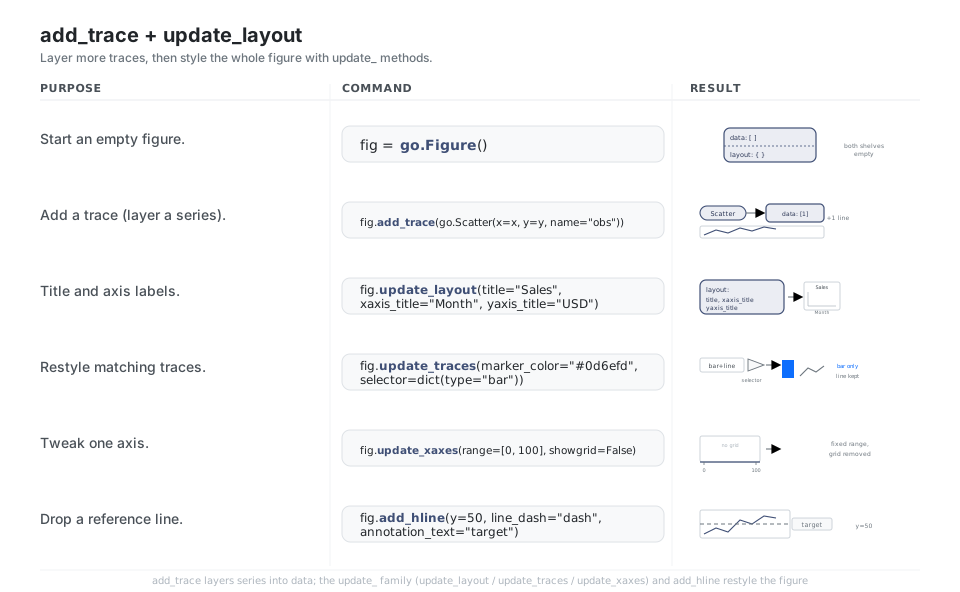
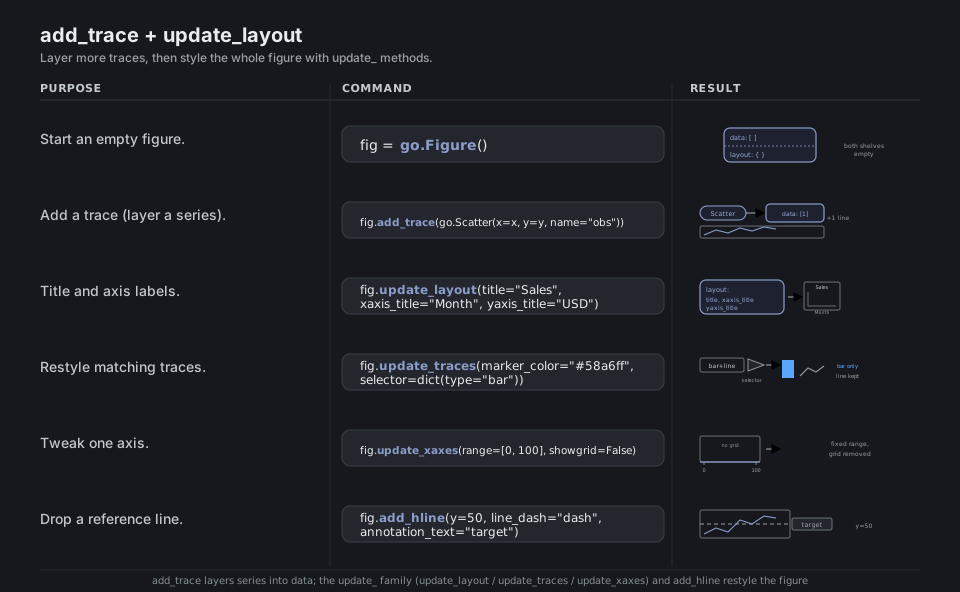
fig = go.Figure()                                           # empty figure, ready to fill
fig.add_trace(go.Scatter(x=x, y=y, name="obs"))             # layer a series
fig.update_layout(title="Sales", xaxis_title="Month", yaxis_title="USD")
fig.update_traces(marker_color="#0d6efd", selector=dict(type="bar"))  # restyle matches
fig.update_xaxes(range=[0, 100], showgrid=False)            # tweak one axis
fig.add_hline(y=50, line_dash="dash", annotation_text="target")       # reference line
See Creating and updating figures. Use a selector to target only the traces you mean.
Hover, Zoom, and Pan
Interactivity is the reason to choose Plotly over a static plot: every figure ships with hover tooltips, drag-to-zoom, pan, and a mode-bar, all for free. Enrich tooltips with hover_data and hover_name, align them across traces with hovermode="x unified", take full control with a hovertemplate, switch the drag behavior with dragmode, and add a rangeslider for time series.
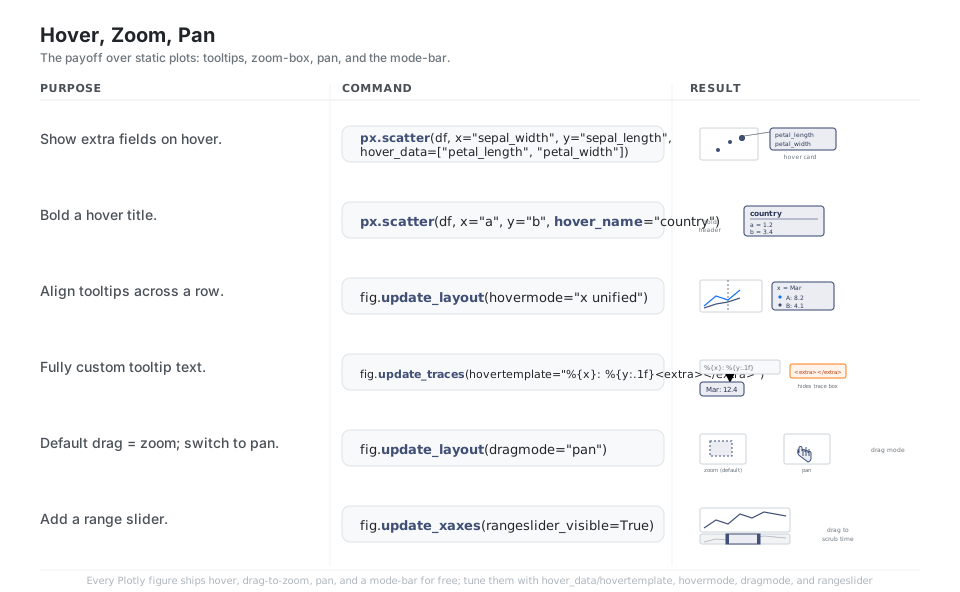
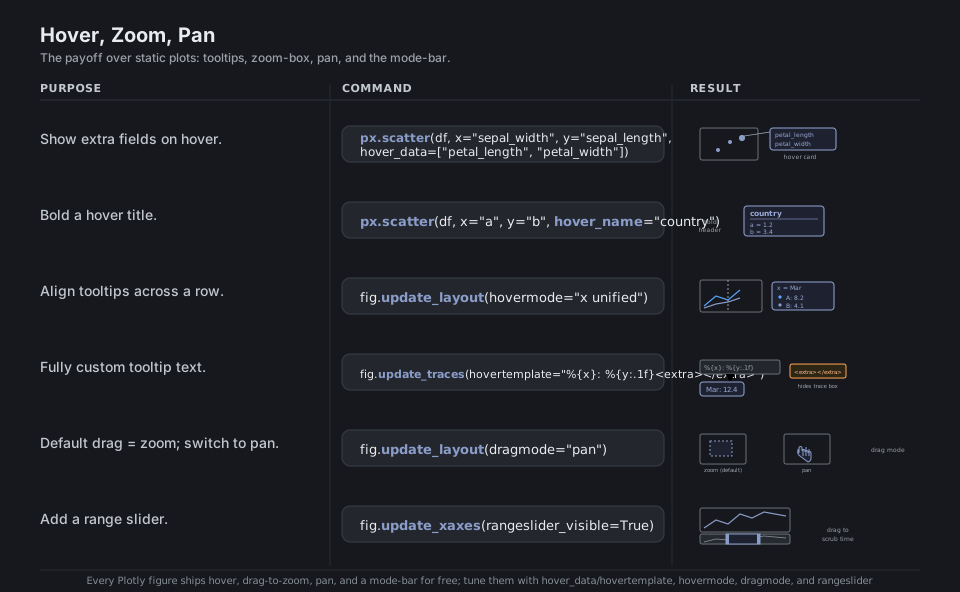
px.scatter(df, x="a", y="b", hover_data=["petal_length", "petal_width"])  # extra fields
px.scatter(df, x="a", y="b", hover_name="country")          # bold tooltip header
fig.update_layout(hovermode="x unified")                    # align tooltips across traces
fig.update_traces(hovertemplate="%{x}: %{y:.1f}<extra></extra>")   # custom tooltip text
fig.update_layout(dragmode="pan")                           # default drag is zoom
fig.update_xaxes(rangeslider_visible=True)                  # draggable mini-timeline
See Hover text and formatting. <extra></extra> hides the default trace-name box.
Color, Size, and Animation
Encode extra variables by mapping columns to visual channels: color (discrete categories or a continuous gradient with color_continuous_scale), marker size for bubbles, and symbol for shape. The channel unique to Plotly is time: animation_frame turns a column into a playable slider, animation_group keeps objects identified across frames, and fixing range_x / range_y keeps the frames comparable.
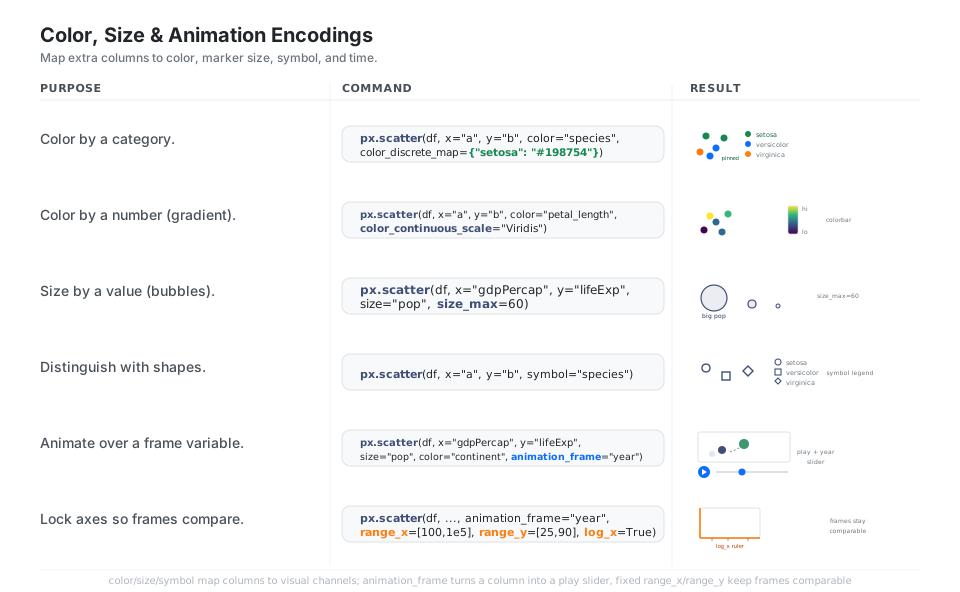
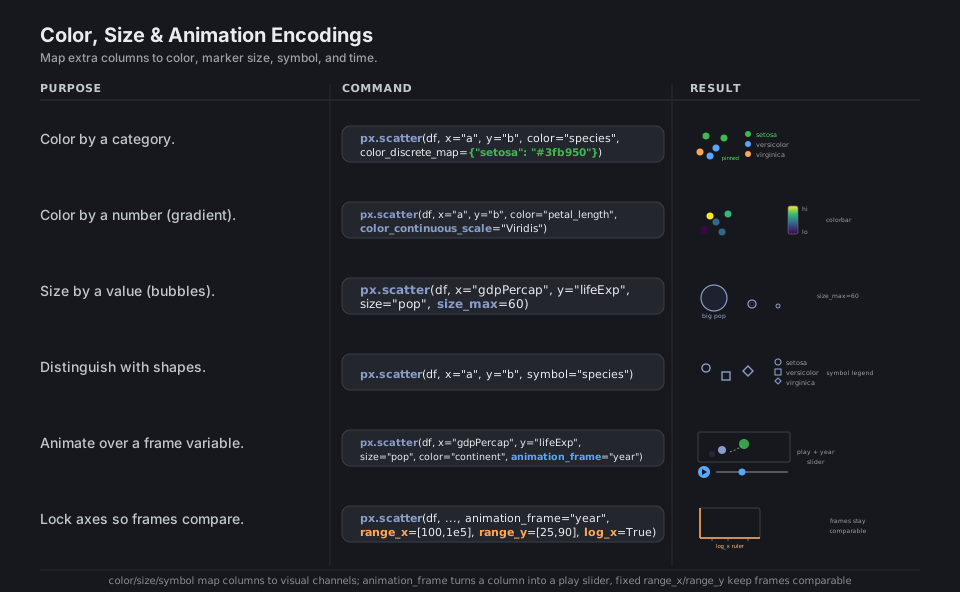
px.scatter(df, x="a", y="b", color="species",
           color_discrete_map={"setosa": "#198754"})        # color by category
px.scatter(df, x="a", y="b", color="petal_length",
           color_continuous_scale="Viridis")                # color by number (gradient)
px.scatter(df, x="gdpPercap", y="lifeExp", size="pop", size_max=60)   # bubbles
px.scatter(df, x="a", y="b", symbol="species")              # distinguish with shapes
px.scatter(df, x="gdpPercap", y="lifeExp", size="pop", color="continent",
           animation_frame="year", animation_group="country")   # play button + slider
px.scatter(df, animation_frame="year", range_x=[100, 100000],
           range_y=[25, 90], log_x=True)                    # lock axes so frames compare
See Animations and Colorscales. There is no cmap=; pass a named scale string.
Facets and Subplots
For small multiples of the same chart, let px facet for you with facet_row, facet_col, and facet_col_wrap; the panels share axes by default, and update_yaxes(matches=None) frees them. When you need different chart types in one grid, build the scaffold with make_subplots(rows, cols, ...) and place each trace with add_trace(..., row=, col=).
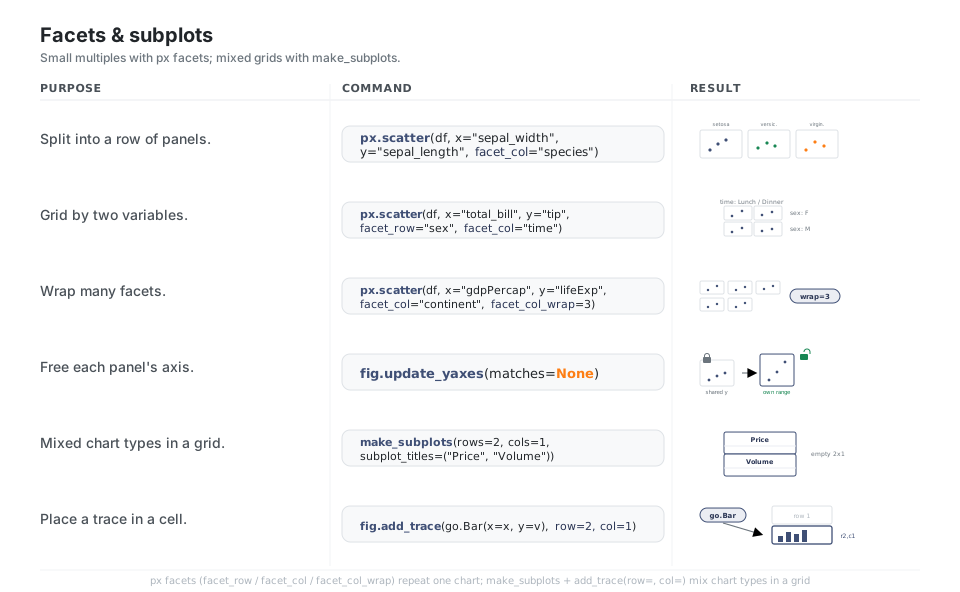
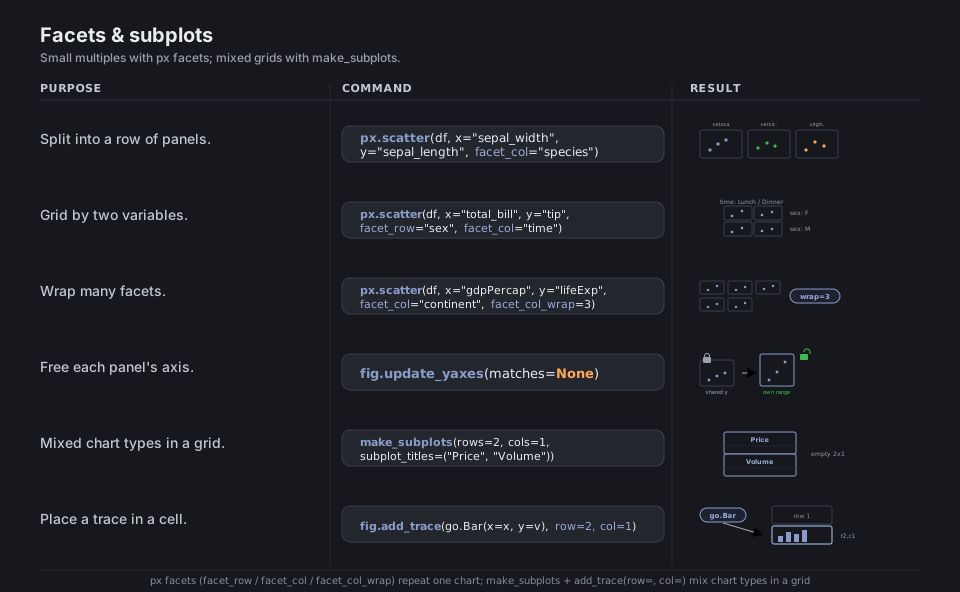
from plotly.subplots import make_subplots

px.scatter(df, x="a", y="b", facet_col="species")           # a row of panels
px.scatter(df, x="total_bill", y="tip", facet_row="sex", facet_col="time")  # 2x2 grid
px.scatter(df, x="gdpPercap", y="lifeExp",
           facet_col="continent", facet_col_wrap=3)         # wrap many facets
fig.update_yaxes(matches=None)                              # free each panel's axis
fig = make_subplots(rows=2, cols=1, subplot_titles=("Price", "Volume"))  # mixed grid
fig.add_trace(go.Bar(x=x, y=v), row=2, col=1)               # place a trace in a cell
See Facet plots and Subplots. Facets share axes by default; matches=None frees them.
Build a Quick Dashboard
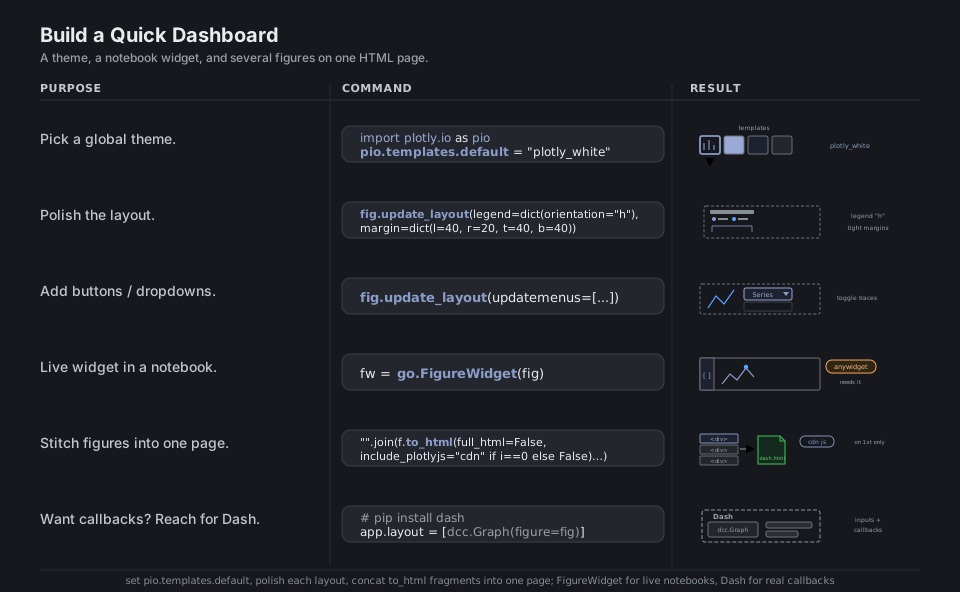
You can get surprisingly far without a server: set a global look with pio.templates.default, polish each figure’s layout, add updatemenus buttons, and concatenate several figures’ to_html(full_html=False) fragments into one HTML page (load plotly.js once via include_plotlyjs="cdn" on the first fragment). For a live notebook widget use go.FigureWidget (which now needs anywidget); when you need real inputs and callbacks, graduate to Dash, Plotly’s web-app framework.
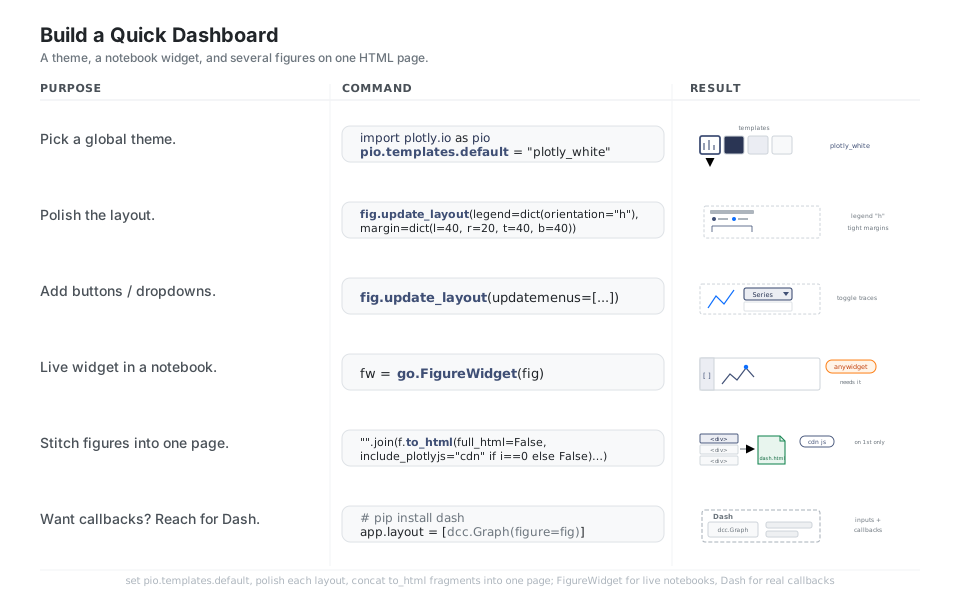
import plotly.io as pio

pio.templates.default = "plotly_white"                      # global theme
fig.update_layout(legend=dict(orientation="h"),
                  margin=dict(l=40, r=20, t=40, b=40))      # polish the layout
fig.update_layout(updatemenus=[dict(buttons=[...])])        # buttons / dropdowns
fw = go.FigureWidget(fig)                                   # live notebook widget (anywidget)
open("dash.html", "w").write("".join(                       # stitch figures onto one page
    f.to_html(full_html=False, include_plotlyjs=("cdn" if i == 0 else False))
    for i, f in enumerate(figs)))
# pip install dash  ->  app.layout = [dcc.Graph(figure=fig)]   # for inputs and callbacks
See Templates and FigureWidget. For real callbacks, reach for Dash.
Export to HTML and Static Image
There are two export paths. write_html (and to_html) produces a standalone, still-interactive web page; use include_plotlyjs="cdn" to keep the file small, or full_html=False to embed a <div> in a larger page. write_image freezes a static PNG, SVG, or PDF for papers and slides, but it needs the kaleido engine installed (HTML export needs nothing extra).
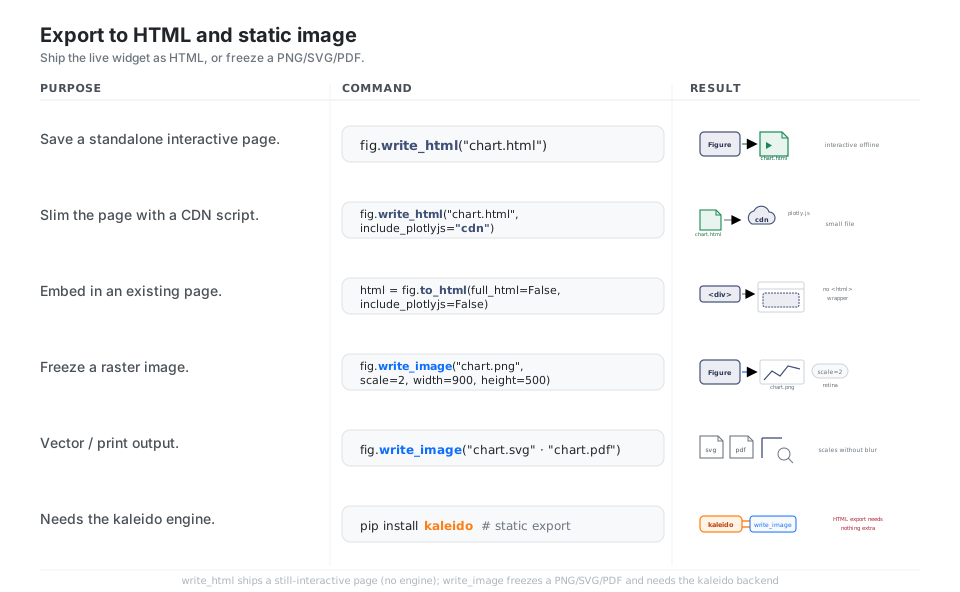
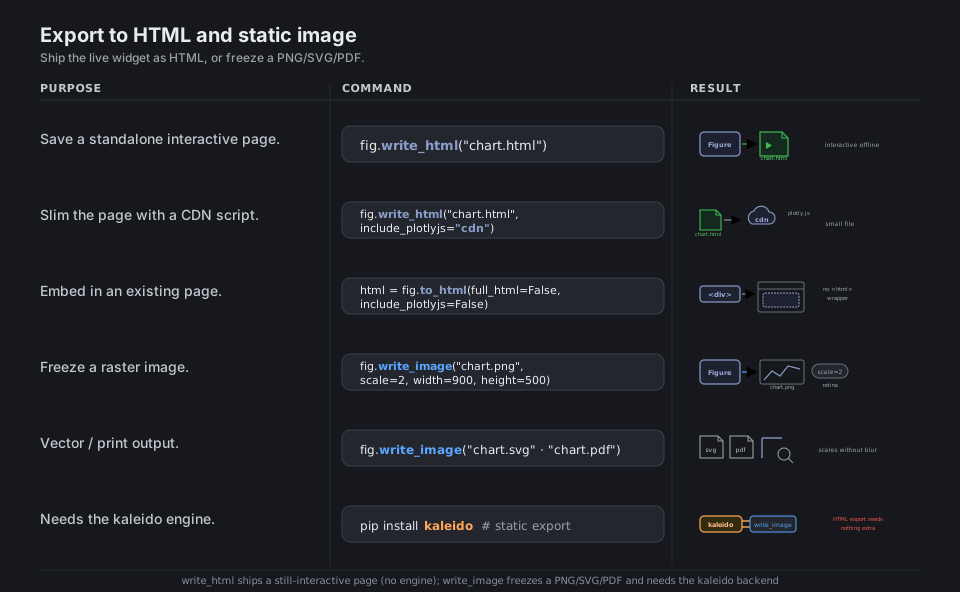
fig.write_html("chart.html")                                # standalone interactive page
fig.write_html("chart.html", include_plotlyjs="cdn")        # smaller file (JS from CDN)
html = fig.to_html(full_html=False, include_plotlyjs=False) # embeddable <div> fragment
fig.write_image("chart.png", scale=2, width=900, height=500)  # static raster (retina)
fig.write_image("chart.svg")                                # crisp vector
fig.write_image("chart.pdf")                                # pip install kaleido first
See Static image export and Interactive HTML export. HTML needs nothing; write_image needs kaleido.
Quick Reference
| Call | Chart | Notes |
|---|---|---|
px.scatter(df, x=, y=, color=) |
Points | Add size=, symbol=, hover_data= |
px.line(df, x=, y=) |
Line / time series | markers=True for dots on the line |
px.bar(df, x=, y=, color=) |
Bars | barmode="group" to unstack |
px.histogram(df, x=, nbins=) |
Distribution | histnorm="probability" for density |
px.box(df, x=, y=) / px.violin |
Spread | points="all" to show raw points |
px.imshow(matrix) |
Heatmap / image | Good for correlation matrices |
px.scatter_map(df, lat=, lon=) |
Map | Tile maps (replaces the old mapbox names) |
| Piece | What it is |
|---|---|
go.Figure |
The whole figure (data + layout) |
fig.data |
List of traces (the chart series) |
fig.layout |
Titles, axes, legend, template |
go.Scatter / go.Bar / go.Box / go.Heatmap |
Trace types you put in data |
fig.to_dict() / fig.to_json() |
The figure as plain JSON |
fig.show() |
Render to browser / notebook |
| Method | Styles |
|---|---|
fig.update_layout(...) |
Figure-wide: title, legend, margins, template |
fig.update_traces(..., selector=) |
Matching traces (markers, lines, names) |
fig.update_xaxes(...) / update_yaxes(...) |
A single axis (range, type, grid, title) |
fig.add_trace(go..., row=, col=) |
Layer a series (optionally into a subplot cell) |
fig.add_hline / add_vline / add_annotation |
Reference lines and text labels |
| Argument | Maps a column to |
|---|---|
color= |
Hue (discrete) or gradient (continuous) |
size= |
Marker area (bubbles) |
symbol= |
Marker shape |
facet_row= / facet_col= |
Small-multiple panels |
animation_frame= |
A playable time slider |
hover_data= / hover_name= |
Tooltip fields |
| Call | Output | Needs |
|---|---|---|
fig.write_html("f.html") |
Standalone interactive page | nothing extra |
fig.to_html(full_html=False) |
Embeddable <div> fragment |
nothing extra |
include_plotlyjs="cdn" |
Smaller file (loads JS from CDN) | nothing extra |
fig.write_image("f.png") |
Static PNG (also SVG, PDF, WebP) | kaleido + Chrome |
pio.templates.default = "plotly_white" |
Global theme | nothing extra |
| Deprecated spelling (avoid) | Current spelling |
|---|---|
plotly.offline / iplot / plotly.plotly |
fig.show() / fig.write_html() |
px.scatter_mapbox / *_mapbox / layout.mapbox |
px.scatter_map / *_map / layout.map |
cmap= (that is Matplotlib) |
color_continuous_scale="Viridis" |
orca engine / kaleido==0.2.* |
kaleido v1 (drives Chrome) |
inner class styles |
pio.templates.default = "plotly_white" |
Appendix: Sample Code
Express one-liner to Figure to show
import plotly.express as px

df = px.data.iris()
fig = px.scatter(
    df,
    x="sepal_width",
    y="sepal_length",
    color="species",
    size="petal_length",
    hover_data=["petal_width"],
    title="Iris sepals",
)
fig.show()          # opens an interactive figure in browser / notebook
type(fig).__name__  # 'Figure'  -> px returns a graph_objects.Figure
The same figure built from graph_objects
import plotly.graph_objects as go
import plotly.express as px

df = px.data.iris()

fig = go.Figure()
for name, grp in df.groupby("species"):
    fig.add_trace(go.Scatter(
        x=grp["sepal_width"], y=grp["sepal_length"],
        mode="markers", name=name,
    ))
fig.update_layout(
    title="Iris sepals",
    xaxis_title="sepal_width",
    yaxis_title="sepal_length",
    legend_title="species",
)
fig.update_traces(marker=dict(size=8, line=dict(width=0.5, color="white")))
# fig.data  -> a list of 3 Scatter traces; fig.layout -> the styling
Hover, range slider, and a reference line
import plotly.express as px

stocks = px.data.stocks()
fig = px.line(stocks, x="date", y="GOOG", title="GOOG")
fig.update_layout(hovermode="x unified")
fig.update_traces(hovertemplate="%{x|%b %Y}: %{y:.2f}<extra></extra>")
fig.update_xaxes(rangeslider_visible=True)
fig.add_hline(y=1.0, line_dash="dash", annotation_text="baseline")
fig.show()
Facets, then a mixed subplot grid
import plotly.express as px
import plotly.graph_objects as go
from plotly.subplots import make_subplots

# px facets: small multiples of the SAME chart
gap07 = px.data.gapminder().query("year == 2007")
px.scatter(
    gap07, x="gdpPercap", y="lifeExp",
    facet_col="continent", facet_col_wrap=3, log_x=True,
).update_yaxes(matches=None)

# make_subplots: DIFFERENT charts in one grid
fig = make_subplots(rows=2, cols=1, subplot_titles=("Price", "Volume"))
fig.add_trace(go.Scatter(x=[1, 2, 3], y=[10, 12, 9], name="price"), row=1, col=1)
fig.add_trace(go.Bar(x=[1, 2, 3], y=[100, 80, 120], name="volume"), row=2, col=1)
fig.update_layout(showlegend=False)
The animated bubble chart (the classic Gapminder)
import plotly.express as px

gap = px.data.gapminder()
fig = px.scatter(
    gap, x="gdpPercap", y="lifeExp",
    size="pop", size_max=60, color="continent",
    hover_name="country",
    animation_frame="year", animation_group="country",
    log_x=True, range_x=[100, 100000], range_y=[25, 90],
    title="Life expectancy vs GDP per capita, 1952 to 2007",
)
fig.show()   # a play button and a year slider appear
Export: interactive HTML and a static PNG
import plotly.express as px

fig = px.scatter(px.data.iris(), x="sepal_width", y="sepal_length", color="species")

# 1. Standalone interactive page (small file: JS from the CDN)
fig.write_html("iris.html", include_plotlyjs="cdn")

# 2. An embeddable <div> fragment for an existing page
fragment = fig.to_html(full_html=False, include_plotlyjs=False)

# 3. A static raster for slides / papers (needs: pip install kaleido)
fig.write_image("iris.png", scale=2, width=900, height=500)
fig.write_image("iris.svg")   # crisp vector
A no-server “dashboard”: several figures on one page
import plotly.express as px

iris = px.data.iris()
figs = [
    px.scatter(iris, x="sepal_width", y="sepal_length", color="species"),
    px.histogram(iris, x="petal_length", color="species"),
    px.box(iris, x="species", y="sepal_length"),
]

with open("dashboard.html", "w") as out:
    out.write("<h1>Iris dashboard</h1>")
    for i, fig in enumerate(figs):
        fig.update_layout(template="plotly_white", height=350)
        # load plotly.js once (on the first figure), reuse it for the rest
        out.write(fig.to_html(
            full_html=False,
            include_plotlyjs=("cdn" if i == 0 else False),
        ))
# open dashboard.html -> three interactive charts stacked on one page
Behavior notes
pxandgoproduce the same object. Apx.scatter(...)call returns aplotly.graph_objects.Figure, the very thing you would build by hand withgo.Figure();pxis a convenience layer that assembles thedataandlayoutfor you.- Import the three canonical namespaces. Use
import plotly.express as px,import plotly.graph_objects as go, andimport plotly.io as pio. The oldplotly.offline/iplot/plotly.plotlyentry points are retired;fig.show()andfig.write_html()replace them. - HTML export needs nothing; static export needs
kaleido.write_htmlandto_htmlwork out of the box, whilewrite_image(PNG, SVG, PDF) needspip install kaleido, which drives a real Chrome. go.FigureWidgetnow requiresanywidget. In plotly 6.x, constructing aFigureWidgetwithoutanywidgetraises anImportError; plaingo.Figureandfig.show()need nothing extra.- Facets share axes by default.
pxsmall multiples lock their axes so panels compare; passupdate_yaxes(matches=None)(ormatches=Noneper axis) to free each panel’s range. - Color arguments are not Matplotlib’s. Use
color_continuous_scale="Viridis"for gradients andcolor_discrete_map={...}for category-to-color maps; there is nocmap=.
References
Plotly Python documentation (current)
- Plotly Python home / getting started and the full API reference
- Plotly Express, Graph objects, Creating and updating figures
- Hover text and formatting, Facet plots, Subplots
- Animations, Colorscales, Templates, FigureWidget
- Static image export, Interactive HTML export, the built-in px.data datasets
Project and related