SciPy is the foundational scientific-computing library built on NumPy. It supplies the numerical algorithms (optimization, integration, interpolation, linear algebra, signal processing, statistics, sparse matrices, spatial structures, special functions) that higher-level tools such as scikit-learn and pandas build on. SciPy is organized as a collection of focused submodules: you almost always from scipy import optimize (or from scipy.optimize import minimize), and most algorithms return a result object (e.g. OptimizeResult, TtestResult) with attributes such as .x, .success, .pvalue rather than a bare number. This cheatsheet walks the eight submodules you reach for most.
Optimize & Fit
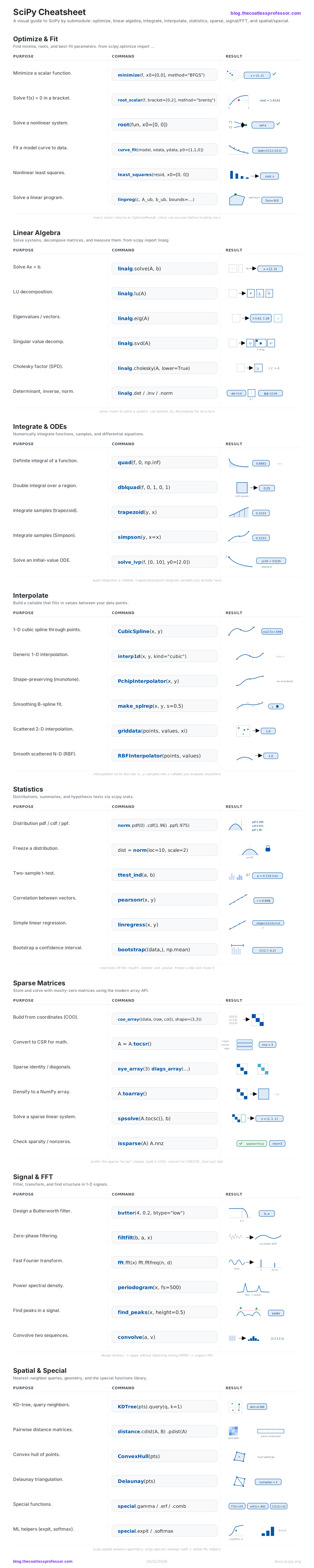
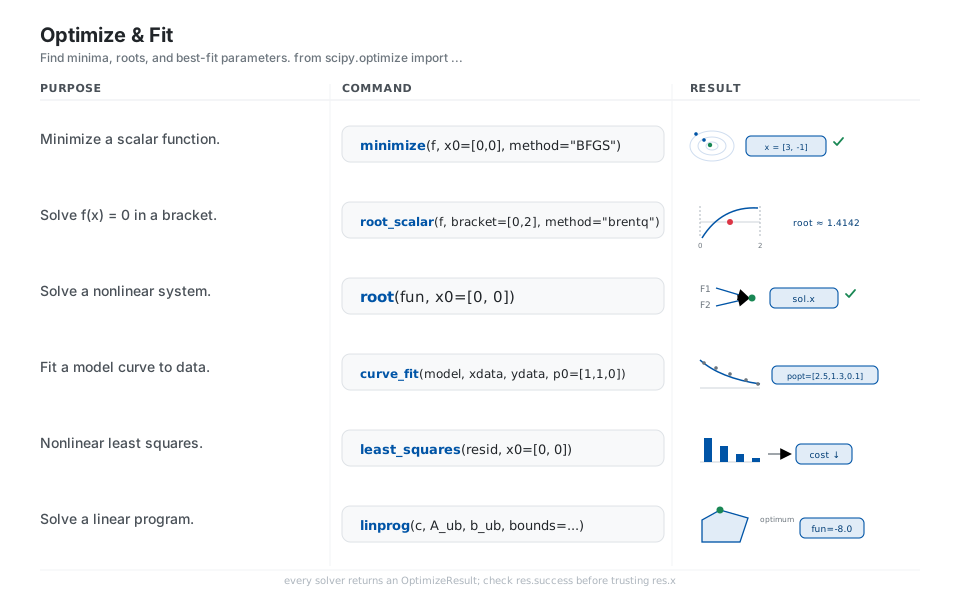
scipy.optimize is the toolbox for “find the input that makes this number smallest, zero, or best-fitting.” Every solver returns an OptimizeResult you inspect through .x (the answer) and .success (did it converge), so always check .success before trusting .x. Pick the routine by problem shape: minimize for smooth objectives, root/root_scalar for equations, curve_fit/least_squares for fitting, and linprog for linear programs.
from scipy.optimize import minimize, root_scalar, root, curve_fit, least_squares, linprog

minimize(f, x0=[0, 0], method="BFGS")            # minimize a scalar function -> res.x
root_scalar(f, bracket=[0, 2], method="brentq")  # solve f(x) = 0 in a bracket
root(fun, x0=[0, 0])                             # solve a nonlinear system
curve_fit(model, xdata, ydata, p0=[1, 1, 0])     # fit a model curve to data -> popt
least_squares(resid, x0=[0, 0])                  # nonlinear least squares
linprog(c, A_ub, b_ub, bounds=...)               # solve a linear program
See scipy.optimize.
Linear Algebra
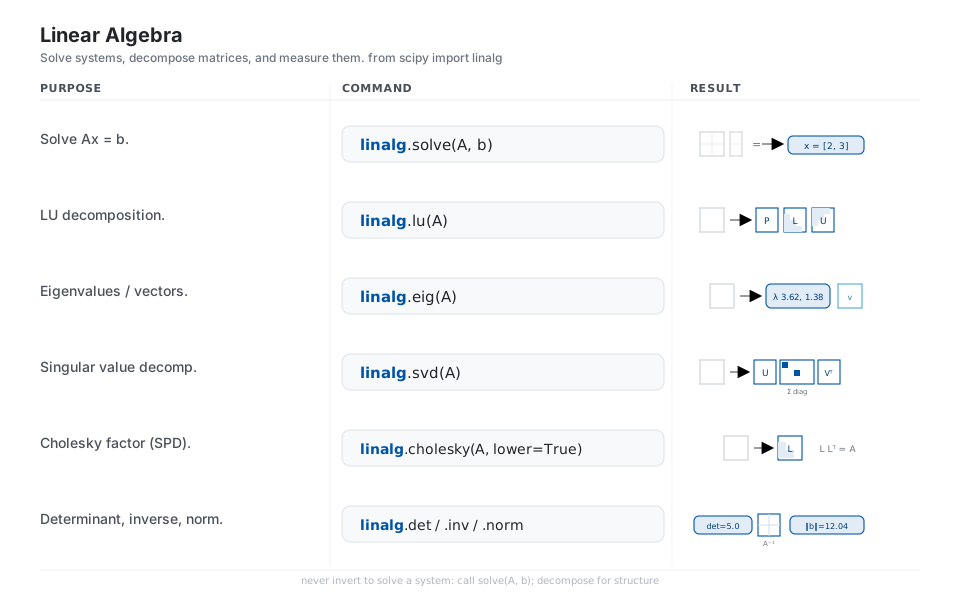
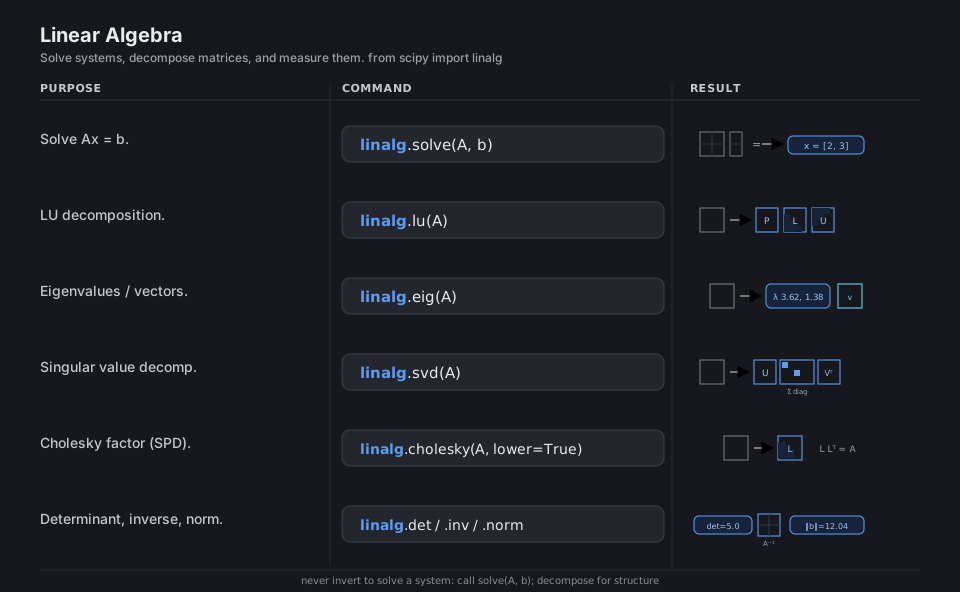
scipy.linalg is a richer superset of numpy.linalg, backed by LAPACK, with extra decompositions. The rule of thumb: never invert a matrix to solve a system, call solve(A, b) instead, and reach for a decomposition (lu, svd, cholesky, qr) when you need structure, stability, or to reuse a factorization across many right-hand sides.
from scipy import linalg

linalg.solve(A, b)                # solve Ax = b
linalg.lu(A)                      # LU decomposition (P, L, U)
linalg.eig(A)                     # eigenvalues / eigenvectors
linalg.svd(A)                     # singular value decomposition (U, s, Vt)
linalg.cholesky(A, lower=True)    # Cholesky factor of an SPD matrix
linalg.det(A)  linalg.inv(A)  linalg.norm(b)    # determinant, inverse, norm
See scipy.linalg.
Integrate & ODEs
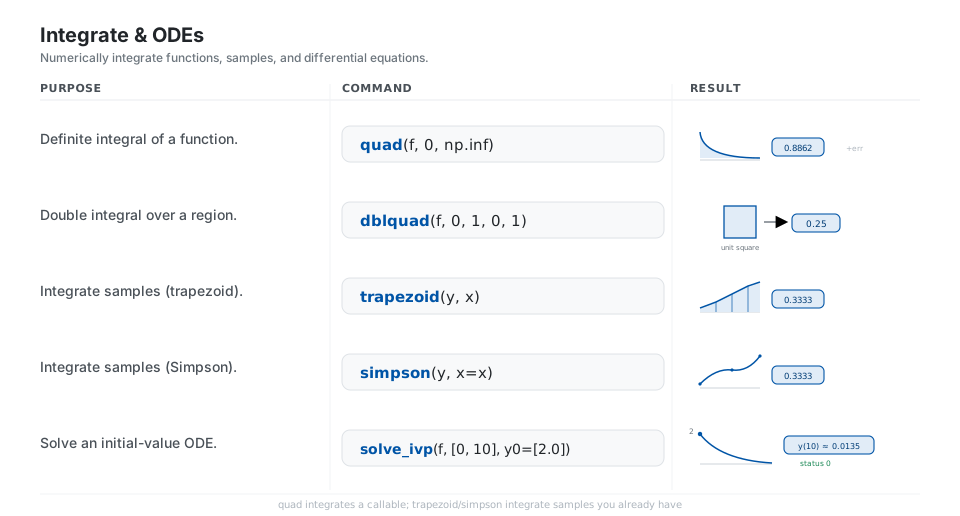
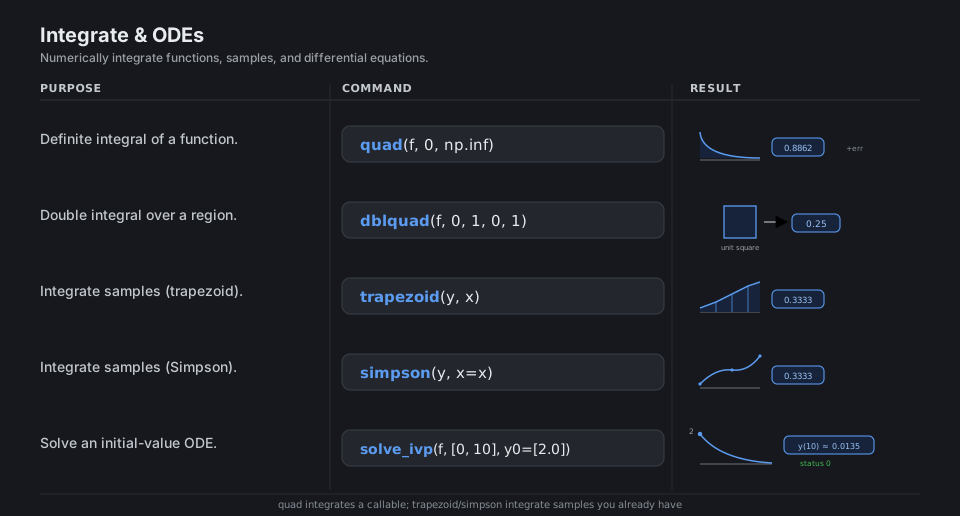
Two distinct jobs share this module: integrating a function you can call (quad, dblquad) versus integrating samples you already have (trapezoid, simpson). For differential equations, solve_ivp is the modern initial-value solver; you give it the right-hand side f(t, y), a time span, and y0, and it returns sol.t and sol.y.
from scipy.integrate import quad, dblquad, trapezoid, simpson, solve_ivp

quad(f, 0, np.inf)          # definite integral of a function -> (value, err)
dblquad(f, 0, 1, 0, 1)      # double integral over a region
trapezoid(y, x)             # integrate samples (trapezoid rule)
simpson(y, x=x)             # integrate samples (Simpson's rule)
solve_ivp(f, [0, 10], y0=[2.0])   # solve an initial-value ODE
See scipy.integrate.
Interpolate
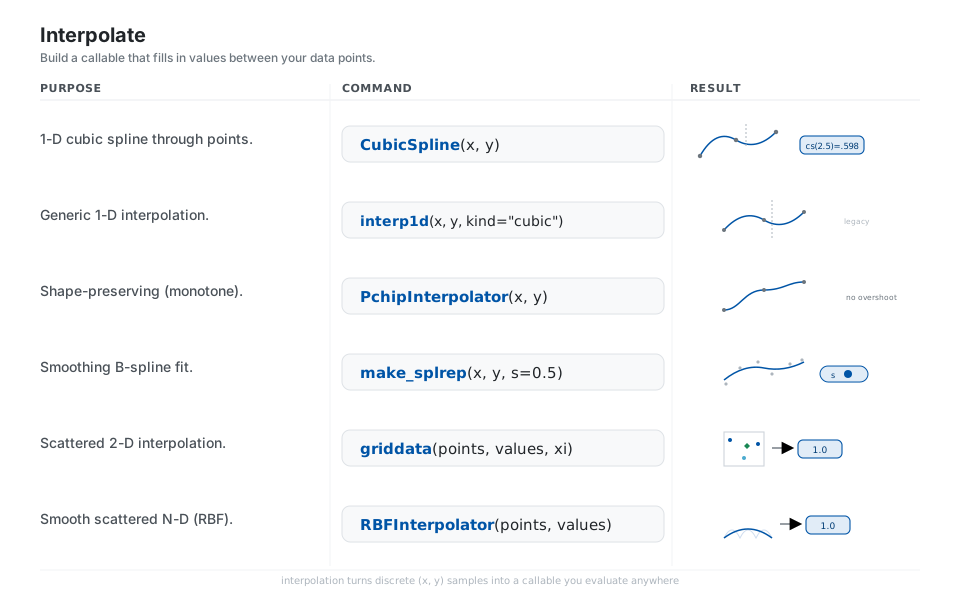
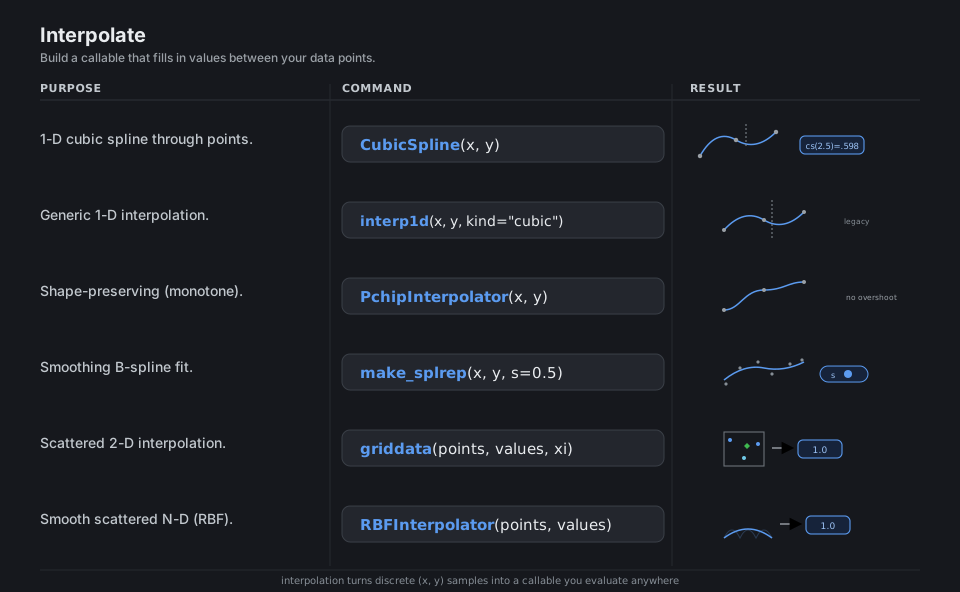
Interpolation turns discrete (x, y) samples into a callable you can evaluate anywhere. Choose by what you need: CubicSpline for smooth curves through every point, PchipInterpolator when monotonicity matters and you must avoid overshoot, make_splrep (the modern replacement for splrep) with a smoothing factor s > 0 for noisy data, and griddata / RBFInterpolator for scattered multi-dimensional points.
from scipy.interpolate import CubicSpline, interp1d, PchipInterpolator, make_splrep, griddata, RBFInterpolator

CubicSpline(x, y)               # smooth curve through every point
interp1d(x, y, kind="cubic")    # generic 1-D interpolation (legacy; prefer CubicSpline)
PchipInterpolator(x, y)         # shape-preserving (monotone, no overshoot)
make_splrep(x, y, s=0.5)        # smoothing B-spline fit (s=0 interpolates)
griddata(points, values, xi)    # scattered 2-D interpolation
RBFInterpolator(points, values) # smooth scattered N-D (radial basis)
See scipy.interpolate.
Statistics
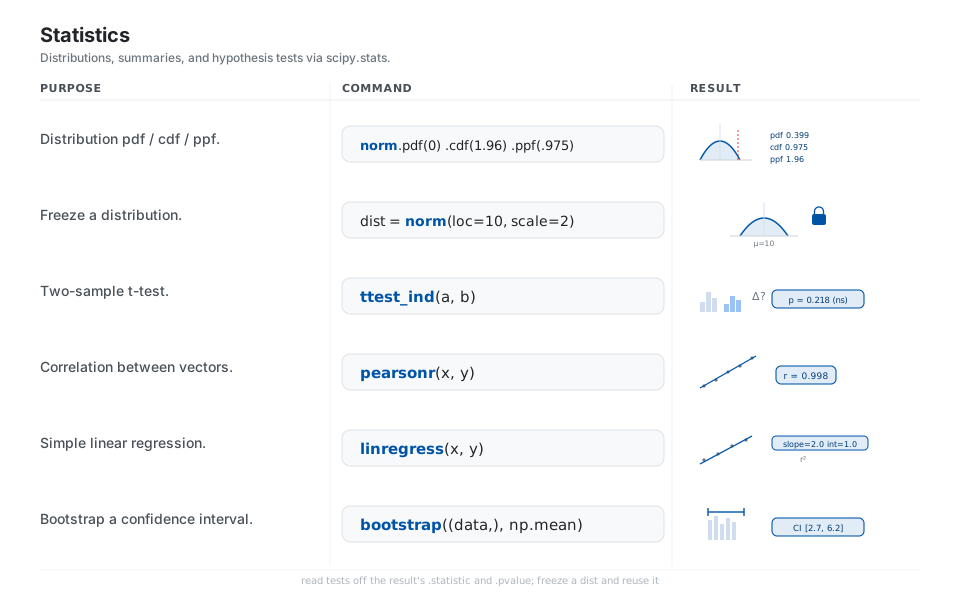
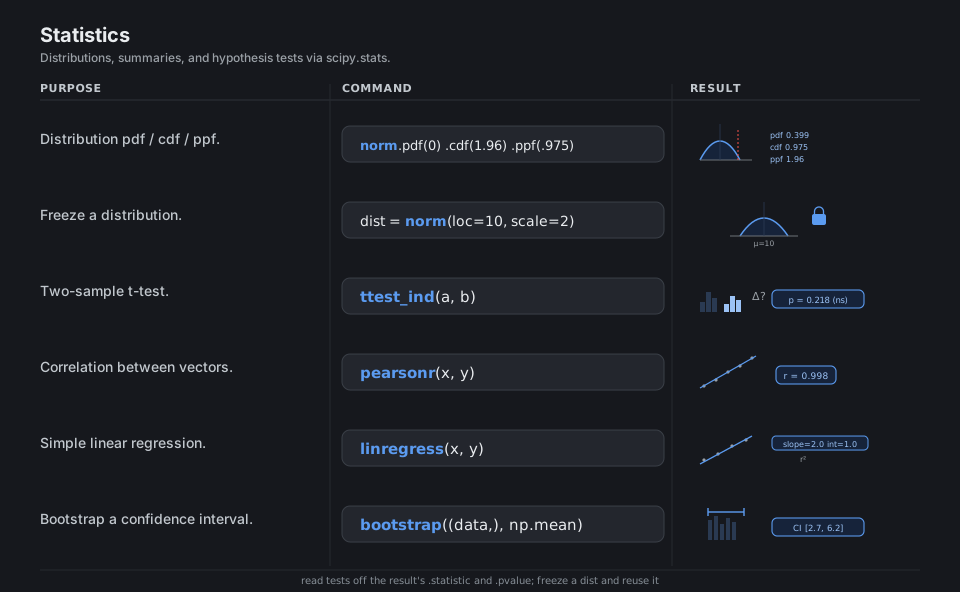
scipy.stats gives you a uniform interface to ~100 probability distributions, each exposing .pdf, .cdf, .ppf, .rvs, plus a large library of hypothesis tests. Two patterns dominate: “freeze” a distribution with its parameters (norm(loc=10, scale=2)) and reuse it, and read test results off the returned object’s .statistic and .pvalue attributes rather than positional tuples.
from scipy.stats import norm, ttest_ind, pearsonr, linregress, bootstrap

norm.pdf(0)  norm.cdf(1.96)  norm.ppf(0.975)   # pdf / cdf / inverse-cdf
dist = norm(loc=10, scale=2)                   # freeze a distribution, then reuse it
ttest_ind(a, b).pvalue                          # two-sample t-test -> p-value
pearsonr(x, y).statistic                        # correlation coefficient
linregress(x, y)                                # slope, intercept, rvalue, pvalue
bootstrap((data,), np.mean).confidence_interval # bootstrap a confidence interval
See scipy.stats.
Sparse Matrices
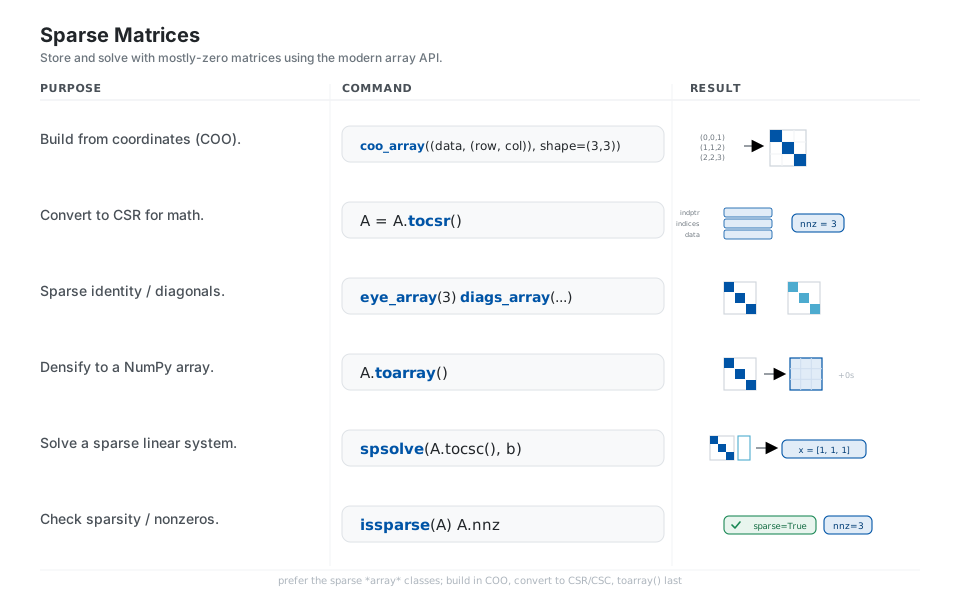
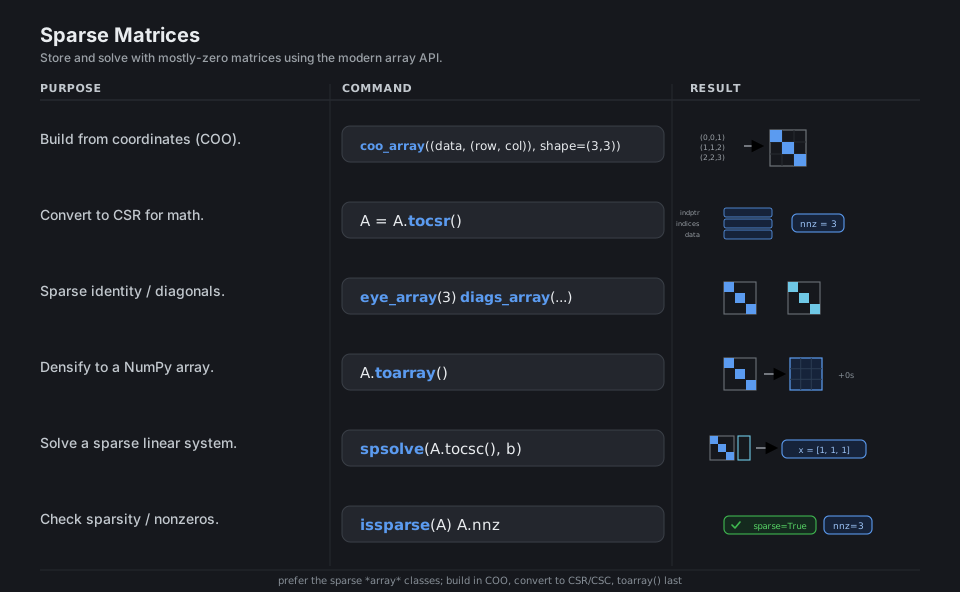
When a matrix is mostly zeros, sparse storage keeps only the nonzeros and makes large problems tractable. Modern scipy favors the sparse array classes (csr_array, coo_array, …) with NumPy-like semantics; the practical workflow is build in a convenient format (COO), convert to CSR for arithmetic or CSC for spsolve, and only toarray() when you truly need dense output.
from scipy.sparse import coo_array, eye_array, diags_array, issparse
from scipy.sparse.linalg import spsolve

A = coo_array((data, (row, col)), shape=(3, 3))   # build from coordinates
A = A.tocsr()                                      # CSR is efficient for arithmetic
eye_array(3)   diags_array([1, 2, 3])              # sparse identity / diagonals
A.toarray()                                        # densify to a NumPy array
spsolve(A.tocsc(), b)                              # solve a sparse system (CSC is best)
issparse(A)   A.nnz                                # check sparsity / count nonzeros
See scipy.sparse.
Signal & FFT
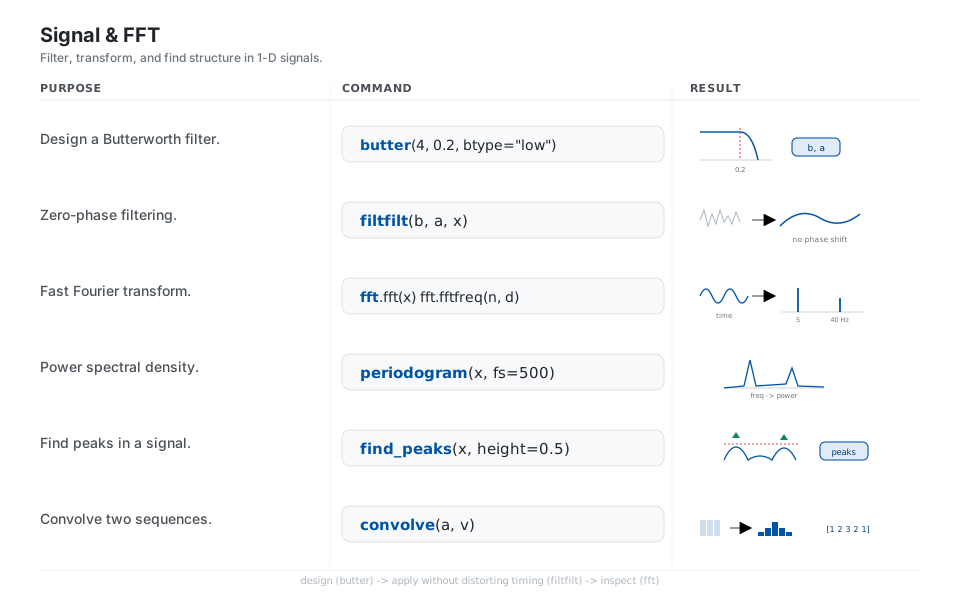
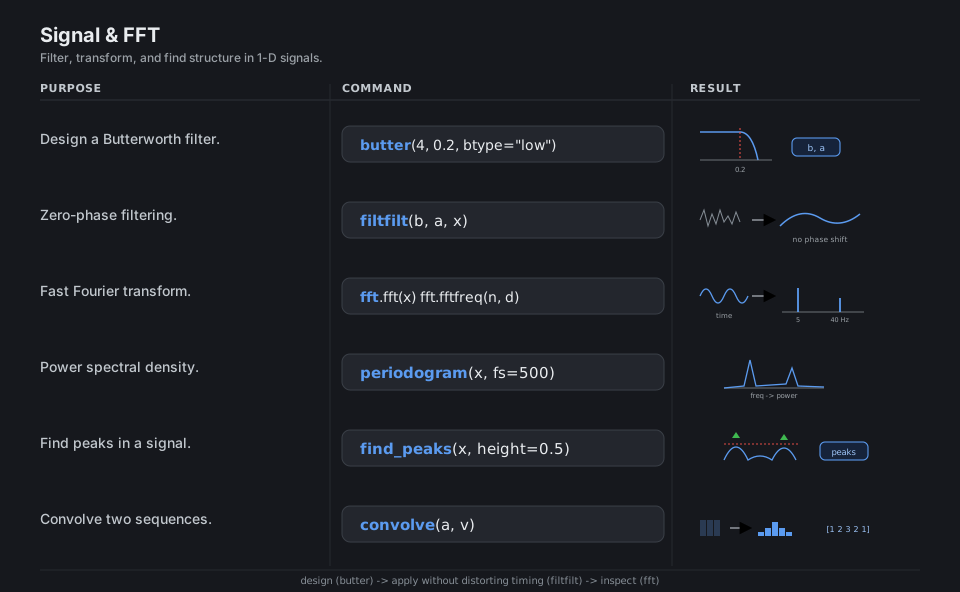
scipy.signal covers filter design and application, spectral analysis, and feature finding for 1-D signals, while scipy.fft provides the fast Fourier transform between time and frequency domains. The everyday loop is: design a filter (butter), apply it without distorting timing (filtfilt/sosfiltfilt), and inspect frequency content (fft, periodogram); prefer second-order-section (sos) form for higher-order filters.
from scipy import signal, fft

signal.butter(4, 0.2, btype="low")     # design a Butterworth low-pass filter -> b, a
signal.filtfilt(b, a, x)               # zero-phase forward+backward filtering
fft.fft(x)   fft.fftfreq(n, d)         # fast Fourier transform + frequencies
signal.periodogram(x, fs=500)          # power spectral density estimate
signal.find_peaks(x, height=0.5)       # indices of local maxima above a height
signal.convolve([1, 1, 1], [1, 1, 1])  # convolve -> [1 2 3 2 1]
See scipy.signal and scipy.fft.
Spatial & Special
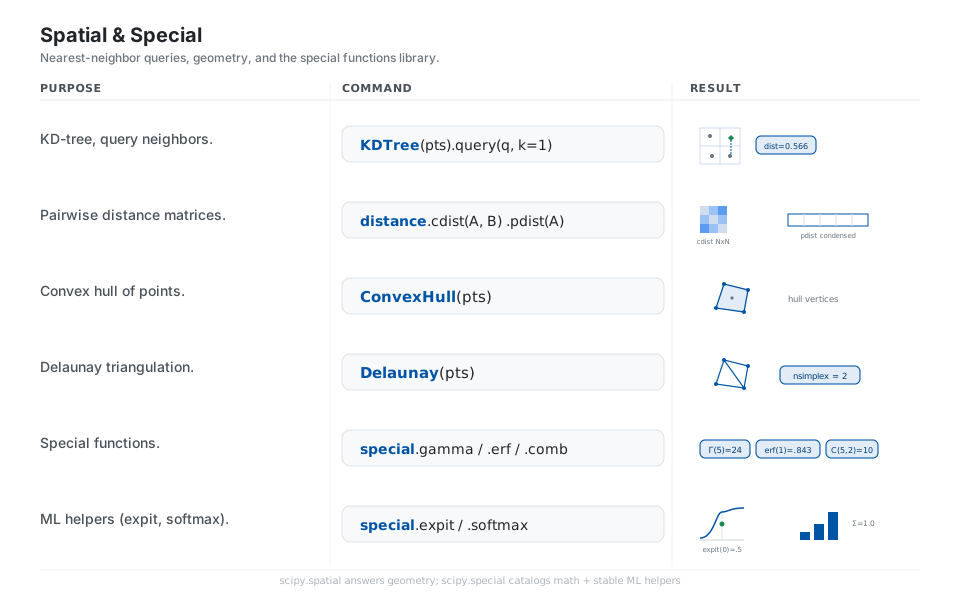
scipy.spatial answers geometric questions, nearest neighbors via KDTree, distances via cdist/pdist, and structures such as ConvexHull and Delaunay, while scipy.special is the catalog of mathematical special functions (gamma, erf, Bessel, binomial) plus numerically stable ML helpers like expit (sigmoid) and softmax that you should prefer over hand-rolled versions.
from scipy.spatial import KDTree, ConvexHull, Delaunay, distance
from scipy import special

KDTree(pts).query(q, k=1)            # nearest neighbor (dist, index)
distance.cdist(A, B)   distance.pdist(A)   # pairwise distance matrices
ConvexHull(pts).vertices             # convex hull corners
Delaunay(pts).nsimplex               # number of triangles
special.gamma(5)  special.erf(1)  special.comb(5, 2)   # special functions
special.expit(0)  special.softmax([1, 2, 3])           # sigmoid / softmax
See scipy.spatial and scipy.special.
Quick Reference
| Submodule | Use it for | Daily-use entry points |
|---|---|---|
scipy.optimize |
minimize, solve equations, fit, LP | minimize, root_scalar, curve_fit, linprog |
scipy.linalg |
solve systems, decompositions | solve, lu, eig, svd, cholesky |
scipy.integrate |
integrals, ODEs | quad, simpson, solve_ivp |
scipy.interpolate |
fill between points | CubicSpline, interp1d, griddata |
scipy.stats |
distributions, tests | norm, ttest_ind, linregress, bootstrap |
scipy.sparse |
mostly-zero matrices | csr_array, coo_array, spsolve |
scipy.signal / scipy.fft |
filter, transform, peaks | butter, filtfilt, fft, find_peaks |
scipy.spatial / scipy.special |
geometry, math functions | KDTree, ConvexHull, gamma, expit |
| Routine family | Returns | Key attributes |
|---|---|---|
minimize, root, least_squares, linprog |
OptimizeResult |
.x, .fun, .success, .message, .nit |
ttest_*, pearsonr |
result object | .statistic, .pvalue |
linregress |
LinregressResult |
.slope, .intercept, .rvalue, .pvalue |
solve_ivp |
OdeResult |
.t, .y, .status, .success |
bootstrap |
BootstrapResult |
.confidence_interval, .standard_error |
Appendix: Sample Code
Canonical imports and the result-object pattern
import numpy as np

# Idiomatic: import the submodule, not bare `scipy`
from scipy import optimize, linalg, integrate, stats
from scipy.optimize import minimize, curve_fit

res = minimize(lambda x: (x - 3) ** 2, x0=[0.0])
res.x          # the solution array
res.fun        # objective value at the solution
res.success    # bool: did it converge?
res.message    # human-readable status
Worked example: fit, then integrate the fitted curve
import numpy as np
from scipy.optimize import curve_fit
from scipy.integrate import quad

x = np.linspace(0, 4, 30)
y = 2.5 * np.exp(-1.3 * x) + 0.1 + np.random.default_rng(0).normal(0, 0.02, x.size)

model = lambda x, a, b, c: a * np.exp(-b * x) + c
(a, b, c), _ = curve_fit(model, x, y, p0=[1, 1, 0])

area, _ = quad(lambda t: model(t, a, b, c), 0, 4)
print(f"fitted a={a:.2f} b={b:.2f} c={c:.2f}; area under fit = {area:.3f}")
References
SciPy documentation
- SciPy documentation home, API reference, and the user guide
scipy.optimize,scipy.linalg,scipy.integratescipy.interpolate,scipy.stats,scipy.sparsescipy.signal,scipy.fft,scipy.spatial,scipy.special
Project