uv is a fast Python package and project manager from Astral that folds the jobs of pip, pip-tools, virtualenv, pipx, and pyenv into a single tool. This cheatsheet groups the commands you reach for daily into eight areas, and pairs each command with a small diagram of what it does. For the full reference, see the uv documentation.
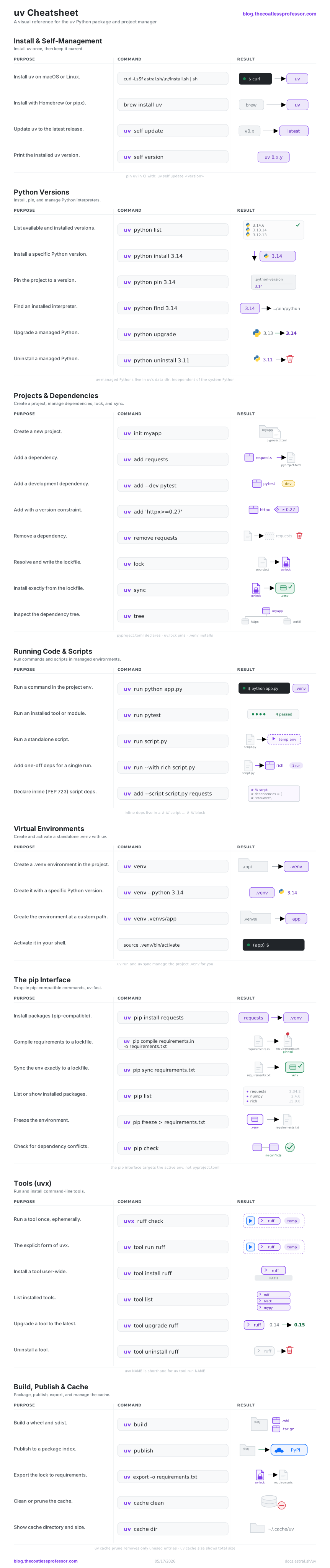
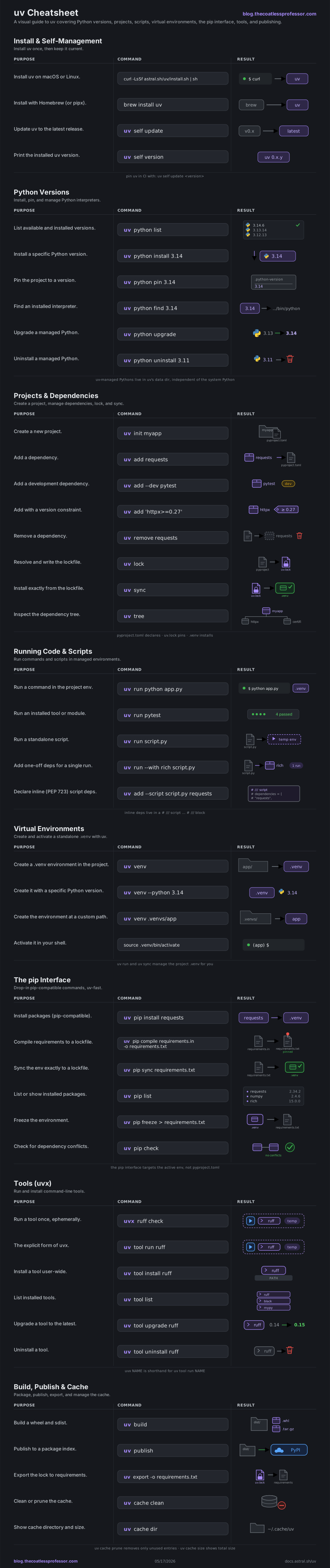
Install & Self-Management
Install uv once with a script or your package manager, then let it keep itself current.
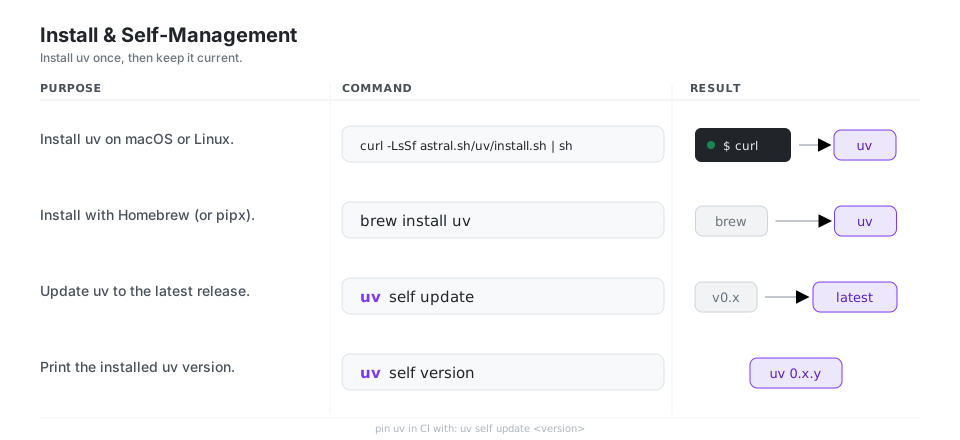
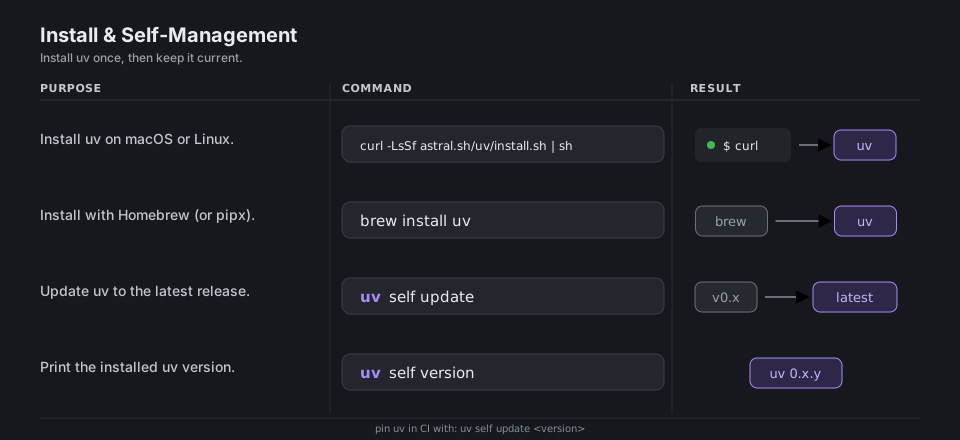
# Install on macOS or Linux
curl -LsSf https://astral.sh/uv/install.sh | sh

# Or with Homebrew (pipx and winget also work)
brew install uv

# Update uv, and print its version
uv self update
uv self version
See Installing uv for Windows, pipx, and CI options.
Python Versions
A “Python version” is more than a number. It is a specific Python interpreter (the python executable), its standard library, and the supporting files that ship alongside them.
uv works with two kinds of installation. It discovers any Python already present on your machine, the system installations, and it can also download and manage its own standalone CPython builds, the managed installations. Managed builds live in uv’s own data directory, separate from whatever Python your operating system ships, so a project can target an exact interpreter version without touching the system Python or reaching for a separate manager like pyenv. uv python list shows both kinds side by side, and uv python install fetches a managed build on demand.
To select a version per project, uv reads a .python-version file. uv python pin 3.14 writes one in the current directory, while uv python pin --global writes a global default into your user configuration directory. When uv needs an interpreter it looks for .python-version in the working directory and walks up through each parent, stopping at the project or workspace boundary, then falls back to that user-level config. A plain version number like 3.14 is the most portable choice, since other tools understand it too. Commit .python-version so everyone on the project builds against the same interpreter, and pass --no-config when you want uv to ignore these files entirely.
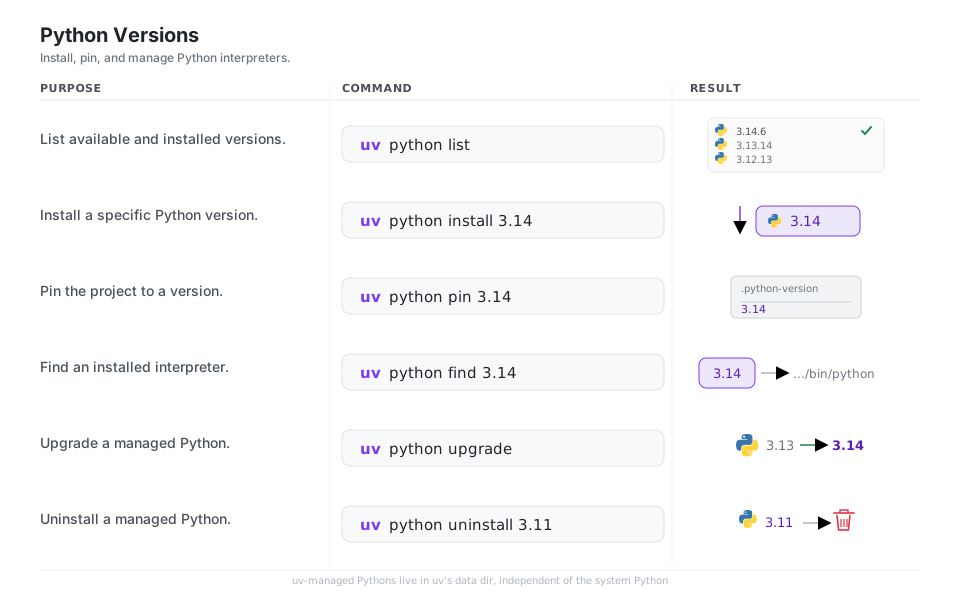
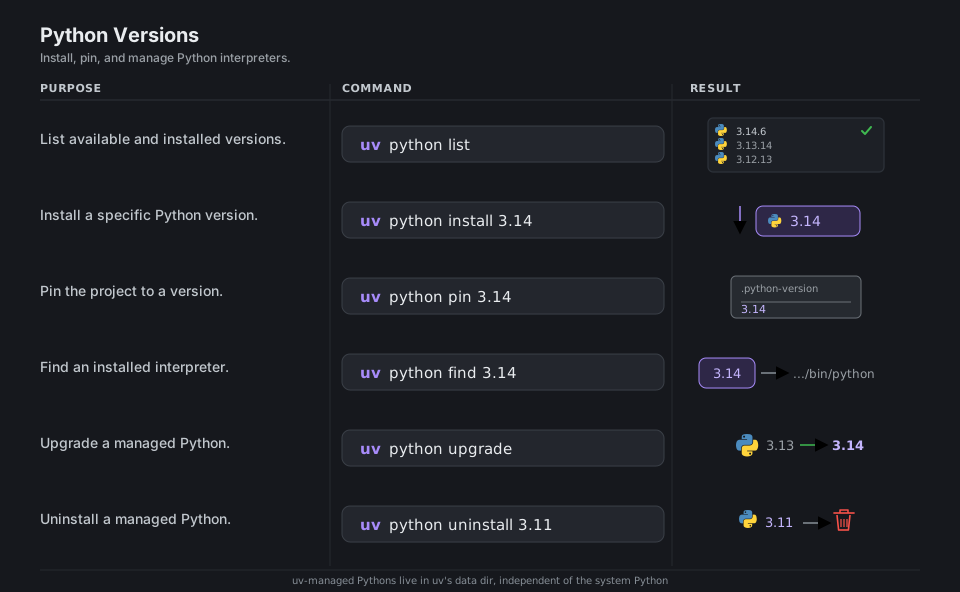
uv python list                  # available and installed versions
uv python install 3.14          # install a specific version
uv python pin 3.14              # write .python-version for the project
uv python find 3.14             # locate an installed interpreter
uv python upgrade               # upgrade managed CPython
uv python uninstall 3.11        # remove a managed version
More in Python versions.
Projects & Dependencies
A uv project centers on two files. pyproject.toml is the standard Python project manifest (PEP 621): it records your project’s metadata and its direct dependencies, the loose constraints you actually care about, such as requests or httpx>=0.27. uv.lock is uv’s lockfile: a complete, cross-platform snapshot of every package and the exact version that satisfies those constraints, transitive dependencies included. You edit pyproject.toml with uv add and uv remove, uv lock resolves it into uv.lock, and uv sync makes the .venv match the lock exactly. Commit both files.
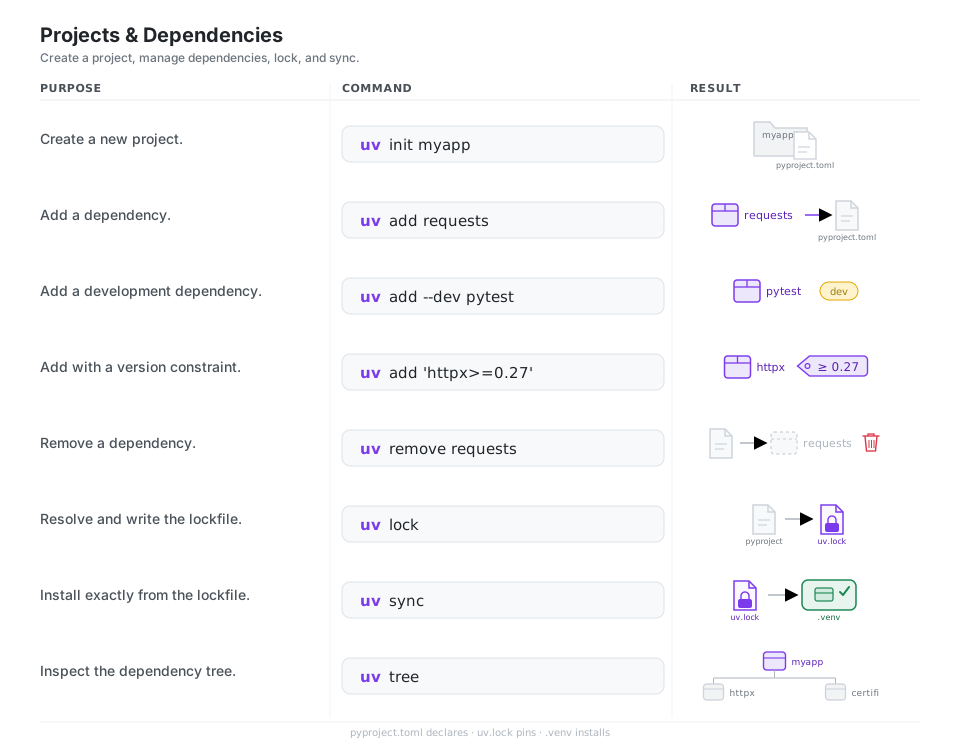
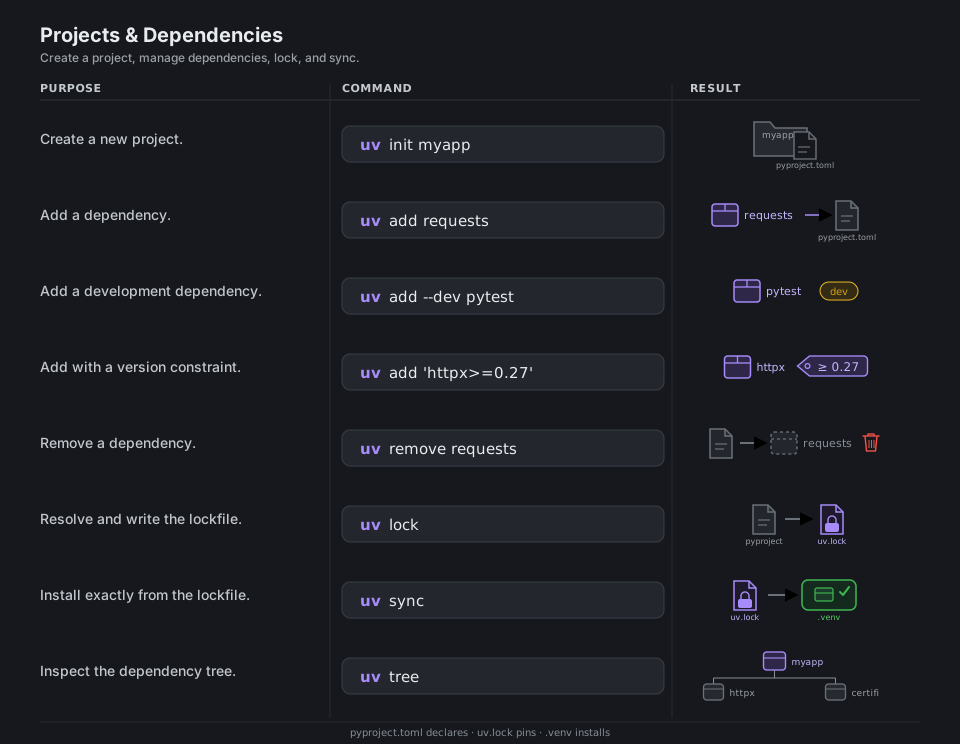
uv init myapp                   # create a new project
uv add requests                 # add a dependency
uv add --dev pytest             # add a development dependency
uv add 'httpx>=0.27'            # add with a version constraint
uv remove requests              # remove a dependency
uv lock                         # resolve and write uv.lock
uv sync                         # install exactly from uv.lock
uv tree                         # show the dependency tree
See the project guide for the full workflow.
Running Code & Scripts
uv run executes a command in the project environment, syncing it first if needed. It also runs standalone scripts, including ones that declare their own dependencies inline via PEP 723.
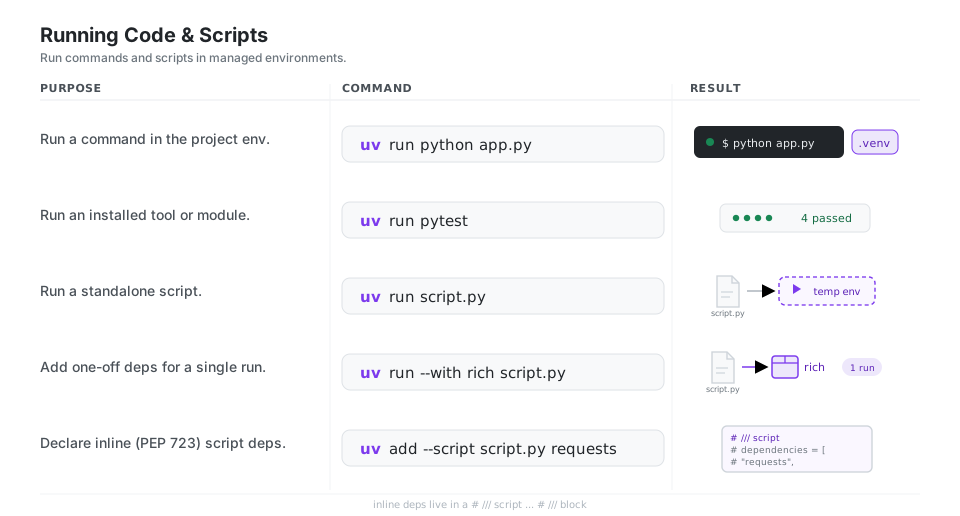
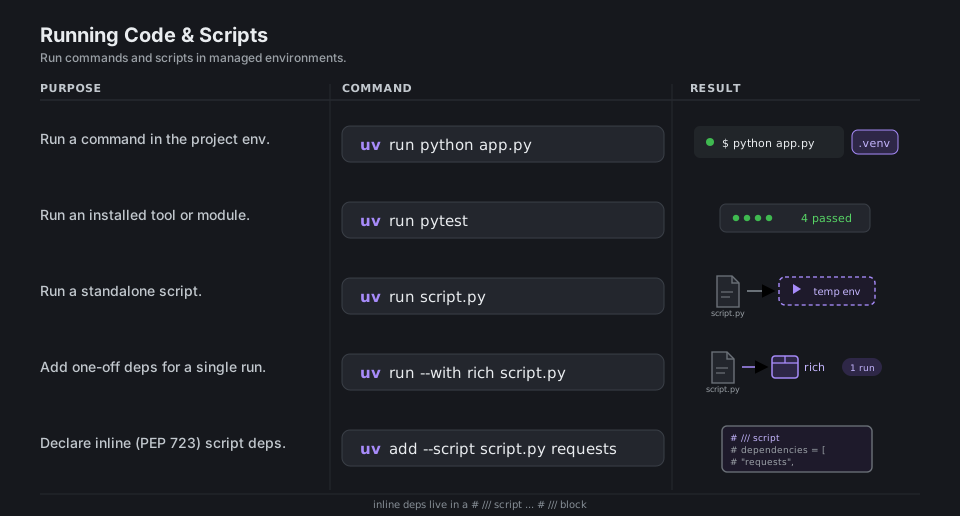
uv run python app.py            # run in the project environment
uv run pytest                   # run an installed tool or module
uv run script.py                # run a standalone script
uv run --with rich script.py    # add one-off deps just for this run
uv add --script script.py requests   # declare inline (PEP 723) deps
More in the scripts guide.
Virtual Environments
For non-project workflows, uv venv creates a standalone .venv very quickly. Inside a project, uv run and uv sync create and manage the .venv for you automatically.
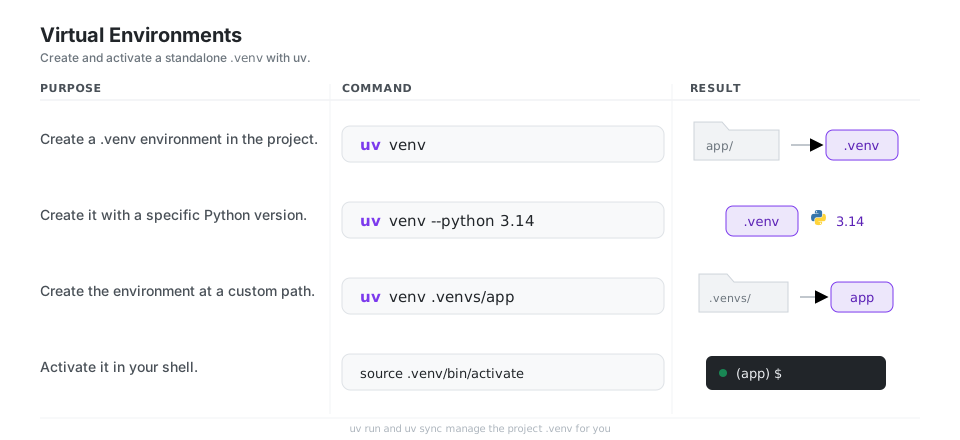
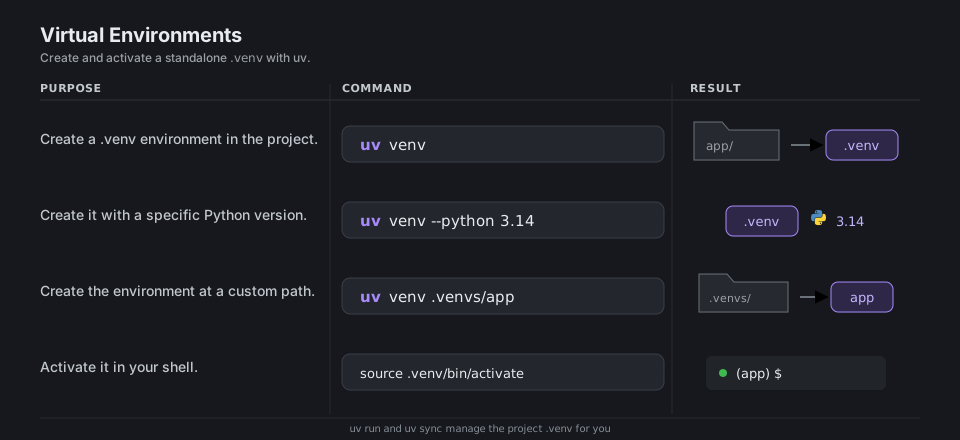
uv venv                         # create a .venv in the project
uv venv --python 3.14           # create with a specific Python
uv venv .venvs/app              # create at a custom path
source .venv/bin/activate # activate it (macOS / Linux)The pip Interface
uv pip is a fast, drop-in replacement for pip and pip-tools that operates on the active environment, not on pyproject.toml. It fits existing requirements-based workflows. The convention is to keep your direct dependencies in a requirements.in file, listing only what you import plus any version bounds. uv pip compile then resolves the full dependency graph and writes a requirements.txt with every package, direct and transitive, pinned to an exact version. That compiled requirements.txt is effectively a lockfile: uv pip sync installs it for a byte-for-byte reproducible environment. uv can also produce and consume the new standardized lockfile format, pylock.toml (PEP 751), so you are not tied to the older pip-tools text format. (For full projects, uv’s own uv.lock plays this same role.)
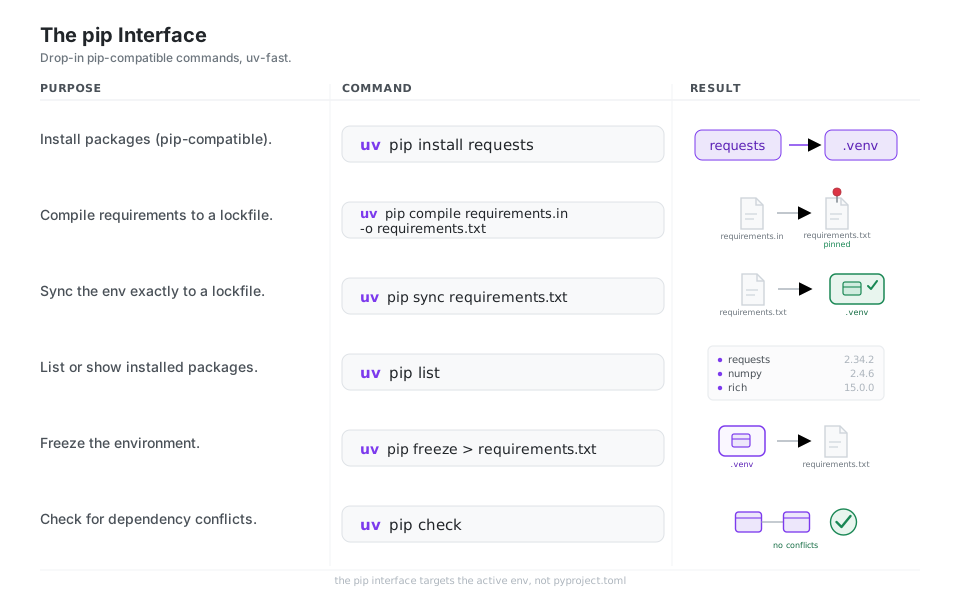
uv pip install requests         # install (pip-compatible)
uv pip compile requirements.in -o requirements.txt   # compile a lockfile
uv pip sync requirements.txt    # sync the env exactly to a lockfile
uv pip list                     # list installed packages
uv pip freeze > requirements.txt     # freeze the environment
uv pip check                    # check for dependency conflicts
Full details in the pip interface docs.
Tools (uvx)
uvx, the same as uv tool run, runs a command-line tool in its own temporary, isolated environment. uv resolves the tool and its dependencies into a throwaway environment, runs it, then discards it, so nothing leaks into your project or onto your PATH. The downloaded pieces stay in uv’s cache, so the next uvx ruff reuses them and starts almost instantly. When you want a tool to stay around as a regular command, uv tool install gives it a persistent environment and links its executable onto your PATH. That split keeps one-off runs (a quick ruff check) separate from the handful of tools you reach for every day.
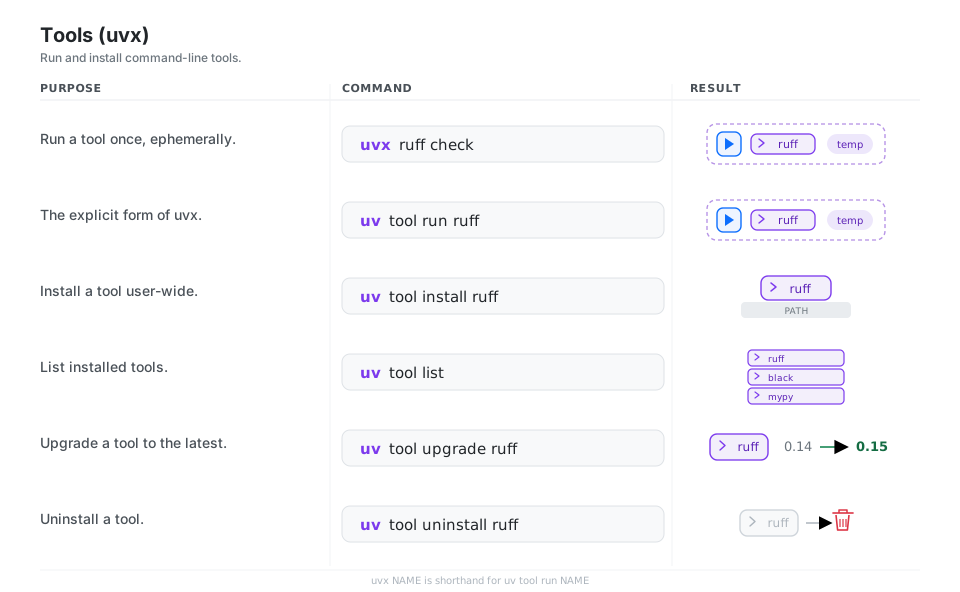
uvx ruff check                  # run a tool once, ephemerally
uv tool run ruff                # the explicit form of uvx
uv tool install ruff            # install a tool user-wide
uv tool list                    # list installed tools
uv tool upgrade ruff            # upgrade a tool
uv tool uninstall ruff          # uninstall a tool
More in the tools guide.
Build, Publish & Cache
When your package is ready, uv build produces a wheel and source distribution, and uv publish uploads them. uv export converts the lock to a requirements.txt, and uv cache keeps the shared download cache in check.
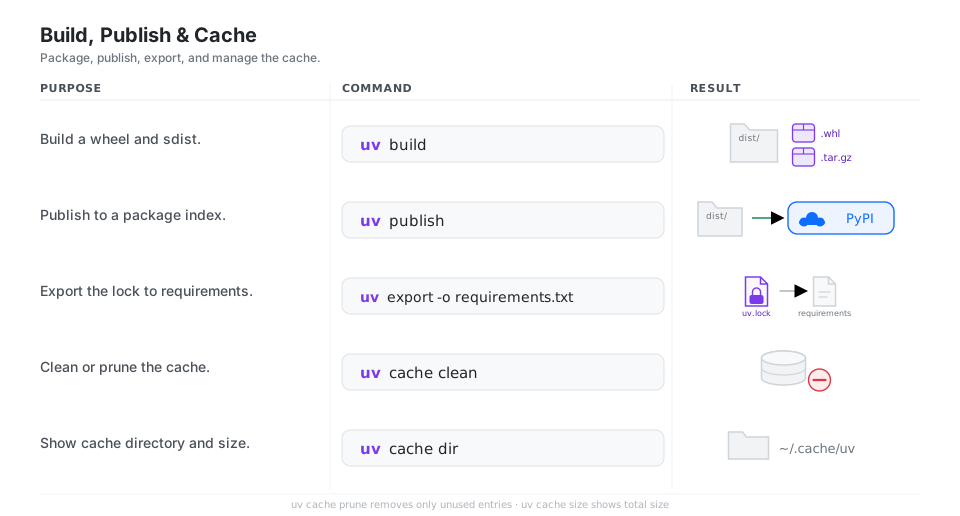
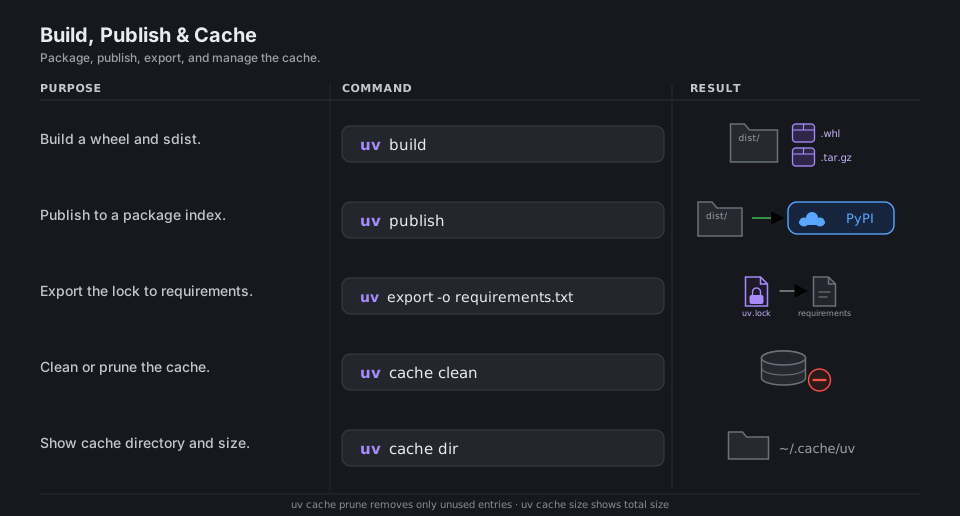
uv build                        # build wheel + sdist into dist/
uv publish                      # publish to a package index
uv export -o requirements.txt   # export the lock to requirements
uv cache clean                  # clear the cache
uv cache prune                  # remove only unused entries
uv cache dir                    # show the cache directory
uv cache size                   # show the cache size
See the packaging guide.
Quick Reference
| Command | What it does | Area |
|---|---|---|
uv self update |
Update uv itself | Install |
uv python install 3.14 |
Install a Python version | Python |
uv python pin 3.14 |
Pin the project’s Python | Python |
uv init |
Create a new project | Projects |
uv add / uv remove |
Edit dependencies in pyproject.toml |
Projects |
uv lock |
Resolve and write uv.lock |
Projects |
uv sync |
Install exactly from uv.lock |
Projects |
uv run |
Run a command or script in the env | Run |
uv venv |
Create a standalone .venv |
Environments |
uv pip install |
pip-compatible install | pip |
uv pip compile |
Compile a requirements.txt lockfile |
pip |
uvx |
Run a tool ephemerally | Tools |
uv tool install |
Install a tool user-wide | Tools |
uv build / uv publish |
Build and publish a package | Build |
uv export |
Export the lock to requirements.txt |
Build |
| File | Role |
|---|---|
pyproject.toml |
Declares your project and its dependencies |
uv.lock |
The exact, resolved, cross-platform dependency versions |
.python-version |
Pins the interpreter uv uses for the project |
.venv/ |
The virtual environment uv installs into |
requirements.txt |
pip-style export, produced by uv export or uv pip compile |
pylock.toml |
Standardized lockfile (PEP 751), an alternative to requirements.txt |
| Flag | Meaning | Example |
|---|---|---|
--dev |
Target the dev dependency group | uv add --dev pytest |
--with |
Add one-off deps for a single run | uv run --with rich app.py |
--script |
Operate on a single script’s inline deps | uv add --script app.py httpx |
--python |
Choose the Python version | uv venv --python 3.14 |
-o |
Output file | uv export -o requirements.txt |
Appendix: Sample Files
Short examples of the files the cheatsheet refers to.
.python-version
Pins the interpreter for the project. uv python pin writes it, and a bare version number is the most portable choice:
3.14requirements.txt (compiled lockfile)
uv pip compile requirements.in -o requirements.txt resolves your loose, direct dependencies (the requirements.in) into a fully pinned set, annotated with what pulled each package in:
# This file was autogenerated by uv via the following command:
#    uv pip compile requirements.in -o requirements.txt
certifi==2026.6.17
    # via requests
charset-normalizer==3.4.7
    # via requests
idna==3.18
    # via requests
requests==2.34.2
    # via -r requirements.in
urllib3==2.7.0
    # via requests
pylock.toml (PEP 751 lockfile)
The standardized lockfile format, produced with uv export -o pylock.toml or uv pip compile -o pylock.toml. One [[packages]] block is emitted per resolved dependency (abbreviated here):
# This file was autogenerated by uv via the following command:
#    uv pip compile requirements.in -o pylock.toml
lock-version = "1.0"
created-by = "uv"
requires-python = ">=3.12.10"

[[packages]]
name = "certifi"
version = "2026.6.17"
sdist = { url = ".../certifi-2026.6.17.tar.gz", hashes = { sha256 = "024c88…" } }
wheels = [{ url = ".../certifi-2026.6.17-py3-none-any.whl", hashes = { sha256 = "2227dc…" } }]

[[packages]]
name = "requests"
version = "2.34.2"
sdist = { url = ".../requests-2.34.2.tar.gz", hashes = { sha256 = "f28892…" } }
wheels = [{ url = ".../requests-2.34.2-py3-none-any.whl", hashes = { sha256 = "2a0d60…" } }]

# ...one [[packages]] block per resolved dependency
Inline script metadata (PEP 723)
A standalone script can declare its own dependencies in a # /// script block. uv run app.py reads it, builds a throwaway environment with those packages, and runs the script, with no project and no manual pip install:
# /// script
# requires-python = ">=3.12"
# dependencies = [
#     "requests",
#     "rich",
# ]
# ///

import requests
from rich import print

resp = requests.get("https://api.github.com")
print(resp.json())
uv add --script app.py httpx appends a dependency to that block for you, and uv lock --script app.py writes a app.py.lock next to it.
References
uv documentation
- uv overview and getting started
- Installing uv on macOS, Linux, and Windows
- Python version management
- Working on projects, and the project concepts page
- Running scripts (inline metadata, one-off deps)
- Working with virtual environments
- The pip-compatible interface
- Tools and
uvx - Building and publishing a package
- The uv cache
Python and packaging standards
- The Python language and the Python Package Index (PyPI)
- PEP 621: declaring project metadata in
pyproject.toml - PEP 723: inline script metadata for standalone scripts
- PEP 751: the standardized
pylock.tomllockfile
Astral and the tools used in the examples
- Astral, the team behind uv, and uv on GitHub
- Ruff, the linter and formatter used throughout the
uvxexamples - pytest, the test runner shown under
uv run - pip-tools, the original
requirements.intorequirements.txtworkflow